
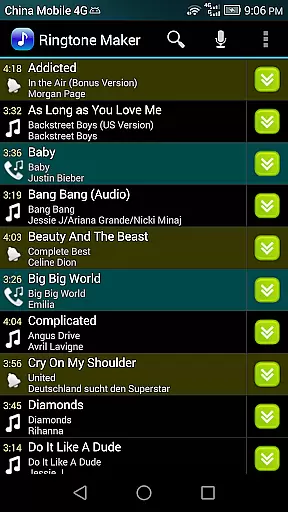
Ringtone Maker Pro is a versatile audio editing tool designed for creating personalized ringtones, alarms, and notifications. This app supports multiple audio formats including MP3, WAV, AAC/MP4, and 3GPP/AMR files, making it compatible with a wide range of devices.
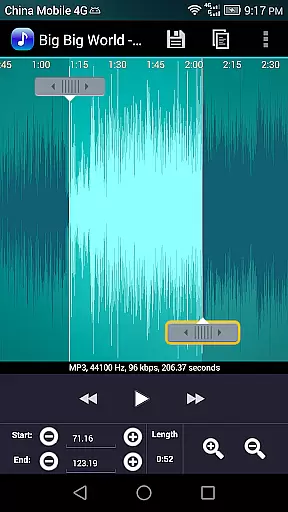
One standout feature is its intuitive timeline interface that allows users to precisely set start and end points for their audio clips. Whether you're adjusting timestamps manually or using the sliding arrows, the process is seamless and user-friendly. Additionally, the app offers advanced editing capabilities such as fade in/out effects, volume adjustments, and waveform visualization at five zoom levels.
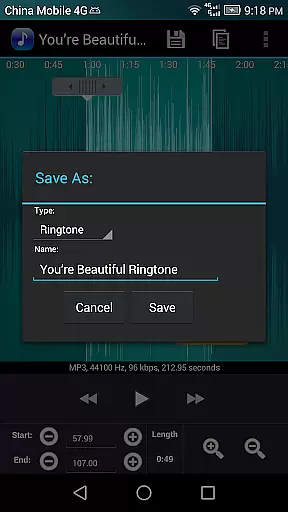
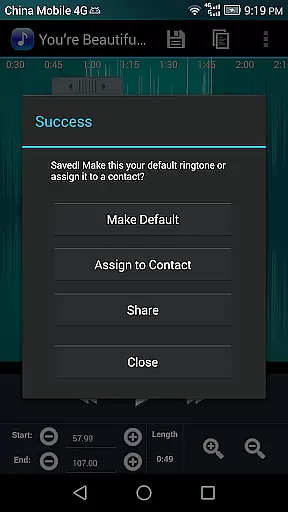
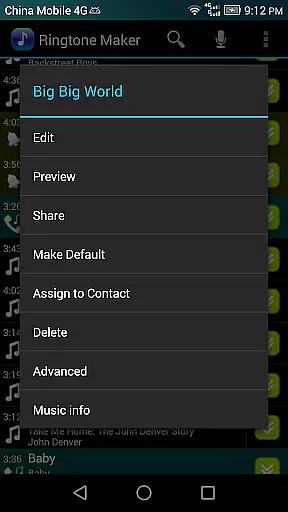
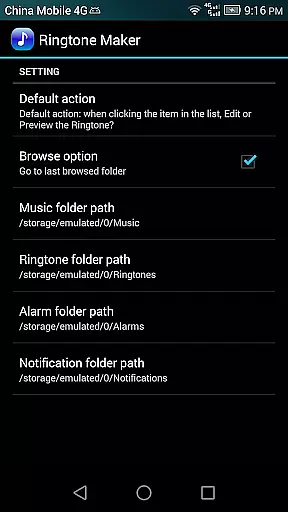
With Ringtone Maker Pro, users can preview their creations, assign them to specific contacts, and manage existing contact ringtones. The app also provides options to save edited audio files into designated folders on the SD card, ensuring organized storage for music, ringtones, alarms, and notifications.
Ringtone Maker Pro boasts an array of powerful features tailored for both casual users and audio enthusiasts. The app's copy, cut, and paste functionality simplifies the editing process, allowing for quick modifications to your audio files. For more refined control, users can apply fade in/out effects and adjust volume levels specifically for MP3 files.
A unique aspect of this app is its ability to display a scrollable waveform representation of the audio file. This visual aid, combined with the optional touch interface, enables precise selection of clip boundaries within the audio track. Users can play back the selected portion, complete with an indicator cursor and automatic scrolling of the waveform, ensuring accuracy during edits.
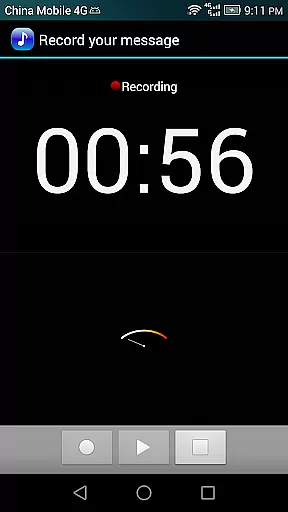
Additional features include the capability to record new audio clips directly within the app, delete unwanted files with confirmation alerts, and sort audio content by tracks, albums, or artists. Furthermore, users can assign custom ringtones to contacts and manage these assignments effortlessly, enhancing personalization options for their device's notification system.
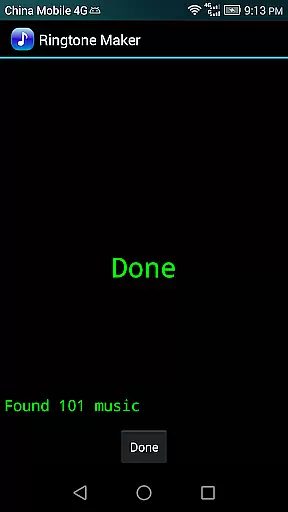
Ringtone Maker Pro offers a versatile music library that supports multiple audio formats including MP3, WAV, AAC/MP4, and 3GPP/AMR files. This extensive compatibility ensures users can work with a wide variety of audio sources.
The app allows you to create ringtones, alarms, and notifications while maintaining the integrity and authenticity of the original content. By supporting legitimate file types and providing tools for editing without altering copyright information, it respects the intellectual property rights of artists.
Users benefit from the ability to manage their audio files effectively, ensuring they have access to their favorite sounds in a legal and ethical manner. The app's functionality is designed to provide freedom of choice without compromising on copyright standards.
One of the standout features of Ringtone Maker Pro is its ability to adjust volume and apply fade-in/out effects specifically for MP3 files. These capabilities ensure that the audio output maintains high-quality sound characteristics.
The app provides users with five zoom levels to view a scrollable waveform representation of their audio files. This detailed visualization allows for precise edits and adjustments, enhancing the overall audio quality of custom ringtones and notifications.
Additionally, users can preview their creations before saving, ensuring satisfaction with the final product. The combination of these advanced editing tools results in professional-grade audio outputs tailored to individual preferences.
User-friendly interface
Wide format compatibility
Advanced editing tools
Intuitive waveform editor
Comprehensive file management
Requires storage permission
Contact access needed
No cloud backup option
Limited free version
Occasional ads

Formerly known as Spotistats! View your top tracks, artists, albums and more!
 4.40
4.40
The Music Journey in Your Hands
4.30
Visualize the guitar fretboard, master scales & play through changes like a pro!
4.50
Advanced 10-Band Audio Graphic Equalizer Sound Booster Pro
4.30
The ultimate media player for Android devices
3.90
Next generation modular control surface
4.10
Smart piano keyboard, Classical to Pop, Real-time multiplayer connection!
4.20
Offline Music Player & MP3 Player.Powerful equalizer, Lyrics, Themes, Tag Editor
4.80
Melody Beat: Great for travel, workouts, offline vibes, play your tunes anytime.
4.10
Make songs with AI! Any genre, custom lyric, song generator for music creation!
4.80
Music, News & Sports Radio Tuner App. Tune in Live FM & AM Radio Stations.
4.80
Taal player that lets you sing any Indian & Western song with Tabla & Tanpura
4.60
The best music and audio player, with beautiful UI, music search and equalizer.
4.60
Recording studio w/ 10k beats, pro vocal FX and a network of 20M rappers & fans!
4.60
Fun & Easy Voice Changer – Record, Edit & Add Hilarious Effects!
4.50
10-Band Audio Equalizer, Sound / Bass Booster for Spotify Users & Music Players
4.40
Enjoy singing any song, no matter how high or low it is
4.30
The official Sonos app
4.10
Remove ads permanently from Music Visualizer
4.5


User Reviews