
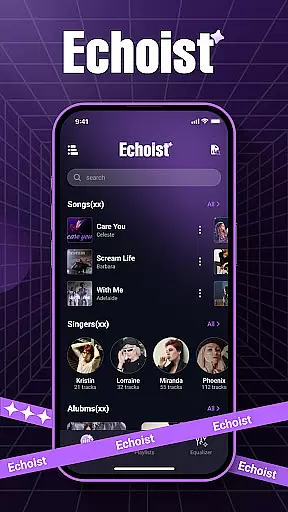
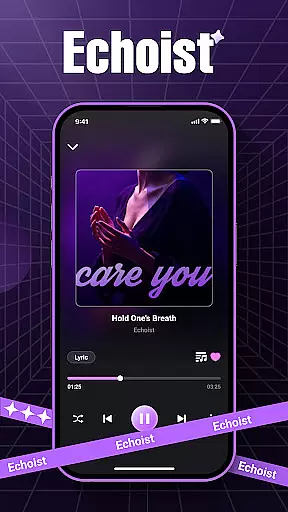
Echoist is a premium offline music player designed for audiophiles who value seamless access to their personal music libraries. The app supports all major audio formats including MP3, FLAC, WAV, and AAC, ensuring universal compatibility with your existing collection.
What sets Echoist apart is its intuitive organization tools and enhanced playback features. Users can sort their music by artist, album, or genre, create custom playlists, and enjoy advanced functionalities like a customizable equalizer and sleep timer. Whether you're commuting or relaxing at home, Echoist delivers high-quality sound without requiring an internet connection.
Ideal for users seeking a reliable offline music experience, Echoist combines powerful library management with sleek design, making it the perfect choice for organizing and enjoying your favorite tracks anytime, anywhere.
Echoist offers a comprehensive suite of features that cater to both casual listeners and music enthusiasts. Its smart library automatically scans and organizes your entire music collection, presenting it in a clean, user-friendly interface. With support for multiple audio formats and advanced sorting options, finding and playing your songs has never been easier.
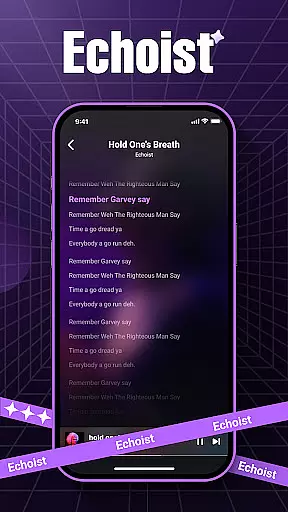
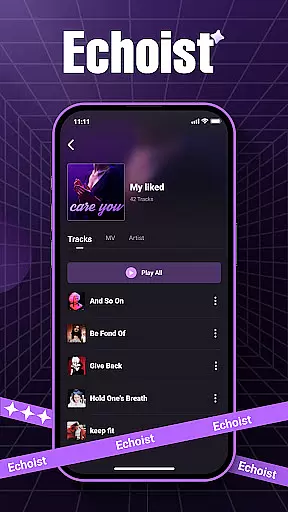
The app's customizable equalizer allows users to fine-tune audio output to match their preferences or listening environment. Background playback ensures uninterrupted music while using other apps, while the built-in sleep timer provides convenience for bedtime listening. Additionally, Echoist includes a lyrics display feature and a favorites section for quick access to your most-played tracks.
These features collectively create a personalized and immersive music experience, giving users complete control over how they interact with their offline music library.
When it comes to music applications like Echoist, the size and authenticity of the music library are crucial factors for users. A vast music library ensures that users have access to a wide range of songs across different genres and artists.
Echoist allows users to bring their entire music collection to life by supporting various audio formats such as MP3, FLAC, WAV, and AAC. This means you can store thousands of tracks directly on your device without relying on an internet connection.
The app emphasizes copyright authenticity by enabling users to play their legally owned music files. By focusing on local playback, Echoist ensures that all content is authentic and respects intellectual property rights.
This approach not only provides peace of mind regarding legal issues but also guarantees high-quality audio since the files are sourced directly from the user's collection.
Audio quality is a significant aspect of any music player application, including Echoist. High-quality audio options enhance the listening experience by delivering clear and rich sound.
Echoist supports multiple high-fidelity audio formats like FLAC and WAV, which preserve the original sound quality without compression losses. Users can enjoy studio-quality music right on their devices.
In addition to supporting lossless formats, Echoist offers a customizable equalizer. This feature lets users adjust audio settings according to their preferences or audio equipment, ensuring optimal sound output tailored to individual tastes.
With background playback and sleep timer functionalities, Echoist maintains consistent audio quality even when running in the background or used during bedtime, providing an uninterrupted and immersive musical journey.
Offline playback
Customizable EQ
Fast library scanning
Intuitive UI
Cross-format support
No streaming service
Limited social features
Basic lyrics support
Android only
No cloud sync

Make music anywhere. Turn your device into an instrument.
 4.0
4.0
Background pads for your band
3.80
A High-Precision Audio Spectrum Analysis App
4.20
Simple & Intuitive Metronome
4.70
AI Music Maker: Generate And Compose AI Tunes & AI Songs & AI Music & AI Melody!
4.60
Offline Music Player & MP3 Player.Powerful equalizer, Lyrics, Themes, Tag Editor
4.80
Simple mp3 and mp4 player with advanced features.
3.40
Manage your Sonos system directly from your home-screen!
4.40
Responsive piano with great sounds, graphics, and songs
4.80
24,000 free audio books and no ads!
4.90
Full-featured, High-Quality Groovebox Workstation, perfect for Live Performance!
4.80
Brian Eno and Peter Chilvers’ acclaimed music app Bloom, radically reinvented.
4.80
10-Band Audio Equalizer, Sound / Bass Booster for Spotify Users & Music Players
4.40
DJ Music Mixer Pro is a real DJ controllers and DJ Music Studio to remix DJ.
4.40
Enjoy singing any song, no matter how high or low it is
4.30
A sleek, no-frills player designed for true music lovers.
4.20
Offline and always ad-free - stream in the highest quality available.
4.10
The only true audiophile music player with Hi-Fi audio rendering and DSP engine
3.90
Powerful beat maker & DJ mixer to remix tracks, make music, & perform DJ mix
3.70


User Reviews