
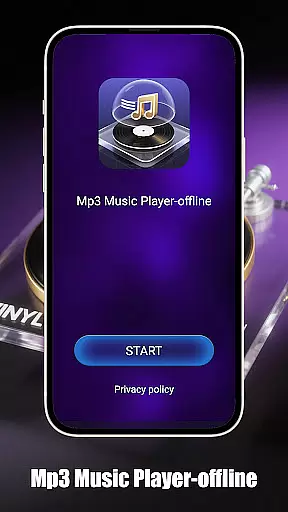
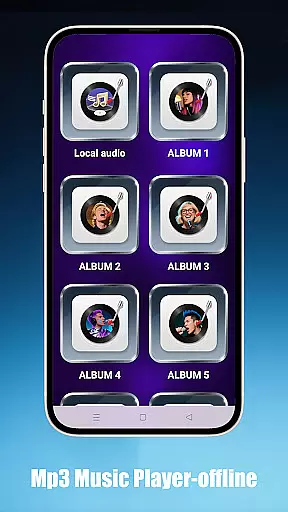
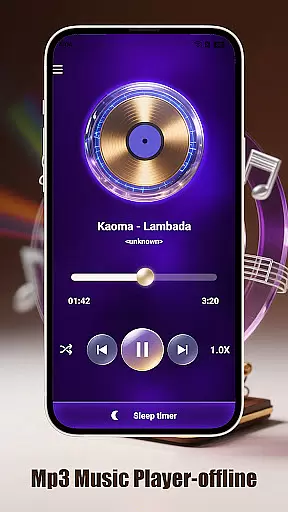
Mp3 Music Player - Offline is a dedicated music player for audiophiles who prefer local MP3 playback. With no internet required, it offers powerful playback controls and an immersive experience through its landscape-optimized UI.
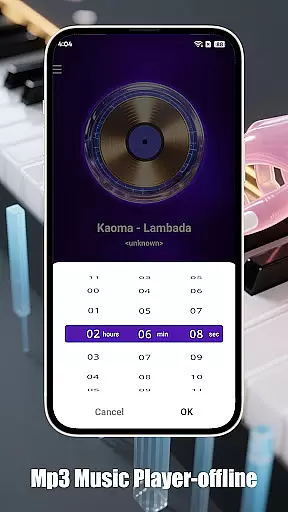
Designed with simplicity in mind, the app provides adjustable speed settings (0.5x–2.0x), sleep timer functionality, and smart playback modes like loop, shuffle, or single-track options. It's perfect for focused listening sessions without distractions.
Whether you're enjoying your personal music collection or using the app to learn via audio content, Mp3 Music Player - Offline ensures a seamless and uninterrupted auditory journey on your device.
This app stands out with its effortless local music access. Users can browse songs by folder, artist, or album while enjoying ultra-fast search capabilities that locate tracks instantly.
The minimalist interface of Mp3 Music Player - Offline ensures a distraction-free environment. With no ads and a lightweight design, it conserves battery life while delivering high-quality sound output.
Advanced features include adjustable playback speed which is ideal for podcasts or educational material, alongside sleep timer functionality that auto-stops music to preserve battery power during long listening sessions.
When it comes to music players, the size and authenticity of the music library are crucial factors. Mp3 Music Player - Offline focuses on allowing users to play their local MP3 files without the need for an internet connection. This ensures that users have complete control over their music collection while maintaining copyright legality.
The app supports a wide range of local music files, enabling users to organize and access their personal music libraries effortlessly. By playing files stored directly on the device, it avoids any potential copyright issues associated with streaming services. Users can browse songs by folder, artist, or album, ensuring easy navigation through extensive collections.
With ultra-fast search functionality, finding specific tracks within a vast library becomes an effortless task. The absence of ads and distractions in the minimalist interface further enhances the user experience, making it an ideal choice for true music lovers who value both functionality and legal compliance.
Audio quality is paramount for any music enthusiast, and Mp3 Music Player - Offline delivers exceptional sound fidelity tailored to individual preferences. The app provides adjustable playback speeds ranging from 0.5x to 2.0x, catering to various listening needs such as podcasts or language learning sessions.
In addition to speed adjustments, the player offers multiple smart playback modes including loop, shuffle, and single-track playback. These options ensure that users can customize their listening experience according to their mood or activity level. A sleep timer feature also helps conserve battery life by automatically stopping music after a set period.
The landscape-optimized UI enhances immersion with its full-screen mode, providing a visually pleasing environment that complements high-quality audio output. Designed for focus and ease-of-use, this lightweight application guarantees superior performance without draining device resources, offering an uninterrupted auditory journey.
User-friendly interface
Offline playback support
Customizable playback speeds
Efficient battery usage
Quick track search
Limited to MP3 format
No streaming service integration
Basic equalizer settings
Occasional bugs reported
No cloud syncing

 4.70
4.70
Time Guru will strengthen your internal sense of musical time via random muting.
4.30
Control your MIDI USB or Bluetooth devices in app and avoid some trampling
3.30
Your song collections with lyrics and chords on Android smartphones and tablets.
4.80
Record, Mix & Master with all n-Track effects, 64-bit audio and Stem Separation.
4.70
The alternative folder based music player.
4.20
Offline Music Player & MP3 Player.Powerful equalizer, Lyrics, Themes, Tag Editor
4.80
Slow music down without changing pitch.
3.70
Uninterrupted Tunes, Unmatched Vibes
3.90
Voice recorder - Audio recorder. Best recorder for recording
4.90
JBL PartyBox APP works with 110/310/710/120/320/520/Encore/Encore 2/Encore Ess 2
4.80
More downloads than any other metronome. Includes drum machine & tempo trainer.
4.80
Brian Eno and Peter Chilvers’ acclaimed music app Bloom, radically reinvented.
4.80
Performance-Synthesizer & Multi-Track-Sequencer, polyphonic + multi timbral!
4.70
Listen radio AM / FM Stations. Live AM / FM Radio App Station. Radio Com.
4.70
SqueezePlayer turns your Android phone or tablet into a SqueezeBox on its own!
4.60
Your HD audio recorder on the go for music, meetings, ambience, animal sounds…
4.30
No wifi music app. Mp3 offline. Tuner radio, young radio music. Music downloader
4.20
USB audio recording and playback finally possible on Android 3.1 or higher!
3.90


User Reviews