







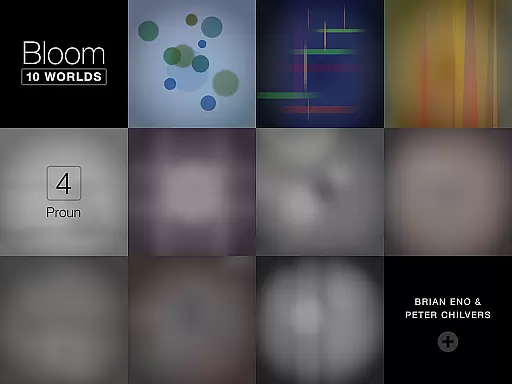














Bloom: 10 Worlds is an innovative music and visual art application that allows users to create intricate patterns and melodies by simply tapping the screen. This app, a reimagining of the original Bloom app from 2008, offers ten distinct 'worlds', each with unique sounds, shapes, colors, and behaviors. Designed for users of all ages and requiring no musical expertise, it serves as both a creative outlet and a generative music player when idle.
Whether you're exploring its artistic potential or enjoying the hypnotic compositions it generates, Bloom provides an engaging experience that blurs the lines between technology and art. Its intuitive interface makes it accessible to everyone, while its depth ensures that users can continually discover new possibilities within its colorful landscapes.
Bloom: 10 Worlds stands out with its expanded palette of sounds and visuals across ten unique worlds. Each world introduces different combinations of audio-visual elements and interaction rules, evolving from simple circles in the first world to complex patterns in later ones. The app's generative capabilities mean that even when not actively used, it continues to produce an endless variety of compositions paired with mesmerizing visuals.
The app also features a user-friendly design that requires no prior musical knowledge, making it accessible to a wide audience. With Bloom, creativity knows no bounds; whether you're composing your own pieces or letting the app generate them for you, every session offers something new and captivating. This blend of simplicity and sophistication makes Bloom a standout choice in the realm of music apps.
Bloom: 10 Worlds offers an expansive music library that spans multiple 'worlds,' each with its own unique sounds and compositions. This app provides users with a rich variety of generative music, ensuring endless exploration and discovery.
The app's content is fully licensed and created in collaboration with renowned musician Brian Eno and software designer Peter Chilvers. Users can trust the authenticity of the music, as it stems from original compositions specifically crafted for this application.
With ten distinct musical worlds to explore, users are not just passive listeners but active participants in the creation of music. The app allows anyone, regardless of musical expertise, to contribute to compositions that are both intricate and harmonious.
This vast library is not static; it evolves with user interaction, creating a dynamic experience that changes with every tap on the screen. Bloom: 10 Worlds sets a new standard for what users should expect from interactive music applications.
The audio quality in Bloom: 10 Worlds is exceptional, offering crisp, clear sound that does justice to the complex compositions created within the app. Whether using headphones or speakers, the auditory experience is immersive and captivating.
Users have access to various audio settings that allow them to customize their listening experience according to their preferences and equipment capabilities. This flexibility ensures optimal sound reproduction in any environment.
In addition to high-quality audio playback, the app also supports generative soundscapes. These soundscapes adapt and change over time, providing a unique auditory journey that is never exactly the same twice.
By prioritizing superior audio quality options, Bloom: 10 Worlds delivers an unparalleled sensory experience that satisfies even the most discerning audiophiles while remaining accessible to casual listeners.
Intuitive Interface
Infinite Compositions
Unique Visuals
User-Friendly Design
Creative Freedom
Limited Customization
No Advanced Tools
Simple Sound Library
Occasional Bugs
Premium Price

Advanced 10-Band Audio Graphic Equalizer Sound Booster Pro
 4.30
4.30
The best music and audio player, with beautiful UI, music search and equalizer.
4.60
24,000 free audio books and no ads!
4.90
AI Music Maker: Generate And Compose AI Tunes & AI Songs & AI Music & AI Melody!
4.60
Listen radio AM / FM Stations. Live AM / FM Radio App Station. Radio Com.
4.70
Learn and play 2M+ music tabs & chords on guitar, ukulele, bass, and more
4.30
The Minimalistic Premium Music Player. Handmade with passion for music
2.20
Learn the notes on the guitar fretboard fast with this easy and fun app
4.60
Play KORG’s revolutionary touch-based instrument on a variety of devices.
4.40
JBL PartyBox APP works with 110/310/710/120/320/520/Encore/Encore 2/Encore Ess 2
4.80
Music, News & Sports Radio Tuner App. Tune in Live FM & AM Radio Stations.
4.80
Listen to live FM radio stations, sports, music and news on global radios online
4.70
Ultimate Sonos Controller
4.70
Save hundreds of dollars for a physical strobe tuner and instead use this app.
4.50
Let your Android device with the sound effects you want
4.50
Your HD audio recorder on the go for music, meetings, ambience, animal sounds…
4.30
A sleek, no-frills player designed for true music lovers.
4.20
PowerAudio is a powerful offline music player.
4.20
Background pads for your band
3.80


User Reviews