
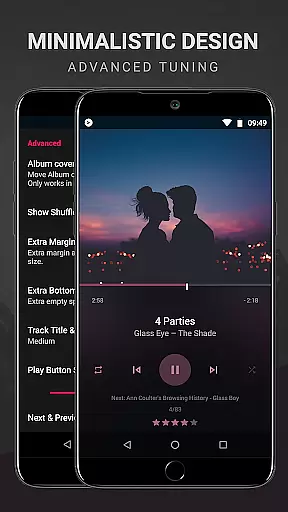
BlackPlayer EX is a premium music player tailored for audiophiles who demand both quality and customization. This advanced MP3 player removes ads and offers an array of exclusive features beyond the standard version, focusing purely on an enriched music experience. With support for various audio formats like MP3, FLAC, and WAV, it combines essential playback functions with sophisticated sound controls such as a built-in equalizer and gapless playback.
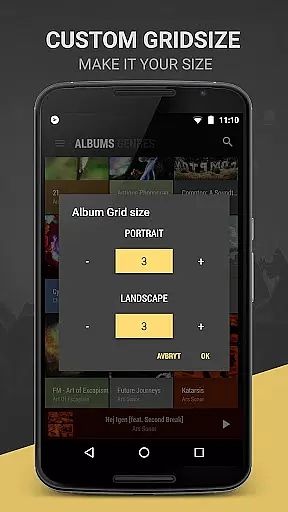
What sets BlackPlayer EX apart is its extensive customization options. Users can personalize everything from interface themes to library organization, including custom grid sizes, color accents, and widget transparency. The app also supports modern streaming via Chromecast and includes unique discovery tools like the 'Zap' function, which cycles through tracks. Whether you're looking to refine your listening experience or explore music in new ways, BlackPlayer EX delivers a versatile and immersive audio platform.
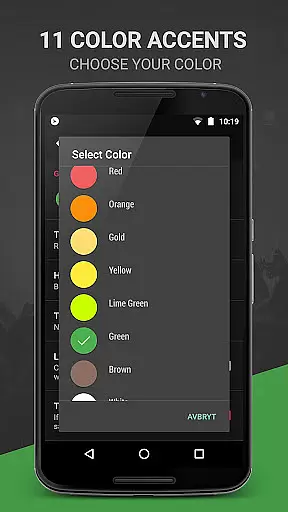
BlackPlayer EX boasts an impressive suite of features designed to enhance music playback and user control. Among its standout capabilities are 11 color accents, 8 extra Now Playing themes, and advanced library customization that allows users to add, remove, and sort pages. The inclusion of Chromecast support and a visualizer (in beta) ensures compatibility with modern audio setups while offering dynamic ways to interact with your music.
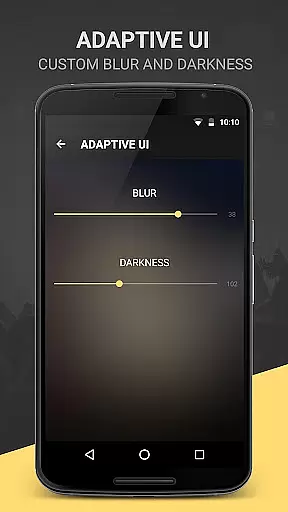
The app also provides practical functionalities such as customizable crossfading, blacklist options for folders and tracks, and a variety of widget and notification settings. Unique innovations like the 'Zap' feature enable rapid music discovery by playing snippets of songs. Additionally, users benefit from enhanced tracking options, including monthly played tracks, and aesthetic enhancements like blur effects for widgets. These comprehensive features make BlackPlayer EX a top-tier choice for discerning listeners.
BlackPlayer EX offers an extensive music library that supports various formats including MP3, FLAC, and WAV. This ensures users have access to a wide range of audio content without limitations on file type.
The application focuses on copyright authenticity by allowing users to play locally stored music files. This means users can manage their legally acquired music collection with confidence, knowing they are adhering to copyright laws.
With features like the tag editor and the ability to manually search and set artist images, users can maintain accurate and personalized metadata for their music library. This enhances the overall experience by ensuring information is correct and up-to-date.
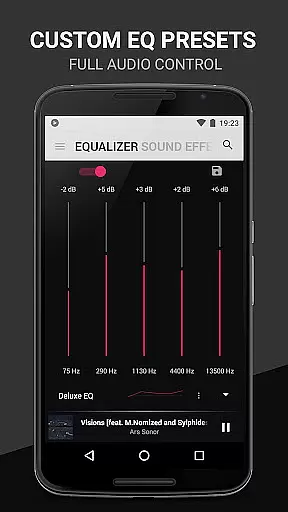
One of the standout features of BlackPlayer EX is its customizable audio quality options. The built-in Equalizer, BassBoost, and Virtualizer allow users to tailor their listening experience to their preferences.
In addition to standard audio settings, the app provides gapless playback, which ensures uninterrupted audio flow between tracks. This feature is particularly beneficial for live albums or continuous mixes where seamless transitions are essential.
Users can also adjust the left/right sound balance, providing further control over how audio is perceived through headphones or speakers. These comprehensive audio quality options make BlackPlayer EX a top choice for audiophiles seeking high-fidelity sound reproduction.
Ad-free experience
Extensive customization
Advanced sound controls
Chromecast integration
Unique music discovery
Paid version only
No cloud streaming
Beta features unstable
Complex for beginners
Limited format support

 4.70
4.70
Equalizer, Bass Booster and Volume Booster (Eq & Bass) improve sound quality
4.30
Control your MIDI USB or Bluetooth devices in app and avoid some trampling
3.30
Taal player that lets you sing any Indian & Western song with Tabla & Tanpura
4.60
A High-Precision Audio Spectrum Analysis App
4.20
Next generation modular control surface
4.10
Voice recorder - Audio recorder. Best recorder for recording
4.90
Simple mp3 and mp4 player with advanced features.
3.40
Sing, record, and create music together — enhanced by smart voice tools.
4.00
Full-featured, High-Quality Groovebox Workstation, perfect for Live Performance!
4.80
Gorgeous UI, Powerful music Search and Equalizer, the great choice for you!
4.70
Bass Booster & Volume Equalizer Pro improves your music and video sound quality
4.60
Full featured mp3 and audio player with Chromecast and Android Auto support.
4.40
Enjoy singing any song, no matter how high or low it is
4.30
No wifi music app. Mp3 offline. Tuner radio, young radio music. Music downloader
4.20
Turn your phone into a musical instrument from the future!
3.90
Slow music down without changing pitch.
3.70
The iconic iOS metronome app is now on Android.
3.70
The Skullcandy App Experience
3.20


User Reviews