
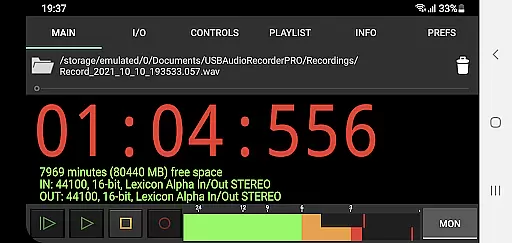
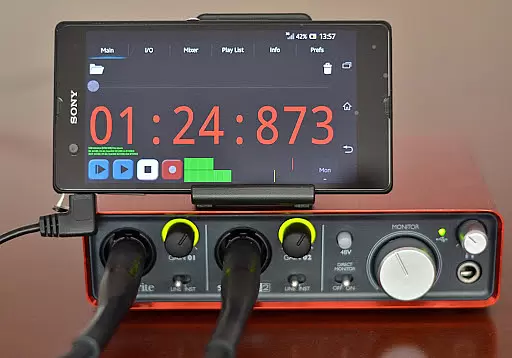
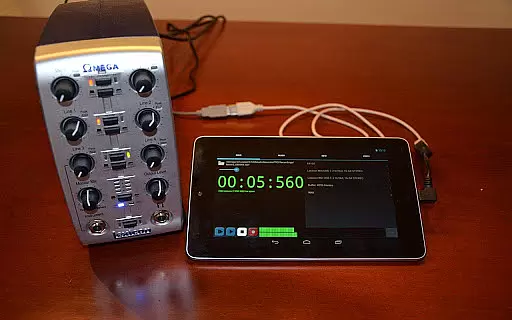
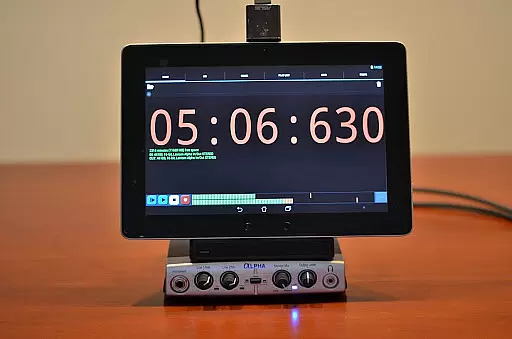
USB Audio Recorder PRO is a specialized Android application designed for high-quality audio recording and playback through USB audio interfaces. Unlike generic audio apps, this tool focuses exclusively on enabling audio functionality within its own environment, ensuring optimal performance without the need for device rooting. The app supports class-compliant USB 1.1 and 2.0 devices, offering compatibility with various audio specifications.
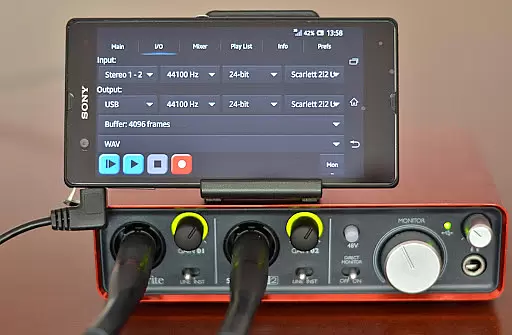
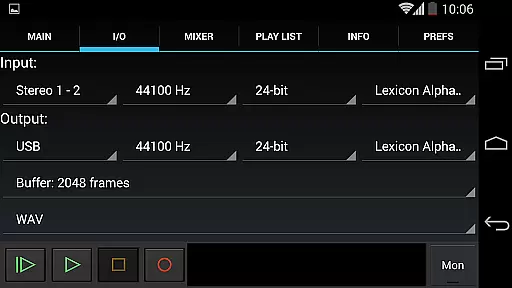
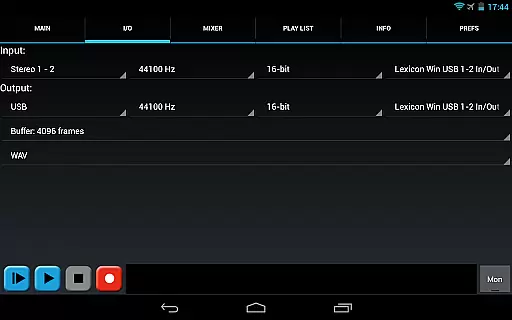
The software provides professional-grade features such as mono, stereo, and multichannel recording, with sample rates reaching up to 384 kHz depending on the connected device. It also includes advanced controls like input/output selection, buffer size adjustment, and format options including WAV, FLAC, OGG, and AIFF. These capabilities make it an ideal solution for audio professionals and enthusiasts who require precise control over their recording environments.
This app is particularly useful in scenarios where users need to record live performances, podcasts, or conduct field recordings using professional-grade USB microphones or audio interfaces. By delivering pristine audio quality and reliable performance, USB Audio Recorder PRO empowers users to capture every detail of their audio projects with confidence.
USB Audio Recorder PRO stands out with its comprehensive feature set tailored for professional audio recording needs. The app offers both USB audio recording and playback functionalities, supporting resolutions from 16-bit to 32-bit and sampling rates up to 384 kHz, depending on the capabilities of the connected audio device. This flexibility allows users to work with different audio formats and quality levels according to their specific requirements.
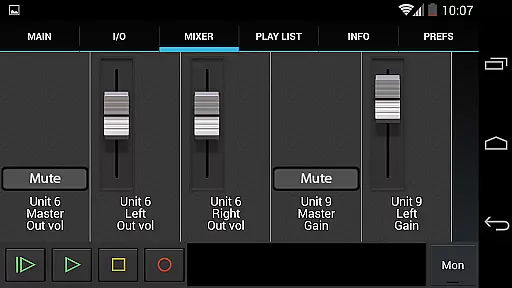
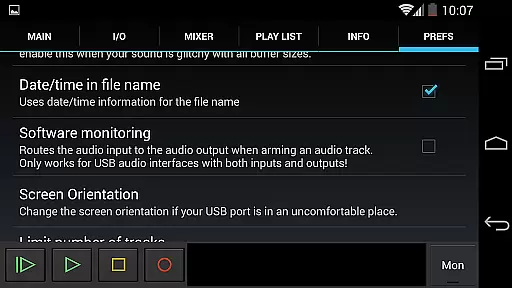
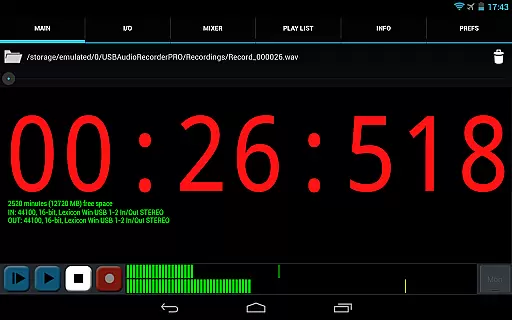
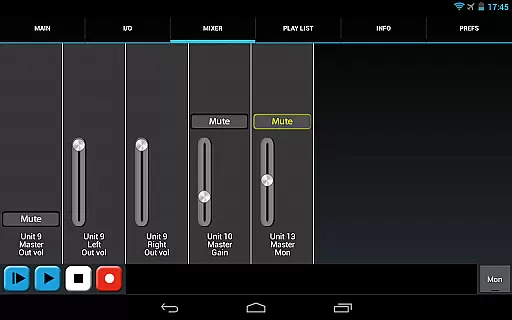
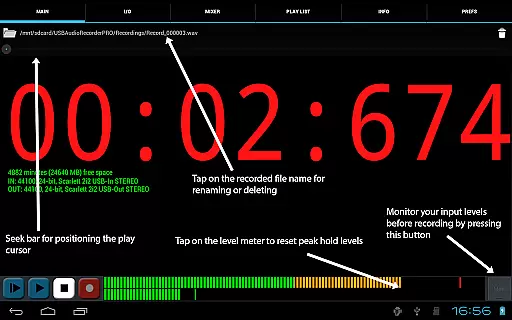
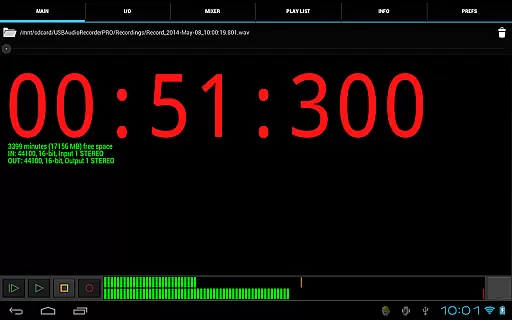
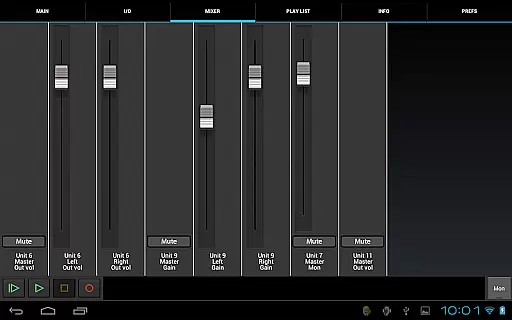
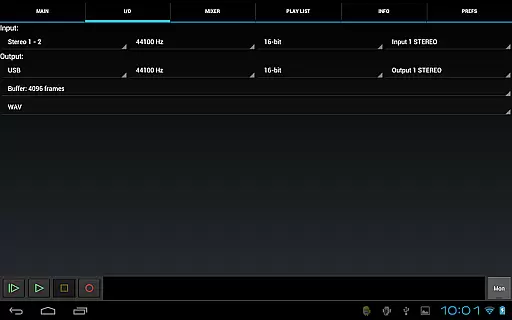
One of the key strengths of this application is its detailed control options. Users can select input and output channels, adjust buffer sizes between 1024 to 16384 frames, and choose from multiple recording formats including WAV, FLAC, OGG, and AIFF. The inclusion of level meters with peak hold functionality enables precise monitoring during recording sessions. Additionally, the app provides internal mixer controls for gain, volume, and mute functions when supported by the connected device.
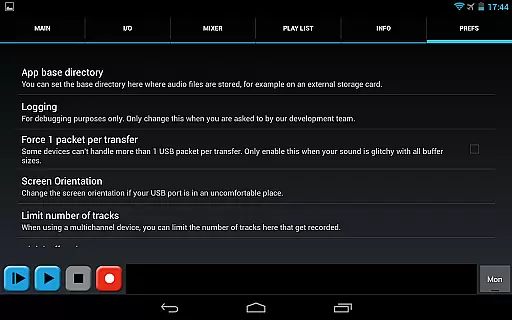
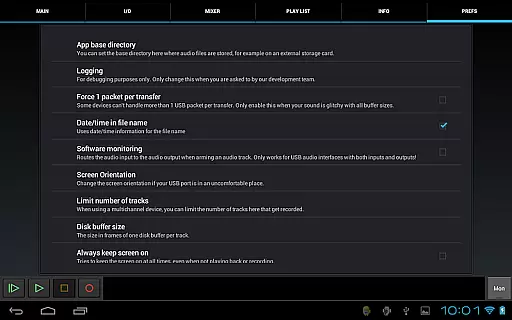
Another notable feature is the ability to customize the recording location, allowing users to save files directly to external SD cards. The app also facilitates sharing recorded files through various platforms like GMail and SoundCloud. While primarily focused on recording, it includes basic playlist functionality for directory playback, making it a versatile tool for both capturing and reviewing audio content.
USB Audio Recorder PRO offers a unique approach to managing audio recordings by allowing users to save, organize, and access their personal music library directly from their Android device. The app supports high-quality recording formats such as WAV, FLAC, OGG, and AIFF, ensuring that each recording maintains the highest level of audio fidelity.
While the app doesn't provide a pre-loaded music library, it empowers users to build their own libraries with complete control over recording, playback, and file management. This includes options for renaming files, deleting unwanted recordings, and selecting specific folders for saving audio, such as external SD cards.
Regarding copyright authenticity, USB Audio Recorder PRO ensures that all recordings made through the app are original content created by the user. By supporting non-patented formats like OGG and FLAC, the app avoids legal issues associated with proprietary formats, offering a transparent and authentic audio experience.
The ability to share recordings via platforms like GMail or SoundCloud further enhances the value of the personal music library, making it easy to distribute original content while maintaining copyright integrity.
One of the standout features of USB Audio Recorder PRO is its exceptional audio quality options, which cater to both amateur and professional audio enthusiasts. The app supports bit depths of 16-, 24-, and 32-bit, depending on the connected USB audio device, allowing users to capture audio in stunning clarity.
In addition to flexible bit depth options, the app also supports sample rates of up to 384 kHz, ensuring that even the most demanding audio professionals can achieve studio-grade recordings. This wide range of sample rate options makes the app suitable for various applications, from simple voice recordings to complex multichannel audio projects.
USB Audio Recorder PRO provides users with manual control over buffer sizes, ranging from 1024 to 16384 frames. This level of customization enables users to optimize their recording setup based on their specific needs, balancing between latency and system performance.
The combination of high bit depth, wide sample rate support, and customizable buffer sizes establishes USB Audio Recorder PRO as a powerful tool for achieving professional-grade audio quality on Android devices.
High-quality audio recording
Wide range of format support
Precise level monitoring
Customizable recording settings
No root requirement
Limited device compatibility
No MP3 support
Complex for beginners
Requires OTG cable
Exclusive app functionality

Remove ads permanently from Music Visualizer
 4.4
4.4
Gorgeous UI, Powerful music Search and Equalizer, the great choice for you!
4.70
VB-AUDIO Software / VBAN-Receptor allows listening to any VBAN Streams
4.10
The ultimate media player for Android devices
3.90
Smart piano keyboard, Classical to Pop, Real-time multiplayer connection!
4.20
Slow music down without changing pitch.
3.70
Offline Tunes, Unlimited Vibes
3.90
Reverse your voice & songs instantly! Fun singing challenge with cool effects.
4.60
One-tap booster for max volume - enjoy powerful sound with this audio booster
4.50
Brian Eno and Peter Chilvers’ acclaimed music app Bloom, radically reinvented.
4.80
The best music and audio player, with beautiful UI, music search and equalizer.
4.60
A complete sound package for the sound engineer or enthusiast
4.60
Save hundreds of dollars for a physical strobe tuner and instead use this app.
4.50
Formerly known as Spotistats! View your top tracks, artists, albums and more!
4.40
DJ Music Mixer Pro is a real DJ controllers and DJ Music Studio to remix DJ.
4.40
Enjoy singing any song, no matter how high or low it is
4.30
Turn your Android phone into a professional audio analyser with up to 120 bands.
4.00
Background pads for your band
3.80
The Cubase remote control app
3.60


User Reviews