
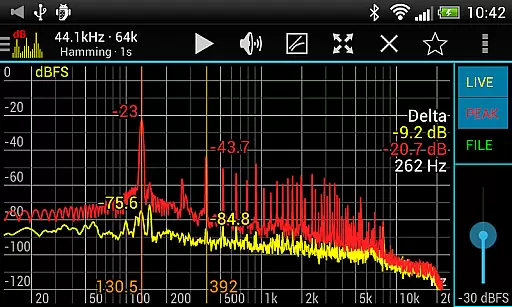
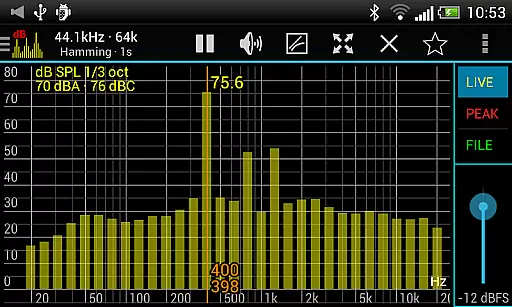
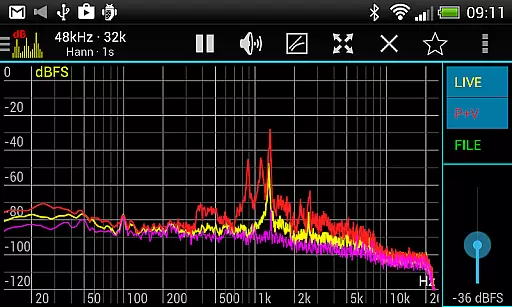
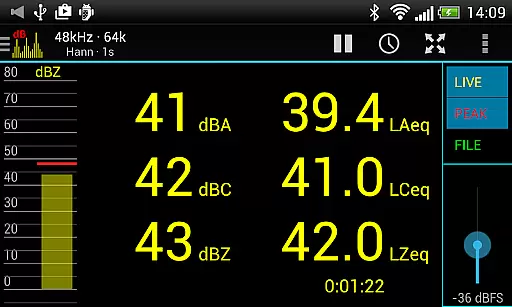
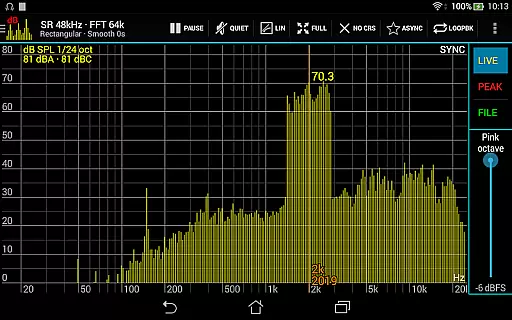
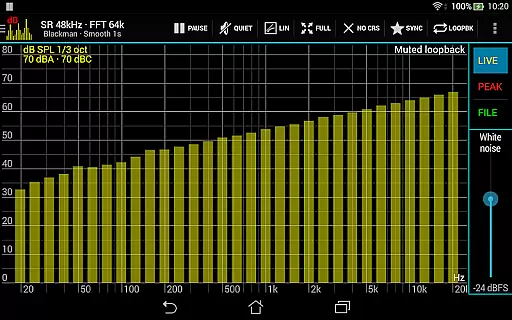
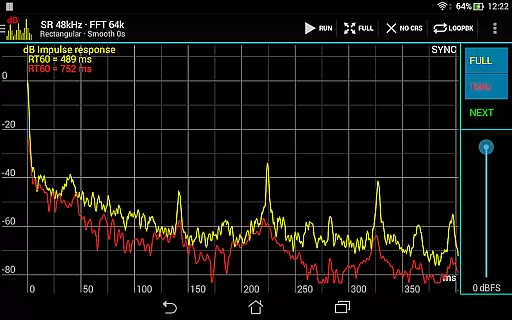
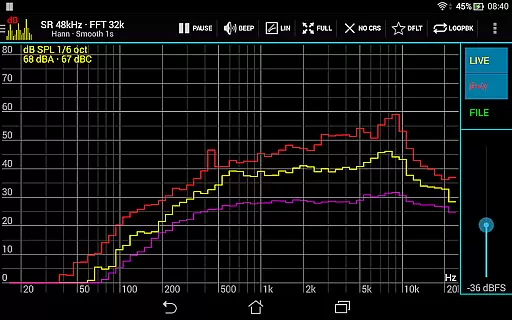
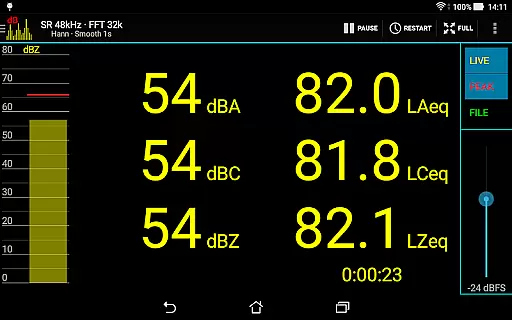
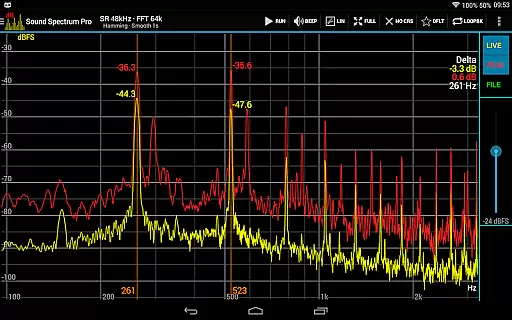
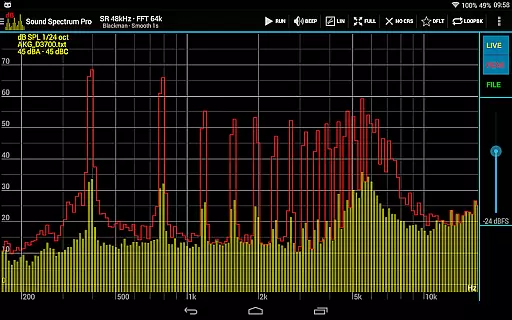
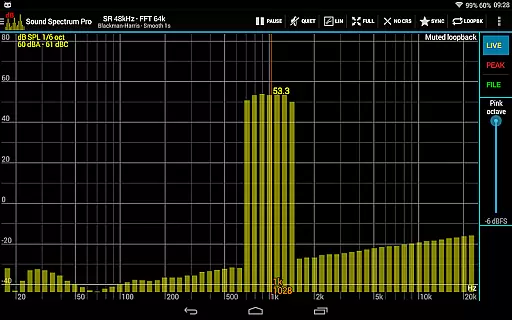
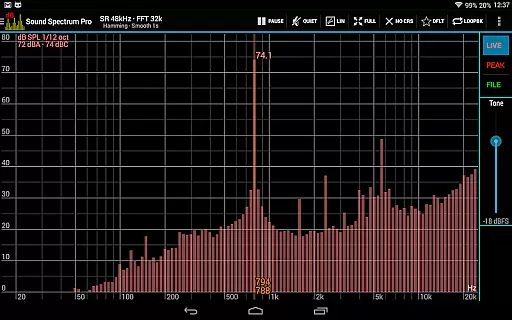
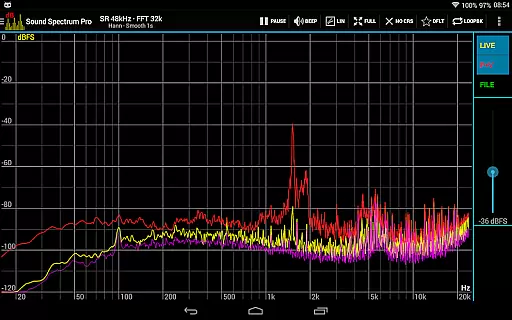
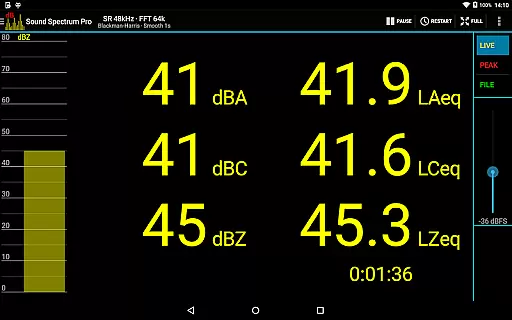
Sound Spectrum Pro is a comprehensive audio analysis tool designed for both professionals and enthusiasts in the music and audio industry. This application offers advanced features such as Real-Time Analyzer (RTA), Fast Fourier Transform (FFT) amplitude display, and sound pressure level measurements in dBA, dBC, and dBZ. With its user-friendly interface, users can easily navigate through numerous on-screen controls while enjoying a smooth real-time display of their audio data.
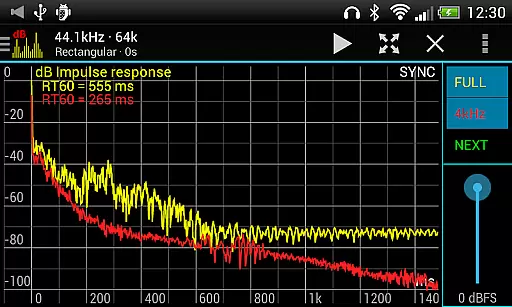
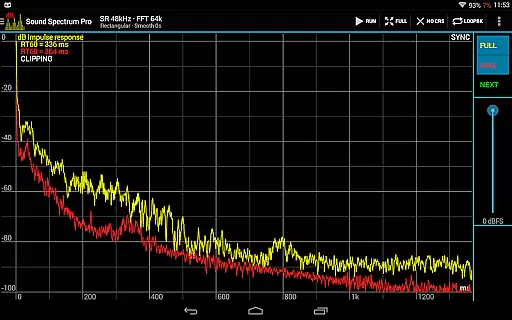
In addition to its core functionalities, Sound Spectrum Pro provides specialized tools like Noise Criterion and Noise Rating measurements, equivalent continuous sound level calculations (LAeq, LCeq, LZeq), and impulse response analysis with RT60 measurement. The app supports lightning-fast FFT processing with adjustable frequency resolutions down to 0.01Hz, catering to audiophiles who demand precision. Whether you're calibrating equipment or conducting detailed acoustic analyses, this app serves as an all-in-one solution that enhances your workflow significantly.
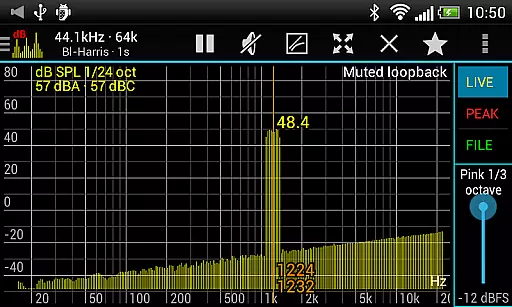
Sound Spectrum Pro stands out due to its extensive range of features tailored for meticulous audio analysis. One notable feature is the provision of various RTA modes including octave, 1/3 octave, down to 1/24 octave bands, allowing users to conduct granular frequency spectrum evaluations. Additionally, it includes options for measuring Total Harmonic Distortion plus Noise (THD+N) and Equivalent Continuous Sound Levels (e.g., LAeq15, LAeq60), which are crucial for assessing audio fidelity and environmental noise over time.
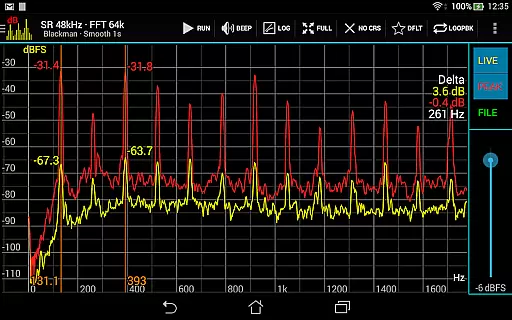
The app also excels in flexibility by offering multiple window functions, logarithmic or linear frequency axes, and adjustable exponential smoothing settings. Users benefit from precise control over their measurements with capabilities such as peak and valley hold functions, highest peak display, and measurement cursors that aid in setting signal generator frequencies accurately. Furthermore, file load/save functionality ensures accurate SPL readings through full calibration support, making it indispensable for professional-grade applications where reliability is paramount.
Sound Spectrum Pro offers a comprehensive suite of audio analysis tools that go beyond a typical music library. With features like FFT amplitude display and RTA octave band analysis, the app provides users with detailed insights into sound characteristics.
The application supports various measurement standards including dBA, dBC, and dBZ for sound pressure levels. This ensures that all audio content analyzed through the app maintains high authenticity and accuracy in terms of copyright compliance and quality assurance.
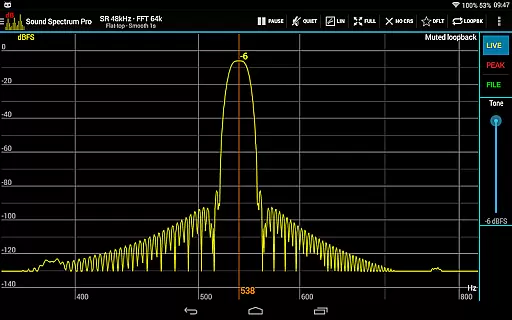
Additionally, the inclusion of signal generators for tones and different types of noise allows users to create or test audio signals, further expanding the depth and utility of the virtual 'library' at their disposal.
With its specialized tools for equivalent continuous sound level measurements and impulse response analysis, Sound Spectrum Pro is not just about size but also the precision and reliability of the audio data it manages.
Sound Spectrum Pro excels in delivering top-notch audio quality options for professionals and enthusiasts alike. The app's implementation of Fast Fourier Transform (FFT) provides an impressive frequency resolution down to 0.01Hz, allowing for incredibly detailed audio analysis.
Users can select from multiple window functions and choose between logarithmic or linear frequency axes, catering to different preferences and requirements for audio processing. This flexibility ensures optimal audio quality tailored to individual workflows.
Furthermore, the ability to adjust settings such as peak and valley hold, along with exponential smoothing, gives users fine-grained control over how they visualize and interpret audio data, enhancing overall output quality.
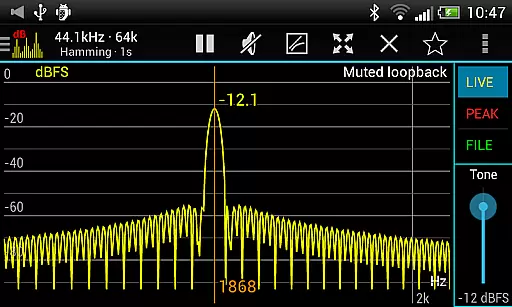
The synchronous measurement mode and loopback feature enable precise spectrum analysis and testing of signal generators, reinforcing the app's commitment to providing unparalleled audio quality options across various use cases.
User-friendly interface
Comprehensive audio analysis tools
Highly customizable settings
Accurate calibration capabilities
No ads included
Complex for beginners
Requires technical knowledge
Device compatibility issues
Premium pricing model
Limited customer support

Control your MIDI USB or Bluetooth devices in app and avoid some trampling
 3.30
3.30
DJ Music Mixer - DJ Remix: remix songs, make beat music & record mix of DJ.
4.40
Bass Booster Pro takes auto-equalizing to the next level!
4.30
The best music and audio player, with beautiful UI, music search and equalizer.
4.60
Bass Booster & Volume Equalizer Pro improves your music and video sound quality
4.60
A sleek, no-frills player designed for true music lovers.
4.20
Play your hearts out on TouchTunes jukeboxes & connect with fellow music lovers.
4.80
Play KORG’s revolutionary touch-based instrument on a variety of devices.
4.40
Get alarms that fit your lifestyle and wake up to the sounds you love.
4.80
Make songs with AI! Any genre, custom lyric, song generator for music creation!
4.80
Over 100 million tracks available for high quality streaming and download
4.60
Recording studio w/ 10k beats, pro vocal FX and a network of 20M rappers & fans!
4.60
AI Music Maker: Generate And Compose AI Tunes & AI Songs & AI Music & AI Melody!
4.60
Reverse your voice & songs instantly! Fun singing challenge with cool effects.
4.60
The Music Journey in Your Hands
4.30
Learn and play 2M+ music tabs & chords on guitar, ukulele, bass, and more
4.30
No wifi music app. Mp3 offline. Tuner radio, young radio music. Music downloader
4.20
Smart piano keyboard, Classical to Pop, Real-time multiplayer connection!
4.20
The original SP-1200 experience on your iPad
4.20


User Reviews