
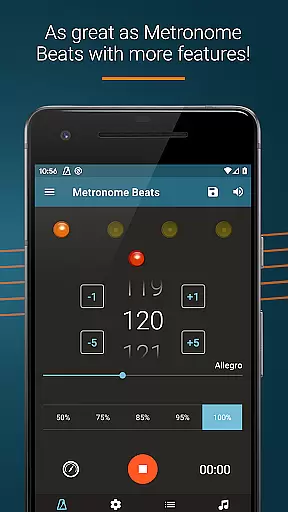
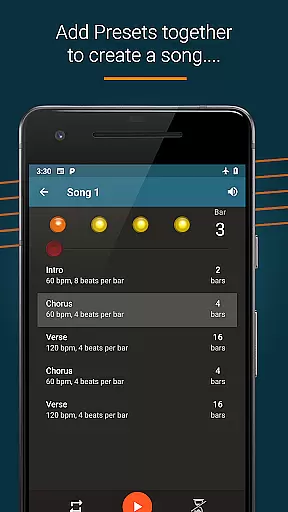
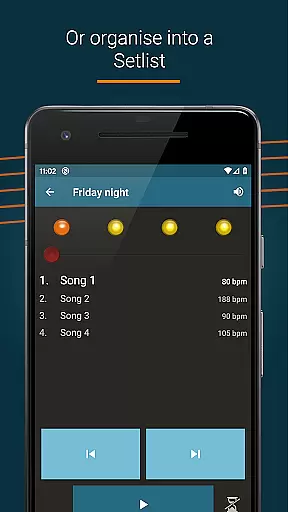
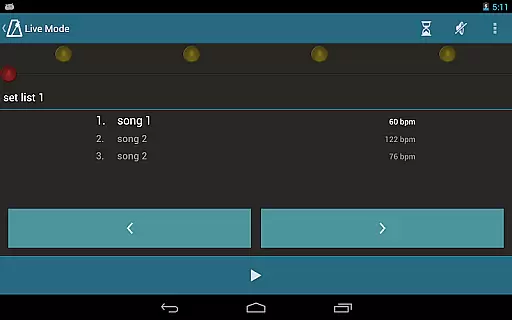
Metronome Beats Pro is a comprehensive music tool designed for musicians of all levels. This professional-grade metronome offers advanced features such as speed training, customizable tempo settings from 1 to 900 beats per minute, and tap tempo functionality for precise tempo selection. The app's unique 'Live Mode' allows users to create setlists of songs with varying tempos, making it ideal for both practice sessions and live performances.
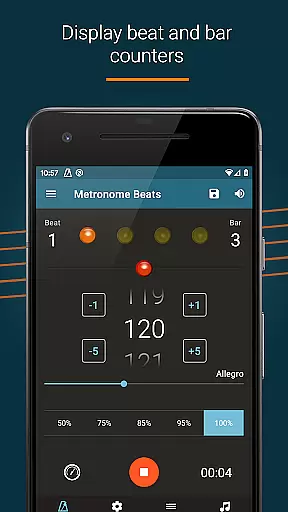
In addition to its core metronome functions, the app provides practical tools including beat and bar counters, visual beat indicators, and a timer function for controlled practice sessions. Users can customize their experience through different sound types, pitch adjustments, and subdivision options up to 16 clicks per beat. These features help musicians maintain accurate timing while practicing complex rhythms or preparing for performances.
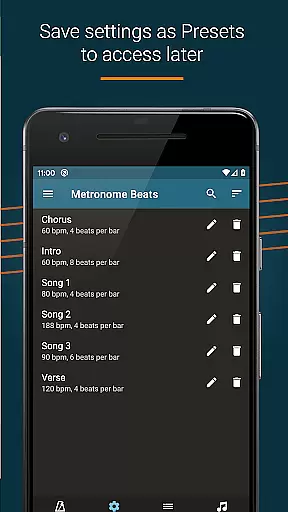
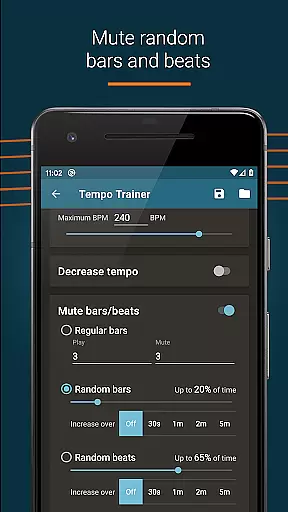
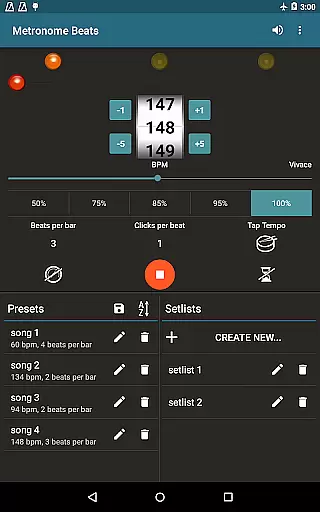
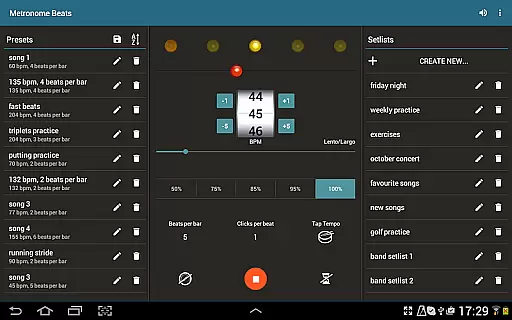
The app's intuitive interface ensures ease of use across devices, with a specialized layout for tablets that consolidates all features on a single screen. Professional musicians will appreciate the ability to save presets, organize favorite songs into setlists, and utilize random bar muting during practice sessions. Metronome Beats Pro stands out by offering these premium features without advertisements, making it an essential tool for serious musicians seeking to enhance their timing and performance quality.
Metronome Beats Pro distinguishes itself through its extensive feature set tailored for professional musicians. The app's most notable innovation is its 'Live Mode,' which enables performers to create and manage setlists of songs with varying tempos. This feature proves invaluable during live performances and group practice sessions, allowing seamless transitions between different pieces while maintaining precise timing control.
The application offers several technical advantages over traditional metronomes. Its speed trainer helps musicians gradually increase their playing speed, while the ability to subdivide beats up to 16 clicks per measure assists in mastering complex rhythms. The inclusion of Italian tempo markings provides classical musicians with familiar reference points, and the option to accent the first beat of each measure enhances rhythmic clarity. Advanced users can take advantage of the random bar muting feature for more challenging practice sessions.
Practical usability features make daily practice more efficient. The app's automatic settings preservation ensures users can resume exactly where they left off, while the background play capability allows simultaneous use with other music applications. Visual beat indication caters to hearing-impaired musicians or situations requiring silent practice, and the pitch adjustment feature helps the metronome sound stand out against various instruments. These carefully considered features demonstrate the app's commitment to serving diverse musical needs across different practice environments.
Metronome Beats Pro offers a comprehensive suite of features that cater to musicians and performers who need precise tempo control. While it doesn't provide a traditional music library, its ability to save presets and create songs with varying tempos ensures that users can replicate a wide range of musical pieces.
The app allows for extensive customization, including beat and bar counters, accent options, and subdivisions up to 16 clicks per beat. These features give users the flexibility to work with different time signatures and complex rhythm patterns, making it suitable for various musical genres.
Regarding copyright authenticity, Metronome Beats Pro ensures that all its sounds and features are original and legally compliant. Users can be confident that they are working within legal boundaries while using the app's sound settings and preset options.
This level of detail and authenticity in sound reproduction provides musicians with a reliable tool for practice and performance, ensuring they can maintain accurate tempo across different compositions without worrying about copyright issues.
One of the standout features of Metronome Beats Pro is its exceptional audio quality options. The app allows users to customize their experience by adjusting the pitch of the metronome sound, making it easier to hear over their instruments during practice sessions or performances.
In addition to pitch adjustments, users can choose from a range of different sound types and create custom sound settings. This flexibility ensures that musicians can find the perfect audio cue that suits their playing style and environment, whether they're practicing solo or performing with a group.
The app also offers visual beat indicators as an alternative to audio cues. This feature is particularly useful in noisy environments or for hearing-impaired musicians, providing a visual representation of the beat that can be followed even when the sound is muted.
Furthermore, the ability to subdivide beats with up to 16 clicks per beat and select Italian tempo markings demonstrates the app's commitment to delivering professional-grade audio quality options. These features enable musicians to refine their timing and improve their overall performance accuracy.
Advanced tempo customization
Professional-grade accuracy
Ad-free experience
Comprehensive practice tools
Cross-device compatibility
Premium price point
Complex for beginners
Feature overload possible
Requires learning curve
No basic free version

Control your MIDI USB or Bluetooth devices in app and avoid some trampling
 3.30
3.30
Performance-Synthesizer & Multi-Track-Sequencer, polyphonic + multi timbral!
4.70
Advanced 10-Band Audio Graphic Equalizer Sound Booster Pro
4.30
The alternative folder based music player.
4.20
A sleek, no-frills player designed for true music lovers.
4.20
Simple mp3 and mp4 player with advanced features.
3.40
Sheet music reader, piano & music note player. Play music score & learn to read.
3.90
Versatile MP3 recorder with auto-backup to Dropbox and Google Drive
4.10
MilkDrop for Android TV
3.00
Voice recorder - Audio recorder. Best recorder for recording
4.90
Music, News & Sports Radio Tuner App. Tune in Live FM & AM Radio Stations.
4.80
Gorgeous UI, Powerful music Search and Equalizer, the great choice for you!
4.70
Ultimate Sonos Controller
4.70
Recording studio w/ 10k beats, pro vocal FX and a network of 20M rappers & fans!
4.60
Save hundreds of dollars for a physical strobe tuner and instead use this app.
4.50
Turn your phone into a musical instrument from the future!
3.90
Background pads for your band
3.80
Powerful beat maker & DJ mixer to remix tracks, make music, & perform DJ mix
3.70
Music Streaming suite for Ampache, Nextcloud Music and compatible backends.
4.4


User Reviews