
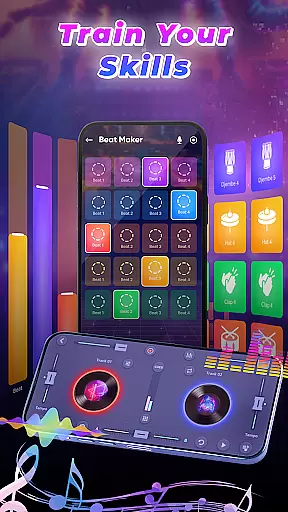
DJ Music Mixer - Beat Maker is a professional-grade mobile application designed for both amateur and experienced DJs. This app provides an all-in-one solution for music mixing, beat making, and live DJ performances. With advanced features like a virtual DJ mixer, Equalizer, Bass Booster, and sound effects, users can create high-quality remixes and beats directly from their mobile devices.
The app offers a comprehensive suite of tools including drum kits with multiple styles, launchpad samples, and real-time effects processing. Whether you're creating custom tracks, experimenting with different genres, or performing live sets, DJ Music Mixer - Beat Maker gives you the power to produce professional-sounding mixes anytime, anywhere.
Perfect for music producers on the go, this app transforms your phone into a portable studio. From casual music enthusiasts to professional DJs, the app's intuitive interface and powerful features make it an essential tool for creative expression and music production.
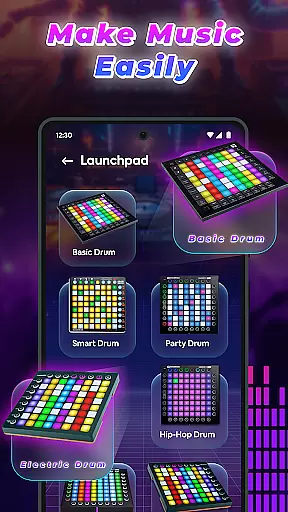
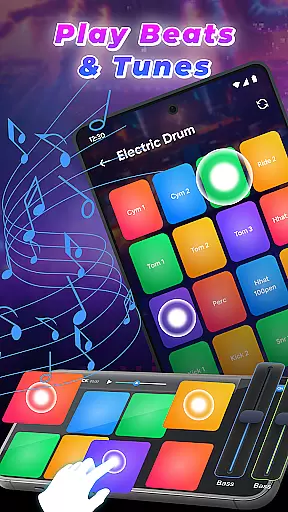
DJ Music Mixer - Beat Maker stands out with its extensive feature set tailored for music creators. The app includes a professional beat maker system with multiple drum kits ranging from classic to modern styles, allowing users to experiment with various rhythms and sounds. Its built-in launchpad feature provides diverse samples including Party Drum, Acoustic Drums, and Hip-hop Drum patterns.
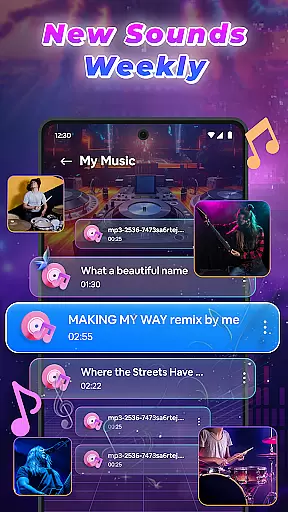
Advanced mixing capabilities enable users to access their full music library, organize tracks by playlists, and apply real-time effects during performances. The app's optimized beat detection ensures smooth transitions between songs, while its HD recording feature lets users save their creations in high-quality audio formats.
Additional notable features include vertical and horizontal UI options, color-coded launchpads for visual feedback, and support for multiple audio formats. These comprehensive tools make DJ Music Mixer - Beat Maker a versatile solution for both casual music creation and professional DJ work.
In the realm of digital music creation, having access to an extensive music library is crucial for unleashing creativity. DJ Music Mixer - Beat Maker offers a vast array of tracks, artists, albums, and folders at your disposal, ensuring that your creative process is not hindered by the lack of variety. This extensive library allows you to experiment with different genres and styles, from classic to modern beats, providing endless possibilities for your mixes.
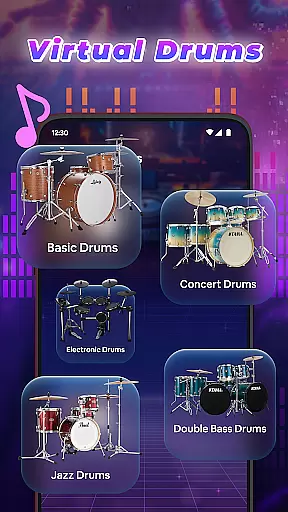
Copyright authenticity is another cornerstone of DJ Music Mixer - Beat Maker. The app provides legitimate access to various drum kits like Ludwig, Electronic, Jazz, African, and more, ensuring that every beat you create is both original and compliant with copyright laws. This means you can share or monetize your creations without legal concerns, giving you peace of mind as you explore your art.
The integration of built-in samples of launchpads including Party Drum, Acoustic Drums, Hip-hop Drum, and others further enriches the music library. These samples are carefully curated to enhance your music production experience, allowing you to infuse your projects with professional-grade sounds that elevate your work.
Ultimately, DJ Music Mixer - Beat Maker empowers users to create, mix, and perform beats in a professional manner right on their phone. With the ability to record your beat mixes in HD audio and save them in suitable formats, this app ensures that quality and legality go hand in hand, making it an indispensable tool for both budding and professional DJs alike.
Audio quality is paramount when producing music, and DJ Music Mixer - Beat Maker excels in delivering pristine sound across all its features. The app includes advanced mixing tools and sound effects such as Equalizer and Bass Booster, which allow you to fine-tune your audio output to meet professional standards. Whether you're adjusting the bass for a deep, resonant beat or tweaking the treble for crisp, clear highs, these tools ensure your mixes sound polished and refined.
Moreover, the app supports high-quality audio recording, enabling users to capture their performances in HD. This feature is essential for DJs who wish to preserve the integrity of their sound when recording live sessions or final mixes. By saving your creations in suitable formats, DJ Music Mixer - Beat Maker guarantees that your work maintains its quality from production to playback.
Another significant aspect of audio quality within the app is its optimized beat detection for smooth mixing and transitions. This technology ensures that your mixes flow seamlessly from one track to the next, preserving the rhythm and energy of your set. Such precision in beat matching not only enhances the listening experience but also elevates your skills as a DJ.
By prioritizing superior audio quality options, DJ Music Mixer - Beat Maker stands out as a premier choice for anyone serious about music production. Its commitment to delivering professional-grade sound through advanced features and high-definition recording capabilities makes it an invaluable asset for creating impressive DJ mixes anytime, anywhere.
User-friendly interface
Wide range of drum kits
Real-time effects processing
HD quality recording
Comprehensive music library integration
Occasional performance lags
Limited free features
In-app purchases required
Steep learning curve
High storage requirements

SqueezePlayer turns your Android phone or tablet into a SqueezeBox on its own!
 4.60
4.60
The Music Journey in Your Hands
4.30
Control your MIDI USB or Bluetooth devices in app and avoid some trampling
3.30
Most Advanced AI Song Generator and Music Creator. Rap, Pop, Rock, Gospel & more
4.70
Next generation modular control surface
4.10
24,000 free audio books and no ads!
4.90
Listen radio AM / FM Stations. Live AM / FM Radio App Station. Radio Com.
4.70
Listen to offline music and sounds from all categories
4.70
Be a true music maker: create beats, mix and make music like a real DJ!
4.30
Brian Eno and Peter Chilvers’ acclaimed music app Bloom, radically reinvented.
4.80
Walkout Song DJ is the most intuitive app to manage your sports music.
4.70
Ultimate Sonos Controller
4.70
The best music and audio player, with beautiful UI, music search and equalizer.
4.60
Offline Music Player&MP3 Player with themes, equalizer, lyrics, music play mode
4.60
Reverse your voice & songs instantly! Fun singing challenge with cool effects.
4.60
Enhance the sound quality of your devices, listen to what you want
4.50
Visualize the guitar fretboard, master scales & play through changes like a pro!
4.50
Bass Booster Pro takes auto-equalizing to the next level!
4.30
Versatile MP3 recorder with auto-backup to Dropbox and Google Drive
4.10


User Reviews