
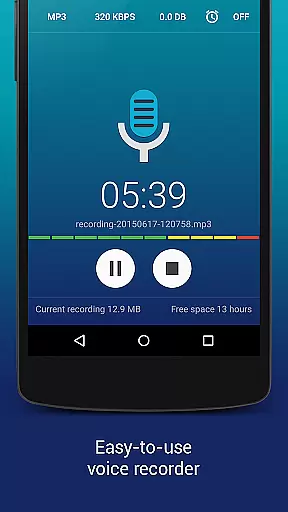
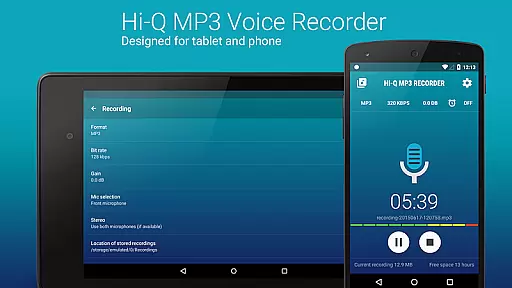
Hi-Q MP3 Voice Recorder (Pro) is a premier mobile application designed for high-quality audio recording. This app stands out with its ability to record in stunning 44 kHz fidelity, ensuring crystal-clear sound capture for various scenarios. Whether you're documenting lectures, capturing musical performances, or preserving personal voice notes, this app caters to all your audio recording needs.
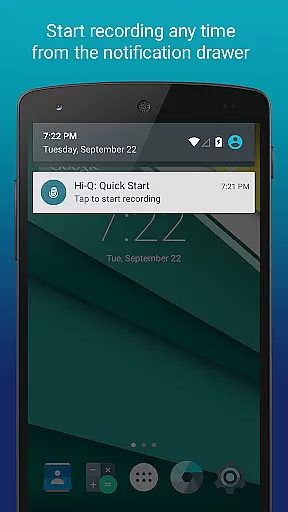
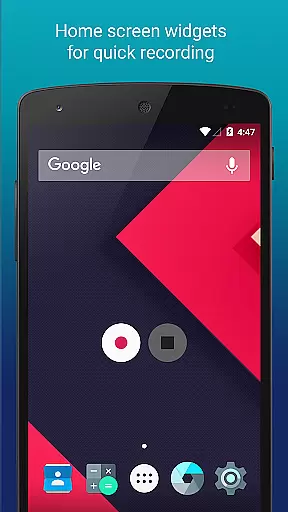
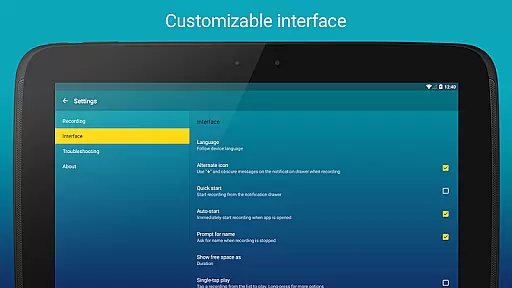
The app offers an intuitive interface that makes recording effortless. With just a tap of the prominent Red button, users can start recording instantly. Additionally, it provides advanced customization options such as notification drawer settings and home screen widgets, which enhance accessibility and ease of use. These features collectively deliver an unparalleled recording experience on mobile devices.
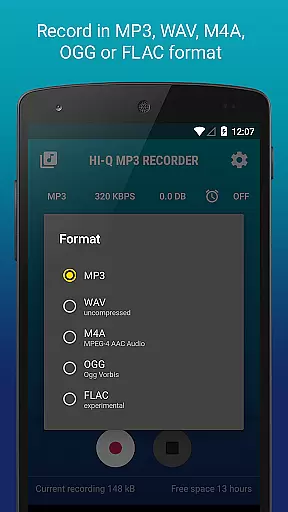
Hi-Q MP3 Voice Recorder (Pro) boasts an impressive array of features tailored for both casual and professional users. One standout feature is the Discretion Mode, allowing users to switch the recording icon for privacy. The app supports 320 kbps recordings, ensuring top-notch audio quality, while also offering flexible format options including MP3, WAV, OGG, M4A, and FLAC.
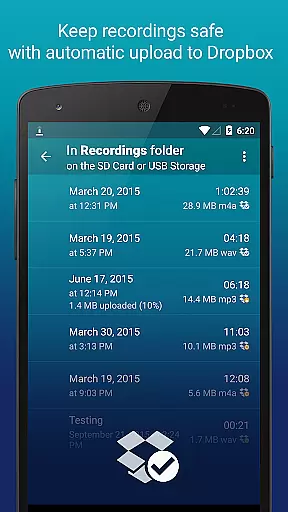
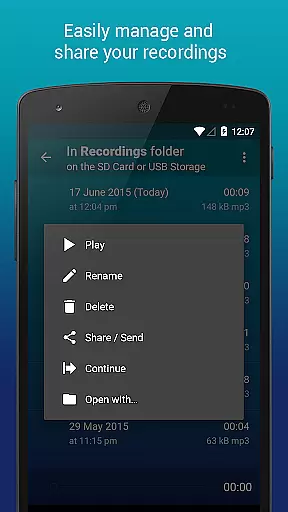
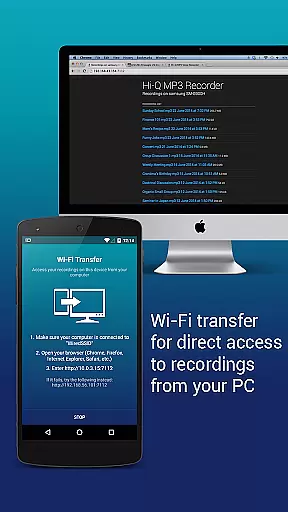
For seamless integration into users' digital ecosystems, the app includes automatic uploads to cloud services like Google Drive and Dropbox. It also facilitates easy file management through functionalities like clip sorting, renaming, and sharing. Moreover, the built-in Wi-Fi Transfer allows users to wirelessly transfer recordings to other devices, enhancing convenience and accessibility.
Hi-Q MP3 Voice Recorder (Pro) offers an impressive range of capabilities that extend beyond simple recording. While it doesn't provide a pre-existing music library, it empowers users to create their own extensive audio library by capturing high-fidelity recordings at 44 kHz audio sampling. This ensures professional-grade quality for every clip stored in the widely-compatible MP3 format.
The app's dedication to copyright authenticity is evident through its support for various formats including WAV, OGG, M4A, and FLAC (experimental). This versatility allows creators to record and manage their content with confidence knowing they have control over the format and distribution of their work.
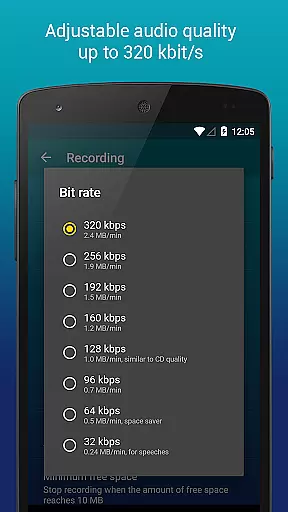
Users benefit from customizable quality settings with bit rates up to 320 kbps, ensuring that their recordings maintain the highest possible standard. With features like automatic upload to Google Drive or Dropbox, storage safety is prioritized while freeing up device space.
This application provides musicians and audio professionals with a reliable tool for capturing their creations without worrying about unauthorized use or copyright infringement since all recordings are original user-generated content.
When it comes to audio quality options, Hi-Q MP3 Voice Recorder (Pro) excels by offering unparalleled flexibility. The app supports high-fidelity 44 kHz audio sampling which places it well above standard recording apps in terms of clarity and detail retention.
Users can customize their recording experience with adjustable bit rates reaching up to 320 kbps. This level of customization ensures that whether you're recording personal voice notes or complex musical compositions, you can tailor the output quality precisely according to your needs.
In addition to MP3s, this app also allows recordings in other formats such as WAV, OGG, M4A, and FLAC (experimental), catering to audiophiles who demand nothing less than pristine sound reproduction across different mediums.
With input gain control available in real-time during recordings alongside selectable microphone sensitivity settings based on individual device capabilities - front or back mic selection - users enjoy comprehensive command over their audio capture process resulting in optimal sound fidelity tailored specifically for each unique situation.
User-friendly interface
High-fidelity recording
Cloud integration
Customizable settings
Discretion mode
No phone call recording
Limited widget functionality
Premium price tag
Advanced features may overwhelm beginners
Storage limitations for extensive recordings

Offline and always ad-free - stream in the highest quality available.
 4.10
4.10
Control your MIDI USB or Bluetooth devices in app and avoid some trampling
3.30
Performance-Synthesizer & Multi-Track-Sequencer, polyphonic + multi timbral!
4.70
Remove ads permanently from Music Visualizer
4.3
A High-Precision Audio Spectrum Analysis App
4.20
Network/Cloud Streaming, Visualization, Graphic Equalizer and Sound Effects.
4.20
Let your Android device with the sound effects you want
4.50
Learn the notes on the guitar fretboard fast with this easy and fun app
4.60
Play your music offline without limits
4.80
Responsive piano with great sounds, graphics, and songs
4.80
Music, News & Sports Radio Tuner App. Tune in Live FM & AM Radio Stations.
4.80
Record, Mix & Master with all n-Track effects, 64-bit audio and Stem Separation.
4.70
Super Sound Editor, Song Maker & Mixer, Vocal Remover, Voice Recorder & Changer!
4.60
Offline Music Player&MP3 Player with themes, equalizer, lyrics, music play mode
4.60
A complete sound package for the sound engineer or enthusiast
4.60
Equalizer, Bass Booster and Volume Booster (Eq & Bass) improve sound quality
4.30
Next generation modular control surface
4.10
Sing, record, and create music together — enhanced by smart voice tools.
4.00
Learn to play the piano using falling notes!
3.80


User Reviews