
Super Sound is a versatile audio editing tool designed for both casual users and professionals on Android. This app allows you to cut, splice, mix, and convert audio files with precision. It supports various formats including MP3, AAC, WAV, and FLAC, making it an all-in-one solution for your audio editing needs.
Beyond basic editing, Super Sound offers advanced features such as vocal removal, pitch adjustment, and tempo changes. Whether you're creating custom ringtones or professional-grade audio projects, this app provides the tools necessary to achieve high-quality results. Its intuitive interface ensures that even beginners can start editing with minimal learning curve.
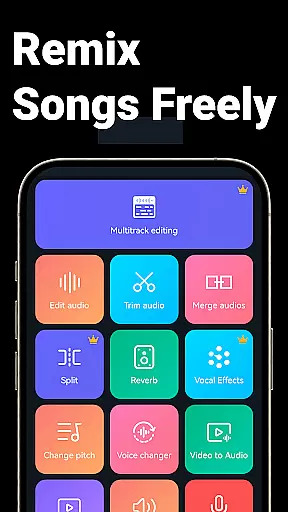
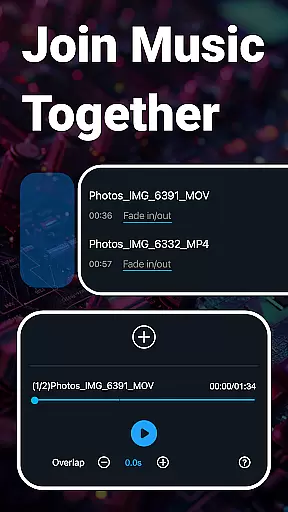
The app also includes a video-to-audio converter, multitrack editing, and batch processing capabilities. These features make it suitable for content creators who need to edit multiple files efficiently. With its comprehensive feature set, Super Sound stands out as a powerful companion for all your music and audio editing tasks.
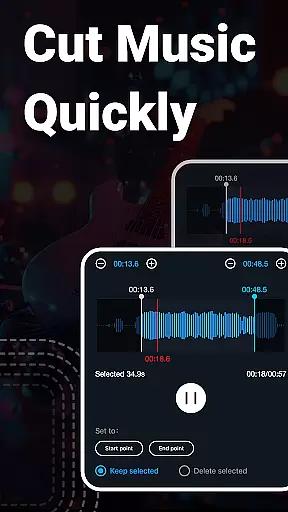
Super Sound boasts an extensive array of features tailored for comprehensive audio manipulation. One of its standout capabilities is the precise audio cutting tool, which allows users to trim audio files down to milliseconds. This feature is complemented by options to save specific segments, rename files, and even insert audio into existing tracks.
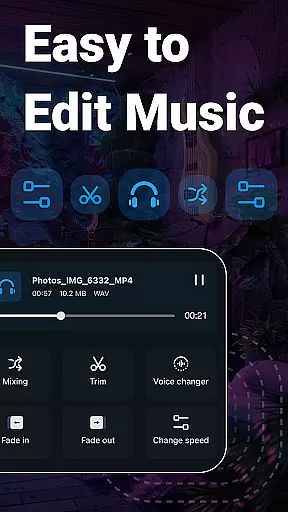
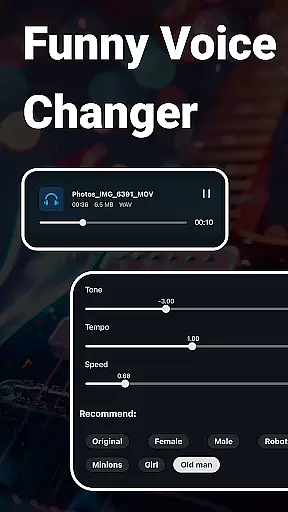
In addition to cutting, the app provides rich editing functions like fading in and out, adjusting volume, and changing playback speed. Users can also mix multiple audio tracks, add background music, and apply equalizer settings to fine-tune their audio projects. The voice changer feature adds a creative twist, enabling users to transform voices into different characters, enhancing the fun factor.
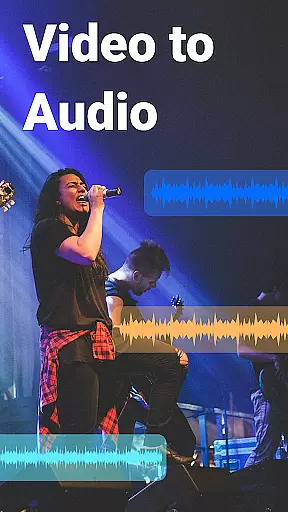
For those dealing with video content, Super Sound offers tools to extract audio from videos and apply effects like fade in/out. The app's batch processing feature is particularly useful for handling multiple files at once, saving time and effort. Overall, these robust features ensure that Super Sound caters to a wide range of audio editing requirements, from simple cuts to complex multitrack compositions.
When it comes to music editing applications, the size and authenticity of the music library play a crucial role. Music Audio Editor, MP3 Cutter offers an extensive library that caters to a wide array of musical tastes and requirements. This vast collection ensures that users have access to a diverse range of tracks, which is essential for creative freedom.
The app provides over 2000 royalty-free music tracks, allowing users to download and use these resources without any legal concerns. This feature is particularly beneficial for content creators who need background music for their projects. The availability of royalty-free tracks eliminates the hassle of dealing with copyrights, thus streamlining the creative process.
Moreover, the application supports multiple audio formats such as mp3, aac, wav, flac, m4a, and amr. This versatility in format support ensures that users can work with their preferred file types, maintaining the quality and integrity of the original audio files. It also aids in catering to different device compatibilities and user preferences.
In conclusion, Music Audio Editor, MP3 Cutter not only offers a large music library but also guarantees the authenticity and legality of its content. This assurance allows users to focus on their creative processes without worrying about copyright infringement, making it an invaluable tool for both amateur enthusiasts and professional musicians.
Audio quality is paramount when editing and producing music, and Music Audio Editor, MP3 Cutter excels in providing various options to ensure the best output. The app's ability to change sound volume, music tone, tempo, and playback speed gives users precise control over the auditory characteristics of their projects.
One of the standout features is the music equalizer, which offers a variety of adjustable parameters. Users can tweak the equalizer settings to achieve the desired sound profile, enhancing the listening experience. Whether it's adding depth to basslines or clarity to high notes, the equalizer makes fine-tuning accessible to everyone.
Additionally, the app includes an audio compression tool that helps in reducing file sizes while maintaining acceptable sound quality. Users can choose the output sound channel, sample rate, and bit rate, tailoring the compression settings to fit specific needs. This feature is especially useful for sharing audio files or uploading them to platforms with file size restrictions.
Overall, Music Audio Editor, MP3 Cutter equips users with comprehensive tools to manage audio quality effectively. From basic adjustments to advanced equalization, the app empowers creators to produce professional-grade audio content, ensuring that the final product meets high-quality standards regardless of the project's nature.
User-friendly interface
Extensive format support
Advanced editing tools
Vocal removal feature
Batch processing capability
Occasional bugs reported
Ads may interrupt workflow
Some features require premium
Limited iOS availability
Complex for absolute beginners

Taal player that lets you sing any Indian & Western song with Tabla & Tanpura
 4.60
4.60
Listen to live FM radio stations, sports, music and news on global radios online
4.70
Your song collections with lyrics and chords on Android smartphones and tablets.
4.80
More downloads than any other metronome. Includes drum machine & tempo trainer.
4.80
Ultimate Sonos Controller
4.70
Offline Music Player & MP3 Player.Powerful equalizer, Lyrics, Themes, Tag Editor
4.80
Simple mp3 and mp4 player with advanced features.
3.40
A complete sound package for the sound engineer or enthusiast
4.60
Sing, record, and create music together — enhanced by smart voice tools.
4.00 4.70
4.70
Gorgeous UI, Powerful music Search and Equalizer, the great choice for you!
4.70
Pay Once, no monthly payment
4.60
Play KORG’s revolutionary touch-based instrument on a variety of devices.
4.40
Manage your Sonos system directly from your home-screen!
4.40
The original SP-1200 experience on your iPad
4.20
Versatile MP3 recorder with auto-backup to Dropbox and Google Drive
4.10
USB audio recording and playback finally possible on Android 3.1 or higher!
3.90
Slow music down without changing pitch.
3.70
The Skullcandy App Experience
3.20


User Reviews