
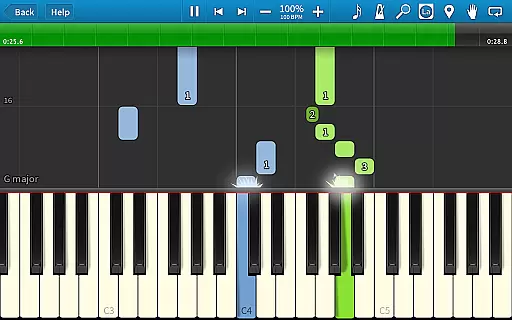
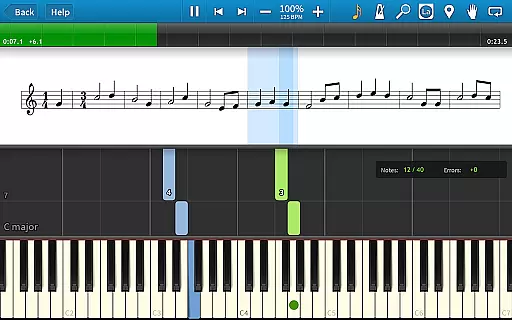
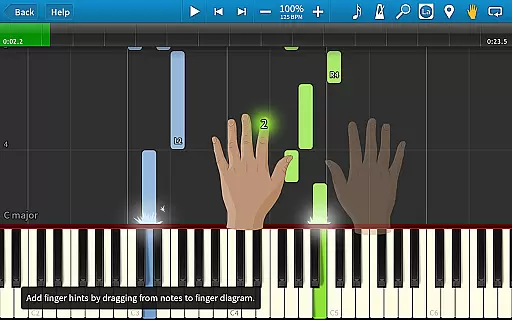
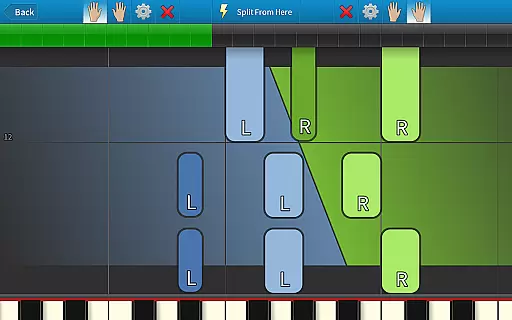
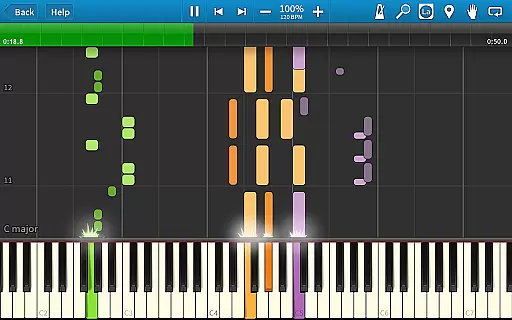
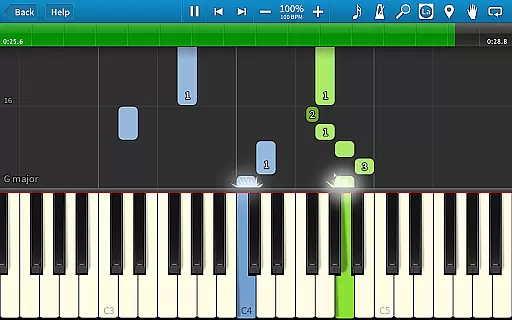
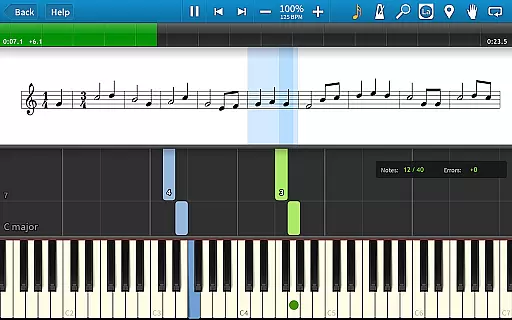
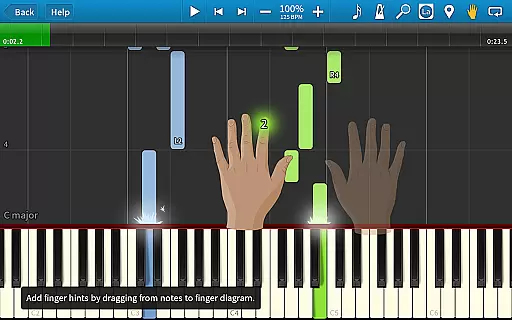
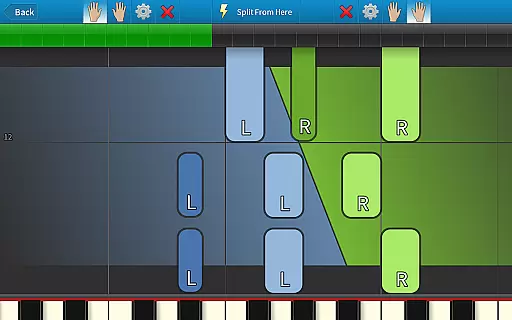
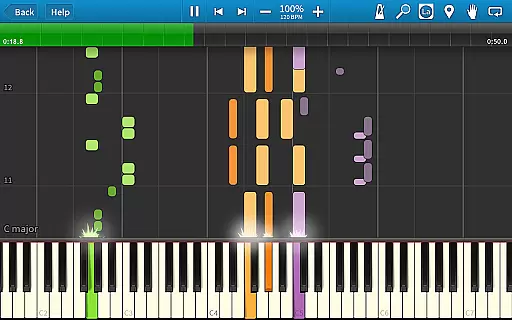
Synthesia is an innovative music learning application designed to help users play the piano without needing to read sheet music. The app offers a unique interactive experience by providing visual guidance through falling note blocks and optional traditional sheet music displays. Suitable for beginners and experienced musicians alike, Synthesia supports both hands separately or together, ensuring a comprehensive learning process.
One of the standout features of Synthesia is its compatibility with digital pianos, allowing users to connect their own instruments and receive real-time feedback. With Melody Practice mode, the app waits until the correct note is played, reinforcing proper technique. Additionally, the app includes over 150 songs and allows users to import any MIDI file, offering endless musical possibilities.
Whether you're practicing classical pieces or modern tunes, Synthesia provides a dynamic and engaging way to learn and improve your piano skills. Its intuitive interface and extensive song library make it an invaluable tool for anyone looking to master the piano in a fun and interactive manner.
Synthesia boasts a variety of features that enhance the music learning experience. One key feature is the ability to choose between different display modes, including falling note blocks, traditional sheet music, or a combination of both. This flexibility caters to different learning styles and preferences, making it accessible for users at all levels.
The app also includes a built-in metronome and supports loops and bookmarks, enabling users to practice specific sections of a song repeatedly. These tools are essential for mastering difficult passages and improving overall performance. Furthermore, Synthesia's compatibility with lighted keyboards adds an extra layer of interactivity, as the app synchronizes with the lights on the keyboard to guide users through each note.
For those looking to expand their repertoire, Synthesia offers a vast library of over 150 included songs and the option to import any MIDI file. With a one-time purchase, users can unlock additional features such as a multi-track recorder, allowing them to create and save their own compositions. This comprehensive set of tools makes Synthesia a versatile and powerful platform for music education.
Synthesia offers an extensive music library that caters to a wide range of musical tastes and skill levels. With over 150 included songs, users have access to a diverse selection that ensures there is something for everyone. This vast library not only enhances the learning experience but also keeps users engaged and motivated as they progress through different pieces.
Copyright authenticity is at the core of Synthesia's music offerings. Every MIDI song available in the app is verified to ensure compliance with copyright laws. This means users can learn and play their favorite songs without worrying about legal issues. The app provides peace of mind by maintaining high standards of copyright integrity, which is crucial for both personal enjoyment and educational purposes.
The ability to access any MIDI song ever created further expands the possibilities within Synthesia. Users are not limited to the preloaded content; they can explore external sources and import additional songs. This feature significantly enriches the user experience, allowing musicians to continually discover new material while honing their skills on a platform that respects intellectual property rights.
Audio quality is paramount when it comes to music learning applications, and Synthesia excels in providing top-notch audio options. The app supports various audio formats, ensuring that every note played sounds clear and true to its original form. Whether you're using the built-in sounds or connecting a digital keyboard, Synthesia delivers crisp and accurate audio output that enhances the overall playing experience.
One of the standout features of Synthesia is its compatibility with high-quality digital pianos. By connecting your own instrument, you can take advantage of superior sound modules and speakers, resulting in richer and more dynamic audio playback. This setup allows users to practice and perform with professional-grade sound quality, bridging the gap between amateur practice sessions and concert-level performances.
In addition to supporting external instruments, Synthesia includes a built-in metronome and recording capabilities. These tools help maintain consistent tempo and allow users to review their performances with precision. The combination of these features ensures that whether you're practicing scales or recording complex compositions, the audio quality remains consistently excellent, fostering an environment where musical growth thrives.
User-friendly interface
Real-time feedback
Vast song library
Compatibility with digital pianos
One-time purchase for full access
Limited free version
Requires compatible hardware
No advanced music theory lessons
Occasional bugs reported
Subscription model not available

The Music Journey in Your Hands
 4.30
4.30
Powerful beat maker & DJ mixer to remix tracks, make music, & perform DJ mix
3.70
Brian Eno and Peter Chilvers’ acclaimed music app Bloom, radically reinvented.
4.80
Ultimate Sonos Controller
4.70
Record, Mix & Master with all n-Track effects, 64-bit audio and Stem Separation.
4.70
Smart piano keyboard, Classical to Pop, Real-time multiplayer connection!
4.20
Sing, record, and create music together — enhanced by smart voice tools.
4.00
Travel To The Music Universe
3.40
Play your music offline without limits
4.80
Performance-Synthesizer & Multi-Track-Sequencer, polyphonic + multi timbral!
4.70
Taal player that lets you sing any Indian & Western song with Tabla & Tanpura
4.60
Reverse your voice & songs instantly! Fun singing challenge with cool effects.
4.60
Enhance the sound quality of your devices, listen to what you want
4.50
Learn and play 2M+ music tabs & chords on guitar, ukulele, bass, and more
4.30
No wifi music app. Mp3 offline. Tuner radio, young radio music. Music downloader
4.20
Permanently backup Now Playing. Maps, filters & listening stats.
4.00
Slow music down without changing pitch.
3.70
Simple mp3 and mp4 player with advanced features.
3.40
The Minimalistic Premium Music Player. Handmade with passion for music
2.20


User Reviews