
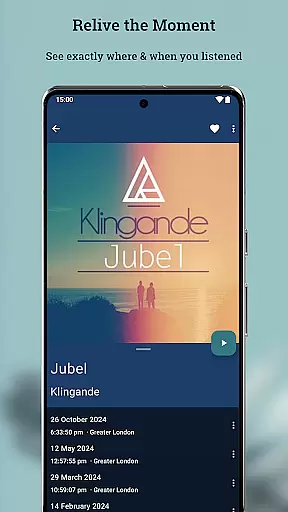
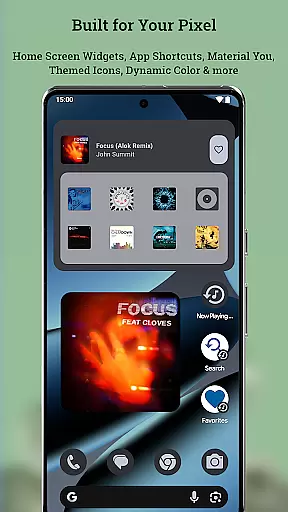
Now Playing History for Pixel is a powerful companion app designed to enhance your Google Pixel's "Now Playing" feature. This app automatically captures and saves every song your phone identifies, creating a permanent and searchable archive of your life's soundtrack. With detailed album art and advanced features like backup and restore, music mapping, and personal charts, it offers an unparalleled way to preserve your music memories.
The app provides users with tools to edit metadata, block unwanted songs from their history, and even view their listening data on a map. It emphasizes privacy by storing all data locally on the device without requiring any account sign-up or data sharing. Optimized for Android 16 and newer Pixel devices, this app integrates seamlessly with Pixel-specific features while maintaining minimal battery usage and ensuring rock-solid stability.
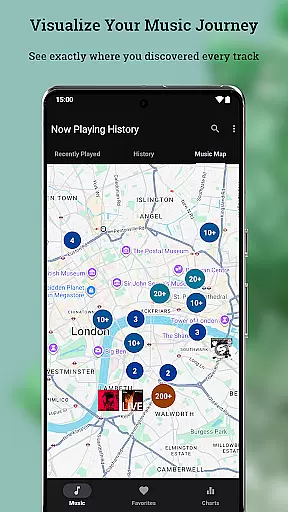
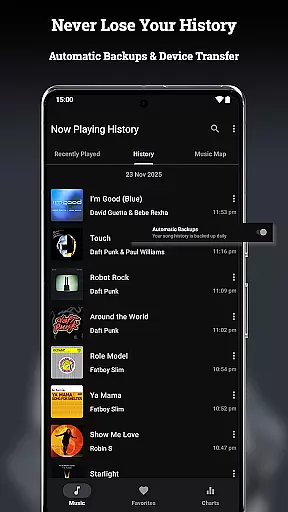
Now Playing History for Pixel stands out with its comprehensive set of features tailored for music enthusiasts. The app's Backup, Restore & Transfer functionality ensures that your music history is never lost, even when switching devices. Its Music Map feature allows you to relive memories by showing where you were when specific songs played, adding a geographical dimension to your listening history.
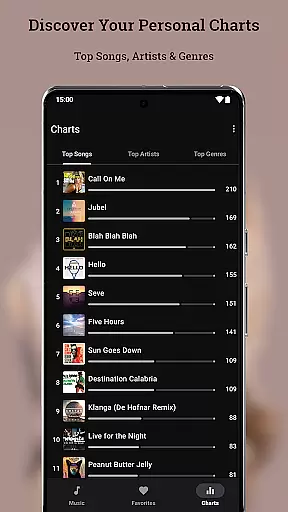
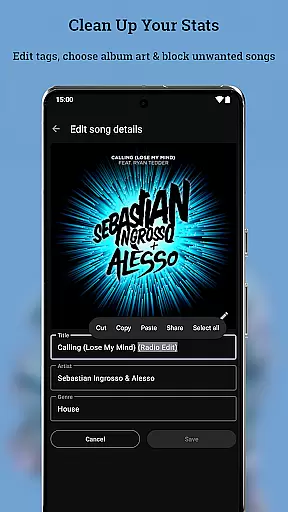
Personal Charts provide insights into your top artists, songs, and genres, giving you a detailed analysis of your listening habits. The Metadata & Album Art Editor empowers users to correct any misidentified tracks and customize album art. Additional features include fast performance, zero crashes, minimal data usage, and less than 1% battery consumption, making it a reliable tool for managing your music history efficiently.
Now Playing History for Pixel offers a unique approach to building a personal music library. Unlike traditional music apps, it automatically captures every song detected by your Pixel's 'Now Playing' feature, creating an ever-growing archive of your listening history.
The app doesn't rely on streaming services or manual input but instead logs tracks identified in real-time as you encounter them in your daily life. This creates an authentic and organic collection that truly reflects your environment and experiences.
While the app itself doesn't verify copyright information, it provides tools for users to edit metadata and album art, ensuring accurate cataloging of each track. The built-in editor allows correction of any misidentified songs, maintaining the integrity of your personal music database.
This innovative approach to music library creation offers users unprecedented control over their audio history, making it a valuable tool for music enthusiasts who want to document their sonic journey through life.
Although Now Playing History for Pixel focuses primarily on cataloging detected songs rather than playback, it offers several features that enhance the overall audio experience. The app maintains high-quality album art images, which contribute to a richer visual component of music appreciation.
While the app doesn't directly manage audio file quality, it provides comprehensive metadata management tools. Users can ensure accurate tagging of songs, artists, and genres, which helps maintain proper organization of actual audio files stored elsewhere.
The application's robust architecture guarantees minimal impact on device performance, indirectly supporting better audio playback. With less than 1% battery usage and efficient background operation, it preserves system resources for actual music playback applications.
Additionally, the app's integration with Google's ecosystem ensures smooth operation without interfering with other audio-related processes, contributing to an overall high-quality user experience when interacting with music content.
User-friendly interface
Comprehensive music tracking
Strong privacy controls
Efficient battery usage
Seamless Pixel integration
No pre-existing history import
Limited to Pixel devices
Dependent on Now Playing detection
Optional location access required
Not optimized for tablets

Simply convert wav to mp3. Clear. Reliable. Safe.
 4.2
4.2
Walkout Song DJ is the most intuitive app to manage your sports music.
4.70
Music, News & Sports Radio Tuner App. Tune in Live FM & AM Radio Stations.
4.80
Smart piano keyboard, Classical to Pop, Real-time multiplayer connection!
4.20
Offline Music Player & MP3 Player.Powerful equalizer, Lyrics, Themes, Tag Editor
4.80
Play KORG’s revolutionary touch-based instrument on a variety of devices.
4.40
Manage your Sonos system directly from your home-screen!
4.40
Versatile MP3 recorder with auto-backup to Dropbox and Google Drive
4.10
Reverse your voice & songs instantly! Fun singing challenge with cool effects.
4.60
Full-featured, High-Quality Groovebox Workstation, perfect for Live Performance!
4.80
JBL PartyBox APP works with 110/310/710/120/320/520/Encore/Encore 2/Encore Ess 2
4.80
Learn the notes on the guitar fretboard fast with this easy and fun app
4.60
Fun & Easy Voice Changer – Record, Edit & Add Hilarious Effects!
4.50
Save hundreds of dollars for a physical strobe tuner and instead use this app.
4.50
10-Band Audio Equalizer, Sound / Bass Booster for Spotify Users & Music Players
4.40
Equalizer, Bass Booster and Volume Booster (Eq & Bass) improve sound quality
4.30
Learn and play 2M+ music tabs & chords on guitar, ukulele, bass, and more
4.30
Offline Tunes, Unlimited Vibes
3.90
Control your MIDI USB or Bluetooth devices in app and avoid some trampling
3.30


User Reviews