
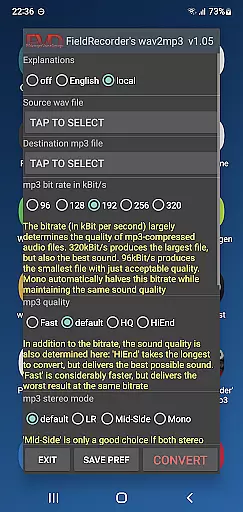
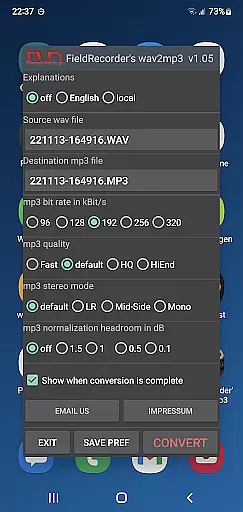
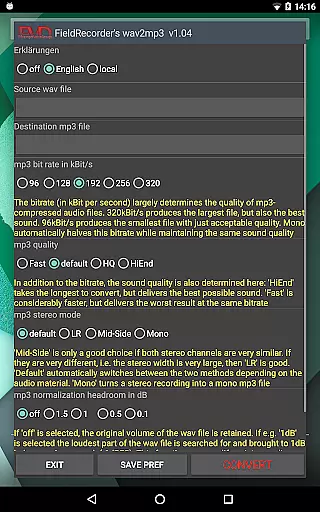
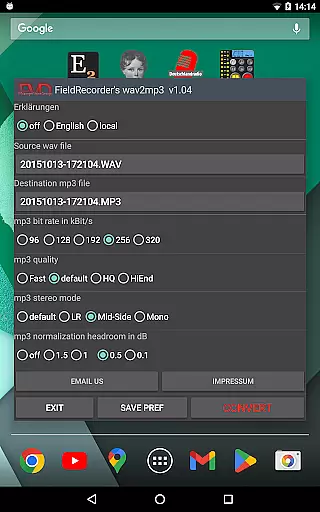
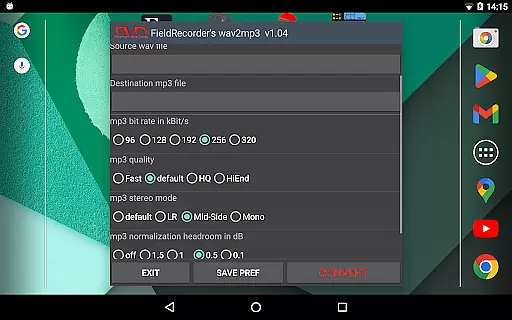
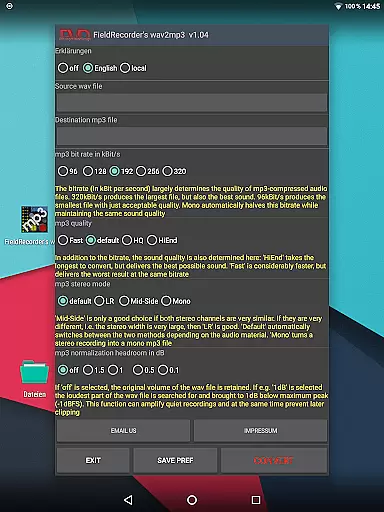
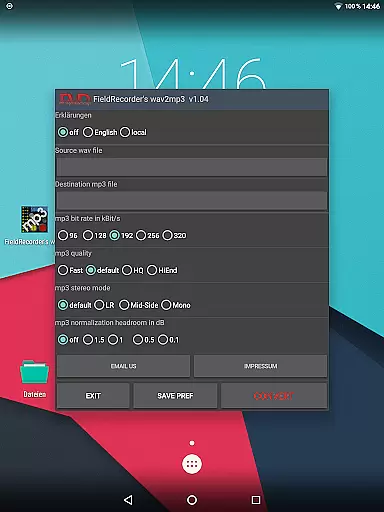
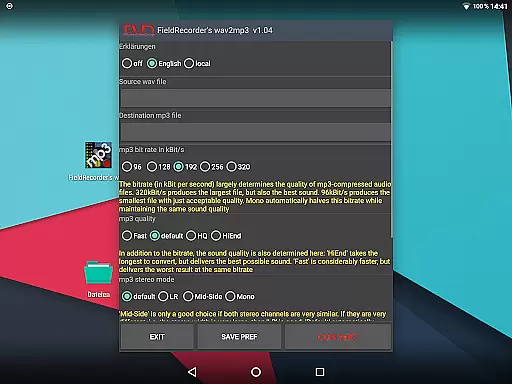
FieldRecorder's wav2mp3 is a streamlined audio conversion tool designed specifically for users who need to convert WAV files to MP3 format without any hassle. The app eliminates common frustrations such as intrusive ads, rating prompts, and confusing options that often clutter similar applications. With its minimalist one-screen interface, users can effortlessly select source and destination files and initiate the conversion process with a single tap.
What sets this app apart is its commitment to user privacy and efficiency. It operates without collecting user data, contacting external servers, or embedding hidden spyware. Its compact download size of under 1.3MB, achieved through consistent native coding, ensures quick installation and smooth performance. Additionally, the app offers seamless integration with the professional audio recorder app 'Field Recorder,' allowing for invisible remote control functionality. Whether you're an audio professional or simply someone in need of a reliable converter, FieldRecorder's wav2mp3 delivers both simplicity and power.
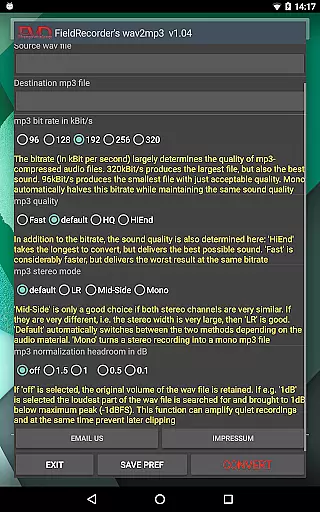
FieldRecorder's wav2mp3 stands out due to its carefully designed features tailored for ease of use and customization. One of its key attributes is the ability to save user preferences for all subsequent conversions, ensuring a personalized experience. Users can choose from five commonly used bit rates, which are halved when encoding in mono, allowing for quick adjustments based on individual needs.
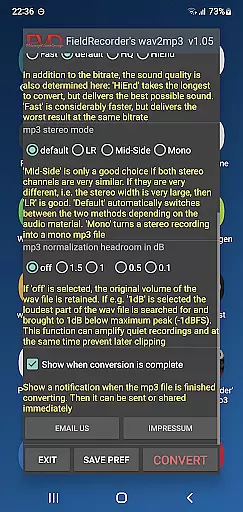
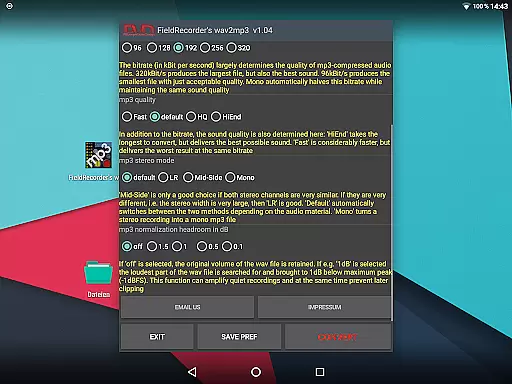
The app also provides advanced options for controlling the complexity of the MP3 encoding process, stereo mode settings, and volume normalization. These features enable users to fine-tune the output quality while maintaining full control over the final audio file. Furthermore, users can opt to receive notifications upon completion of the conversion, making it easy to share or further process the resulting MP3 file immediately. With clear explanations available in multiple languages and the option to hide unnecessary text, FieldRecorder's wav2mp3 caters to both novice and experienced users seeking efficient audio conversion.
FieldRecorder's wav2mp3 may not focus on offering a vast music library, but it excels in ensuring that every converted file respects copyright authenticity. The app allows users to convert individual WAV files to MP3s without infringing on any legal regulations.
The conversion process is straightforward and transparent, ensuring that the user's original audio content remains untouched and fully compliant with copyright laws. This makes it an ideal tool for professionals who need to convert their own recordings into a more manageable format while maintaining legal integrity.
By avoiding unnecessary features like ads or data collection, the app ensures that your files are kept private and secure. Users can confidently convert their audio files knowing they are not violating any terms of service or copyright agreements.
This commitment to authenticity and compliance provides peace of mind for users who prioritize legal and ethical standards in their audio management tools.
FieldRecorder's wav2mp3 offers several customizable options to ensure optimal audio quality during the conversion process. Users can choose from five common bit rates, which are halved when converting mono files, allowing for quick adjustments based on specific needs.
The complexity of the MP3 creation can also be adjusted, giving users control over the balance between conversion speed and sound quality. More complex settings will take longer but can produce better audio results.
Stereo mode settings allow users to decide how channels are encoded, either separately or together, depending on the similarity of the audio content. Additionally, volume levels can be maximized or kept as in the original file, with adjustable decibel levels to prevent clipping.
These comprehensive options ensure that users can fine-tune their audio output to meet exacting standards, making FieldRecorder's wav2mp3 a versatile tool for both amateur and professional audio projects.
User-friendly interface
No ads or data collection
Compact app size
Customizable encoding options
Remote control compatibility
Limited to WAV to MP3
No batch processing
Basic UI design
Fewer features than competitors
Paid app only

Make music anywhere. Turn your device into an instrument.
 4.0
4.0
USB audio recording and playback finally possible on Android 3.1 or higher!
3.90
Record, Mix & Master with all n-Track effects, 64-bit audio and Stem Separation.
4.70
Slow music down without changing pitch.
3.70
Ringtone Maker is free app create ringtone from music files or your recording.
4.40
Responsive piano with great sounds, graphics, and songs
4.80
Offline Tunes, Unlimited Vibes
3.90
One-tap booster for max volume - enjoy powerful sound with this audio booster
4.50
Customize Your Favorite Songs and Videos with booster.
4.70
Listen radio AM / FM Stations. Live AM / FM Radio App Station. Radio Com.
4.70
AI Music Maker: Generate And Compose AI Tunes & AI Songs & AI Music & AI Melody!
4.60
10-Band Audio Equalizer, Sound / Bass Booster for Spotify Users & Music Players
4.40
DJ Music Mixer - DJ Remix: remix songs, make beat music & record mix of DJ.
4.40
Your HD audio recorder on the go for music, meetings, ambience, animal sounds…
4.30
Advanced 10-Band Audio Graphic Equalizer Sound Booster Pro
4.30
A High-Precision Audio Spectrum Analysis App
4.20
The alternative folder based music player.
4.20
Offline and always ad-free - stream in the highest quality available.
4.10
Turn your Android phone into a professional audio analyser with up to 120 bands.
4.00


User Reviews