
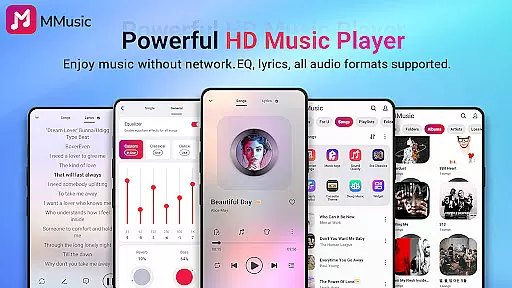
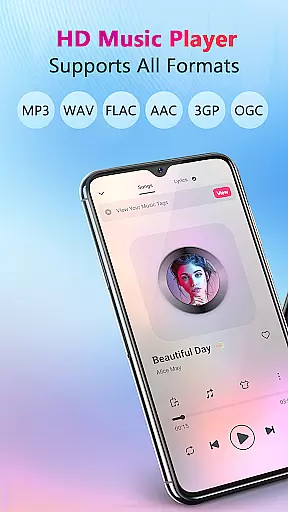
MMusic is a versatile offline music player for Android, offering high-definition sound quality and full format compatibility. Developed by professionals, it supports MP3, FLAC, WAV, MIDI, AAC, APE, and more, ensuring every song sounds its best. The app features an advanced equalizer with presets for various music genres, allowing users to customize their listening experience.
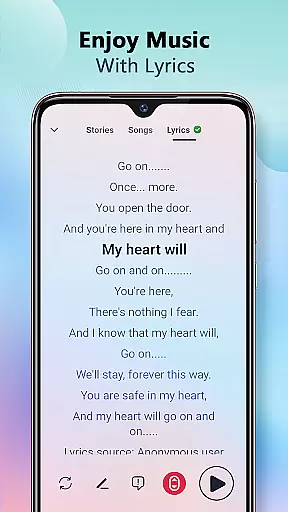
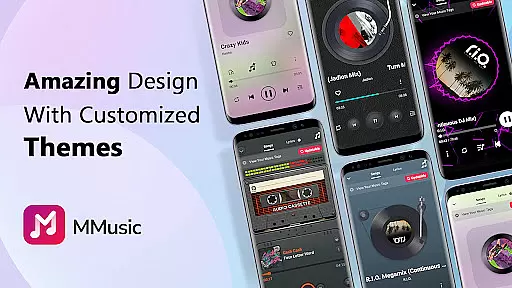
With its intuitive interface, MMusic provides a visually pleasing experience through diverse themes like retro tape and vinyl record styles. Users can enjoy offline playback anytime, anywhere without Wi-Fi. Intelligent music management helps organize audio files efficiently, while built-in lyrics display enhances the overall experience. This combination of functionality and aesthetics makes MMusic ideal for audiophiles seeking both performance and style.
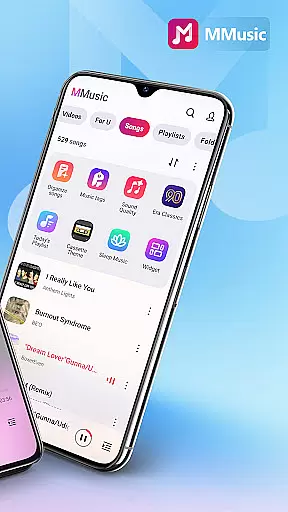
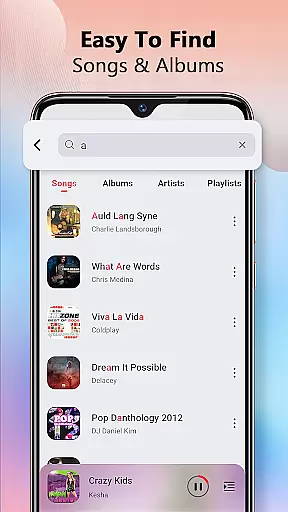
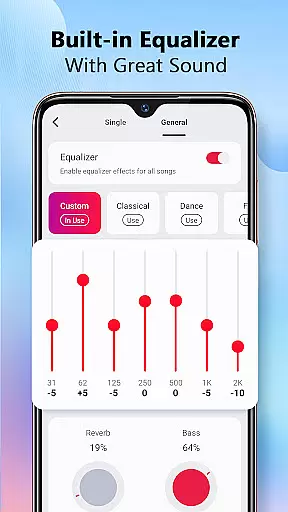
MMusic stands out with its powerful equalizer that includes bass boost, reverb effects, and virtualization options. These features allow users to tailor audio output to their preferences, whether they're listening to classical symphonies or modern rock tracks. The app's deep scan capability automatically refreshes and organizes music libraries, categorizing files by artist, album, and playlist.
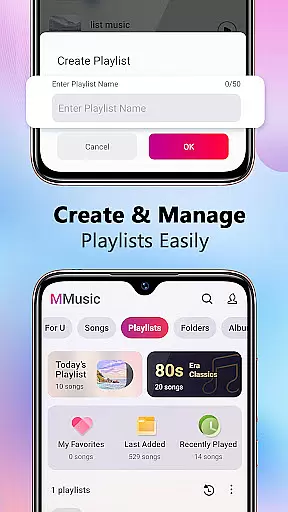
Additional notable features include customizable themes, background playback support, and compatibility with both Bluetooth and wired headphones. Smart auto-playlists such as Featured, Most Played, and Recently Played provide dynamic listening options. With shuffle, loop, and repeat modes, users have complete control over playback. These comprehensive features make MMusic a top choice for managing and enjoying digital music collections.
When it comes to digital music players, the size and authenticity of the music library are crucial factors for users. MMusic offers an extensive collection of tracks that span various genres and formats, ensuring a rich and diverse listening experience. The app supports all mainstream audio formats including MP3, FLAC, WAV, MIDI, AAC, APE, and more, which means every song can be presented in its best state.
The developers of MMusic have placed a strong emphasis on copyright compliance. They ensure that the music library not only contains a vast array of songs but also respects intellectual property rights. This dedication to legal integrity provides peace of mind for users who want to enjoy their favorite tunes without infringing on artists' rights.
For audiophiles and casual listeners alike, having access to a comprehensive music library with verified copyrights enhances the overall value of MMusic. It allows users to explore new music confidently, knowing they are engaging with content that is both expansive and legitimate.
Audio quality is paramount when selecting a music player, and MMusic excels in delivering exceptional sound fidelity. The app features advanced audio technology that elevates the listening experience to new heights. Every track played through MMusic benefits from high-definition sound quality, making each note crisp and clear.
In addition to superior sound output, MMusic includes a powerful equalizer with presets tailored for different music genres such as classical, dance, folk, and rock. Users can further customize their experience with bass boosting, reverb effects, and a virtualizer that adapts to personal preferences. These audio quality options empower users to fine-tune their music exactly how they like it.
Whether you're using high-end headphones or standard earbuds, MMusic ensures that your music sounds its best. With options to enhance audio playback, listeners can immerse themselves fully in their music, experiencing every detail as intended by the artists.
User-friendly interface
Advanced equalizer settings
Full format compatibility
Intelligent music management
Offline playback support
Limited social sharing
No cloud integration
Heavy on storage
Occasional bugs
Ads in free version

Over 100 million tracks available for high quality streaming and download
 4.60
4.60
More downloads than any other metronome. Includes drum machine & tempo trainer.
4.80
Guzheng Master supports many playing techniques as an acoustic Guzheng
4.50
Bass Booster & Volume Equalizer Pro improves your music and video sound quality
4.60
Learn to play the piano using falling notes!
3.80
Make songs with AI! Any genre, custom lyric, song generator for music creation!
4.80
The iconic iOS metronome app is now on Android.
3.70
Sing, record, and create music together — enhanced by smart voice tools.
4.00
One-tap booster for max volume - enjoy powerful sound with this audio booster
4.50
Performance-Synthesizer & Multi-Track-Sequencer, polyphonic + multi timbral!
4.70
SqueezePlayer turns your Android phone or tablet into a SqueezeBox on its own!
4.60
Learn the notes on the guitar fretboard fast with this easy and fun app
4.60
Time Trainer: accurate metronome w tools to help you develop your internal time!
4.20
A sleek, no-frills player designed for true music lovers.
4.20
The official Sonos app
4.10
The ultimate media player for Android devices
3.90
Sheet music reader, piano & music note player. Play music score & learn to read.
3.90
Simple mp3 and mp4 player with advanced features.
3.40
The Skullcandy App Experience
3.20


User Reviews