
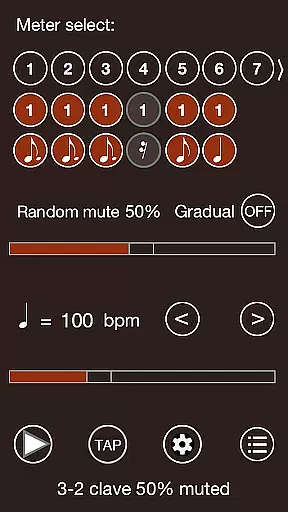
Time Guru Metronome is a sophisticated tool designed to enhance musicians' internal sense of rhythm. Unlike traditional metronomes, Time Guru can mute its sound randomly or in sequenced patterns, helping users assess their timing accuracy and improve their rhythmic stability. This feature is particularly beneficial for those practicing odd meters or complex time signatures.
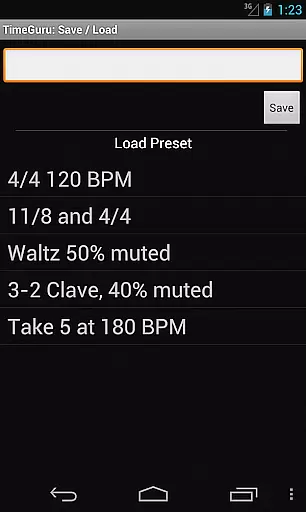
In addition to its unique muting capability, the app offers a range of advanced features such as support for different time signatures, customizable rhythmic patterns, and the ability to save presets for various settings. With 35 loud sound sets, tap tempo functionality, and multilingual voice counting, Time Guru provides a comprehensive solution for musicians at all skill levels. Whether you're a beginner looking to develop solid timing or a professional refining intricate rhythms, this app serves as an essential practice companion.
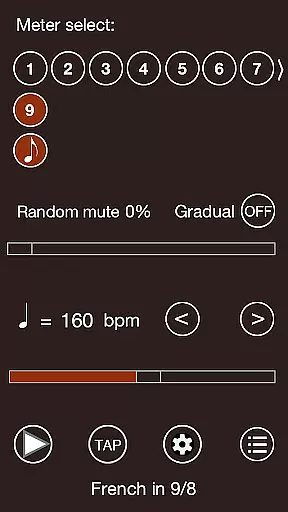
Time Guru Metronome stands out with its innovative approach to rhythm training. The app's core feature is its ability to mute sounds either randomly or in specific sequences, which challenges users to maintain accurate timing without external cues. This functionality is complemented by support for additive time signatures, allowing musicians to create and practice complex rhythmic structures seamlessly.
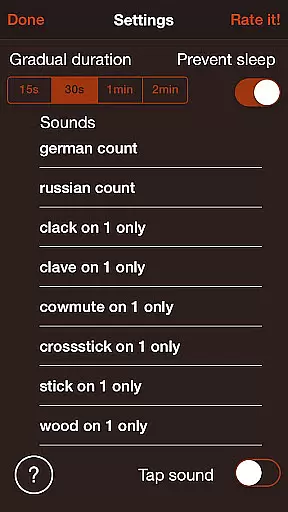
Beyond its primary functions, Time Guru offers several additional tools that enhance the user experience. Users can design drum-machine-like patterns, save custom presets for quick access to preferred settings, and choose from 35 distinct sound sets. The inclusion of human or robot voice counting in multiple languages makes it an excellent teaching aid, while the highly accurate customized audio engine ensures precise timing across all features. These capabilities make Time Guru an indispensable tool for serious musicians.
Time Guru Metronome offers an extensive music library that caters to a wide range of musicians, from beginners to professionals. The app includes 35 loud sound sets, ensuring that every user can find the perfect sound for their practice or performance needs.
In addition to its rich sound library, Time Guru places a strong emphasis on copyright authenticity. All sound sets and features are developed with proper licensing and permissions, providing users with peace of mind when using the app for personal or professional purposes.
The variety within the music library is one of the standout features of Time Guru. Whether you're practicing standard time signatures or experimenting with odd meters, the app's diverse sound options support your musical journey without any legal concerns.
When it comes to audio quality, Time Guru Metronome excels by offering high-quality sound output through a customized audio engine. This ensures super accurate, rock-solid timing that musicians can rely on during practice sessions or live performances.
The app provides various audio quality options, allowing users to choose settings that best suit their current environment or equipment. Whether you're using high-end studio monitors or basic headphones, Time Guru delivers clear and precise audio feedback.
Furthermore, the inclusion of human or robot voice counting in multiple languages enhances the audio experience. This feature not only aids in teaching but also adds another layer of customization for users who prefer verbal cues over traditional metronome clicks.
Enhances internal rhythm
Supports complex time signatures
Offers 35 distinct sound sets
Multilingual voice counting
Highly accurate timing engine
Interface may seem complex
Limited free features
No real-time collaboration
Occasional audio glitches
Heavy on battery usage

A High-Precision Audio Spectrum Analysis App
 4.20
4.20
Your song collections with lyrics and chords on Android smartphones and tablets.
4.80
Advanced 10-Band Audio Graphic Equalizer Sound Booster Pro
4.30
The ultimate media player for Android devices
3.90
Bass Booster Pro takes auto-equalizing to the next level!
4.30
Learn to play the piano using falling notes!
3.80
Slow music down without changing pitch.
3.70
Travel To The Music Universe
3.40
Listen to offline music and sounds from all categories
4.70
Offline Music Player & MP3 Player.Powerful equalizer, Lyrics, Themes, Tag Editor
4.80
Music, News & Sports Radio Tuner App. Tune in Live FM & AM Radio Stations.
4.80
Gorgeous UI, Powerful music Search and Equalizer, the great choice for you!
4.70
AI Music Maker: Generate And Compose AI Tunes & AI Songs & AI Music & AI Melody!
4.60
Manage your Sonos system directly from your home-screen!
4.40
Ringtone Maker is free app create ringtone from music files or your recording.
4.40
Learn and play 2M+ music tabs & chords on guitar, ukulele, bass, and more
4.30
USB audio recording and playback finally possible on Android 3.1 or higher!
3.90
The iconic iOS metronome app is now on Android.
3.70
Make music anywhere. Turn your device into an instrument.
4.4


User Reviews