
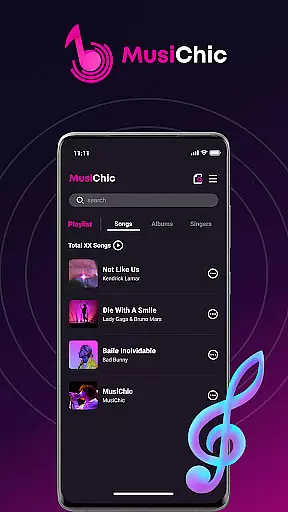
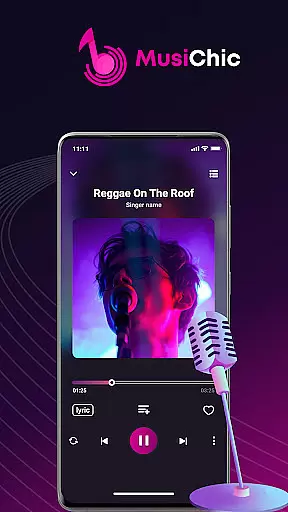
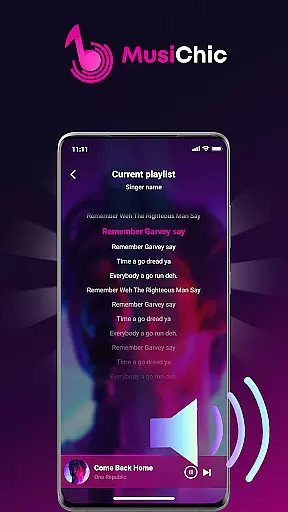
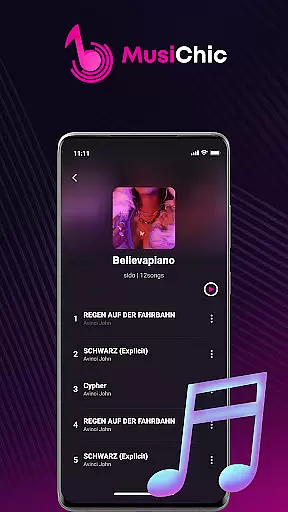
MusiChic is a premium offline music player designed for discerning music enthusiasts who value both quality and functionality. This application transforms your mobile device into a personal concert hall, delivering lossless audio playback across multiple formats including MP3, FLAC, and WAV.
The app's intelligent scanning system instantly organizes your entire local music library while its advanced categorization features sort tracks by album, artist, and genre. Whether you're curating custom playlists for personal enjoyment or managing extensive music collections, MusiChic provides an elevated listening experience that combines sophisticated technology with user-friendly design.
MusiChic distinguishes itself through innovative features that enhance music management and playback. Its smart scanning engine automatically detects and catalogs audio files, creating an organized library within seconds of installation.
The application's intelligent curation system goes beyond basic organization by implementing customizable sorting options and ultra-fast search capabilities. Users can create unlimited personalized playlists while enjoying crystal-clear sound quality that preserves the nuances of each track. Advanced playback controls and a sleek interface make every listening session a refined musical experience.
Additional features include seamless format support for all major audio types, automatic library updates, and exclusive collection management tools that help users maintain their music archives with professional precision.
When it comes to digital music players, the size and authenticity of the music library are crucial factors. MusiChic offers an impressive local music library that is instantly accessible through its smart scanning feature.
The application supports a wide array of audio formats, allowing users to enjoy their existing music collection without any compatibility concerns. This extensive format support ensures that your entire music library, regardless of its source, can be centralized within the app.
While MusiChic focuses on local music playback, it maintains the integrity and copyright authenticity of each track. Users can confidently manage and play their legally acquired music files, knowing that the app respects copyright laws and personal ownership rights.
For audiophiles and casual listeners alike, audio quality is paramount. MusiChic delivers concert-hall quality sound through its advanced audio processing capabilities.
The app supports lossless audio playback, preserving the original quality of music files and providing an uncompromised listening experience. Whether you're enjoying classical symphonies or modern electronic beats, every nuance is faithfully reproduced.
With customizable audio settings, users can tailor their listening experience to suit different genres and environments. From cozy evenings at home to global adventures, MusiChic ensures optimal sound quality across all scenarios.
Lossless audio quality
Intelligent library scanning
Advanced playlist creation
Multi-format compatibility
User-friendly interface
No streaming service
Limited social features
Premium price point
Offline only access
High storage usage

SqueezePlayer turns your Android phone or tablet into a SqueezeBox on its own!
 4.60
4.60
Your HD audio recorder on the go for music, meetings, ambience, animal sounds…
4.30
Time Guru will strengthen your internal sense of musical time via random muting.
4.30
The Skullcandy App Experience
3.20
10-Band Audio Equalizer, Sound / Bass Booster for Spotify Users & Music Players
4.40
VB-AUDIO Software / VBAN-Receptor allows listening to any VBAN Streams
4.10
Versatile MP3 recorder with auto-backup to Dropbox and Google Drive
4.10
Sing, record, and create music together — enhanced by smart voice tools.
4.00
Be a true music maker: create beats, mix and make music like a real DJ!
4.30
Full-featured, High-Quality Groovebox Workstation, perfect for Live Performance!
4.80
Listen to live FM radio stations, sports, music and news on global radios online
4.70
Simple & Intuitive Metronome
4.70
Over 100 million tracks available for high quality streaming and download
4.60
Enhance the sound quality of your devices, listen to what you want
4.50
Let your Android device with the sound effects you want
4.50
The Music Journey in Your Hands
4.30
A High-Precision Audio Spectrum Analysis App
4.20
Offline Tunes, Unlimited Vibes
3.90
The Minimalistic Premium Music Player. Handmade with passion for music
2.20


User Reviews