
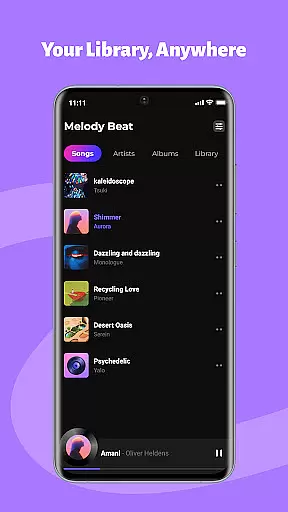
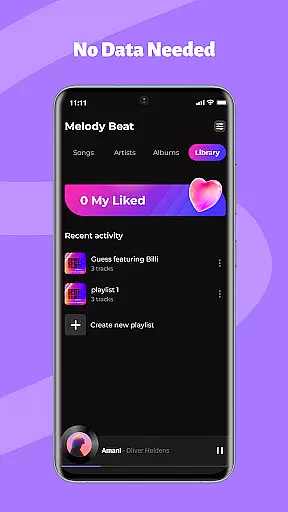
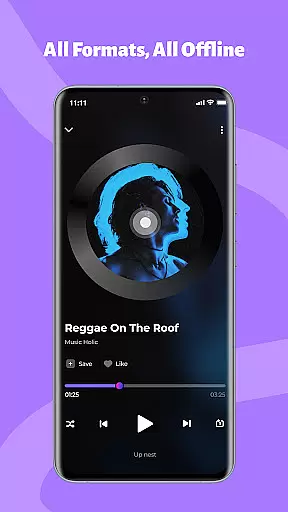
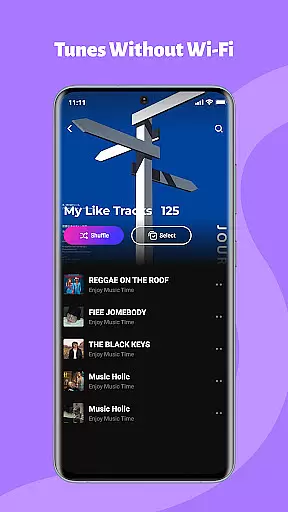
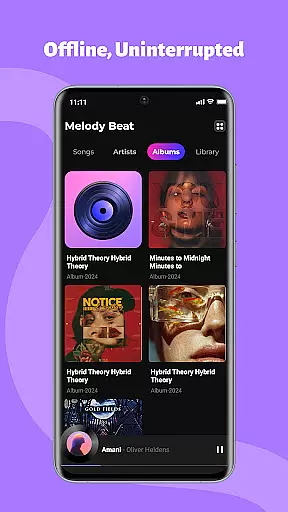
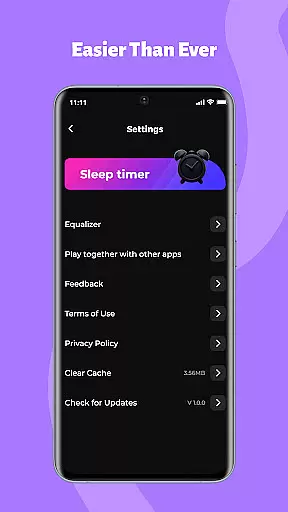
Melody Beat is a premium offline music player tailored for audiophiles who value quality and control. It supports over 30 audio formats including MP3, FLAC, and WAV without requiring file conversion. The app's smart library management automatically organizes tracks by artist, album, genre, or folder, while offering seamless offline lyric support.
Designed with sound customization in mind, Melody Beat features a professional equalizer with bass boost, virtualizer, and presets for various music genres. Its privacy-first approach ensures all files remain local, making it perfect for travelers, gym-goers, and commuters seeking uninterrupted playback in areas with poor connectivity.
Melody Beat stands out with its universal format compatibility, supporting more than 30 audio formats without any need for conversion. This ensures users can enjoy lossless audio quality across different file types like MP3, FLAC, and WAV. The app also offers advanced library management tools that automatically categorize music and provide quick filter options for easy searching.
One of the key highlights is its robust sound customization suite. Users can personalize their listening experience using a professional-grade equalizer, bass boost, and virtualizer. Pre-set modes for genres such as Pop, Rock, Jazz, and Classical ensure optimal sound profiles for every type of music. Additionally, the app supports background and lockscreen playback, allowing users to control music directly from notifications or the lockscreen.
When it comes to music applications, the size and authenticity of the music library are crucial factors for users. Melody Beat offers an extensive offline music experience by supporting over 30 audio formats including MP3, FLAC, WAV, and AAC without the need for conversion. This ensures that users can enjoy their personal music collection in its original quality.
The application automatically organizes music files by artist, album, genre, or folder, making it easy for users to manage their library. With quick filters and genre search capabilities, finding specific tracks becomes a seamless task. Additionally, Melody Beat respects user privacy by not accessing, storing, or sharing music files, ensuring all content remains local and secure.
For those who value copyright compliance, Melody Beat's local-only storage policy guarantees that all music is legally owned by the user. There are no hidden costs or subscriptions, providing a pure music experience that is both legal and private.
Audio quality is paramount for any music enthusiast, and Melody Beat excels in delivering pristine sound through its advanced features. The app includes a professional equalizer with bass boost and virtualizer functions, allowing users to customize their listening experience according to their preferences. Whether you're a fan of Pop, Rock, Jazz, or Classical music, there are pre-set modes tailored to enhance each genre.
Melody Beat supports lossless audio formats, ensuring that listeners can enjoy high-fidelity sound without compromise. This feature is particularly beneficial for audiophiles who demand the best possible audio reproduction from their devices.
Moreover, the app facilitates uninterrupted playback with convenient controls directly from the notification bar or lock screen. Users can easily adjust settings such as volume, track selection, and equalizer presets without interrupting their listening session. This combination of superior audio quality options and user-friendly interface makes Melody Beat an ideal choice for discerning music lovers.
Supports 30+ formats
Offline playback
Advanced equalizer
Privacy-focused
User-friendly design
No cloud integration
Limited social features
Android only
No streaming option
Manual library updates

Your HD audio recorder on the go for music, meetings, ambience, animal sounds…
 4.30
4.30
Full-featured, High-Quality Groovebox Workstation, perfect for Live Performance!
4.80
Remove ads permanently from Music Visualizer
4.1
Powerful beat maker & DJ mixer to remix tracks, make music, & perform DJ mix
3.70
Simple & Intuitive Metronome
4.70
Your song collections with lyrics and chords on Android smartphones and tablets.
4.80
Visualize the guitar fretboard, master scales & play through changes like a pro!
4.50
The alternative folder based music player.
4.20
Customize Your Favorite Songs and Videos with booster.
4.70
Music, News & Sports Radio Tuner App. Tune in Live FM & AM Radio Stations.
4.80
Learn the notes on the guitar fretboard fast with this easy and fun app
4.60
Enhance the sound quality of your devices, listen to what you want
4.50
Let your Android device with the sound effects you want
4.50
DJ Music Mixer Pro is a real DJ controllers and DJ Music Studio to remix DJ.
4.40
Ringtone Maker is free app create ringtone from music files or your recording.
4.40
No wifi music app. Mp3 offline. Tuner radio, young radio music. Music downloader
4.20
Permanently backup Now Playing. Maps, filters & listening stats.
4.00
Offline Tunes, Unlimited Vibes
3.90
Control your MIDI USB or Bluetooth devices in app and avoid some trampling
3.30


User Reviews