


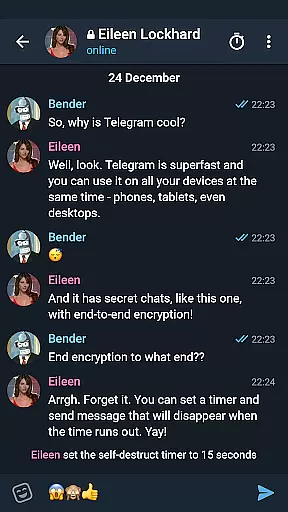

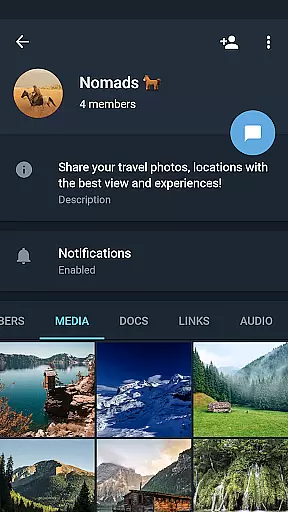
Telegram X represents a streamlined alternative client for the popular Telegram messaging platform, built on the TDLib framework. This version is specifically optimized to offer faster performance and smoother animations compared to its predecessor. Users can expect not only an enhanced visual experience but also access to experimental features that are yet to be integrated into the main application.
The app's core functionality revolves around instant messaging, voice calls, and media sharing, all while maintaining top-notch security standards. It is particularly well-suited for users who engage in frequent communication and value both speed and privacy. With its innovative approach, Telegram X caters to tech-savvy individuals looking for cutting-edge solutions in mobile communication.
One of the standout characteristics of Telegram X is its utilization of the TDLib library, which significantly boosts the app's operational efficiency. This results in noticeably quicker message delivery and more fluid interface transitions. Additionally, the inclusion of experimental features allows users to preview functionalities that may eventually become standard offerings.
Another notable aspect is the app's customization options. Users can personalize their chat backgrounds, notification preferences, and even experiment with exclusive themes available only in this version. These features collectively contribute to a unique user experience that prioritizes both aesthetics and practicality.
User profile customization is a crucial aspect of any social application, allowing users to express their individuality and establish trust within the community. Telegram X offers a comprehensive set of tools for personalizing user profiles.
With this app, users can customize their profiles with unique avatars, status messages, and usernames. The platform also supports detailed information fields, enabling users to provide authenticating details such as phone numbers or linked accounts.
The authenticity verification process in Telegram X ensures that users are who they claim to be. This feature enhances security and fosters genuine connections by verifying user identities through various methods like SMS confirmation or third-party account linking.
By offering robust customization options alongside stringent authenticity checks, Telegram X empowers its users to create trustworthy and personalized online personas, enhancing both personal expression and community safety.
Connection discovery is an essential feature in social apps, facilitating interactions among users by helping them find friends, colleagues, or people with shared interests. Telegram X excels in this area by providing advanced connection discovery mechanisms.
This alternative Telegram client leverages TDLib to offer faster search capabilities and more accurate contact suggestions. Users can quickly locate existing contacts from their device's address book or discover new connections based on mutual interests and group memberships.
Telegram X introduces experimental features that enhance connection discovery further. For instance, it might suggest potential contacts based on similar chat patterns or shared media content, creating opportunities for meaningful interactions.
These sophisticated connection discovery tools not only make it easier for users to expand their networks but also contribute to building vibrant communities where individuals can engage with like-minded peers efficiently and effectively.
Fastest messaging platform
Advanced security protocols
Innovative experimental features
Customizable user interface
Smoother animations
Limited user base
Experimental features unstable
Fewer updates than main app
Not officially supported
Higher resource usage

Meet Strangers Online, Live Video Chat & Make Random Video Calls on Joi!
 4.30
4.30
Meet local people, make friends & network: Join a community, group, host events
4.00
Live pics from your friends - Only the photos you want to see
4.60
Get notifications of FREE Stuff for Nextdoor, Letgo, offerup & TrashNothing
4.70
Random chat & meet online. Find your soulmate or someone special and have fun!
3.90
live inside your fandom
4.60
This version of Facebook uses less data and works in all network conditions.
4.60
TikTok Lite - Designed for speed, simplicity, and saving your phone’s space!
4.40
Join your friends and discover videos you love, only on TikTok
4.10
SuperLive is a super popular video-streaming social network
4.60
Date single & make friend
4.60
Unlimited calls & texts | WiFi voice line plus group txt | Call & text now
4.50
Watch 24/7 great live stream, or go live to boost your social followers!
4.50
Watch 24/7 live stream, and make real friends nearby
4.30
Honest dating app where real people find genuine love and real matches.
4.20
Chill and Chat with Tagged Live Video with millions of peeps
4.10
Dive into diverse fandoms. Connect, create, reblog.
3.90
Instant video chat with cool people. Live video call & make friends with Monkey!
3.80
Video call, live video chat & talk to strangers. Meet people on Omega!
3.60


User Reviews