
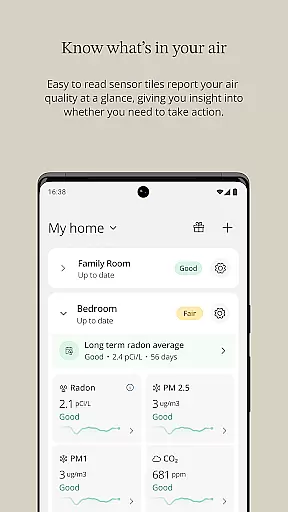
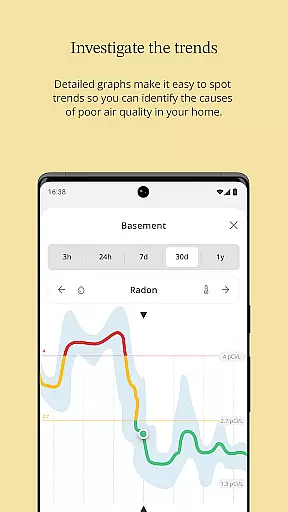
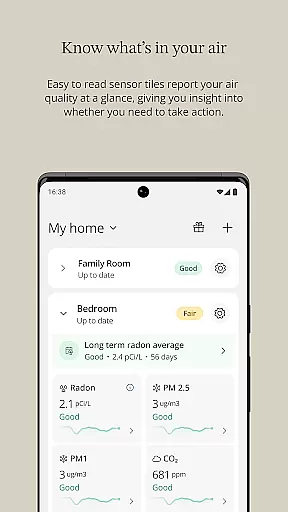
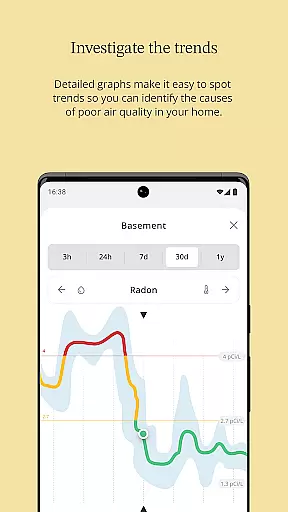
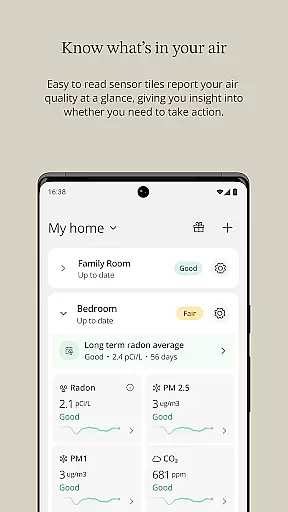
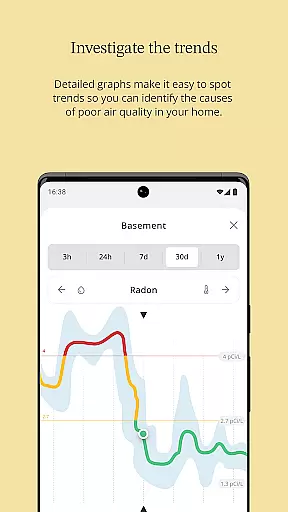
Airthings is a smart air quality monitoring and management solution designed to improve your indoor environment. The app works seamlessly with Airthings devices, offering features like real-time air quality tracking, detailed graphs for trend analysis, and remote control of air purifiers. With color-coded sensor tiles and instant notifications, users can easily monitor their home's air quality.
Whether you're looking to enhance sleep, reduce allergy symptoms, or simply maintain a healthier living space, Airthings provides actionable insights such as pollen forecasts and tailored tips. Its intuitive interface ensures quick device setup and easy navigation, making it suitable for both tech-savvy users and beginners.
By addressing key air quality issues and delivering monthly Air Reports, Airthings empowers users to take control of their home environment effectively.
Airthings stands out with its comprehensive feature set tailored to optimize indoor air quality. The app offers quick and hassle-free device setup, ensuring users can start monitoring their air quality within minutes. Advanced tools include color-coded sensor tiles that provide at-a-glance information about air quality levels, alongside detailed graphs that help track historical trends over time.
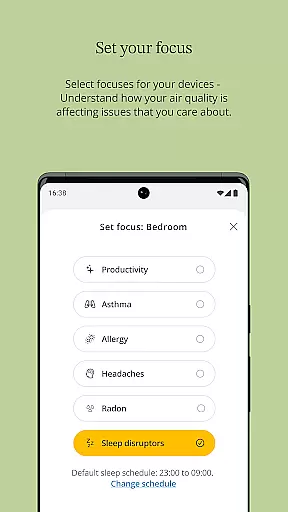
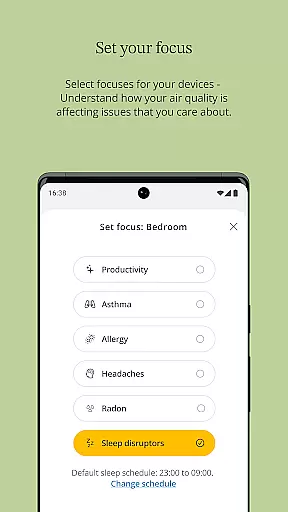
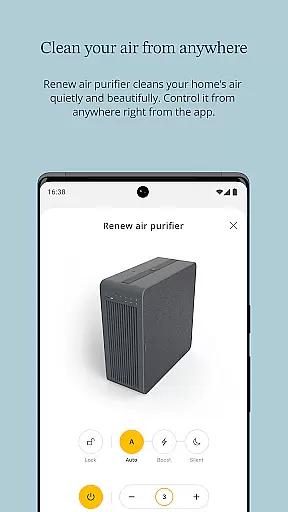
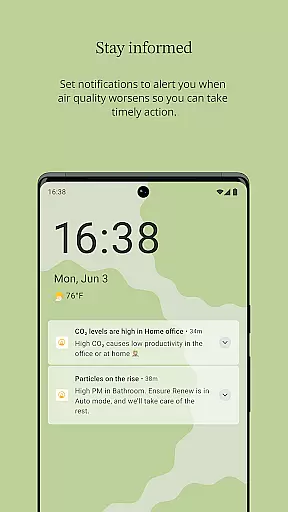
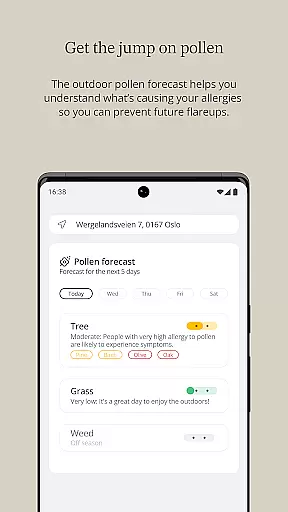
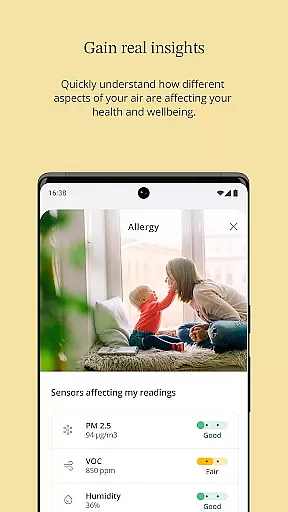
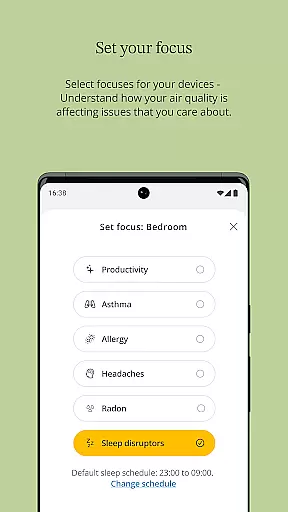
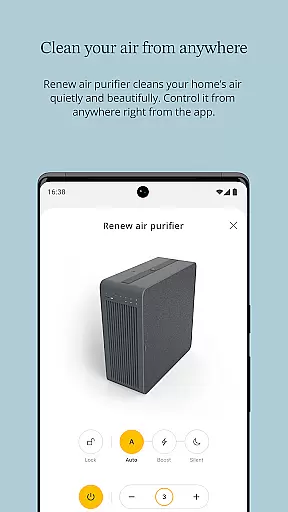
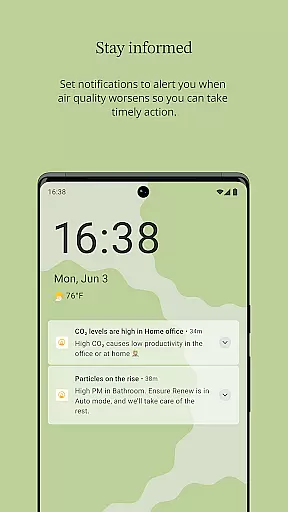
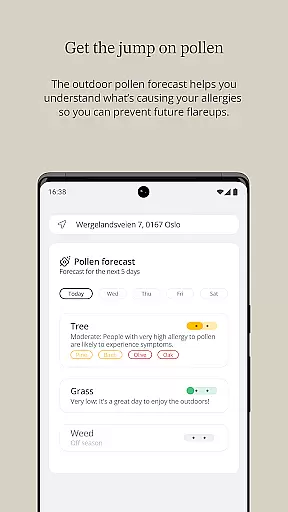
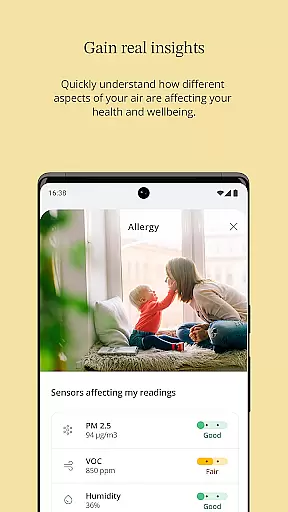
One of the app’s unique capabilities is its focus modes, which break down air quality data into specific areas of concern, such as allergens or humidity. Users also benefit from remote control of the Renew air purifier, 5-day pollen forecasts, and personalized recommendations for improving air quality. Notifications alert users to potential issues while offering practical solutions.
Additionally, Airthings enhances user engagement through educational content like tips for common air problems and product recommendations based on individual needs. Subscribing to Air Reports provides a summarized view of all sensor data, helping users stay informed and proactive about their home environment.
In the context of House & Home apps, ensuring property listing authenticity is crucial for user trust and satisfaction. Airthings excels in this area by providing accurate and reliable information about indoor air quality through its smart monitors and purifiers. The app features quick and easy device setup, enabling users to swiftly integrate their devices and start receiving trustworthy data.
Furthermore, Airthings offers sensor tiles with color-coded indicators and trend lines that give users at-a-glance information about their air quality. This transparency ensures that users can rely on the data presented, knowing it reflects the true state of their indoor environment. Detailed graphs are also available, allowing users to track and find trends over time, further enhancing the authenticity of the air quality reports provided.
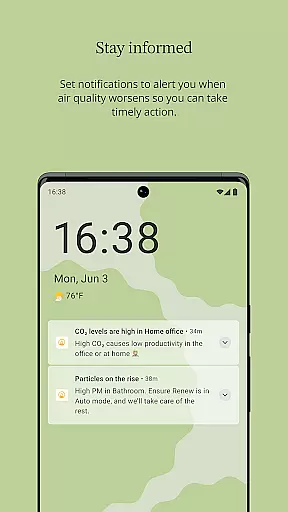
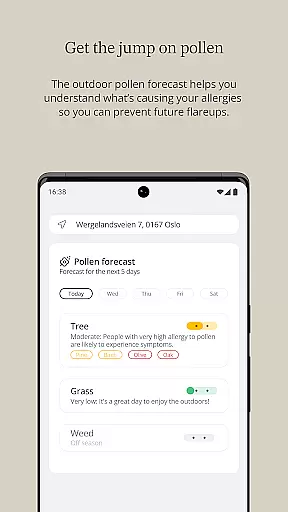
The app goes beyond mere data provision by offering a 5-day pollen forecast for users' locations, complete with actionable advice. Notifications about poor air quality and tips for addressing common indoor air issues ensure that users are not only informed but also empowered to take action. These features collectively contribute to the credibility and reliability of Airthings' property listings related to air quality.
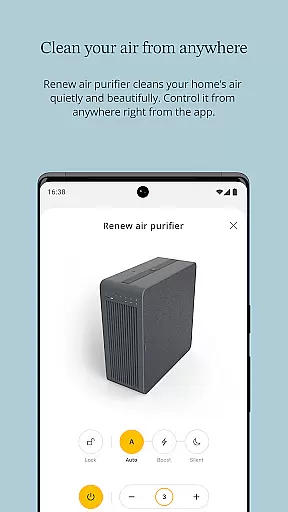
Airthings stands out in home management features by offering comprehensive tools that help users maintain a healthy home environment. One of the key aspects is the ability to control your Renew air purifier from anywhere, providing convenience and flexibility in managing indoor air quality. This remote control feature ensures that users can always keep their living spaces fresh and healthy, regardless of their location.
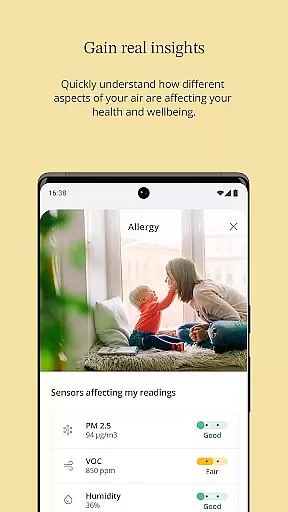
Beyond remote control, Airthings provides users with the ability to set focuses for their devices, breaking down air quality data into high-engagement problems that matter to them. Whether it's allergens, pollutants, or other air quality concerns, users can tailor the app to prioritize issues relevant to their needs. This personalized approach enhances the overall effectiveness of home management efforts.
Additionally, the app offers recommendations on the best Airthings monitor for users' specific needs and allows them to subscribe to Air Reports. These monthly updates summarize all sensor data for their location, providing ongoing insights and helping users stay informed about their home environment. With these robust home management features, Airthings empowers users to create healthier living spaces efficiently and effectively.
User-friendly interface
Real-time air quality updates
Remote device control
Detailed trend analysis
Actionable health insights
Premium features require subscription
Limited free version functionality
Device compatibility restrictions
Occasional connectivity issues
Higher cost for advanced models

Home Ideas | Renovation Advice | Local Pros. Go From Dream to Home with Houzz.
 4.70
4.70
Wobble Fix Tool
4.40
Convert your Phone to HiSense Smart TV Remote Control
4.70
Smart AI plant care schedules, Real plant experts, support & Thriving community!
4.20
IP camera view and playback, for your WiFi cam or home security cctv system.
3.70
Innovative and budget-friendly housing options
4.60
An easier way to make payments and maintenance requests from anywhere.
3.50
A Smarter Home in Seconds
4.70
Set up your devices, customize settings, and monitor your home—from anywhere
4.40
Search for Homes, Rentals, Agents & Schools
4.70
MLS-powered real estate app to find homes for sale & apartments for rent
4.70
AI-powered home design, interior design, home decor, and room design solutions
4.50
The Merkury Smart app makes it easy to control your smart devices.
4.50
Control your Daikin, Amana & Goodman heating & cooling systems from anywhere
4.40
AI Home Designer & Room Planner: Decorate your interior space with AI
4.40
AI floor creator to design your dream house, plan rooms & style your home
4.00
Schlage Lock Company LLC
4.00
Technology powering many in-home services for residents across the United States
3.80
Our app allows Sunrun customers to monitor systems, pay bills, and get support.
3.80


User Reviews