
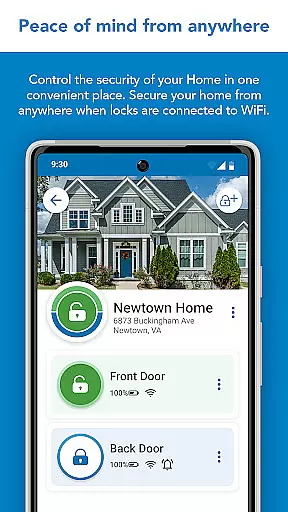
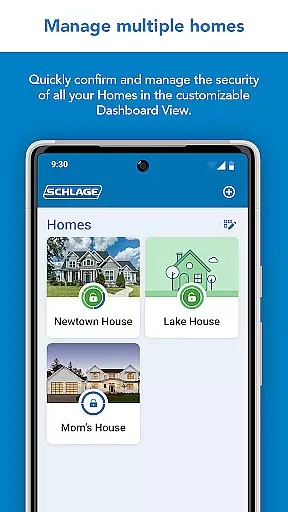
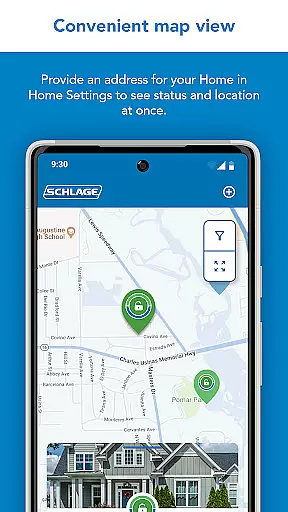
Schlage Home is a comprehensive smart home application designed specifically for homeowners who use Schlage smart locks. This app allows users to remotely control and monitor their home security through a secure encrypted connection. With the ability to manage multiple homes, create unique access codes, view lock history, and integrate with leading smart home systems, it provides a complete home security solution.
The app supports various Schlage lock models including Encode Plus™ Smart WiFi Deadbolt, Encode® Smart WiFi Deadbolt and Lever, and Sense® Smart Deadbolt. Each model offers distinct features such as built-in WiFi, Bluetooth connectivity, and compatibility with smart home ecosystems. Whether you need to lock/unlock doors, schedule access codes, or receive push notifications, Schlage Home ensures convenience and peace of mind.
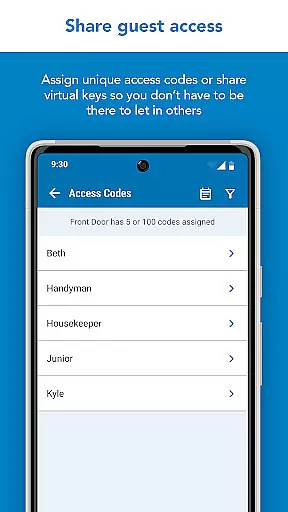
For instance, when paired with a Schlage Encode Plus™ lock, users can enjoy remote access without additional hubs, manage up to 100 unique access codes, and customize push notifications. The app's intuitive interface and robust functionality make it an essential tool for modern homeowners seeking enhanced security and convenience.
Schlage Home stands out with its advanced features tailored for smart lock management. One of its key capabilities is the ability to control locks remotely through a secure encrypted connection. Users can lock and unlock doors, check lock status, and manage access codes from anywhere using their smartphones. This feature is particularly useful for homeowners who want to grant temporary access to guests or service providers.
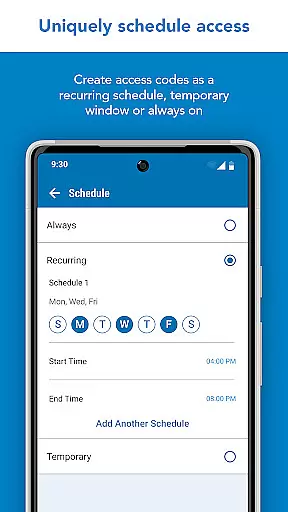
The app also excels in access code management. Depending on the lock model, users can create and schedule up to 100 unique access codes per lock. These codes can be set as always-on, recurring at specific times/days, or temporary with defined start and end dates. Additionally, virtual keys can be shared for full administrative access or restricted guest access only. This flexibility ensures that homeowners can tailor access permissions according to their specific needs.
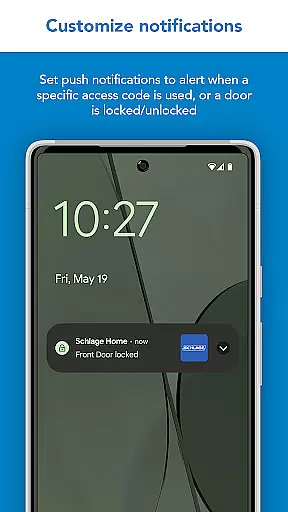
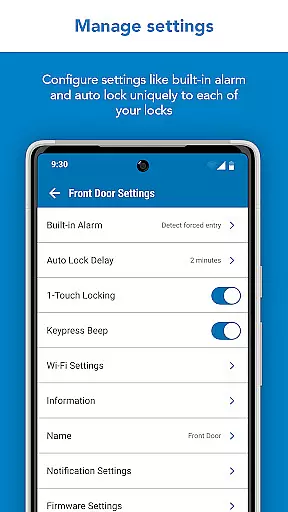
Integration with smart home ecosystems is another standout feature. Schlage Home seamlessly pairs with leading smart home speakers and platforms, enhancing the overall smart home experience. Users can receive push notifications for specific events, set auto-locking delays, and configure alarm warnings. These features not only improve security but also provide valuable insights into home access patterns.
In the realm of home management and security, ensuring the authenticity of your property listings is paramount. The Schlage Home app excels in this area by providing users with a secure encrypted connection to their Schlage locks, which are paired to a home WiFi network. This ensures that every interaction you have with your lock through the app is genuine and directly related to your actual property.
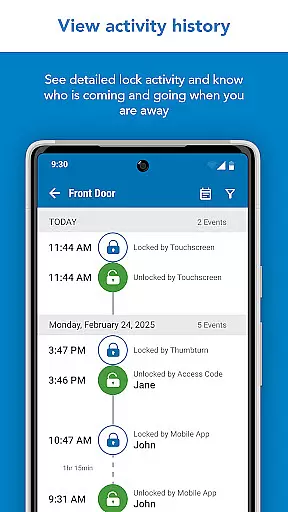
With features like viewing lock history and managing unique access codes for trusted users, the app provides transparency and control over who has access to your home. These capabilities not only verify the legitimacy of the connected properties but also allow homeowners to maintain a clear record of access, enhancing the overall security and management of their property listings.
The ability to pair Schlage locks with leading smart home systems further solidifies the authenticity of property listings within the app. Users can be confident that their smart home integrations are legitimate and supported, offering peace of mind and reinforcing trust in the technology they rely on daily.
Effective home management is crucial for maintaining a secure and organized living environment. The Schlage Home app offers an array of features designed to streamline the way you manage your home. Through the convenience of Home View, Map, and Gallery Views, users can effortlessly lock and unlock doors, oversee multiple homes, and schedule unique access codes, all from their smartphone.
For those who own a Schlage Encode Plusu2122 Smart WiFi Deadbolt or similar models, the app allows for advanced scheduling options for access codes, including always-on, recurring, or temporary settings. This flexibility empowers homeowners to customize access according to their specific needs, whether it's for family members, guests, or service personnel.
Additionally, the app provides essential functionalities such as push notifications for specific access code usage, low battery warnings, and auto-locking preferences. By integrating with smart home ecosystems, the Schlage Home app enhances the user's ability to manage their home efficiently, ensuring both security and convenience are at the forefront of their daily operations.
User-friendly interface
Secure encrypted connection
Supports multiple lock models
Flexible access code scheduling
Smart home integration
Limited to Schlage lock models
Requires WiFi connection
Some features need additional adapter
Access code limit varies by model
No support for Connect series

PRO Version of GLB AR Viewer
 4.5
4.5
The official app for Home Assistant. Control your home anywhere in the world.
4.30
B-hyve Pro App for landscape irrigation professionals
4.70
Design house plans in 2D & 3D, style furniture, and preview renovation layouts
3.70
Control Fire TV & mirror your phone screen instantly over Wi-Fi.
3.30
IP camera view and playback, for your WiFi cam or home security cctv system.
3.70
Night Owl Protect helps you secure, protect, and connect your world!
4.60
Your guide to apartments & rental homes. Find your next place to rent with AG.
4.60
WiZ smart light system
4.40
Connect with reliable pros for maintenance services, plumbing, and home design!
4.80
Find homes for sale and apartments for rent in the best neighborhood.
4.70
Tailored Care Guides For Houseplants, Indoor Plants, Garden Plants & Flowers.
4.60
Looking for the perfect apartment finder app? Find beautiful rental homes here!
4.60
Security App with HD Video, 2-way Audio, and event detection for Home monitoring
4.40
Control your thermostat, comfort, and home monitoring from your phone
4.30
Smart AI plant care schedules, Real plant experts, support & Thriving community!
4.20
Design your dream home with 3D planning app, Visualize your dream home in 3D.
4.20
AI floor creator to design your dream house, plan rooms & style your home
4.00
Calculate baluster spacing with ease and precision.
4.1


User Reviews