
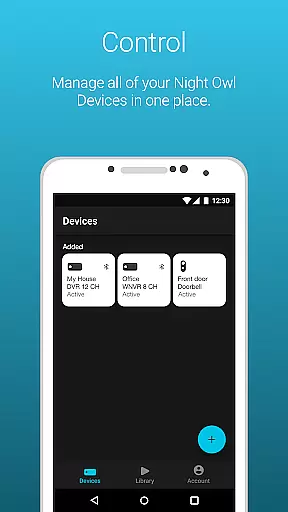
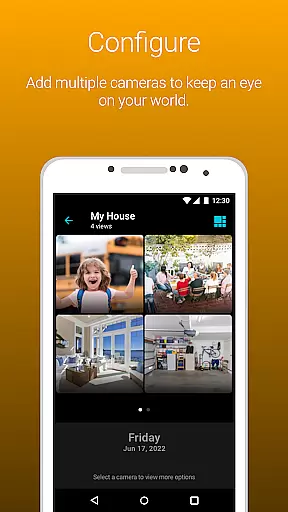
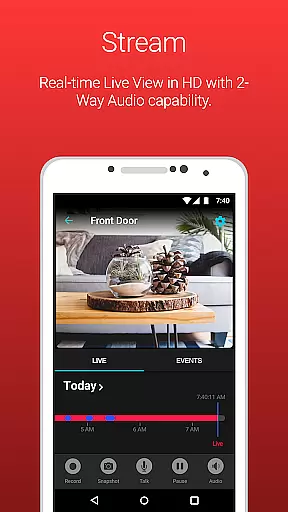
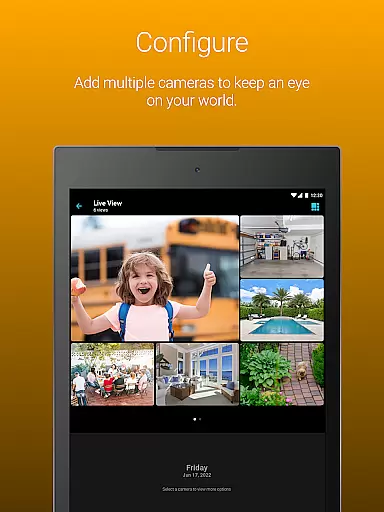
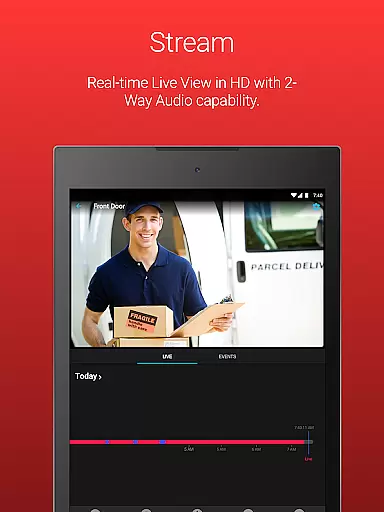
Night Owl Protect is a comprehensive home and business security application that allows users to monitor their properties in real-time through connected cameras. The app supports live footage viewing, audio features, and recording playback with advanced search filters. It emphasizes data security with 2-step verification and single sign-on capabilities.
One of the standout features is its ability to send real-time mobile alerts based on specific triggers like human or vehicle detection. Users can easily share images and recordings via social networks, email, or text. With compatibility across multiple Night Owl devices, this app provides a complete security solution for both personal and professional use.
The application's user-friendly interface and customizable alert settings make it suitable for all types of users. Whether you're a homeowner looking to secure your property or a business owner wanting to monitor operations, Night Owl Protect offers the tools needed to keep your world safe from potential threats.
Night Owl Protect stands out with its Secure App-Based Bluetooth Setup, allowing users to quickly configure their devices. The app provides essential security features such as real-time alerts for human, face, or vehicle detection, ensuring users are always aware of potential threats. These notifications can be customized according to user preferences.
The app supports live camera footage viewing and includes audio features like two-way audio, siren activation, and preset voice messages for applicable models. Users can search for recordings using various filters and play them back directly within the app. Additionally, saved snapshots and recordings can be easily shared from the mobile device.
Advanced security measures include 2-step verification for login protection and a convenient password reset feature within the app. Users can create favorites and groups for better camera management and share access with others. For those subscribed to the Night Owl Protect Cloud service, cloud-based recordings provide an extra layer of data security and accessibility.
In the realm of home security, ensuring that your property listings are authentic and verified is crucial. Night Owl Protect offers a comprehensive solution to monitor and manage your properties with real-time surveillance. This app allows users to view live footage from connected cameras, providing an accurate depiction of their premises at any given moment.
The application's ability to share images and recordings via social networks, email, and text further enhances the authenticity of property listings. By enabling easy sharing, users can provide concrete evidence of their property's condition and security features to potential buyers or renters. This transparency builds trust and facilitates smoother transactions in real estate dealings.
Moreover, Night Owl Protect includes features like 2-step verification and secure password resets, ensuring that only authorized individuals can access the surveillance feeds. This level of security guarantees that the property information viewed through the app is both genuine and protected from unauthorized alterations.
By integrating with the Night Owl Protect Cloud, users subscribing to the monthly plan can access saved recordings, adding another layer of authenticity to their property listings. This feature ensures that historical data is available for review, offering verifiable proof of the property's status over time.
Night Owl Protect goes beyond basic surveillance by incorporating advanced home management features that cater to both security and convenience. The app provides real-time mobile alerts when specific threats such as humans, faces, or vehicles are detected, allowing homeowners to respond promptly to potential risks.
With customizable alert settings, users have control over the notifications they receive, tailoring the system to their unique needs. This flexibility ensures that homeowners are not overwhelmed by unnecessary alerts while still maintaining awareness of significant events on their property.
The inclusion of audio features like two-way audio, sirens, and preset voice messages adds another dimension to home management. These tools enable direct communication with visitors or intruders, enhancing the ability to manage situations remotely. Additionally, creating favorites and groups within the app allows for streamlined access to select cameras, simplifying the monitoring process.
Sharing access with friends and family further extends the home management capabilities of Night Owl Protect. This feature fosters a collaborative approach to property security, ensuring that trusted individuals can also keep an eye on the premises. Overall, these functionalities combine to create a robust system for managing and protecting one's home effectively.
User-friendly interface
Real-time alerts
Secure data protection
Wide device compatibility
Customizable settings
Not all features apply universally
Premium features require subscription
High data usage on mobile networks
Limited to Night Owl devices
Complex setup for some models

Tailored Care Guides For Houseplants, Indoor Plants, Garden Plants & Flowers.
 4.60
4.60
Convert your Phone to HiSense Smart TV Remote Control
4.70
AI floor creator to design your dream house, plan rooms & style your home
4.00
Resident Center, powered by Buildium, is designed with simplicity in mind.
4.50
Plants, Beauty, Collectibles
4.60
The only mappable smart lights for custom decoration.
4.50
Innovative and budget-friendly housing options
4.60
Fire & Power Safety
4.50
Control your thermostat, comfort, and home monitoring from your phone
4.30
Home Ideas | Renovation Advice | Local Pros. Go From Dream to Home with Houzz.
4.70
Download today to join the community to help bring lost pets home faster.
4.70
Make Renting Easy
4.40
Plan your remodel AI home renovation easily using planner 5D and home decor AI.
4.40
WiZ smart light system
4.40
3D House Design and AI Room Planner - from floor plans to full interior design.
4.40
Floor Plan Creator Home Design with 2D interior design and 3d view.
3.90
Technology powering many in-home services for residents across the United States
3.80
Find the perfect paint color with advanced tools to explore and visualize color.
3.80
Draw your floor plan smartly. Make house design blueprint with home planner app
3.60


User Reviews