

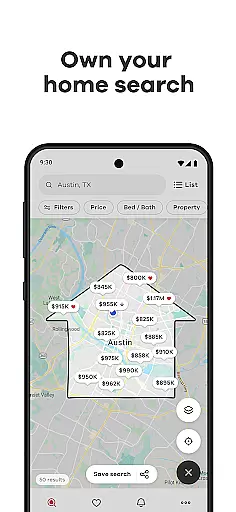
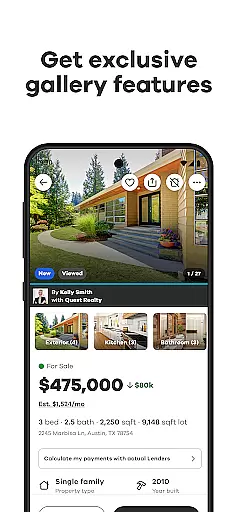
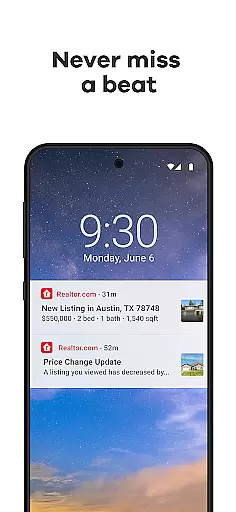
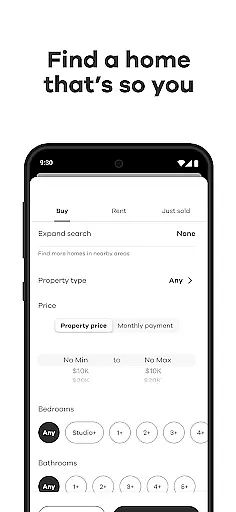
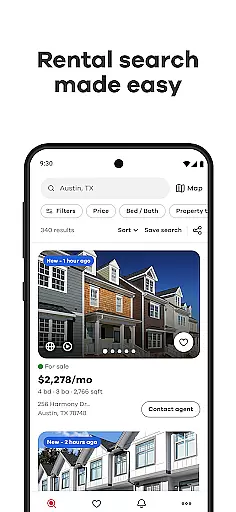
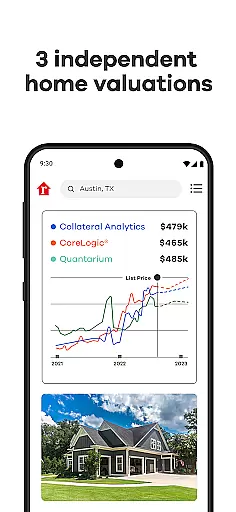
Realtor.com Real Estate & Rent is the premier app for homebuyers, renters, and sellers. It offers a comprehensive suite of tools to streamline your real estate search across multiple devices. Trusted by real estate professionals, this award-winning app provides customizable search options, allowing you to filter homes by price, size, location, and amenities.
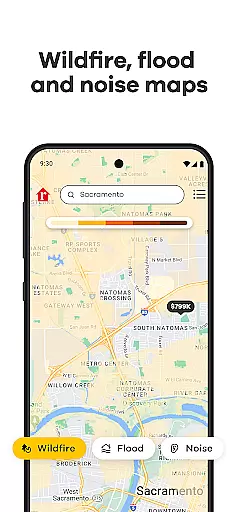
With Realtor.com, you can map out potential neighborhoods, explore detailed property listings through photos, videos, and 3D tours, and assess environmental risks like floods and wildfires. The app also facilitates collaboration with others, ensuring you can make informed decisions together. Stay updated with real-time alerts on new listings and price changes, and use financial tools like affordability and mortgage calculators to manage your budget effectively.
Realtor.com stands out with its robust feature set tailored for today's tech-savvy users. The app's advanced filtering system lets you refine searches based on specific criteria such as schools, commute times, and more. Its mapping capabilities include drawing tools and layers that display neighborhood noise levels and traffic patterns, enhancing your understanding of potential living areas.
Visual exploration is made easy with exclusive gallery features, room-sorted photos, and virtual home tours. Collaboration tools allow you to link accounts, share listings, and request feedback via text, email, or social media. Additionally, Realtor.com keeps you informed with timely alerts on price changes and new listings, while financial tools help you stay within budget by estimating monthly payments and determining affordable price ranges.
Property listing authenticity is a crucial aspect of any real estate platform. Realtor.com ensures the accuracy and reliability of its listings through rigorous verification processes.
The app partners directly with MLS providers, real estate agents, and property owners to source the most up-to-date information. Each listing undergoes systematic checks to confirm details such as price, property features, and availability status.
Users benefit from enhanced confidence in their home search as they can trust the displayed information. The app's commitment to authenticity helps buyers and renters make informed decisions based on verified data.
This dedication to accurate information establishes Realtor.com as a trusted resource in the real estate market, setting it apart from less rigorous platforms.
While primarily a home search platform, Realtor.com offers valuable home management features that extend beyond the buying process. These tools help users organize their search and maintain records of their preferred properties.
The collaborative search functionality allows users to link accounts with family members or real estate agents. This feature enables seamless sharing of favorite listings and comments, facilitating better decision-making.
Advanced alert systems notify users about price changes and new listings matching their criteria. These notifications ensure users never miss important updates in their home search journey.
Additionally, the app provides financial management tools including affordability calculators and mortgage estimators. These features help users maintain realistic expectations and plan their home purchase effectively.
User-friendly interface
Comprehensive search filters
Real-time home alerts
Collaborative search tools
Advanced mapping features
Limited international listings
Some features require account linking
Occasional data delays
Premium services come at a cost
Heavy reliance on internet connectivity

Unlock AI-based barcode scanning and support the development of Grocy Android
 4.4
4.4
The official app for Home Assistant. Control your home anywhere in the world.
4.30
Home Ideas | Renovation Advice | Local Pros. Go From Dream to Home with Houzz.
4.70
Turn your phone into a wifi cam with smart features and umlimited reach.
4.20
Draw your floor plan smartly. Make house design blueprint with home planner app
3.60
AI Home Designer & Room Planner: Decorate your interior space with AI
4.40
Control your Vivint Smart Home with the next generation Vivint App.
4.30
Samsung remote app helps control all Samsung Smartthings TVs. Fast and Stable!
4.10
Houses for Sale & Homes for Rent: Buy Homes, Rent Apartments & Sell Real Estate
4.80
Connect with reliable pros for maintenance services, plumbing, and home design!
4.80
Search for Homes, Rentals, Agents & Schools
4.70
Real estate app to find homes for sale or rent in the right neighborhood for you
4.70
MLS-powered real estate app to find homes for sale & apartments for rent
4.70
Resident Center, powered by Buildium, is designed with simplicity in mind.
4.50
3D House Design and AI Room Planner - from floor plans to full interior design.
4.40
Schlage Lock Company LLC
4.00
Control Fire TV & mirror your phone screen instantly over Wi-Fi.
3.30
An awesome mobile app for Home Security Surveillance - uses ZoneMinder
3.20
Universal TV Remote for TV, control all Smart TVs with your mobile phone.
4.1


User Reviews