
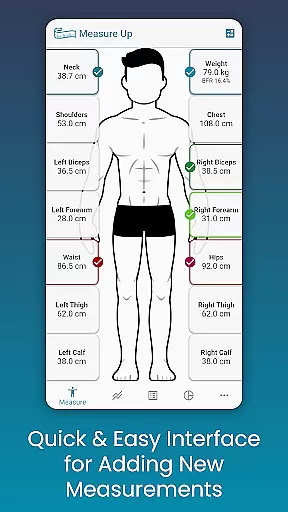
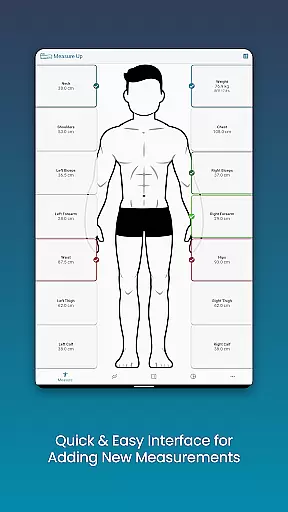
Body Measurement Tracker is a streamlined tool designed to help users monitor their weight loss or muscle gain journey with ease. The app offers a simple interface for recording daily body measurements, ensuring that users can efficiently track which parts of the body have been measured on any given day. This feature eliminates confusion and saves time by consolidating all measurement history into one accessible location.
In addition to its tracking capabilities, Body Measurement Tracker provides multiple data visualization options including charts, tables, and lists. Users can customize their experience by adding unique measurements and adjusting display colors. Integration with Google Fit allows seamless synchronization with other health apps, making it an essential companion for anyone focused on improving their physical well-being.
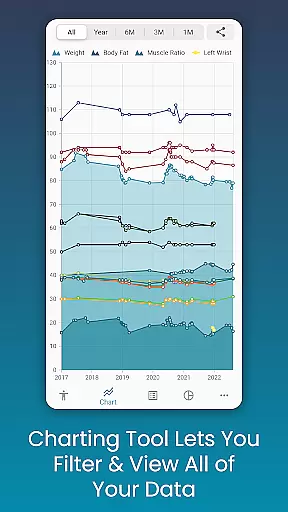
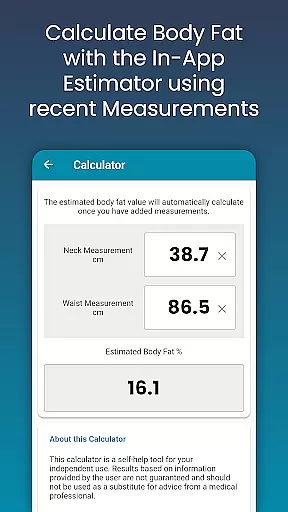
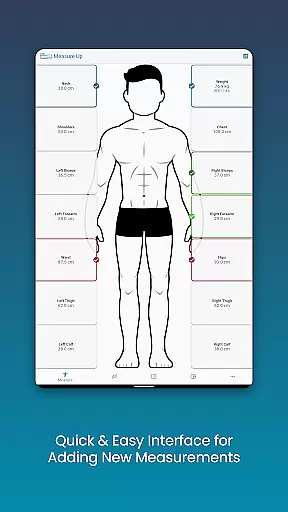
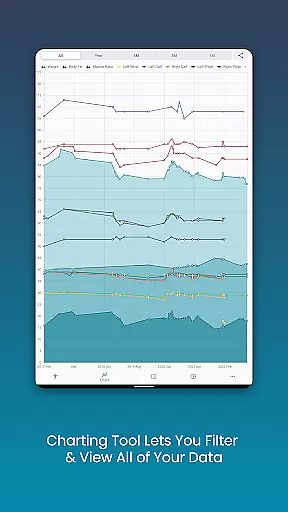
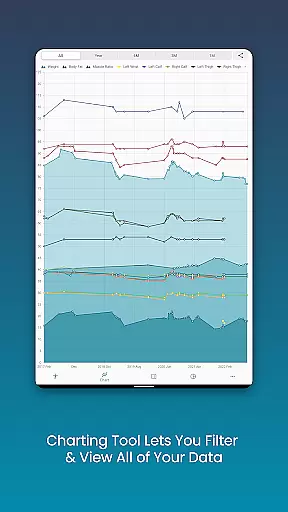
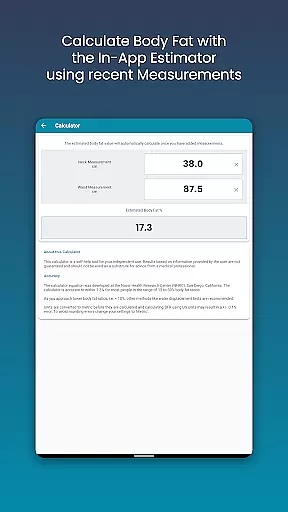
One of the standout features of Body Measurement Tracker is its intuitive design for adding and managing measurements. With just a few taps, users can log current or past measurements, and even estimate body fat using the built-in calculator. This simplicity extends to the chart analysis functionality, where users can toggle different metrics on and off from the legend toolbar, providing a clear view of progress over time.
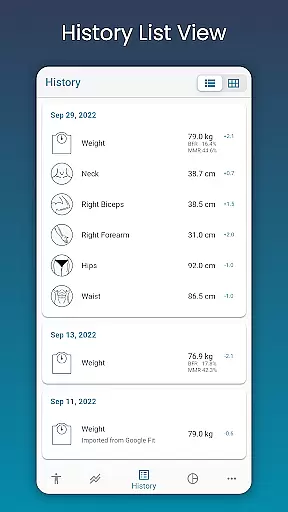
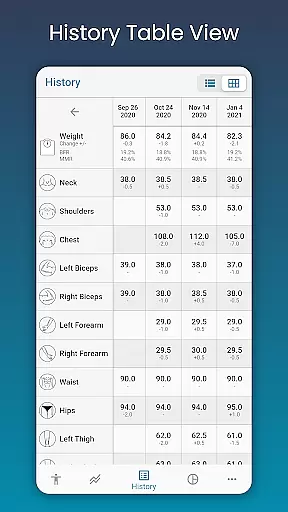
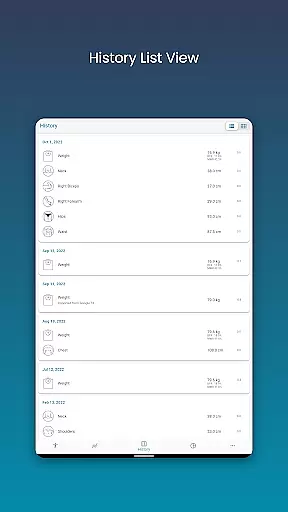
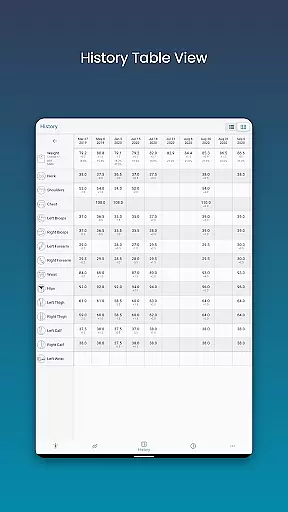
The app also excels in offering comprehensive data views. Whether you prefer visual charts, detailed tables, or straightforward lists, Body Measurement Tracker caters to various preferences. Additionally, users can export charts as PNG images to share their progress via social media or messaging apps. Customizable measurement types and color schemes further enhance personalization, allowing each user to tailor the app to their specific needs.
Personalized planning in Body Measurement Tracker allows users to tailor their fitness journey according to individual goals and progress. This feature is crucial for anyone looking to lose weight or gain muscle effectively.
The app provides an intuitive interface that lets you quickly add body measurements and track changes over time. With the ability to adjust dates and include past data, users can create a comprehensive view of their physical transformation.
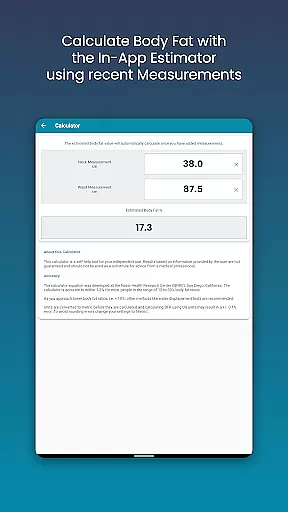
Additionally, the built-in body fat calculator helps estimate body fat percentage easily, contributing to a more personalized tracking experience. Users can also integrate with Google Fit, ensuring that all health metrics are synced across platforms.
This personalized approach not only simplifies the process but also enhances motivation by providing clear insights into one's progress, making it easier to stay committed to fitness goals.
Progress visualization in Body Measurement Tracker offers users a dynamic way to understand their fitness journey through various data representation formats. Visual tools are essential for interpreting complex information quickly and accurately.
The app features unique charts that allow users to view all their data in one spot, with the ability to toggle different measurements on and off. This flexibility ensures that users can focus on specific metrics that matter most to them.
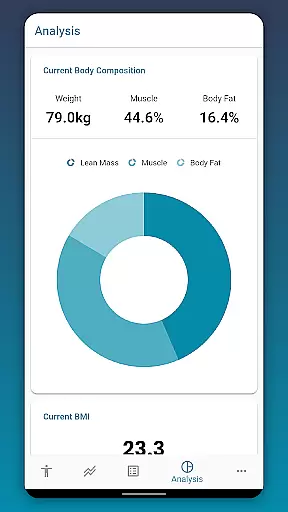
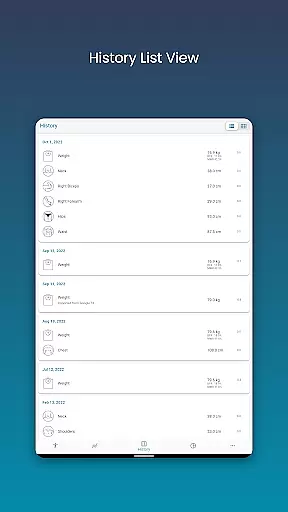
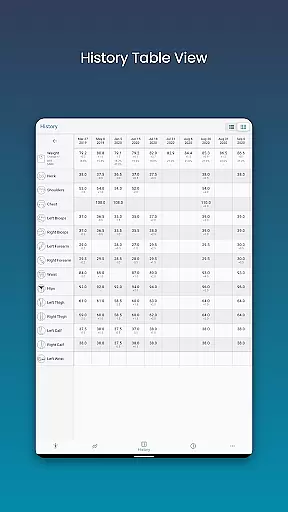
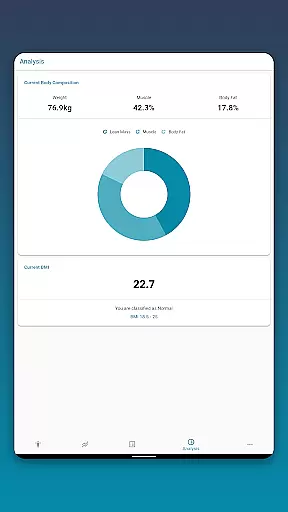
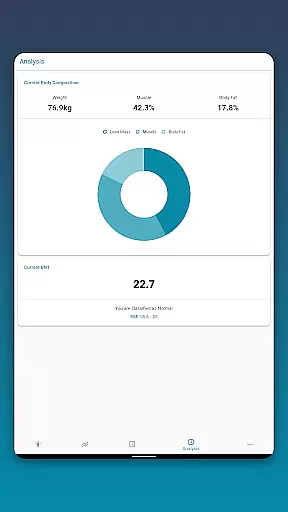
Users can choose between Table and List views to access their measurement history and notes, catering to personal preferences in data analysis. The option to stack lean mass, body fat, and muscle provides a clear picture of overall progress.
Furthermore, exporting charts to PNG format enables easy sharing and discussion with trainers or friends, enhancing the collaborative aspect of achieving fitness milestones.
User-friendly interface
Customizable measurement options
Integration with Google Fit
Multiple data visualization formats
Data backup and restore functionality
Limited advanced analytics
No automatic syncing with wearables
Premium features require subscription
Occasional bugs reported
Basic free version limitations

Your plan in your pocket 24/7
 3.00
3.00
The simplest way to track your 21 Day Program containers, exercises, and water.
4.50
Weight loss app: home workout for women to lose weight & burn calories.
4.80
HRV4Training helps you optimize goals and improve performance. No sensors needed
3.30
Beauty Care, Makeup & Skin Care Scanner | Pregnancy App For A Mom | Healthy Baby
5.00
50 HD sounds to help you relax during the day and sleep great at night!
4.40
Find Paid Clinical Trials In Your Area
3.70
Raccoon AI Calorie Counter. Intermittent Fasting & Timer. Macro, Carb, Protein
4.50
Control your blood pressure, heart rate and blood sugar in a fast way.
4.00
Meditation app, head space app provides calm music to help you meditate & sleep
5.00
sobriety counter app to help and motivate people to stop drinking alcohol.
4.90
Wall Pilates at home & Pilates workout for beginners for core and weight loss.
4.80
Easy to use step counter, calorie counter helps lose weight, count steps offline
4.80
Drink water reminder app. Track water intake. Smart simple hydration tracker.
4.70
Pilates, Calisthenics, Yoga
4.50
Looking to take control of your health? Our psychology-based programs can help.
4.10
Your Health Has Met Its App (℠)
3.90
3D Body Measurement System
3.60
The Wear OS BeechBand app is designed to alleviate anxiety and other conditions
4.3


User Reviews