
Speedtest by Ookla is a leading internet speed testing tool that provides accurate measurements of your connection's performance. With millions of users worldwide, it has become the go-to solution for testing download speed, upload speed, and network latency.
The app offers an intuitive interface that allows users to start a test with just one tap. It also includes advanced features like detailed reporting, result sharing, and historical tracking, making it invaluable for both casual users and network professionals.
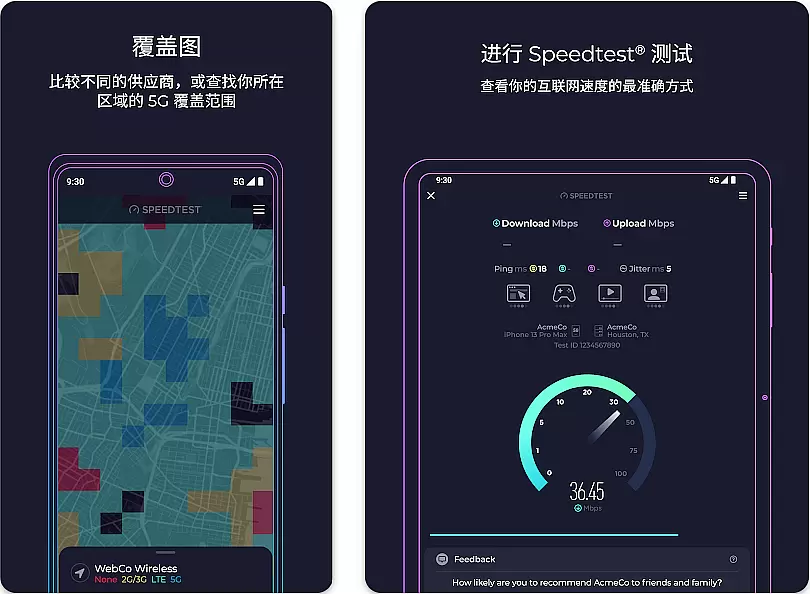
Speedtest stands out with its comprehensive feature set tailored for network diagnostics. The app uses distributed servers worldwide to ensure precise measurements regardless of user location.
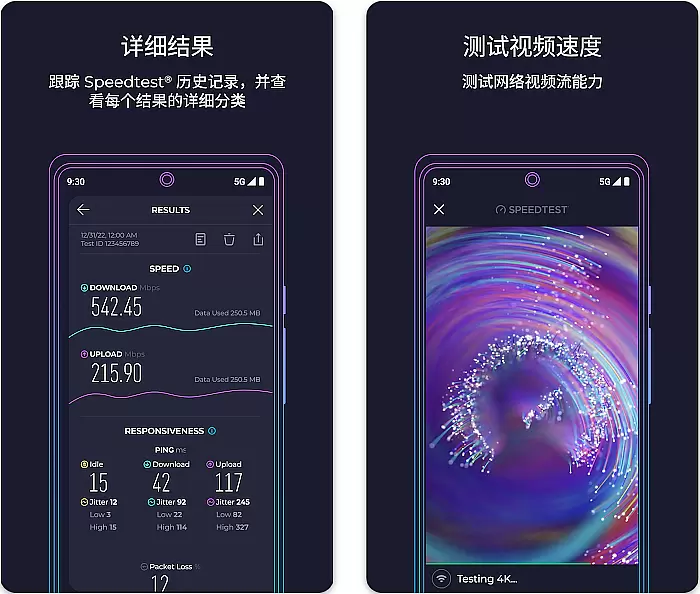
Beyond basic speed testing, it provides detailed analytics including ping, jitter, and packet loss metrics. Users can create custom server lists, compare results across different devices, and even test their streaming quality through integrated video test functionality.
The application maintains a complete history of past tests, allowing users to monitor their connection's performance over time and identify patterns or recurring issues in their network service.
Speedtest by Ookla is a premier tool designed to deliver precise internet speed measurements. The core functionality revolves around its ability to accurately measure download and upload speeds, alongside providing detailed latency reports. This precision is achieved through a global network of servers that ensure minimal interference during testing.
The application employs advanced algorithms to select optimal testing servers based on proximity and performance. This ensures that the results are not only accurate but also reflective of real-world usage scenarios. Users can rely on these metrics to troubleshoot network issues or verify their ISP's claims.
For users, this means having access to reliable data that helps them make informed decisions about their internet service plans. Whether it's identifying bottlenecks in home networks or ensuring stable connections for remote work, Speedtest offers tangible value. The app's effectiveness lies in its simplicity and consistency, making it an indispensable tool for both casual users and professionals.
A standout feature of Speedtest by Ookla is its user-friendly interface that caters to all levels of technical expertise. From the moment users launch the app, they are greeted with a clean layout that prioritizes ease of use without compromising on functionality. The main screen prominently displays the 'Go' button, which initiates the speed test with a single tap.
This intuitive design extends to result interpretation as well. After completing a test, users are presented with clear visual representations of their connection's performance. Graphs and charts break down complex data into digestible insights, allowing even non-technical users to understand their network's capabilities.
Moreover, additional features such as result history and sharing options are seamlessly integrated into the interface. These elements enhance usability without cluttering the display. By maintaining a balance between simplicity and comprehensive functionality, Speedtest ensures that users can efficiently monitor their internet performance without any learning curve.
Highly accurate speed measurements
User-friendly interface design
Extensive global server network
Detailed network performance reports
Regular feature updates
Contains in-app advertisements
Premium features require subscription
Occasional server connectivity issues
Limited advanced features on free version
Requires stable initial connection

 4.50
4.50 4.50
4.50
App that Recover your pictures, videos or files after you delete them.
4.20
Keep track of your Palia friendships, tasks, and inventory with Palia Notebook
4.60
An open-source APK explorer for Android!
4.10
Forza Tuning Calculator App for Forza Horizon 5, Motorsport and Earlier Titles
4.40
Small and simple app to Verify Root Access and BusyBox Install!
4.70
Planner and Tracker for Stardew Valley
4.60
Quickly check the frequency of the Earth
4.30
NFC Tools can read and write NFC tags.
4.70
Mirror your screen to Chromecast and Android TV - Super fast and simple
4.60
Connect instantly to a fast, encrypted VPN with one tap
4.60
Use your phone as a webcam on your computer over WiFi or USB.
4.40
Just one-tap to easy translate in any language after calls within seconds.
4.20
Detect hidden spy camera with advanced scanning {{ Premium version }}
4.00
1-Click close all background apps on Android TV
3.90
Smart and comfortable browsing experience.
3.80
Transfer Files, APK from Phone to Watch & Install.
4.3
Save any video in HD - paste the link, download fast and watch offline.
4.5


User Reviews