
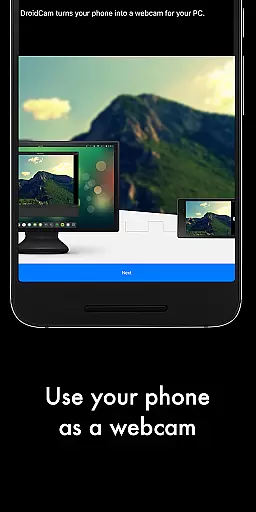
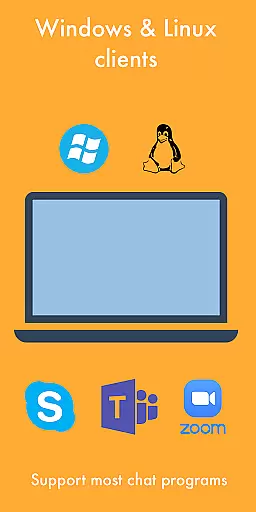
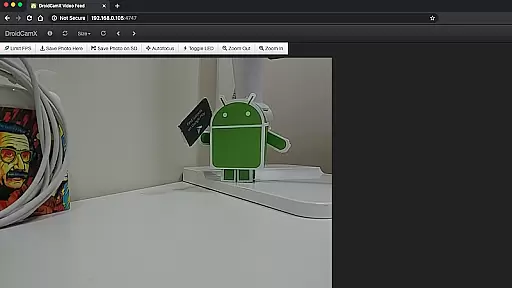
DroidCamX HD (Classic) is a versatile tool that transforms your Android device into a high-definition webcam for your computer. This app allows users to enjoy seamless video and audio streaming, making it perfect for video conferencing, online classes, or content creation.
With support for 720p/1080p video quality and an option for more stable frame rates, DroidCamX ensures a smooth experience. It works over both Wi-Fi and USB connections, providing flexibility in setup. The app also features background operation and battery-saving options, ensuring minimal disruption to your device usage.
Whether you're working from home or setting up a personal vlog, DroidCamX offers the convenience of using your smartphone as a professional-grade webcam with added functionalities like camera controls and still image capture.
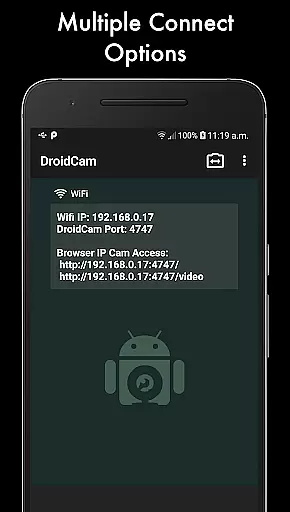
DroidCamX HD (Classic) stands out with its comprehensive feature set tailored for enhancing webcam functionality. One notable feature is the ability to connect via Wi-Fi or USB, offering users multiple ways to integrate their Android device with a PC. This flexibility ensures that even without a stable internet connection, users can maintain a reliable link.
The app supports HD video modes at 720p and 1080p resolutions, delivering crisp and clear visuals. Additionally, the 'Smooth FPS' option helps stabilize video performance, which is crucial during live broadcasts or important meetings. Users can also operate other apps simultaneously while DroidCamX runs in the background, thanks to its efficient resource management.
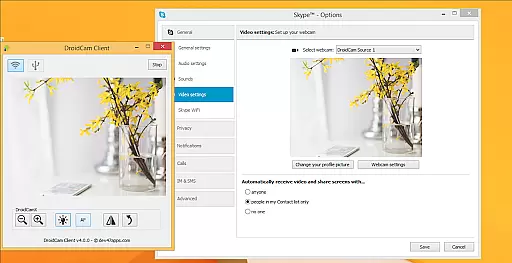
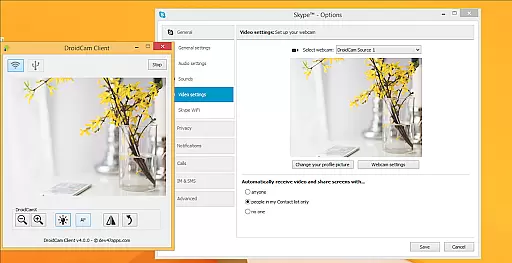
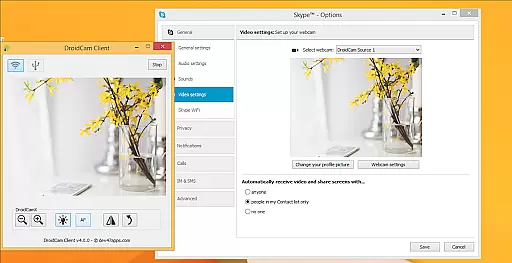
For those needing extra control, the Windows client provides advanced settings such as mirroring, flipping, brightness adjustment, and contrast tuning. These pro-level controls allow for fine-tuning the video output to match specific requirements, whether for professional presentations or casual chats.
DroidCamX HD (Classic) excels in delivering accurate and effective core functionality by transforming your Android device into a high-quality webcam. This app ensures that both audio and video streams are transmitted seamlessly to your computer, providing a reliable communication tool for various needs.
The application supports multiple connection methods including Wi-Fi and USB, ensuring flexibility and convenience. With the added support for 720p/1080p video through HD Mode, users can expect clear and detailed video quality, making it suitable for professional video conferencing or content creation.
One of the standout features is the 'Smooth FPS' option, which stabilizes video transmission, reducing lag and enhancing the overall user experience. Additionally, the ability to run other apps in the background while using DroidCamX allows for multitasking without compromising performance.
By conserving battery with its screen-off functionality and offering extensive camera controls such as auto-focus, zoom, and flash, DroidCamX ensures users have a comprehensive and efficient tool at their disposal. These features collectively enhance the app's core function accuracy and effectiveness, providing significant value to users.
The interface design of DroidCamX HD (Classic) emphasizes simplicity and intuitiveness, ensuring that users can easily navigate and utilize its features without a steep learning curve. The straightforward setup process allows users to quickly connect their Android device to a computer, facilitating immediate use.
With clearly labeled options and settings, users can effortlessly adjust video quality, switch between different connection modes, and access advanced features like MJPEG IP Webcam functionality. This ease of access makes the app approachable even for those who may not be tech-savvy.
Furthermore, the Windows Client offers pro controls such as Mirror, Flip, Brightness, and Contrast adjustments, all presented in an intuitive layout. These controls enable users to fine-tune their video feed to meet specific requirements, enhancing the overall user experience.
By maintaining a balance between powerful functionality and user-friendly design, DroidCamX ensures that users can harness its full potential without being overwhelmed by complex interfaces. This focus on simplicity and intuitiveness significantly boosts user satisfaction and productivity.
User-friendly interface
High-definition video support
Flexible connectivity options
Efficient background operation
Advanced camera controls
Requires separate PC client
Limited macOS compatibility
USB setup can be complex
Occasional connectivity issues
Additional cost for full features

 4.50
4.50
Easily install aab(Android App Bundle) files on your Android device with our app
4.80
HD Camera captures every special moment.
4.60
Canon PRINT is a companion app for your Canon printer.
4.60
Amateur Radio app for APRS: Track friends, exchange messages, get tactical info.
3.90
A non-root local ADB shell client. READ BELOW!
3.40
Signal Strength, Mobile, Wifi, Speed Test, Bad Signals, Cellular, 5G, LTE, 4G
4.20
Your personal health butler
3.60
fast and easy mp3 music downloader
4.80
Navigate with Ease and Style
4.90
Small and simple app to Verify Root Access and BusyBox Install!
4.70
NFC Tools can read and write NFC tags.
4.70
Planner and Tracker for Stardew Valley
4.60
Making emulation easy for everyone!
4.30
Just one-tap to easy translate in any language after calls within seconds.
4.20
Screen Mirroring with sound for Samsung TV, LG TV, Sony TV, Smart TV and Browser
4.20
Create your own live wallpaper or check out thousands already made presets
3.90
A powerful, easy-to-use flight computer on your phone or tablet!
3.80
Download any file easily and quickly with Downloader
4.2


User Reviews