
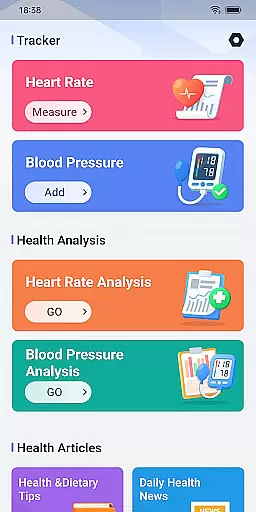
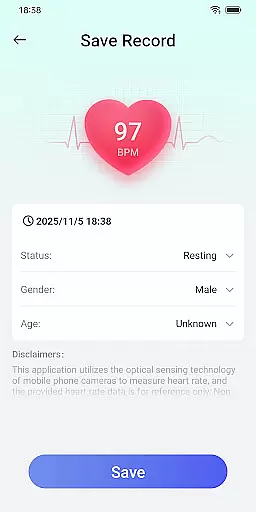
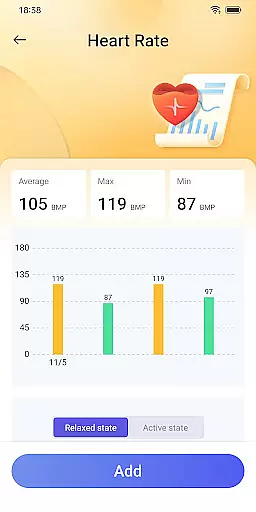
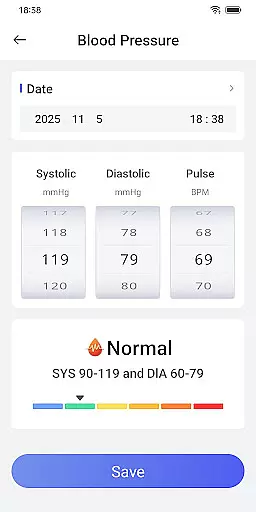
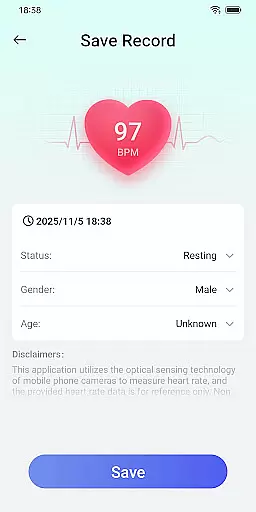
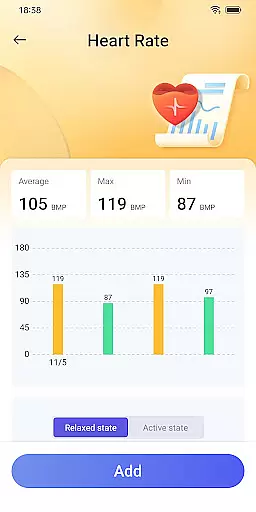
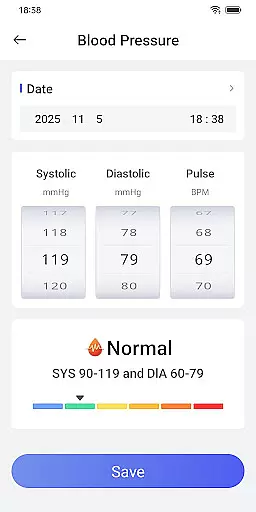
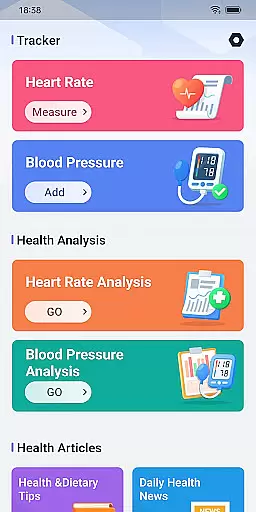
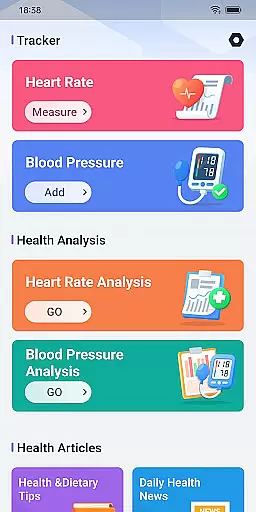
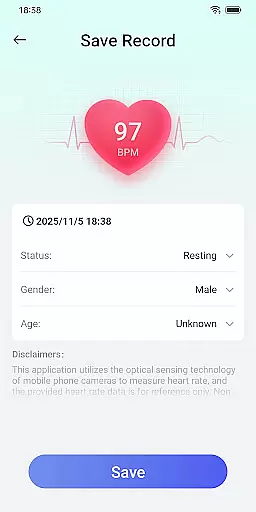
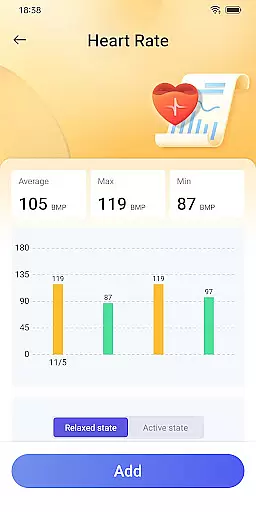
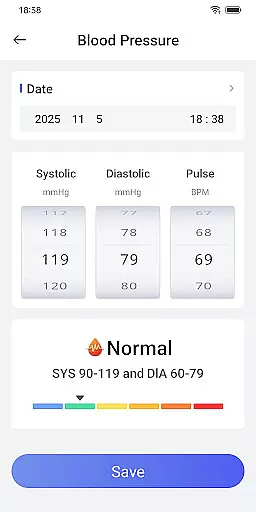
Daily HealthTracker is a comprehensive health monitoring tool designed to help users track their heart rate and blood pressure using just their smartphone. By leveraging the phone's camera, the app intelligently captures changes in fingertip blood flow to measure real-time heart rate, while also supporting manual input for blood pressure data. This makes health management more accessible and intelligent.
The app caters to various user groups including sports enthusiasts monitoring training intensity, middle-aged and elderly individuals managing daily health, and office workers aiming to prevent cardiovascular diseases. While the heart rate data provided is for reference only and may vary due to lighting, device models, and individual differences, Daily HealthTracker offers a convenient way to keep track of your health metrics regularly.
Daily HealthTracker stands out with its innovative use of smartphone technology for health monitoring. The app transforms your mobile phone into a portable health monitor by utilizing the camera to capture subtle changes in fingertip blood flow, providing instant heart rate readings. It also allows users to manually input and record blood pressure data, simplifying the process of tracking these vital signs over time.
In addition to health tracking, the app supports setting reminder alarms for heart rate measurements and blood pressure recordings. These reminders ensure that users do not forget to monitor their health regularly. With a user-friendly interface and customizable features, Daily HealthTracker empowers users to take control of their health management in a simple yet effective manner.
When it comes to health tracking applications, the precision and effectiveness of core functions are paramount. Daily HealthTracker excels in this area by utilizing the smartphone's camera to intelligently capture changes in fingertip blood flow, providing real-time heart rate measurements. This innovative approach ensures that users can monitor their heart rate with just their mobile device, eliminating the need for additional hardware.
The application also supports the input and recording of blood pressure data, making health management simpler and more intelligent. By enabling users to log their blood pressure readings, Daily HealthTracker helps them keep an eye on critical health metrics over time. This feature is particularly beneficial for individuals who need to manage their cardiovascular health regularly.
While the heart rate data obtained through the mobile phone camera serves as a reference and may be influenced by lighting, device models, and individual differences, the app provides adequate disclaimers. It recommends using professional equipment or consulting a doctor for medical-grade testing, ensuring users are aware of the limitations while still benefiting from convenient health monitoring.
A user-friendly interface is crucial for any tool application, and Daily HealthTracker offers an intuitive experience that simplifies health management. The design emphasizes ease of use, allowing users to quickly transform their mobile phone into a health monitor without a steep learning curve. This seamless transition empowers users to focus on what matters mostu2014their healthu2014without being bogged down by complex procedures.
The app supports setting reminder alarms for heart rate measurement and blood pressure recording, ensuring users never miss an opportunity to monitor their well-being. These reminders are easy to set up and manage, contributing to an overall streamlined user experience. Such features are especially helpful for sports enthusiasts monitoring training intensity, middle-aged and elderly individuals managing daily health, and office workers looking to prevent cardiovascular diseases.
Daily HealthTracker adheres strictly to Google Play policies, safeguarding user data privacy while offering quick access features after granting default home screen permissions. With clear instructions available on their website, users can easily navigate through the appu2019s functionalities, adjusting interface layouts as needed while retaining all their applications. This careful attention to usability makes Daily HealthTracker a reliable choice for anyone seeking efficient health management tools.
User-friendly interface
Real-time heart rate monitoring
Blood pressure tracking
Reminder alarms for measurements
Supports multiple user groups
Heart rate data variability
Requires manual input for BP
Not medically certified
Dependent on device quality
Limited to smartphone users

 4.50
4.50
Just swipe the edge to do something!
4.40
Extremely fast, secure, and protects your privacy
4.80
Family Locator, Share location, StayConnect with your family in real time
3.90
Quickly & easily calculate the spacing of handrail balusters
4.20
Effortlessly run ADB commands directly on your device without a PC.
4.20
Automate everything from settings to photos, SMS to speech. ADC2 prize winner.
4.10
Button mapper, mouse toggle, sleep timer and a lot of another features
4.50
Screen recorder with audio to record high-quality videos and take screenshots.
4.40
Bedrock Together: Join any bedrock server on Xbox/PS
4.80
Mirror your screen to Chromecast and Android TV - Super fast and simple
4.60
Play your X-Box games remotely in 1080p with any controller and zero latency
4.60
Universal TV remote control all TVs, Roku, LG, Samsung, Fire, Vizio, Sony, TCL.
4.40
View detailed information about your Nissan Leaf the dealer never shows you.
4.10
Unleash gamepad precision for ultimate mobile gaming dominance.
3.90
A powerful, easy-to-use flight computer on your phone or tablet!
3.80
Safely recover deleted photos, videos, and files with a single easy tap.
3.70
Clean the junk files on your device
3.40
PDF Reader - Document Viewer: Read, Manage & Organize Your Documents
3.10


User Reviews