
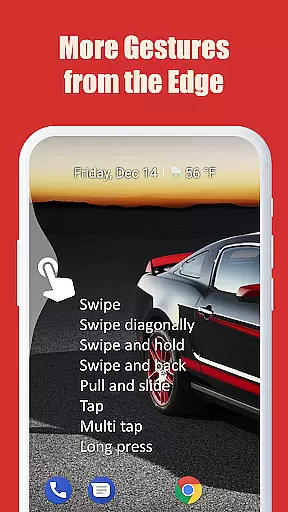
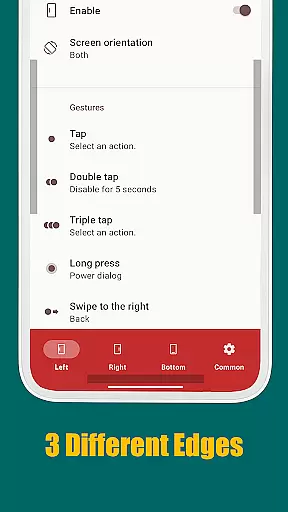
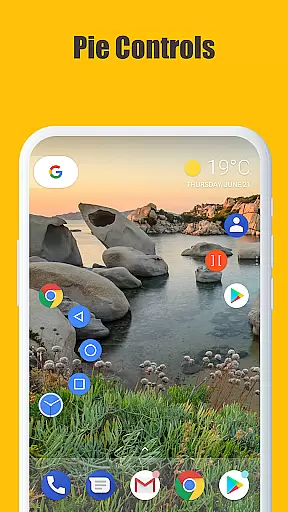
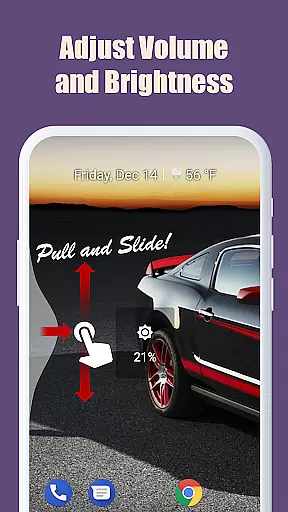
Edge Gestures is a powerful tool designed to enhance your Android device's usability through intuitive gestures. This app allows users to perform various actions by simply swiping or tapping the screen edges, making navigation faster and more efficient. With support for multiple gesture types such as tap, swipe, and long press, it offers a customizable experience tailored to individual preferences.
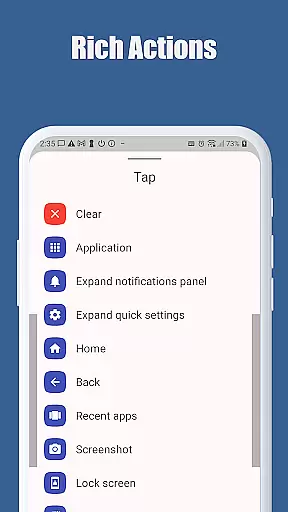
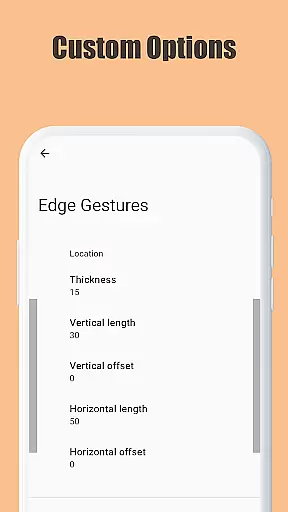
The application supports a wide range of actions including launching apps, controlling soft keys, expanding the status bar, adjusting brightness, and toggling split-screen mode. Users can also customize the edge area's thickness, length, and position, ensuring a personalized touch. Edge Gestures requires minimal permissions, focusing on delivering a seamless and secure user experience without compromising privacy.
Edge Gestures stands out with its extensive list of features that cater to power users looking for efficiency. The app supports numerous gesture types like tap, double tap, long press, swipe, and more, allowing for versatile interactions. Each gesture can be mapped to specific actions such as launching applications, controlling soft keys, expanding notifications, and even taking screenshots.
One of the key highlights is the ability to customize the edge area where gestures are recognized. Users can adjust the thickness, length, and position of this area to suit their comfort. Additionally, the app uses accessibility service APIs to implement advanced functionalities like expanding the notification panel, toggling split-screen mode, and locking the screen. These features ensure that Edge Gestures not only simplifies navigation but also enhances overall device control.
Edge Gestures provides a highly accurate and effective way to interact with your device through simple gestures on the screen edge. The app supports a wide range of gesture types, including tap, swipe, and long press, each triggering specific actions that enhance user experience.
The application's core functionality is designed to streamline common tasks such as launching apps, adjusting brightness, or toggling split-screen mode. By utilizing Android's accessibility service API, Edge Gestures ensures that these actions are performed reliably and swiftly, offering users an efficient alternative to traditional navigation methods.
Users benefit from customizable edge areas where they can adjust thickness, length, and position according to their preferences. This level of personalization allows for seamless integration into daily routines, making device interaction not only faster but also more intuitive.
The interface of Edge Gestures is crafted with simplicity and intuitiveness in mind, ensuring that users can easily configure and utilize its features without a steep learning curve. Upon opening the app, users are greeted with clear options for setting up various gestures, each accompanied by straightforward explanations of their functions.
Customization is made easy through an intuitive control panel where users can define the behavior of each gesture type. Whether it's assigning actions like 'back', 'home', or 'recent apps' to specific gestures, the process remains user-friendly and accessible even to those who may not be tech-savvy.
By focusing on clarity and ease-of-use, Edge Gestures removes complexity from gesture-based navigation, allowing users to enhance their device interaction effortlessly while maintaining full control over how they navigate their Android devices.
User-friendly interface
Highly customizable gestures
Minimal permissions required
Efficient navigation
Versatile action mapping
Limited to Android devices
Requires accessibility permission
Some features need higher Android version
May conflict with other gesture apps
Learning curve for new users

 4.10
4.10
Extremely fast, secure, and protects your privacy
4.80
Learn the vast amount of system information about device and monitor it's state
4.70
Effortlessly run ADB commands directly on your device without a PC.
4.20
Unleash gamepad precision for ultimate mobile gaming dominance.
3.90
Undelete and recover your lost or deleted files with DiskDigger!
3.40
Screen Mirroring for Roku Sticks, Roku TCL TV and Roku Hisense TV
4.50
Protect your device with antivirus, storage cleanup, and system monitoring
4.70
Screen recorder with audio to record high-quality videos and take screenshots.
4.40
Change your GPS location instantly. Simulate routes anywhere in the world.
4.90
The Ultimate Flex Drivers Utility App - Convenient Tapping & Block Filters
4.70
Keep track of your Palia friendships, tasks, and inventory with Palia Notebook
4.60
Head tracking for PC sim games such as MSFS 2024 or Elite:Dangerous. No headset!
4.50
Button mapper, mouse toggle, sleep timer and a lot of another features
4.50
VESC Tool can monitor and configure VESC-compatible devices over BLE and Wifi
4.20
View detailed information about your Nissan Leaf the dealer never shows you.
4.10
1-Click close all background apps on Android TV
3.90
Amateur Radio app for APRS: Track friends, exchange messages, get tactical info.
3.90
Create your own live wallpaper or check out thousands already made presets
3.90


User Reviews