

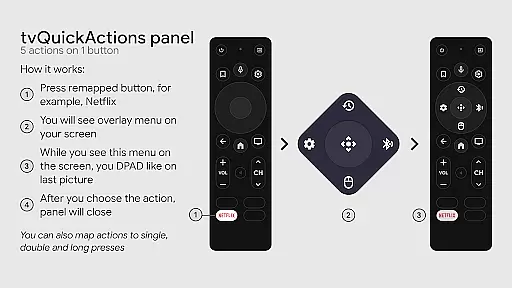
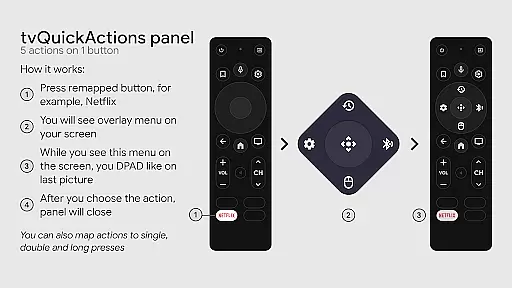
tvQuickActions Pro is an advanced button/key mapper specifically designed for TV devices, compatible with Android TV, Google TV, and AOSP on most devices. Its standout feature allows users to assign up to five actions to a single remote button, significantly enhancing device functionality.
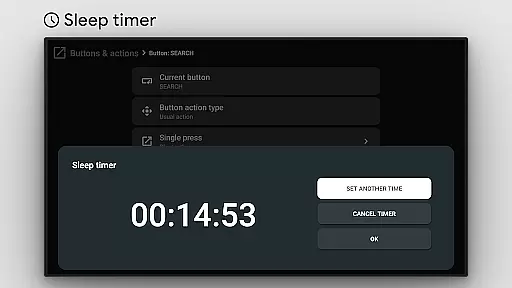
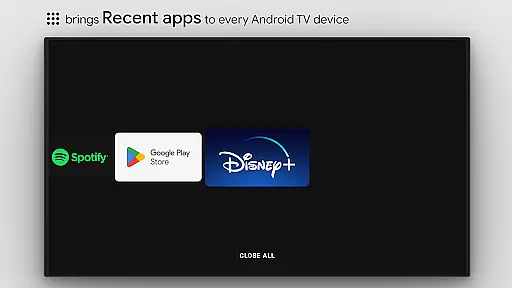
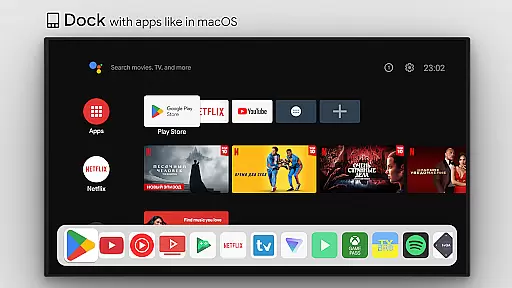
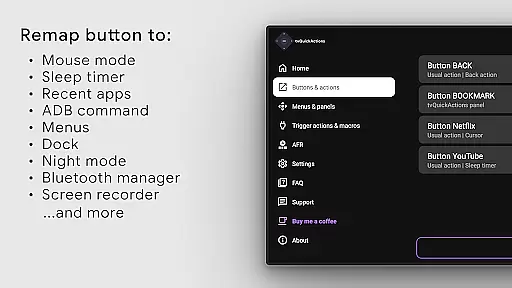
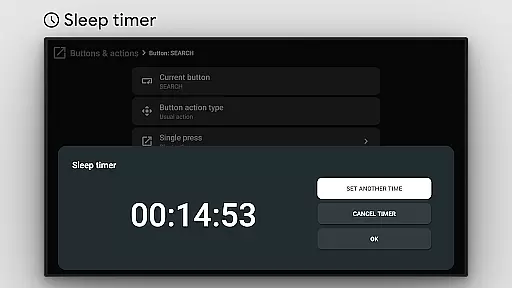
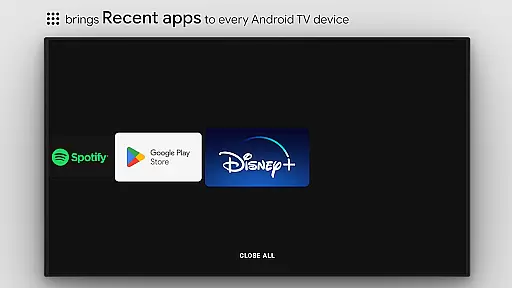
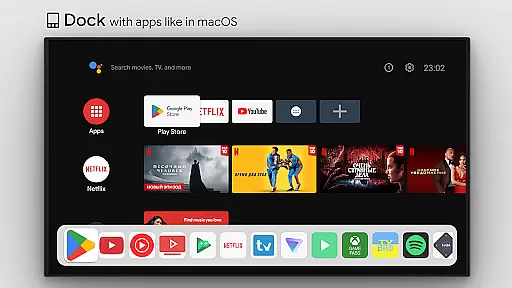
This tool transforms your TV experience by adding useful features such as app docks similar to macOS/iPadOS, recent apps management, custom menus, and ADB command integration. It also offers practical utilities like sleep timers, screen recording, night mode, and Bluetooth management, making it the ultimate solution for power users seeking to maximize their TV's potential.
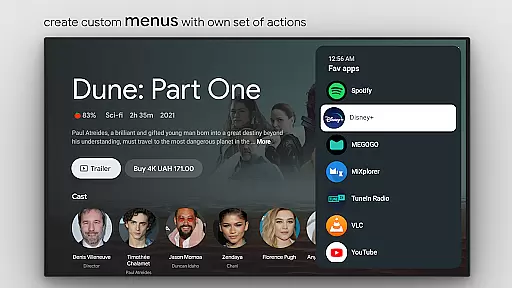
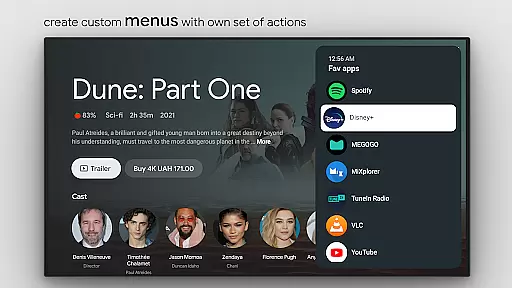
tvQuickActions Pro stands out with its extensive customization options. Users can create custom menus with any desired actions, including launching apps, executing shortcuts, or controlling media playback. The app supports advanced functionalities like user-defined ADB commands, mouse toggle on any remote, and even auto framerate adjustment for specific Amlogic devices.
One of the key innovations is its ability to remap Netflix buttons on Xiaomi and TiVo Stream 4K devices, along with supporting app button remapping on various other devices. The app also enables setting actions for power-on events, sleep mode transitions, and creating custom channels for Android TV home screens. These features collectively provide an unprecedented level of control over TV devices.
tvQuickActions Pro is designed to provide highly accurate and effective button mapping functionalities for TV devices. The app supports Android TV, Google TV, and AOSP on most devices, ensuring broad compatibility. One of its standout features is the ability to assign up to five actions to a single remote button, significantly enhancing the utility of your device.
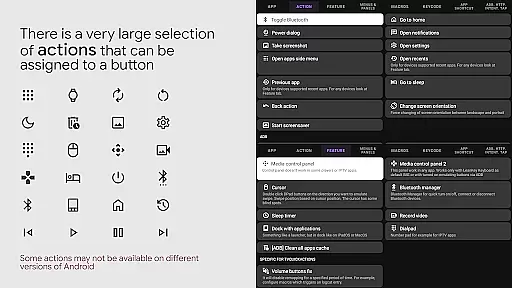
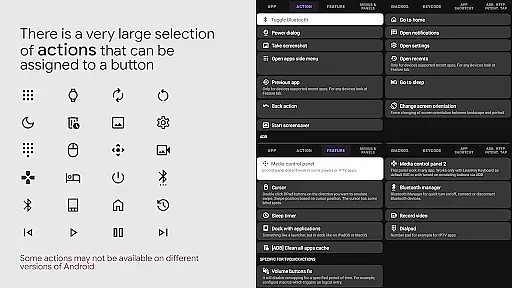
The application offers an extensive range of customizable actions, including opening apps, executing shortcuts, sending keycodes, toggling WiFi or Bluetooth, controlling media playback, and more. These functions are implemented with precision, allowing users to tailor their TV experience according to their specific needs. This level of customization ensures that every interaction with your remote is both meaningful and efficient.
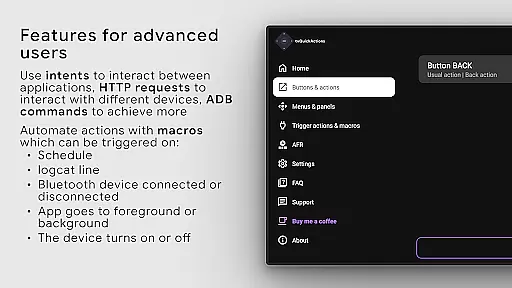
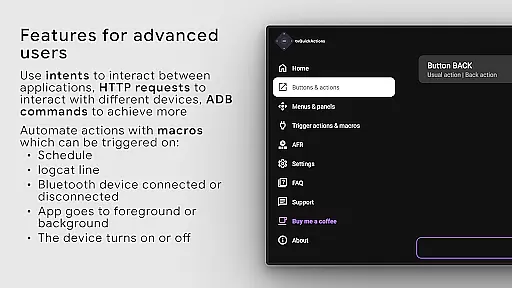
For users who require advanced control, tvQuickActions Pro provides options like ADB commands, screen recording, night mode, and even auto framerate adjustments for certain Amlogic devices. These features are executed with high reliability, making complex tasks straightforward and accessible directly from your remote control.
Ultimately, the core function accuracy and effectiveness of tvQuickActions Pro lie in its meticulous design and attention to detail. By leveraging AccessibilityService API, it ensures seamless remapping of buttons and automation of various processes, delivering a smooth and responsive user experience that enhances the overall functionality of TV devices.
tvQuickActions Pro excels in providing an interface that balances simplicity with intuitive design, making it accessible even to those who may not be tech-savvy. The app's layout is clean and organized, presenting users with clear options for customizing their TV remote controls without overwhelming them with unnecessary complexity.
Upon launching the app, users are greeted with a straightforward dock system akin to macOS/iPadOS, which allows quick access to frequently used applications and settings. This familiar interface paradigm helps reduce the learning curve, enabling users to dive into customizing their remotes almost immediately after installation.
Custom menus can be created with any desired actions, offering flexibility while maintaining ease of use. Whether setting up recent apps, creating custom channels for Android TV home screens, or managing Bluetooth devices, each process is streamlined to ensure minimal steps are required to achieve the desired outcome. This thoughtful design minimizes confusion and enhances user satisfaction.
In summary, tvQuickActions Pro achieves a remarkable balance between powerful functionality and user-friendly design. Its intuitive interface empowers users to unlock the full potential of their TV devices effortlessly, proving that sophisticated tools do not have to come at the expense of usability.
Highly customizable
Wide device compatibility
Innovative button mapping
Extensive feature set
User-friendly interface
Complex for beginners
Device-specific issues
Requires Accessibility Service
Premium price point
Occasional bugs

 4.50
4.50
Fluid navigation gestures for all of us!
4.30
Carry a FTP server in your pocket and avoid USB cables for file transfer
4.20
ADB support Android 4.X-Android 13(Support wireless pair mode).No root required!
4.70
Best leveling tool for your Android device. Hang paintings like a pro.
4.90
Unleash gamepad precision for ultimate mobile gaming dominance.
3.90
Mirror your screen to Fire TV - Super fast and simple
4.40
Powerful collection of electronics tools and reference.A must for any enthusiast
4.90
Create your own custom widget with endless possibilities
3.90
Enjoy smooth gameplay with Game Booster
4.90
The Ultimate Flex Drivers Utility App - Convenient Tapping & Block Filters
4.70
App to pay for FUTO Keyboard
4.60
Clean up large files and similar photos, fast and easy to use
4.40
Complete kernel toolbox with features to manage and tweak your rooted device
4.30
Just one-tap to easy translate in any language after calls within seconds.
4.20
Create your own live wallpaper or check out thousands already made presets
3.90
A powerful, easy-to-use flight computer on your phone or tablet!
3.80
Fun lie-detection pranks for friends and parties.
3.80
Safely recover deleted photos, videos, and files with a single easy tap.
3.70


User Reviews