
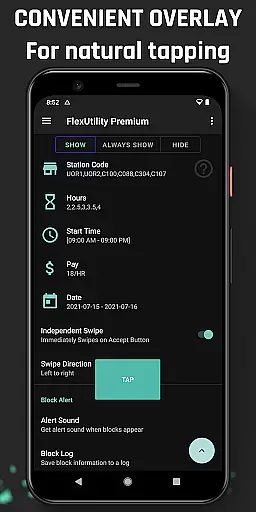
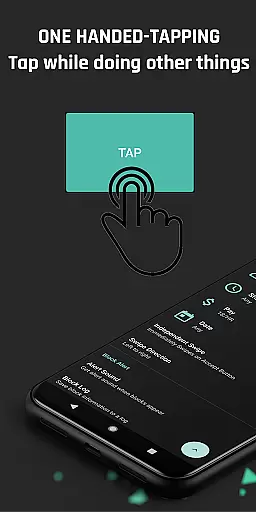
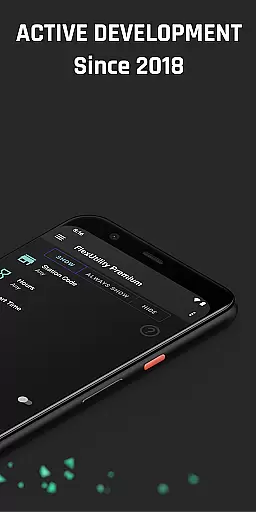
Flex Utility Premium is a powerful tool designed specifically for Flex drivers, offering an enhanced and more efficient way to manage work blocks. The app eliminates the need for constant two-finger tapping by providing a convenient one-tap overlay button, allowing drivers to multitask while searching for blocks.
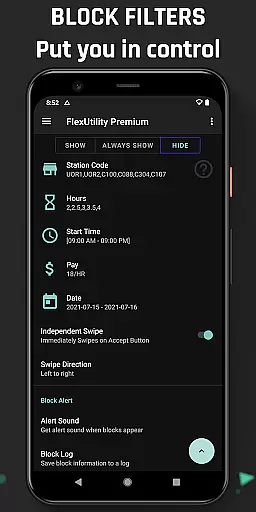
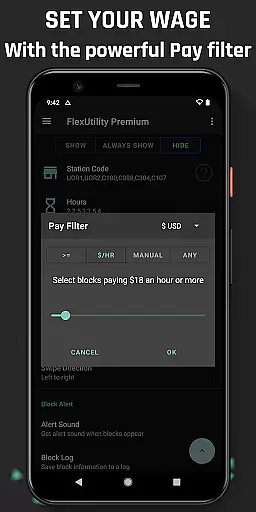
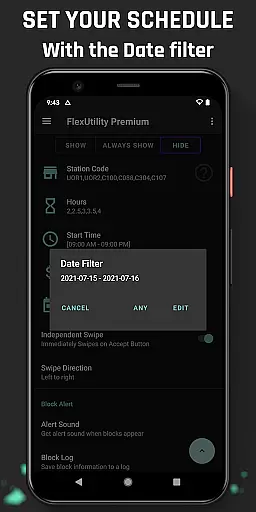
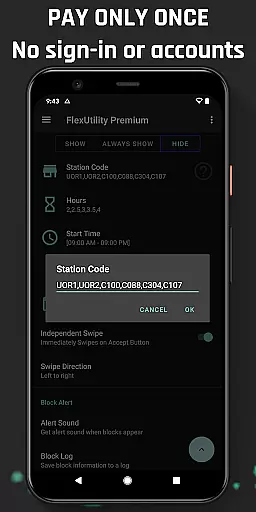
With advanced filtering options, drivers can customize their work preferences including pay rate, favorite stations, work days, start times, and job duration. This ensures maximum convenience and flexibility in choosing the most suitable work opportunities. Additionally, features like Block Alert and Block Log help optimize workflow and provide valuable insights into block availability patterns.
Flex Utility Premium offers a comprehensive set of features tailored for Flex drivers. The app's one-tap overlay significantly simplifies the block acceptance process, making it easier to secure work without constant attention to the screen.
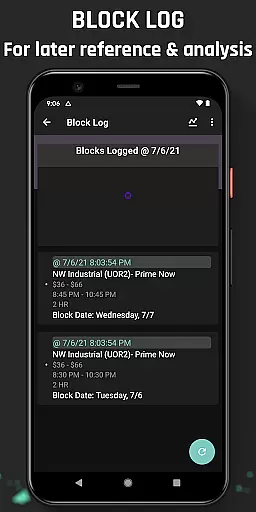
The powerful filtering system allows drivers to specify their preferred pay rate, station codes, work days, start times, and job length. These filters ensure that drivers only receive blocks that match their exact requirements. The Block Alert feature notifies users when suitable blocks become available, while the Block Log maintains a record of all block activity, which can be exported for detailed analysis.
As an Android Accessibility Service, Flex Utility Premium provides essential support for drivers with disabilities or those needing additional interface feedback. The app strictly adheres to Google's accessibility guidelines and doesn't collect any personal user data or require login credentials.
Flex Utility Premium demonstrates exceptional core function accuracy and effectiveness by addressing the specific needs of Flex drivers. The app's primary feature is its one-tapping overlay button, which eliminates the need for constant attention while searching for work blocks. This functionality is particularly beneficial for drivers who may have difficulty with prolonged tapping or those who wish to multitask.
The app's powerful filtering system further enhances its effectiveness. Drivers can set precise parameters such as minimum pay rate, preferred station codes, desired work days, start times, and job durations. These filters ensure that users only receive work that aligns with their preferences and requirements, significantly improving their overall experience and efficiency.
Additional features like Block Alert and Block Log contribute to the app's effectiveness. The Block Alert notifies users when a suitable block becomes available, allowing them to focus on other tasks instead of constantly monitoring their device. Meanwhile, the Block Log provides valuable insights into block drop patterns and missed opportunities, which can be exported for deeper analysis.
By combining these accurate and effective functions, Flex Utility Premium empowers Flex drivers to optimize their work schedules, increase earnings, and reduce unnecessary stress. The app's thoughtful design and implementation demonstrate a deep understanding of its target users' needs, making it an invaluable tool in the Tools category.
Flex Utility Premium excels in interface simplicity and intuitiveness, offering Flex drivers an accessible and user-friendly experience. The app's main feature, the single overlay button, streamlines the process of accepting work blocks. This straightforward design eliminates the need for complex navigation or multiple taps, allowing users to interact with the app effortlessly.
The filtering system is presented in a clear and organized manner, enabling drivers to input their preferences without confusion. Each filter option - pay rate, station codes, work days, start times, and job durations - is distinctly labeled and easy to locate. This intuitive layout ensures that even new users can quickly grasp how to customize their work search according to their specific needs.
Additional features like Block Alert and Block Log are seamlessly integrated into the interface without cluttering the main screen. Users can access these functions easily when needed, maintaining a clean and focused workspace. The app's commitment to simplicity extends to its accessibility as an Android Accessibility Service, designed to assist users with disabilities or those requiring extra interface feedback.
Overall, Flex Utility Premium's interface successfully balances comprehensive functionality with ease of use. By prioritizing intuitive design and simple interactions, the app ensures that Flex drivers can efficiently manage their work while minimizing cognitive load and maximizing productivity.
Efficient one-tap system
Comprehensive filtering options
Valuable block tracking features
Accessibility service compliance
Regular feature updates
Premium version only
Not an auto-tapper
Requires Android device
Initial setup time
Learning curve for new users

 4.50
4.50
Change your GPS location instantly. Simulate routes anywhere in the world.
4.90
Fluid navigation gestures for all of us!
4.30
Unlock your Essential Key. Create custom shortcuts to your favorite apps!
4.4
ADB support Android 4.X-Android 13(Support wireless pair mode).No root required!
4.70
Play your X-Box games remotely in 1080p with any controller and zero latency
4.60
Creation, Learning, Entertainment & More — The All-in-One AI Search Engine
4.70
Clean up your phone, find files, play media, and share files offline
4.50
A clean app.
4.50
Protect your device with antivirus, storage cleanup, and system monitoring
4.70
App to pay for FUTO Keyboard
4.60 4.50
4.50
Just swipe the edge to do something!
4.40
Mirror your screen to Fire TV - Super fast and simple
4.40
Signal Strength, Mobile, Wifi, Speed Test, Bad Signals, Cellular, 5G, LTE, 4G
4.20
View detailed information about your Nissan Leaf the dealer never shows you.
4.10
A convenient photo, video, and file recovery tool.
4.00
Amateur Radio app for APRS: Track friends, exchange messages, get tactical info.
3.90
Smart and comfortable browsing experience.
3.80


User Reviews