
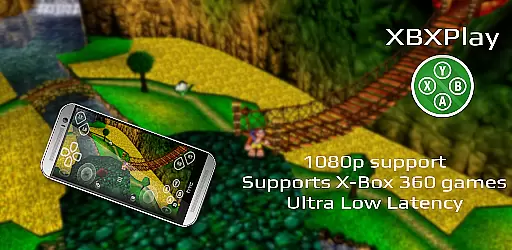
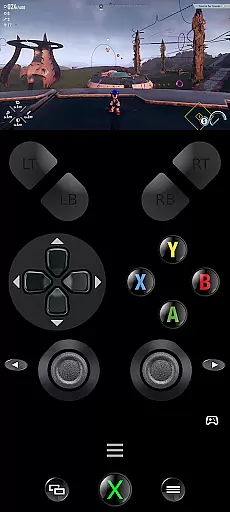
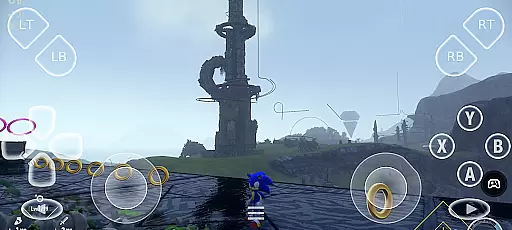
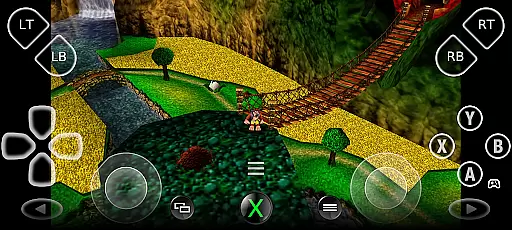
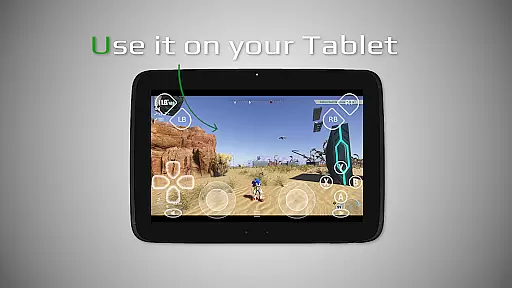
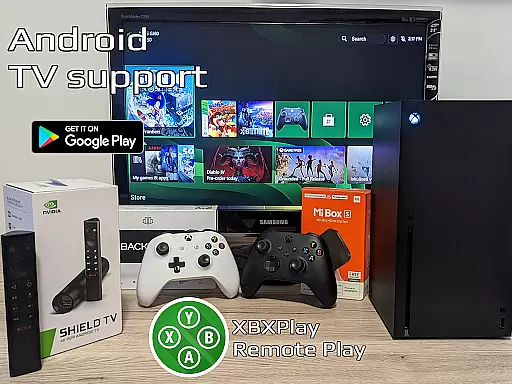

XBXPlay is a powerful remote control application designed specifically for X-Box Series X/S, X-Box One (X/S), and even X-Box 360 consoles. It allows users to stream their favorite games in 1080p resolution while away from home, providing an optimized streaming experience with minimal latency. The app supports third-party controllers, mobile data connections, and features customizable onscreen gamepad layouts that cater to individual gaming preferences.
One of the standout features of XBXPlay is its ability to support X-Box 360 games, which are not typically supported by official remote play applications. Additionally, it offers advanced functionalities such as manual bitrate adjustments, fullscreen support without black bars, and gamepad button mapping. These features make it possible for gamers to enjoy a seamless and immersive experience regardless of their location or device setup.
The app is particularly useful for those who travel frequently but still want to keep up with their gaming sessions. With support for Picture-In-Picture mode and Multi-Window functionality on compatible Android devices, XBXPlay ensures that users can multitask efficiently while gaming. Whether you're looking to play remotely or use your mobile device as a virtual gamepad, XBXPlay provides a versatile solution tailored to meet the needs of modern gamers.
XBXPlay stands out due to its extensive feature set that enhances the remote gaming experience. Firstly, it supports 1080p streaming, ensuring high-quality visuals that bring games to life. This level of detail is crucial for competitive gaming where every pixel matters. Moreover, the app's optimization for low-latency streaming means that actions taken on the controller are reflected almost instantly on the screen, reducing input lag significantly.
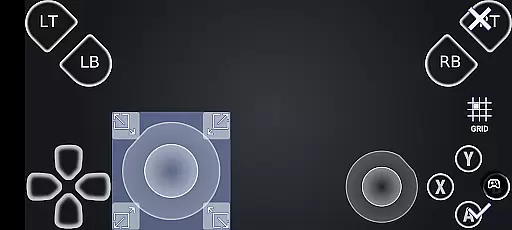
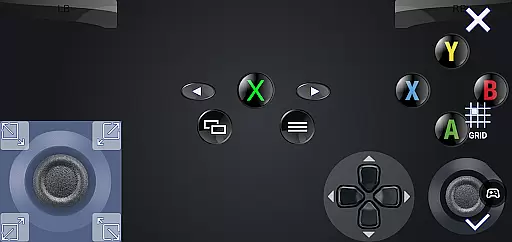
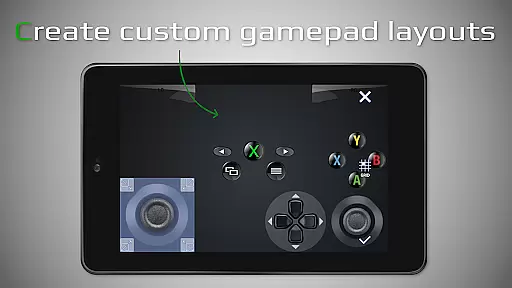
Another key feature is the customizable onscreen gamepad layout. Users can create personalized configurations that suit different types of games, enhancing both comfort and performance. For instance, action games might benefit from larger buttons placed strategically around the screen, whereas strategy games could require more precise controls. Additionally, XBXPlay includes native USB-OTG support, allowing direct connection of physical controllers via USB, further expanding the range of compatible hardware.
Furthermore, XBXPlay integrates seamlessly into modern Android ecosystems through features like Picture-In-Picture mode and Multi-Window support. These capabilities enable users to continue playing while performing other tasks, such as checking messages or browsing the web. Overall, these features collectively contribute to a superior user experience, making XBXPlay a top choice for gamers seeking flexibility and convenience in their remote gaming setups.
XBXPlay excels in delivering core functionalities with precision and effectiveness, ensuring an optimal remote gaming experience. The app supports 1080p streaming, which is crucial for maintaining the quality of gameplay when playing remotely. This high-resolution support, combined with manual bitrate adjustments, ensures that users can enjoy their games with minimal latency and maximum clarity.
One standout feature is the customizable onscreen gamepad layout, allowing gamers to tailor controls to their specific preferences. This level of customization enhances the overall gaming experience by providing intuitive control schemes that match individual play styles. Additionally, XBXPlay's support for third-party controllers and its native USB-OTG functionality expand the range of devices users can employ, further boosting the app's versatility and user adaptability.
The app also offers Picture-In-Picture mode and Multi-Window support, catering to multitasking needs while maintaining low-latency streaming. These features are particularly beneficial for users who wish to engage in other activities on their device without interrupting their gaming sessions. By optimizing for both performance and flexibility, XBXPlay ensures that users can enjoy a seamless and responsive remote gaming experience.
XBXPlay prioritizes interface simplicity and intuitiveness, making it accessible even to those new to remote gaming. The app's design focuses on ease of use, featuring a streamlined setup process that allows users to quickly connect to their Xbox consoles. Clear instructions and straightforward navigation ensure that users can start their remote gaming sessions with minimal hassle.
A key aspect of the app's intuitive design is the touch-optimized onscreen gamepad layout. This feature eliminates the need for physical controllers, enabling users to play directly from their device screens. The ability to customize these layouts not only enhances usability but also accommodates different gaming genres and personal preferences, contributing to a more engaging and personalized experience.
Furthermore, XBXPlay's support for fullscreen mode without black bars demonstrates attention to visual presentation and user immersion. By removing unnecessary distractions, the app keeps players focused on their games. Overall, the combination of simplified controls, customizable interfaces, and immersive display options makes XBXPlay an approachable yet powerful tool for remote gaming enthusiasts.
User-friendly interface
Low latency streaming
Customizable controls
Supports multiple platforms
Advanced connectivity options
No microphone support
Limited iOS compatibility
Requires stable internet
Premium subscription needed
Occasional bugs reported

 4.50
4.50
A powerful, easy-to-use flight computer on your phone or tablet!
3.80
Learn the vast amount of system information about device and monitor it's state
4.70
Family Locator, Share location, StayConnect with your family in real time
3.90
An open-source APK explorer for Android!
4.10
Forza Tuning Calculator App for Forza Horizon 5, Motorsport and Earlier Titles
4.40
The one-and-only remote control for PC, Mac, and Linux
4.70
WiFi Signal Strength Meter help you detect WiFi Signal Strength in real time.
4.80
Download any file easily and quickly with Downloader
4.4
Powerful collection of electronics tools and reference.A must for any enthusiast
4.90
Small and simple app to Verify Root Access and BusyBox Install!
4.70
The Ultimate Flex Drivers Utility App - Convenient Tapping & Block Filters
4.70
Protect your device with antivirus, storage cleanup, and system monitoring
4.70
HD Video player and downloader for all formats, fast & smooth 4K video playback.
4.60
Just swipe the edge to do something!
4.40
Making emulation easy for everyone!
4.30
Remote for Roku, Fire TV, Samsung TV, LG TV, Android TV, Chromecast and VIZIO TV
4.20
Carry a FTP server in your pocket and avoid USB cables for file transfer
4.20
This app unlocks the Pro features of the Central for DayZ app
3.60


User Reviews