
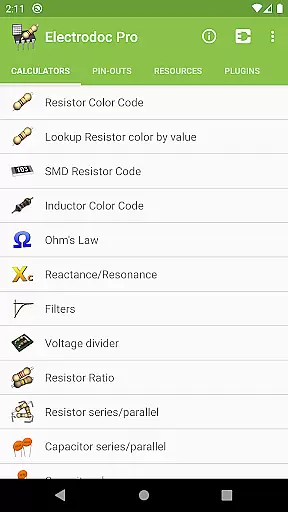
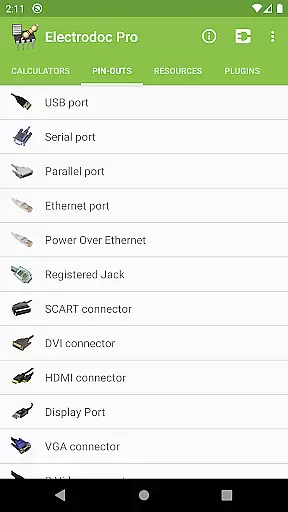
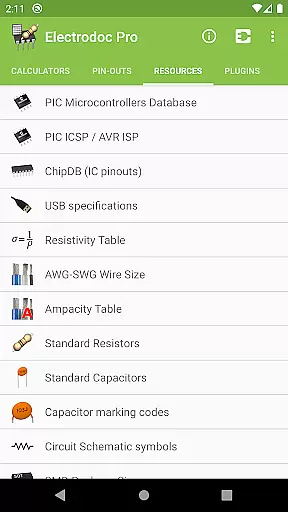
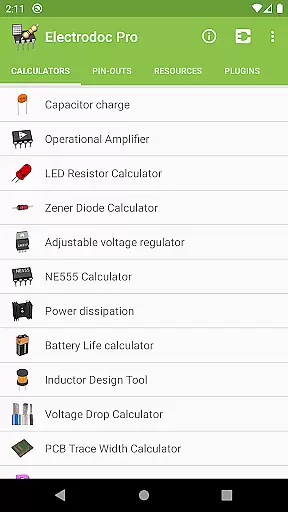
Electrodoc Pro is a comprehensive electronics toolkit designed for professionals, hobbyists, and students alike. This application serves as an all-in-one reference and calculator suite, providing essential tools for electronic circuit design, component identification, and signal processing. With its intuitive interface and extensive feature set, Electrodoc Pro eliminates the need for multiple apps or bulky reference books.
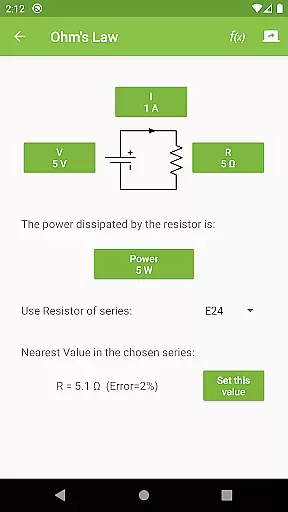
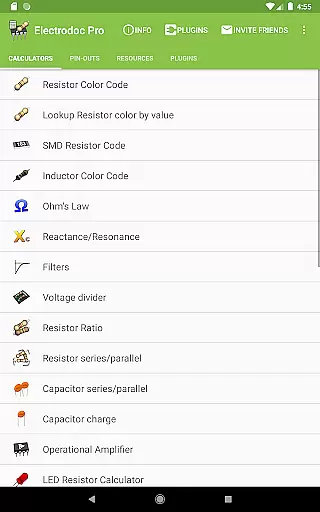
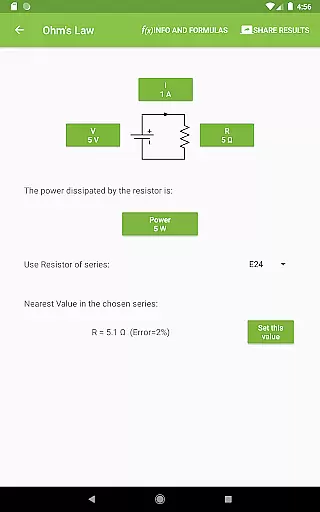
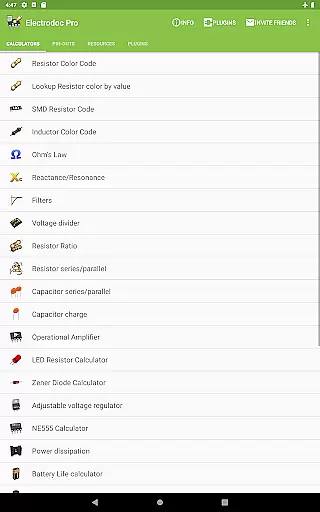
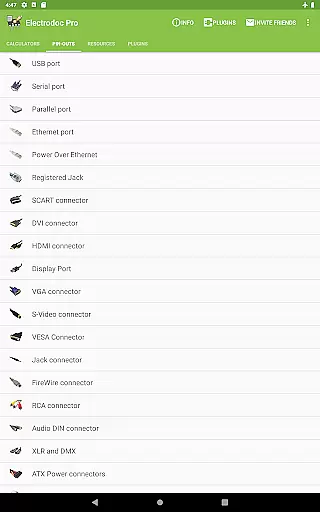
The app includes advanced calculators such as Ohm's Law, Reactance/Resonance, and Voltage Divider, alongside practical tools like Resistor Color Code and SMD Resistor Code lookup. It also features specialized calculators for operational amplifiers, LED circuits, and power dissipation analysis. The inclusion of port pin-outs, wire size charts, and standard component references makes it an indispensable companion for both field work and laboratory projects.
Whether you're designing PCBs, troubleshooting circuits, or learning electronics fundamentals, Electrodoc Pro streamlines these processes through its systematic approach to electronics calculations and references. The PRO version offers an ad-free experience with enhanced functionality, making it particularly valuable for professional engineers who require quick access to accurate information without interruptions.
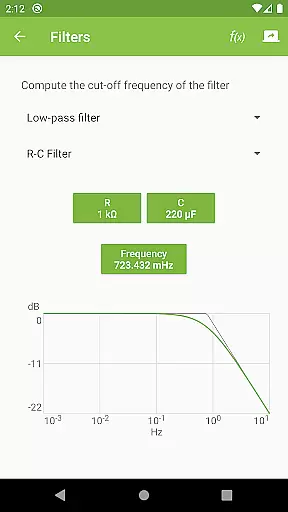
Electrodoc Pro distinguishes itself through its extensive collection of specialized electronics tools and references. The application features sophisticated calculators including Reactance/Resonance, Filters, and Power Calculators, while also providing practical utilities such as Battery Life estimation and Inductor Design tools. Its implementation of EIA resistor series support across all relevant calculators ensures industry-standard accuracy in every computation.
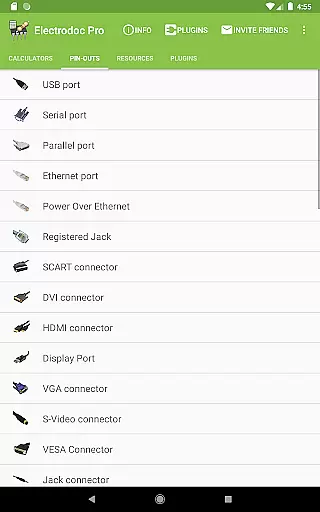
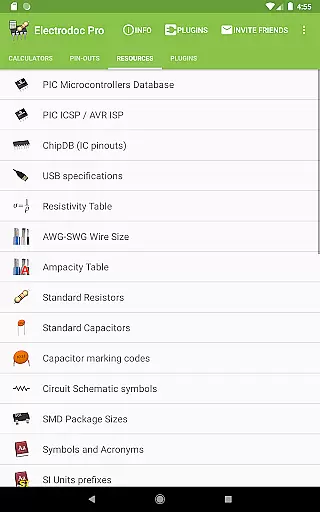
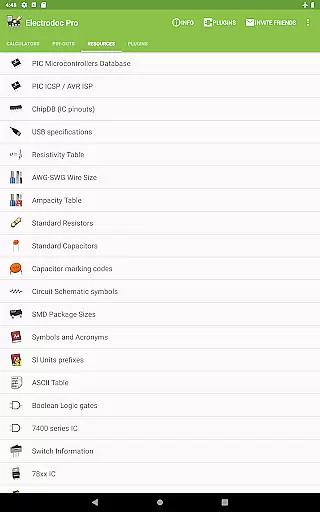
A standout feature is the comprehensive port pin-out section, covering over 50 different connector types including USB, HDMI, Ethernet, and Raspberry Pi interfaces. The Resources section provides valuable reference materials such as AWG-SWG Wire Size charts, Standard Component values, and Circuit Schematic symbols. The app's modular architecture supports plugin expansion, allowing users to incorporate additional functionality like microcontroller databases and component search tools.
Each feature is meticulously implemented with attention to detail, ensuring both accuracy and ease of use. The application's interface presents complex information in a clear, organized manner, while maintaining consistent performance across various Android devices. These characteristics make Electrodoc Pro particularly suitable for professionals requiring reliable, on-the-go access to electronics references and calculation tools.
Electrodoc Pro stands out as a comprehensive electronics toolkit, offering precise and reliable calculations for various electronic components. The app includes essential tools such as Resistor Color Code, Ohm's Law, Reactance/Resonance calculators, and more, ensuring accurate results for both novice and professional users.
The application's strength lies in its detailed implementation of industry-standard formulas and codes. For instance, the SMD Resistor Code and Inductor Color Code features provide exact interpretations based on established standards, while the NE555 Calculator and Power dissipation tool deliver effective solutions for circuit design challenges.
Users benefit from having a portable yet powerful solution for their electronics projects. Whether calculating voltage drops, designing filters, or referencing complex port pin-outs, Electrodoc Pro ensures that each calculation is both accurate and practical for real-world applications.
This level of precision and reliability makes Electrodoc Pro an indispensable tool for anyone working with electronics, providing confidence in project planning and troubleshooting tasks.
Despite its extensive feature set, Electrodoc Pro maintains an intuitive and user-friendly interface. The app organizes its numerous tools into clearly labeled categories, making it easy for users to quickly find and utilize the specific calculator or reference they need without unnecessary complexity.
Each tool within Electrodoc Pro follows a consistent design pattern, where input fields are straightforward and results display immediately upon entering values. This uniform approach reduces the learning curve significantly, allowing users to focus on their work rather than navigating through complicated menus.
The inclusion of practical examples and clear instructions within each tool enhances usability further. Users can understand how to apply different functions effectively, whether they're calculating resistor ratios or exploring operational amplifier configurations.
Overall, Electrodoc Pro demonstrates that sophisticated electronics tools can be both powerful and accessible, catering to professionals who require efficiency and newcomers who value guidance during their learning process.
Comprehensive toolset
Ad-free experience
Regular updates
Plugin support
Offline functionality
Premium price
Steep learning curve
Complex interface
Limited iOS support
Heavy storage

 4.50
4.50
Easily install aab(Android App Bundle) files on your Android device with our app
4.80
HD Camera captures every special moment.
4.60
Enjoy smooth gameplay with Game Booster
4.90
Quickly & easily calculate the spacing of handrail balusters
4.20
Best leveling tool for your Android device. Hang paintings like a pro.
4.90
Screen Mirroring for Roku Sticks, Roku TCL TV and Roku Hisense TV
4.50
Play your X-Box games remotely in 1080p with any controller and zero latency
4.60
Fast VPN USA for any country. Super secure VPN for calls, streaming, games, TV.
4.40
Fast Video Downloader, Movie Downloader, Torrent Downloader & Adblock Browser
4.70
FV File Manager Pro, Fast and powerful file manager for Android
4.60 4.50
4.50
Mirror your screen to Fire TV - Super fast and simple
4.40
Just one-tap to easy translate in any language after calls within seconds.
4.20
App that Recover your pictures, videos or files after you delete them.
4.20
Effortlessly run ADB commands directly on your device without a PC.
4.20
Screen Mirroring with sound for Samsung TV, LG TV, Sony TV, Smart TV and Browser
4.20
Smart and comfortable browsing experience.
3.80
Unlock your Essential Key. Create custom shortcuts to your favorite apps!
4.0


User Reviews