
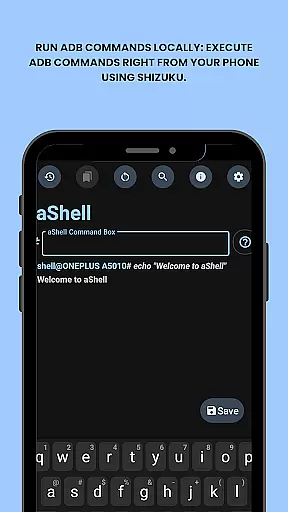
aShell is a specialized Android tool designed for users who require direct access to ADB commands on their mobile devices without the need for a computer. This app operates within a Shizuku-enabled environment, making it particularly useful for developers and power users seeking advanced device control.
The application allows you to execute various ADB shell commands directly from your phone, offering features such as live command output, search functionality within results, and the ability to save outputs to text files. Its intuitive interface supports both dark and light modes, adapting seamlessly to your system preferences.
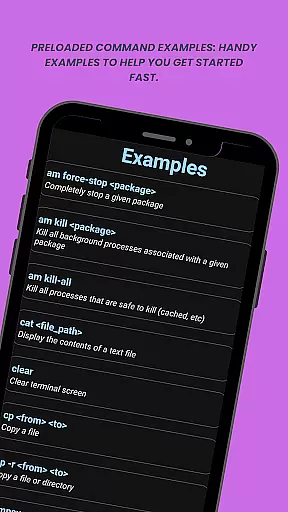
With preloaded command examples and bookmarking capabilities for frequently used commands, aShell streamlines the process of managing and troubleshooting Android devices. Whether you're debugging applications or exploring system internals, this tool provides an efficient solution for executing complex operations on-the-go.
aShell distinguishes itself through its comprehensive feature set tailored specifically for Android power users. The primary advantage is the ability to run ADB commands locally on your device using Shizuku, eliminating the dependency on external computers for debugging and system management tasks.
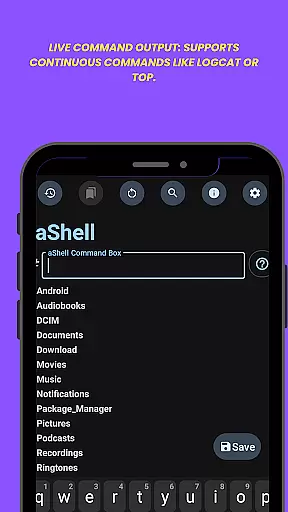
The app includes practical examples of common ADB commands, making it easier for users to get started even with basic knowledge of ADB/Linux operations. Its live command output functionality supports continuous monitoring commands like logcat or top, while the integrated search feature helps quickly locate specific information within lengthy outputs.
Additional notable features include automatic dark/light mode adaptation based on system settings, the ability to save command outputs to text files for documentation or sharing purposes, and a convenient bookmarking system for storing frequently used commands. These features collectively enhance productivity and streamline workflow for developers and advanced users working with Android systems.
aShell is designed to execute ADB commands directly on Android devices, ensuring precision and reliability in its core functionality. By leveraging the Shizuku environment, it provides users with a seamless way to run complex operations without requiring a PC.
The app includes preloaded command examples that cater to both beginners and advanced users. These examples not only help users get started quickly but also ensure that the executed commands are accurate and effective. This minimizes errors and enhances productivity for developers and power users.
With features like live command output support, users can run continuous commands such as logcat or top, receiving real-time feedback. This responsiveness ensures that users can monitor ongoing processes effectively, making troubleshooting and system monitoring more efficient.
Additionally, the ability to save command outputs to files and bookmark frequently used commands adds to the overall effectiveness of the app. These features streamline workflows and allow users to manage their tasks with greater ease and efficiency.
aShell offers an intuitive interface that simplifies the process of executing ADB commands. The design focuses on user experience, ensuring that even those with basic ADB knowledge can navigate and utilize the app efficiently.
One of the standout features is the search functionality within command outputs. This allows users to quickly locate specific information within lengthy results, enhancing usability and saving time. Such intuitive design elements make the app accessible to a broader audience.
The app also supports dark and light modes, adapting automatically to the system theme. This not only improves readability but also aligns with modern user preferences for customizable interfaces. The visual consistency across different themes ensures a pleasant user experience.
Overall, aShell's straightforward design and helpful features like bookmarking commands and exporting outputs create an environment where users can focus on their tasks without being hindered by a steep learning curve.
User-friendly interface
Live command execution
Dark mode support
Output saving capability
Preloaded command examples
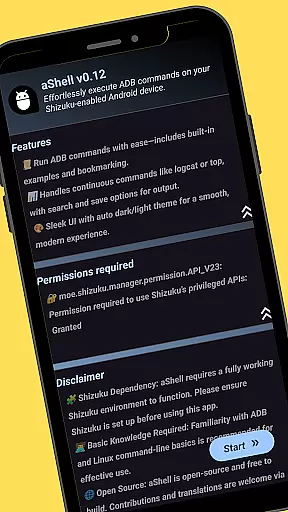
Requires Shizuku setup
ADB knowledge needed
Limited target audience
No standalone functionality
Premium price tag

 4.50
4.50
Enjoy smooth gameplay with Game Booster
4.90
Quickly & easily calculate the spacing of handrail balusters
4.20
Small and simple app to Verify Root Access and BusyBox Install!
4.70
Support Fossify apps with a warm thank you!
5.00
Download any file easily and quickly with Downloader
4.4
Remote Play with FSR upscaling, low latency & full controller support
4.80
Pro Emulator is an easy to use game console emulator for a range of consoles.
4.40
Button mapper, mouse toggle, sleep timer and a lot of another features
4.50
The Ultimate Flex Drivers Utility App - Convenient Tapping & Block Filters
4.70
Protect your device with antivirus, storage cleanup, and system monitoring
4.70
eXtended Permission Manager - a small app to manage permissions and AppOps
4.50
Quickly check the frequency of the Earth
4.30
pdf merge, word to pdf, jpg to pdf, edit pdf, convert to pdf and much more!
4.20
A convenient photo, video, and file recovery tool.
4.00
Detect hidden spy camera with advanced scanning {{ Premium version }}
4.00
This app unlocks the Pro features of the Central for DayZ app
3.60
A non-root local ADB shell client. READ BELOW!
3.40
Transfer Files, APK from Phone to Watch & Install.
4.5


User Reviews