
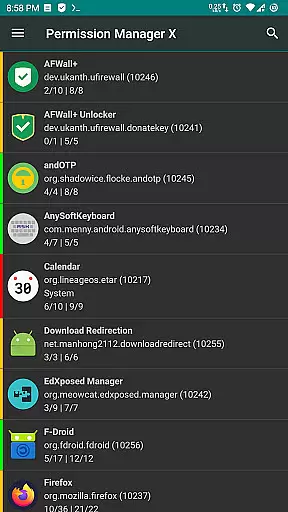
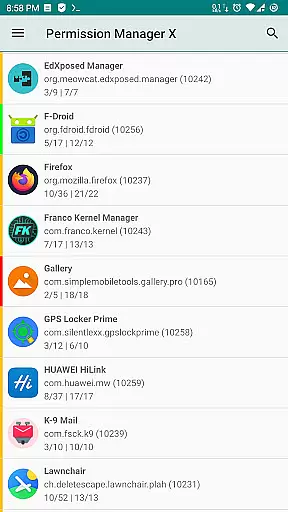
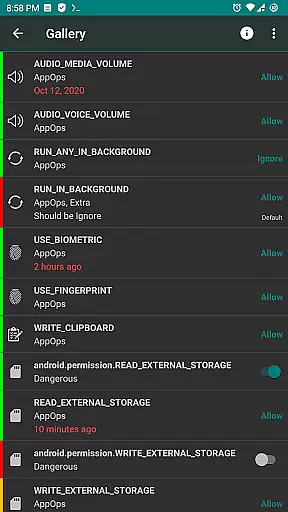
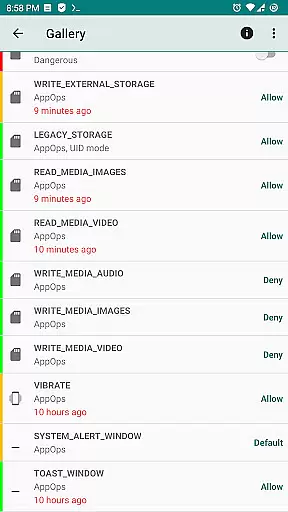
Permission Manager X is a powerful tool designed to provide users with extensive control over app permissions on their Android devices. It allows you to manage both manifest permissions and AppOps, offering fine-grained access control. With this app, you can view, grant, or revoke permissions, set reference values for permissions, and review changes at a glance with colored bars.
The application is particularly useful for those who prioritize privacy and want to ensure that their installed apps do not have unnecessary access rights. Whether you are reinstalling apps, changing devices, or upgrading your ROM, Permission Manager X streamlines the process of reviewing and adjusting permissions, saving time and enhancing security.
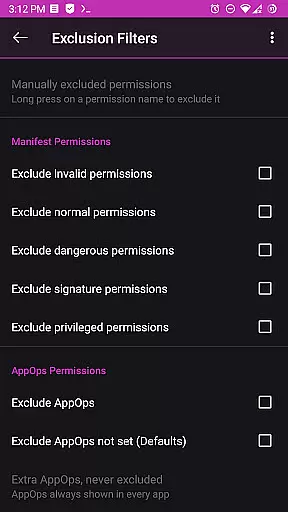
One of the standout features of Permission Manager X is its ability to handle both manifest permissions and AppOps on a single screen. Manifest permissions include commonly known permissions like Storage and Camera, while AppOps provides backend access control with additional options such as background execution and clipboard access.
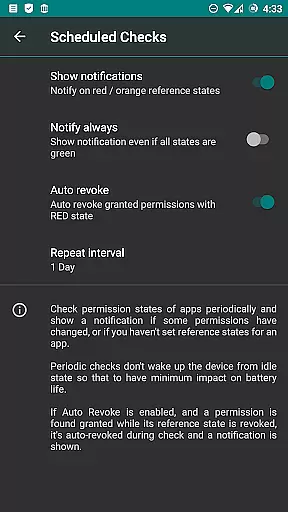
The app offers advanced functionalities such as setting reference states for permissions, which can be backed up and restored. This feature is invaluable when managing multiple devices or reconfiguring settings after an OS upgrade. Additionally, the app includes paid features like scheduled checks, auto-revoke capabilities, and multi-user support, enhancing its utility for power users.
Permission Manager X also respects user privacy by not collecting any data. The need for internet permission is solely for ADB over the network, ensuring that your device's information remains secure and private.
Permission Manager X offers a comprehensive suite of tools designed to manage app permissions with precision and efficiency. The core functionality allows users to view, grant, or revoke both manifest permissions and AppOps permissions from a single interface. This ensures that every permission is under the user's control, providing an accurate reflection of their privacy preferences.
The application leverages Android's robust AppOps framework, which provides fine-grained control over various permissions. By integrating manifest permissions with AppOps, Permission Manager X enables users to manage background execution, vibration, clipboard access, and more. This dual-layer approach enhances the effectiveness of permission management, ensuring that apps behave exactly as intended without compromising user privacy.
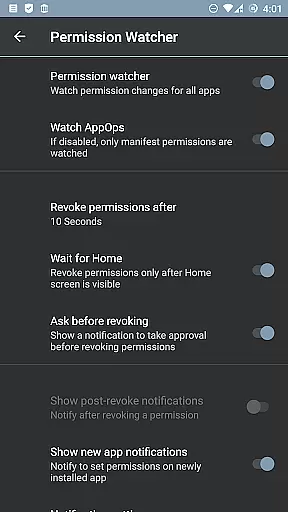
For users who frequently change devices or upgrade their ROMs, the app offers a unique solution by allowing the setting of reference states for permissions. These reference states can be backed up and restored, making it easy to maintain consistent permission settings across different environments. This feature not only saves time but also reinforces the importance of maintaining strict privacy controls.
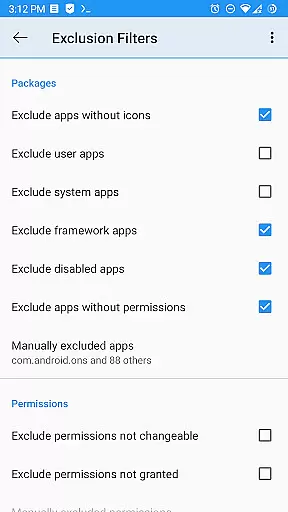
Despite its powerful capabilities, Permission Manager X maintains a simple and intuitive interface that makes permission management accessible even to less technical users. The design emphasizes clarity and ease of use, presenting all essential functions on a single screen. Users can quickly navigate through installed apps and adjust permissions with minimal effort.
The app employs visual cues such as colored bars to indicate the status of permissions at a glance. This intuitive visual feedback helps users identify and review packages and permissions efficiently, reducing the cognitive load associated with managing numerous settings. Such thoughtful design elements contribute significantly to the overall user experience.
Additionally, Permission Manager X includes advanced features like scheduled checks and auto-revoke options, which are presented in a straightforward manner. These functionalities enhance the app's utility without complicating the interface. Whether sorting apps by different parameters or using batch operations, users will find the interface remains consistently intuitive and responsive.
User-friendly interface
Comprehensive permission control
Privacy-focused design
Free and open-source
Active developer support
Requires root access
Limited functionality without ADB
Paid features may deter some users
Not compatible with all ROMs
Complex for beginners

Save any video in HD - paste the link, download fast and watch offline.
 4.0
4.0
Forza Tuning Calculator App for Forza Horizon 5, Motorsport and Earlier Titles
4.40
Signal Strength, Mobile, Wifi, Speed Test, Bad Signals, Cellular, 5G, LTE, 4G
4.20
The one-and-only remote control for PC, Mac, and Linux
4.70
Support Fossify apps with a warm thank you!
5.00
Quickly check the frequency of the Earth
4.30
Download any file easily and quickly with Downloader
4.1
Button mapper, mouse toggle, sleep timer and a lot of another features
4.50
Clean up your phone, find files, play media, and share files offline
4.50
Easily install aab(Android App Bundle) files on your Android device with our app
4.80
The Ultimate Flex Drivers Utility App - Convenient Tapping & Block Filters
4.70
Play your X-Box games remotely in 1080p with any controller and zero latency
4.60 4.50
4.50 4.10
4.10
An open-source APK explorer for Android!
4.10
MS-DOS in your pocket. Play old DOS games anywhere you are ;)
4.10
Smart and comfortable browsing experience.
3.80
PDF Reader - Document Viewer: Read, Manage & Organize Your Documents
3.10
card-reader app
2.20


User Reviews