
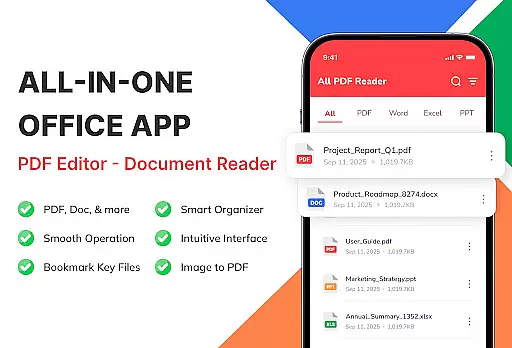
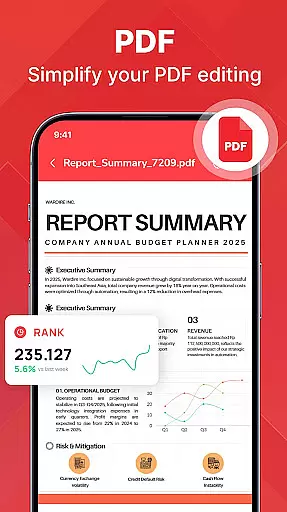
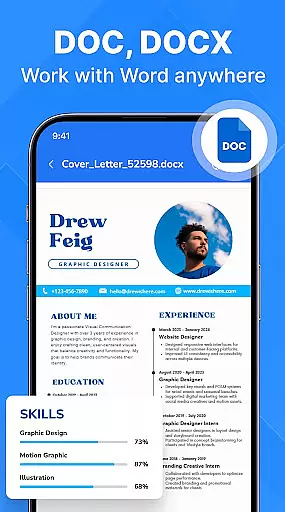
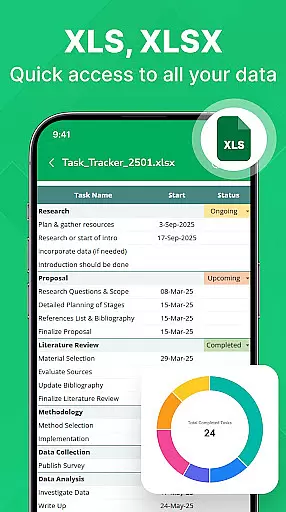
PDF Reader - Document Viewer is a versatile tool designed to simplify document management on Android devices. This app allows users to read, manage, and organize various document formats including PDF, Word, Excel, and PowerPoint files all in one place. With its unified viewer, users can easily access eBooks, reports, manuals, and presentations without switching between multiple apps.
The app's smart file management system automatically detects documents stored on the device, enabling users to sort, search, and categorize files by name, size, or date. Whether you're a student reviewing lecture notes, a professional analyzing spreadsheets, or an everyday user accessing manuals, this app provides a fast, smooth, and reliable experience optimized for different lifestyles and needs.
Designed with efficiency in mind, PDF Reader - Document Viewer offers a clean interface, offline functionality, and enhanced privacy as files remain on the device. It transforms your Android phone into a dependable document management solution, boosting productivity while ensuring ease of use and security.
One of the standout features of PDF Reader - Document Viewer is its ability to handle multiple document formats seamlessly. Users can open and view PDF files (.pdf), Word documents (.doc, .docx), Excel sheets (.xls, .xlsx), and PowerPoint slides (.ppt, .pptx) with perfect formatting and smooth scrolling. This versatility ensures that whether you're reading an eBook, reviewing a report, or swiping through a presentation, every detail remains intact.
In addition to its format compatibility, the app boasts a lightweight design optimized for speed and stability. Pages load instantly, navigation is smooth, and the app runs efficiently even on older Android devices. Its smart file management capabilities further enhance productivity by allowing users to automatically detect files, sort them by various criteria, and bookmark favorites for quick access.
Another key feature is its offline functionality, making it ideal for users who need secure and private access to their documents without requiring an internet connection. The app also supports students, professionals, and remote workers by providing tools tailored to different needs, such as studying lecture slides or reviewing project files securely from any location.
PDF Reader - Document Viewer is designed to provide users with a reliable and efficient tool for managing various document formats. The core functionality revolves around its ability to accurately open and display multiple file types, including PDFs, Word documents, Excel sheets, and PowerPoint presentations. This ensures that whether you're reading an eBook, reviewing a report, or studying a presentation, the formatting remains intact and the content is presented clearly.
The app's effectiveness is further enhanced by its fast loading times and smooth navigation. Users can instantly access their files without delays, making it ideal for both personal and professional use. Its lightweight design ensures stability across different Android devices, providing a seamless experience regardless of your device's specifications.
For users, this means they can confidently rely on PDF Reader - Document Viewer to handle their essential documents. Whether you're a student accessing lecture notes, a professional reviewing reports, or someone who needs quick access to manuals and guides, the app delivers consistent performance. By focusing on speed, accuracy, and reliability, it transforms your Android device into a powerful tool for document management.
A standout feature of PDF Reader - Document Viewer is its clean and user-friendly interface, which prioritizes simplicity without compromising functionality. The layout is thoughtfully designed to ensure that even first-time users can navigate the app effortlessly. Key features such as file sorting, searching, and categorization are easily accessible, allowing users to organize their documents in a way that suits their workflow best.
In addition to being intuitive, the app also offers smart file management capabilities. It automatically detects documents stored on your device and provides options to sort them by name, size, or date. Recent and favorite files are highlighted for quick access, while categorized browsing helps streamline the process of finding specific documents. These thoughtful touches enhance the overall user experience, making document handling less cumbersome.
By combining an easy-to-use interface with practical organizational tools, PDF Reader - Document Viewer caters to a wide range of users. From students managing study materials to remote workers handling project files, the app simplifies complex tasks and boosts productivity. Its straightforward design ensures that users spend less time figuring out how to use the app and more time focusing on what truly mattersu2014their content.
User-friendly interface
Multi-format support
Offline functionality
Fast performance
Enhanced privacy
Limited editing tools
No cloud integration
Basic search options
Occasional bugs
Few customization settings

Clean the junk files on your device
 3.40
3.40
card-reader app
2.20
Unleash gamepad precision for ultimate mobile gaming dominance.
3.90
Quickly check the frequency of the Earth
4.30
Create your own custom widget with endless possibilities
3.90
Game Booster, GFX Tool is now compatible with newer game update
4.50
Automate everything from settings to photos, SMS to speech. ADC2 prize winner.
4.10
Creation, Learning, Entertainment & More — The All-in-One AI Search Engine
4.70
Screen recorder with audio to record high-quality videos and take screenshots.
4.40
WiFi Signal Strength Meter help you detect WiFi Signal Strength in real time.
4.80
Play your X-Box games remotely in 1080p with any controller and zero latency
4.60 4.50
4.50 4.50
4.50
pdf merge, word to pdf, jpg to pdf, edit pdf, convert to pdf and much more!
4.20
Screen Mirroring with sound for Samsung TV, LG TV, Sony TV, Smart TV and Browser
4.20
MS-DOS in your pocket. Play old DOS games anywhere you are ;)
4.10
Safely recover deleted photos, videos, and files with a single easy tap.
3.70
A non-root local ADB shell client. READ BELOW!
3.40
Transfer Files, APK from Phone to Watch & Install.
4.2


User Reviews