
Tasker is a powerful automation tool for Android devices, enabling users to automate repetitive tasks and customize their phone's behavior based on various contexts. With over 130 triggers including location, time of day, Wi-Fi network, and received SMS or calls, Tasker allows you to create complex automations that adapt to your daily routine.
The app offers more than 350 actions that can be customized to perform virtually any task imaginable, from sending SMS messages to controlling system settings like Wi-Fi tethering and dark mode. Tasker also supports file backups to local storage or cloud services, remote triggering through Join integration, and even creating standalone apps with the Tasker App Factory.
Whether you're looking to streamline your workflow, enhance productivity, or simply make your smartphone smarter, Tasker provides the flexibility and power needed to achieve these goals without requiring root access for most functions.
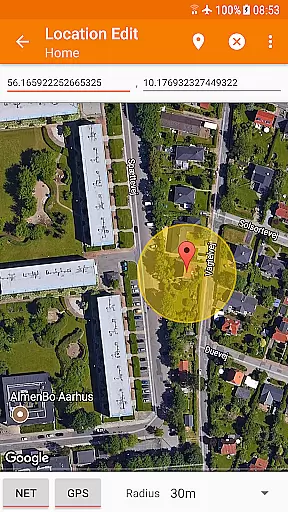
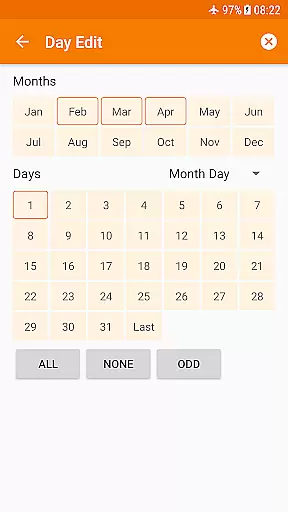
Tasker stands out with its extensive range of features designed to maximize automation potential. The app includes advanced context-based triggers such as app usage, time of day, location, Wi-Fi networks, received SMS or calls, and currently playing songs. These triggers allow users to set up precise conditions under which specific tasks will execute automatically.
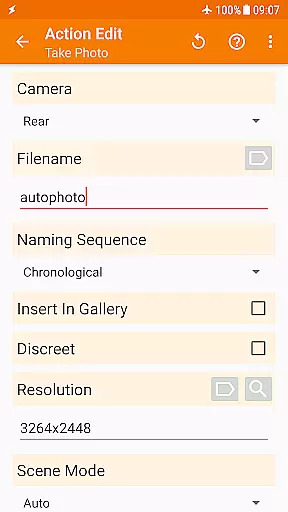
In addition to its robust triggering system, Tasker boasts over 350 customizable actions. Users can manipulate system settings, send notifications, control music playback, manage files, and interact with third-party applications via plugins. The ability to design custom UIs using Scenes further enhances personalization options while supporting developer-friendly integrations through HTTP requests and web APIs.
Tasker's versatility extends beyond individual device management by incorporating remote capabilities through Join integration, automatic file backups, and APK installations directly from websites. This comprehensive suite of tools empowers both casual users and developers alike to harness the full potential of their Android devices.
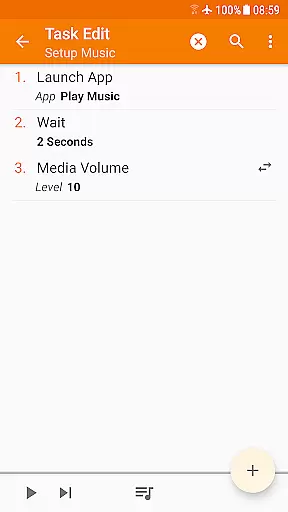
Tasker excels in delivering core function accuracy and effectiveness by providing users with over 350 actions that can automate virtually any task on an Android device. These actions range from sending SMS, controlling system settings like Wi-Fi and Dark Mode, to manipulating files and managing music playback. The app's ability to combine various contexts and triggers ensures that tasks are executed precisely when needed.
The effectiveness of Tasker is further enhanced by its flexibility in automation creation. Users can set up automations based on a wide array of conditions such as location, time of day, or even the currently playing song. This level of customization allows for highly personalized and accurate task execution tailored to individual needs. Additionally, Tasker supports integration with third-party apps, expanding its functionality and precision.
For power users, Tasker offers developer-friendly features like HTTP Auth and Request actions, enabling interaction with web APIs directly from the app. This opens up possibilities for advanced automation scenarios that can interact with external services seamlessly. With these capabilities, Tasker ensures that its core functions are not only accurate but also versatile enough to handle complex automation requirements.
Despite its powerful automation capabilities, Tasker maintains an interface that balances simplicity with intuitiveness. The app provides a straightforward way to create automations through a user-friendly interface that guides users step-by-step. Even beginners can quickly grasp how to set up basic tasks by following simple instructions available in starter guides and video tutorials linked within the appu2019s description.
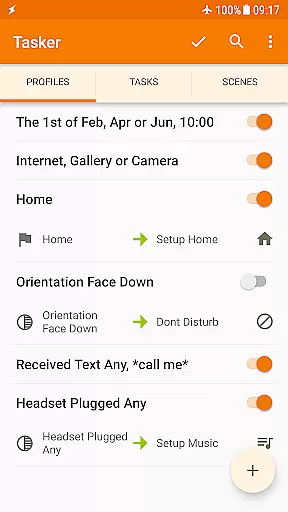
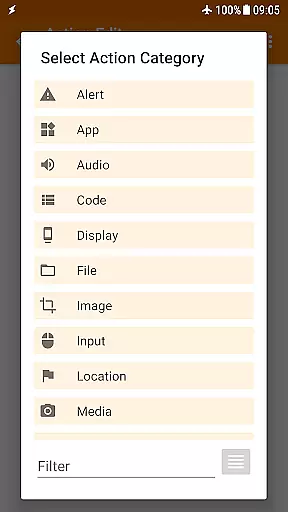
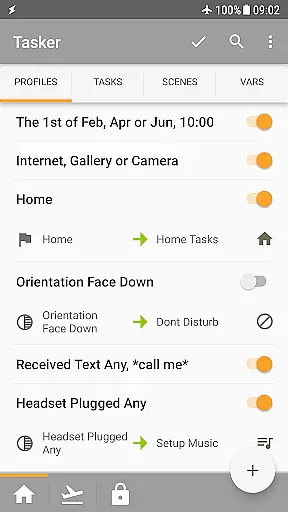
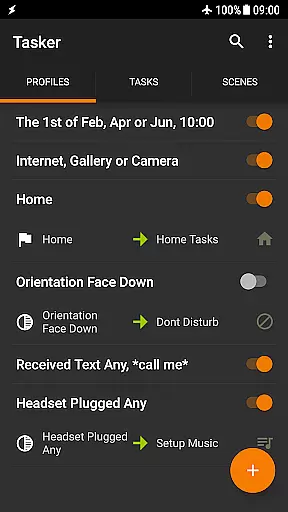
Tasker's interface design allows users to easily navigate between different sections such as Profiles, Tasks, and Scenes. Each section is logically organized, making it intuitive to find and configure specific settings or actions. For instance, setting up a new automation involves selecting a trigger context and then defining the corresponding action, which simplifies the overall process despite the underlying complexity.
Moreover, Tasker includes helpful features like drag-and-drop functionality for scene design and quick access to commonly used tasks via launcher shortcuts or widgets. These elements contribute to an intuitive user experience that minimizes the learning curve while still offering advanced options for experienced users. Overall, Tasker successfully combines simplicity and depth, ensuring that both novice and expert users can effectively harness its full potential.
Highly customizable
Extensive automation options
No root required for most functions
Developer-friendly features
Versatile plugin support
Steep learning curve
Some features require root
Premium price point
Complex interface
Limited iOS compatibility

Change your GPS location instantly. Simulate routes anywhere in the world.
 4.90
4.90
1-Click close all background apps on Android TV
3.90
Enjoy smooth gameplay with Game Booster
4.90
The one-and-only remote control for PC, Mac, and Linux
4.70
Connect wirelessly to your computer to watch movies, browse the web, play games
5.00
Create your own custom widget with endless possibilities
3.90
Remote Play with FSR upscaling, low latency & full controller support
4.80
Clean up your phone, find files, play media, and share files offline
4.50
Enjoy a smooth mobile reading experience!
3.60
Unit and currency converter with easy and simple UI.
4.80
Learn the vast amount of system information about device and monitor it's state
4.70
Optimize your WiFi network, turn your phone into Wifi Analyzer
4.70
Button mapper, mouse toggle, sleep timer and a lot of another features
4.50
Fluid navigation gestures for all of us!
4.30
Carry a FTP server in your pocket and avoid USB cables for file transfer
4.20
Introducing Smart Printer, your ultimate destination for printing solutions!
4.00
Family Locator, Share location, StayConnect with your family in real time
3.90
Create your own live wallpaper or check out thousands already made presets
3.90
A recovery soft,it features photo recovery, video recovery, file recovery.
3.40


User Reviews