
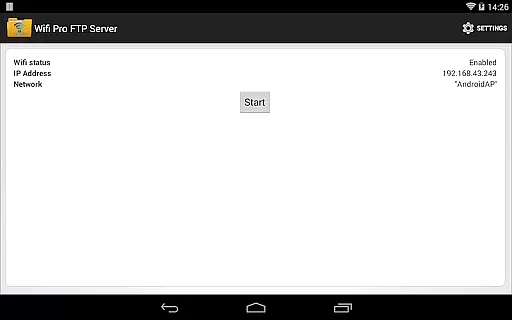
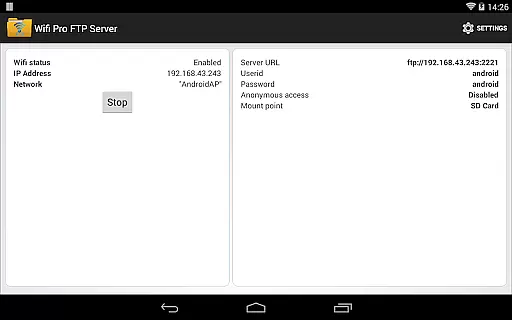
WiFi Pro FTP Server transforms your Android device into a fully functional FTP server, enabling seamless file transfers between your phone or tablet and other devices. With support for FTP over TLS/SSL (FTPS), this app ensures secure data exchanges while offering advanced configuration options such as custom port numbers, home folder settings, and user authentication.
This application is particularly useful for users who want to avoid cumbersome USB cables and prefer wireless file management. Whether you're transferring photos, movies, songs, or documents, the FTP server works efficiently over Wi-Fi and even in tethering mode (hotspot). Its flexibility makes it ideal for both personal use and professional environments where quick backups and remote file access are essential.
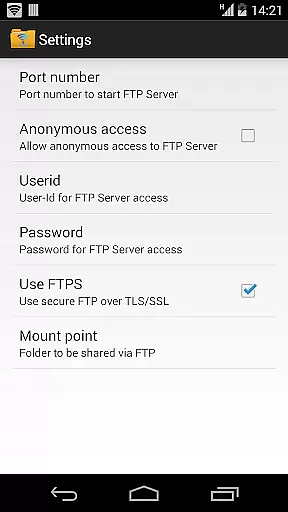
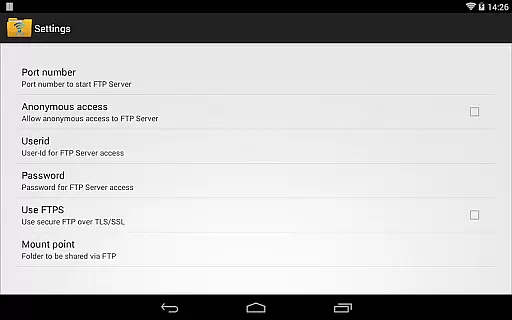
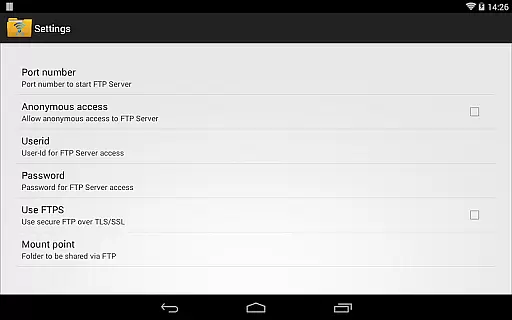
WiFi Pro FTP Server stands out with its comprehensive feature set tailored for power users. The app allows full control over FTP configurations, including setting custom port numbers above 1024, choosing specific home directories, and enabling FTPS for enhanced security. Additionally, administrators can configure username/password combinations or allow anonymous access based on their requirements.
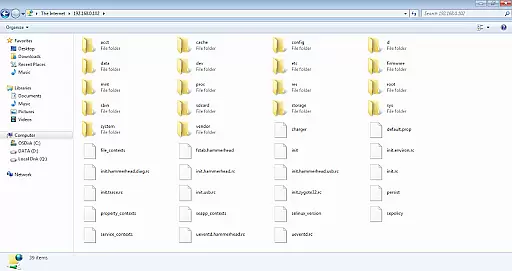
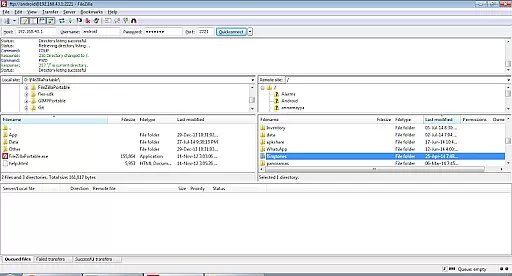
Another notable feature is its compatibility with various clients like FileZilla and Windows File Explorer, ensuring broad usability across platforms. The app also supports Wi-Fi tethering, making it possible to create an ad-hoc network for file sharing without needing an external router. These capabilities make WiFi Pro FTP Server a versatile tool for managing files wirelessly and securely from virtually any location.
WiFi Pro FTP Server transforms your Android device into a fully functional FTP server, enabling seamless file transfers between your device and other devices over Wi-Fi. This core functionality is crucial for users who need to transfer files such as documents, photos, videos, and music without the hassle of using USB cables.
The app supports FTP over TLS/SSL (FTPS), ensuring secure data transmission. With configurable port numbers, home folders, and user credentials, it offers a high degree of customization that enhances its effectiveness. These features allow users to tailor the FTP server to their specific needs, whether for personal use or professional file management.
By avoiding physical connections and allowing wireless transfers, the app significantly improves convenience and efficiency. Users can access their files from any FTP client like FileZilla or even through Windows File Explorer, making it versatile and easy to integrate into existing workflows.
Overall, WiFi Pro FTP Server delivers accurate and effective performance by providing robust, secure, and flexible FTP services directly from an Android device, enhancing productivity and simplifying file management tasks.
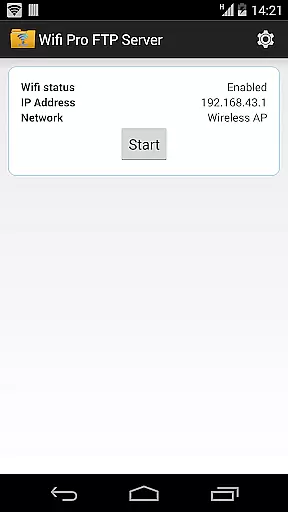
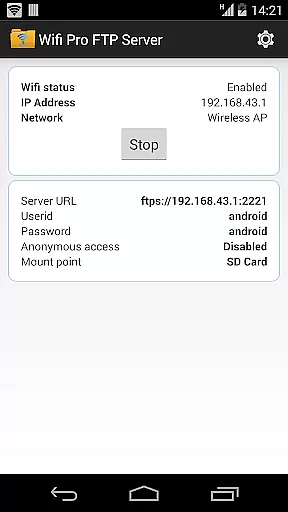
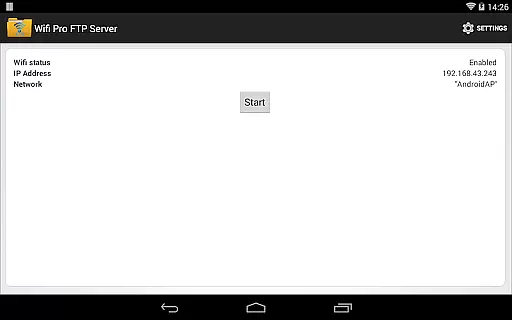
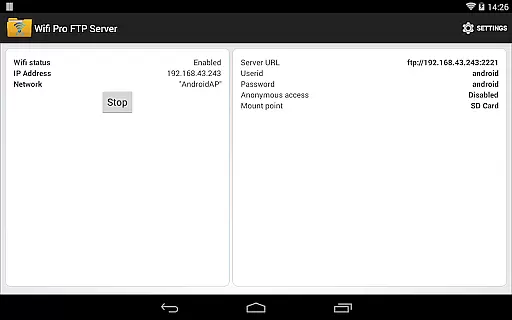
A straightforward and intuitive interface is essential for any tool app, and WiFi Pro FTP Server excels in this area. The app's design focuses on ease of use, ensuring that users can quickly set up and manage their FTP server without needing extensive technical knowledge.
Key configurations such as port number, home folder, username, and password are easily accessible through the settings screen. This simplicity helps prevent common setup issues, allowing users to get their FTP server running smoothly with minimal effort. Additionally, the app provides clear instructions and feedback, further enhancing the user experience.
For those new to FTP servers, the app includes helpful resources such as links to download compatible FTP clients like FileZilla. It also offers guidance on accessing the server via Windows File Explorer, ensuring that users have multiple options for managing their files.
Ultimately, WiFi Pro FTP Server combines powerful functionality with an intuitive interface, making it accessible to both beginners and experienced users. Its simplicity does not compromise its capabilities, offering a streamlined yet comprehensive solution for wireless file transfers.
User-friendly interface
Secure FTPS protocol
Customizable settings
Works over Wi-Fi
Anonymous access option
No SFTP support yet
Limited to non-rooted devices
Default port restrictions
Requires Wi-Fi connection
Paid version only

Just swipe the edge to do something!
 4.40
4.40
App that Recover your pictures, videos or files after you delete them.
4.20
eXtended Permission Manager - a small app to manage permissions and AppOps
4.50
Effortlessly run ADB commands directly on your device without a PC.
4.20
Quickly check the frequency of the Earth
4.30
A simple app to back up and restore SMS & MMS messages and call logs.
4.10
Remote Play with FSR upscaling, low latency & full controller support
4.80
Clean up large files and similar photos, fast and easy to use
4.40
fast and easy mp3 music downloader
4.80
Enjoy smooth gameplay with Game Booster
4.90
Navigate with Ease and Style
4.90
The ultimate tool for network analysis, wifi scanning and problem detection.
4.90
NFC Tools can read and write NFC tags.
4.70
FV File Manager Pro, Fast and powerful file manager for Android
4.60
Use your phone as a webcam on your computer over WiFi or USB.
4.40
Quickly & easily calculate the spacing of handrail balusters
4.20
Detect hidden spy camera with advanced scanning {{ Premium version }}
4.00
Family Locator, Share location, StayConnect with your family in real time
3.90
A recovery soft,it features photo recovery, video recovery, file recovery.
3.40


User Reviews