
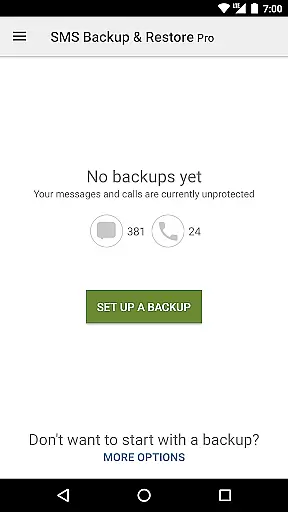
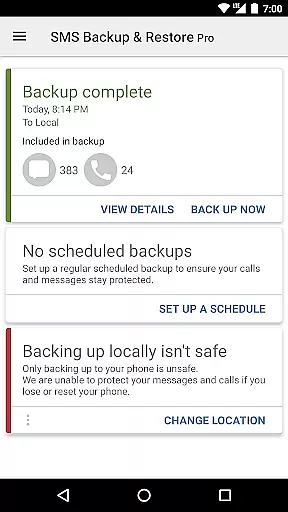
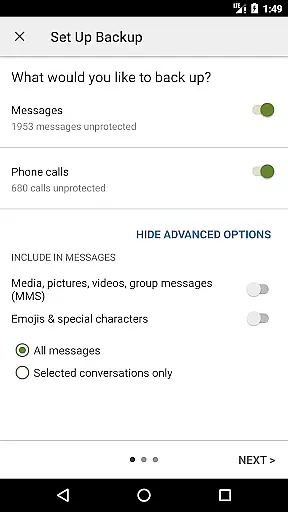
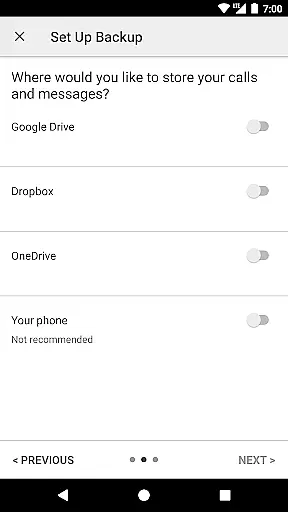
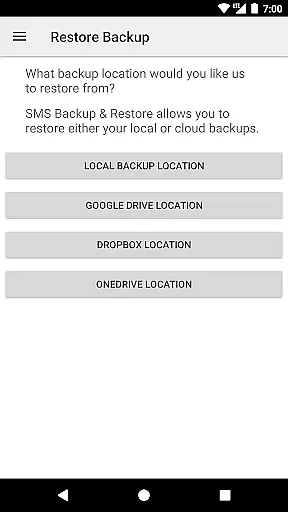
SMS Backup & Restore Pro is a premium Android application designed for secure backup and restoration of SMS, MMS messages, and call logs. This tool ensures that users can create encrypted copies of their communication data locally or in cloud services like Google Drive, Dropbox, and OneDrive.
With advanced features such as WebDAV support, automatic scheduled backups, and the ability to select specific conversations for backup, this app offers comprehensive data management. It also allows fast WiFi direct transfer between devices, making it an essential utility for anyone needing reliable message and call log preservation.
The app's independent backup format enables easy data migration across different Android versions, providing significant value for users who frequently upgrade their devices.
This application stands out with its robust feature set tailored for meticulous data management. Users can compress and encrypt backups, ensuring both security and efficient storage. The option to use WebDAV as a backup location adds flexibility for those preferring self-hosted solutions.
Other notable capabilities include automatic scheduled backups, selective conversation restoration, and local/cloud backup viewing. The app supports transferring backups between phones via WiFi direct, which significantly speeds up the process compared to traditional methods.
Additionally, users can free up device space by deleting all SMS messages or call logs after creating a backup. The XML backup format allows easy viewing on computers through SyncTech's online viewer, providing transparency and accessibility to backed-up data.
SMS Backup & Restore Pro excels in its core functionality by providing reliable backup and restore solutions for SMS, MMS, and call logs. The app creates XML format backups, ensuring data integrity and compatibility across different devices and Android versions.
With advanced features like compression and encryption, the app not only saves storage space but also secures sensitive information during the backup process. Users can choose specific conversations to backup or restore, offering flexibility and control over their data management.
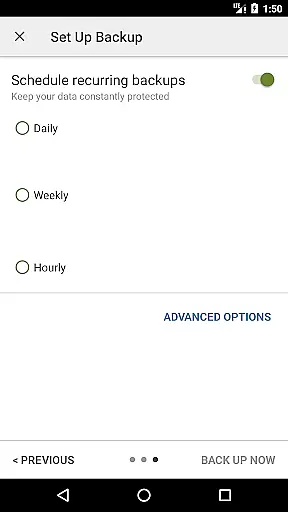
The application supports automatic scheduled backups and provides multiple cloud storage options including Google Drive, Dropbox, and OneDrive. This ensures users' data is consistently backed up and easily accessible from anywhere, enhancing both convenience and data safety.
For those needing to transfer data between phones, the app offers a fast WiFi direct transfer feature, making device switching seamless and efficient. These comprehensive features demonstrate the app's commitment to accuracy and effectiveness in managing critical mobile data.
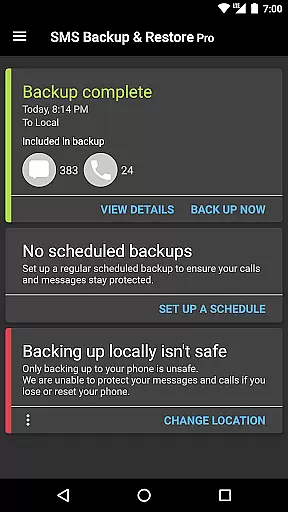
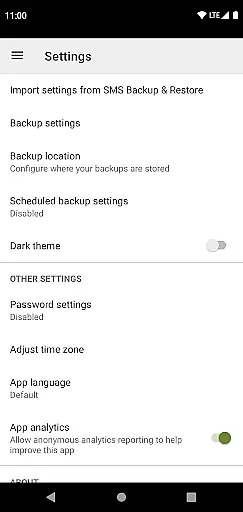
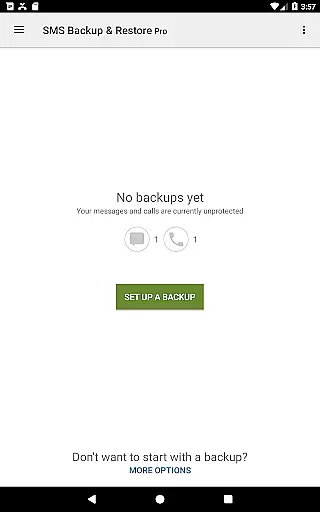
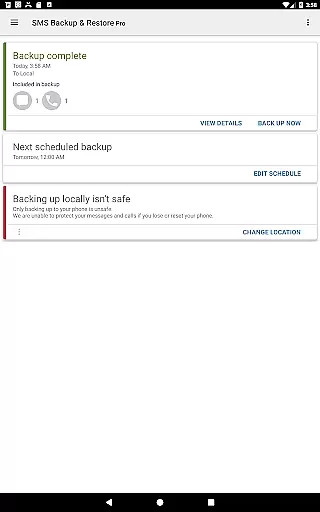
The interface of SMS Backup & Restore Pro is designed with user-friendliness in mind, ensuring that even those with minimal technical expertise can navigate and utilize its features effectively. The straightforward layout allows users to quickly access essential functions such as creating backups, restoring data, and scheduling automatic backups.
One of the standout aspects is the ability to view and drill into local and cloud backups directly from the app interface. This transparency helps users verify their data security and manage backups with confidence. Additionally, the search functionality within backups simplifies locating specific messages or call logs.
Moreover, the app includes clear options for selecting which conversations to backup or restore, streamlining the process and preventing unnecessary data transfer. Such intuitive design choices reduce complexity and enhance the overall user experience.
By focusing on simplicity and clarity, SMS Backup & Restore Pro ensures that users can efficiently manage their message and call log backups without encountering steep learning curves or confusing controls.
Secure encryption
Cloud integration
Automatic scheduling
Selective backup
WiFi direct transfer
No free version
Requires existing backup
Limited restore options
Paid subscription
Complex setup

Quickly switch to an encrypted DNS server on Android TV
 4.50
4.50
Just swipe the edge to do something!
4.40
Learn the vast amount of system information about device and monitor it's state
4.70
Unlock your Essential Key. Create custom shortcuts to your favorite apps!
4.2
Clean the junk files on your device
3.40
VESC Tool can monitor and configure VESC-compatible devices over BLE and Wifi
4.20
Support Fossify apps with a warm thank you!
5.00
Download any file easily and quickly with Downloader
4.0
Introducing Smart Printer, your ultimate destination for printing solutions!
4.00
Connect wirelessly to your computer to watch movies, browse the web, play games
5.00
Extremely fast, secure, and protects your privacy
4.80
App to pay for FUTO Keyboard
4.60
Clean up large files and similar photos, fast and easy to use
4.40
Fluid navigation gestures for all of us!
4.30
Remote for Roku, Fire TV, Samsung TV, LG TV, Android TV, Chromecast and VIZIO TV
4.20
Amateur Radio app for APRS: Track friends, exchange messages, get tactical info.
3.90
Smart and comfortable browsing experience.
3.80
This app unlocks the Pro features of the Central for DayZ app
3.60
Transfer Files, APK from Phone to Watch & Install.
4.3


User Reviews