
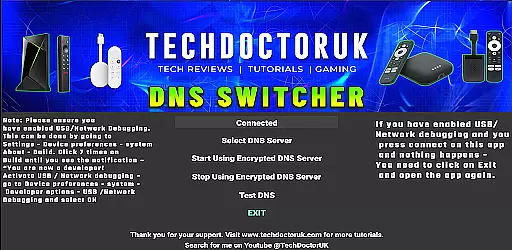
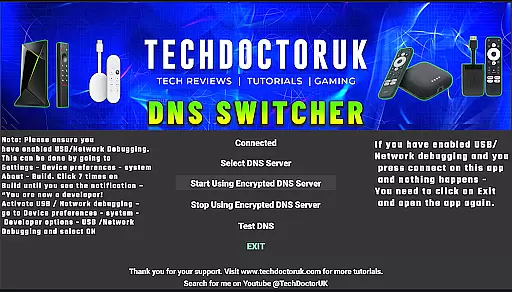
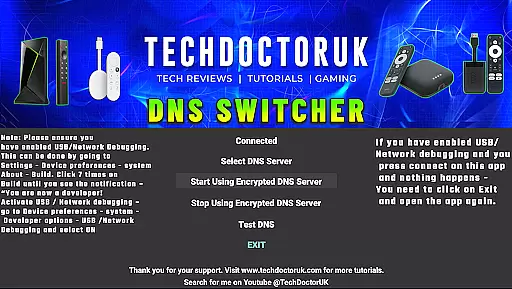
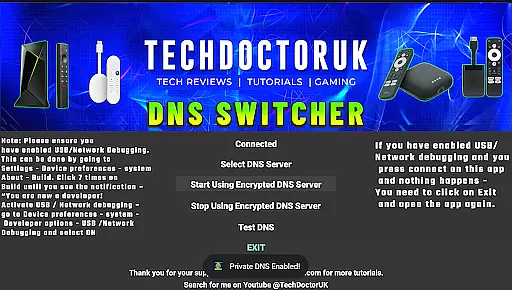
TDUK DNS Switcher is a specialized tool designed to enhance your Android TV's security by enabling encrypted DNS server usage. This application allows users to select from a list of trusted encrypted DNS servers or input custom ones, ensuring privacy and safety for all DNS requests.
The app is particularly useful for tech-savvy individuals who prioritize online security and want to protect their smart TV activities from potential threats. By configuring the DNS settings through TDUK DNS Switcher, users can significantly reduce the risk of data interception and unauthorized access.
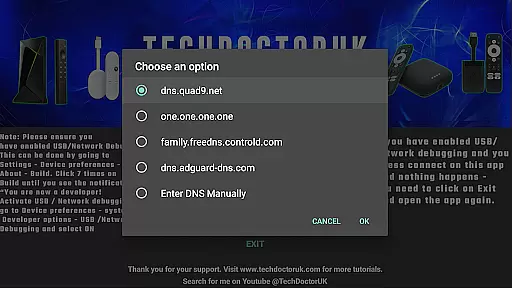
One of the standout features of TDUK DNS Switcher is its ability to provide multiple options for encrypted DNS servers. Users can choose from popular services like Cloudflare, Google, or Quad9, or manually enter specific server details if needed.
In addition to its primary function, the app requires USB or Network Debugging to be enabled on the Android TV before use. This ensures that only authorized users can make changes to the device's network settings. The straightforward interface makes it easy to configure and apply new DNS settings quickly.
TDUK DNS Switcher focuses on providing users with a reliable way to enhance their Android TV's security by routing DNS requests through encrypted servers. This functionality is crucial for maintaining privacy and protecting sensitive information from potential threats.
The app allows users to select from a list of well-known encrypted DNS servers or input custom server details. By doing so, it ensures that all DNS requests made from the Android TV are secure and private, safeguarding user data from unauthorized access.
With its straightforward setup process, TDUK DNS Switcher offers an effective solution for users looking to improve their network security. The ability to choose or customize DNS servers provides flexibility and control over how data is handled, making it an invaluable tool for privacy-conscious individuals.
A simple and intuitive interface is essential for any application, especially one dealing with technical settings like DNS configurations. TDUK DNS Switcher excels in this area by offering a clean layout that makes navigating through options easy even for non-technical users.
Upon opening the app, users are greeted with clear instructions and minimalistic design elements that guide them through enabling USB or Network Debuggingu2014a prerequisite for using the app effectively. This approach reduces complexity and enhances usability significantly.
By prioritizing ease-of-use without compromising functionality, TDUK DNS Switcher ensures that users can quickly configure their preferred DNS settings without feeling overwhelmed. Its streamlined interface promotes efficiency while maintaining accessibility for all types of users.
Enhances privacy protection
Supports custom DNS entries
User-friendly interface
Wide selection of DNS providers
Easy configuration process
Requires technical knowledge
Limited to Android TV
No automatic updates
Manual setup needed
Debugging must be enabled

Change your GPS location instantly. Simulate routes anywhere in the world.
 4.90
4.90
pdf merge, word to pdf, jpg to pdf, edit pdf, convert to pdf and much more!
4.20
Transfer Files, APK from Phone to Watch & Install.
4.3
card-reader app
2.20
Unleash gamepad precision for ultimate mobile gaming dominance.
3.90
Making emulation easy for everyone!
4.30
The one-and-only remote control for PC, Mac, and Linux
4.70
Fast VPN USA for any country. Super secure VPN for calls, streaming, games, TV.
4.40
The ideal app to be the digital eye of your family
3.40
Planner and Tracker for Stardew Valley
4.60
Connect instantly to a fast, encrypted VPN with one tap
4.60
Game Booster, GFX Tool is now compatible with newer game update
4.50
Clean up large files and similar photos, fast and easy to use
4.40
Complete kernel toolbox with features to manage and tweak your rooted device
4.30
Remote for Roku, Fire TV, Samsung TV, LG TV, Android TV, Chromecast and VIZIO TV
4.20
Amateur Radio app for APRS: Track friends, exchange messages, get tactical info.
3.90
Smart and comfortable browsing experience.
3.80
Safely recover deleted photos, videos, and files with a single easy tap.
3.70
Download any file easily and quickly with Downloader
4.3


User Reviews