
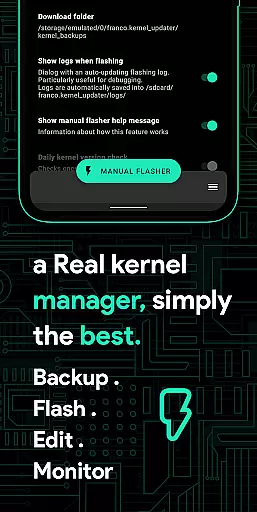
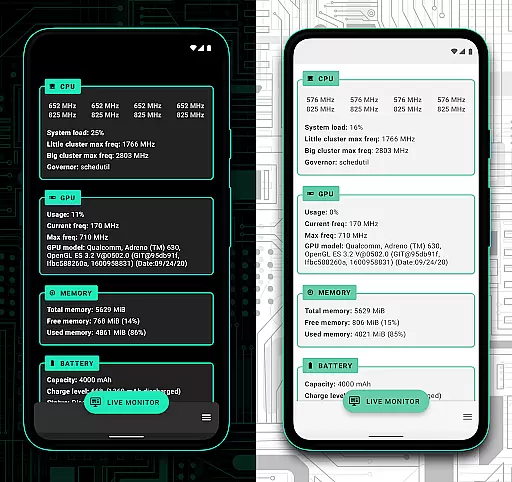
Franco Kernel Manager is a comprehensive toolbox designed for rooted Android devices, offering an extensive range of features to optimize and manage your device's kernel. With its user-friendly interface, it caters to both beginners and advanced users, providing tools for performance enhancement, battery optimization, and system customization.
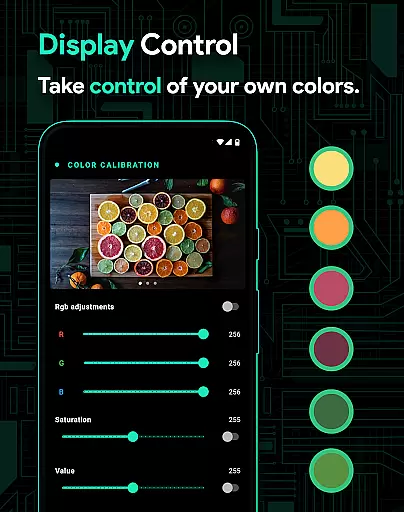
This app allows you to flash mods without a custom recovery, monitor detailed battery stats, and tweak various system settings such as CPU frequencies, GPU settings, and display controls. It also supports per-app profiles, enabling tailored configurations for different applications, ensuring optimal performance based on usage scenarios.
Whether you're looking to boost your device's performance or extend battery life, Franco Kernel Manager provides the necessary tools to supercharge your kernel and enhance your overall Android experience.
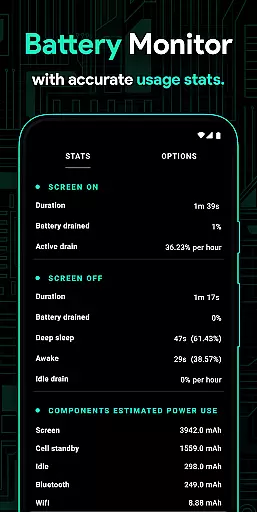
Franco Kernel Manager stands out with its rich feature set tailored for comprehensive device management. The app includes a Battery Monitor notification that provides detailed insights into power consumption, charging time estimates, and more, helping users optimize their battery usage effectively.
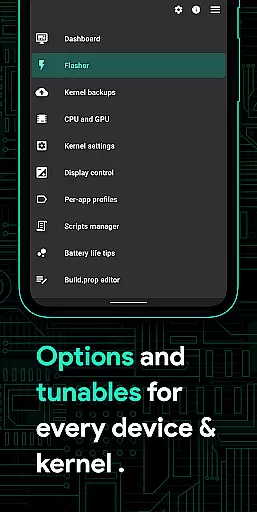
One of the key highlights is the ability to flash kernels, Magisk modules, and other zips directly without needing a custom recovery. This simplifies the process of modifying and enhancing your device's capabilities. Additionally, the app offers advanced customization options like build.prop editing, governor tunables, and support for various GPUs including Adreno, Exynos, and Kirin.
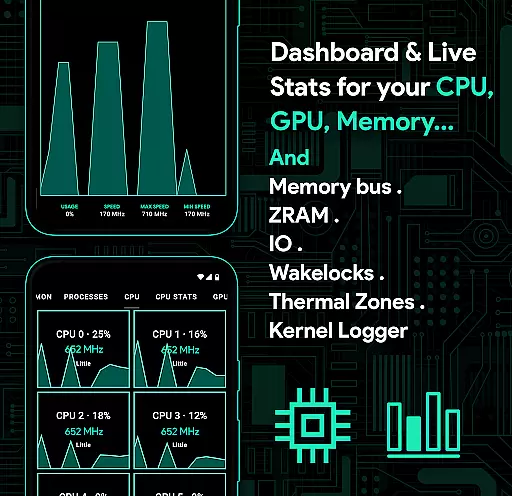
The System Health feature presents real-time data on CPU, GPU, RAM, and thermal zones, empowering users with actionable insights to fine-tune their device's performance. Moreover, the app supports light and dark themes, automatic night shift, and per-app profiles, making it a versatile tool for both casual and power users.
Franco Kernel Manager is designed to provide users with a comprehensive toolbox for managing and optimizing their device's kernel. The app offers an extensive range of features that cater to both novice and expert users, ensuring that every aspect of the kernel can be fine-tuned for performance and efficiency.
One of the core functions of this app is its ability to manage CPU frequencies, governor settings, and GPU configurations. Users can adjust these settings to achieve the desired balance between performance and battery life. The app also supports multi-cluster CPUs, allowing for more granular control over different cores and clusters within the processor.
In addition to CPU and GPU management, Franco Kernel Manager includes tools for monitoring battery consumption, editing build properties, and flashing mods without the need for a custom recovery. These features are implemented with precision, ensuring that changes are applied accurately and effectively, thus maximizing the potential of the device.
The true value of Franco Kernel Manager lies in its ability to empower users to take full control of their device's kernel settings. Whether it's through creating per-app profiles, tweaking system health parameters, or utilizing advanced features like KLapse and Adreno Idler, users can expect a significant enhancement in their device's performance and usability.
A key aspect of any application is how easily users can navigate and utilize its features, and Franco Kernel Manager excels in providing an intuitive interface. Despite the complexity of the tasks it performs, the app maintains a user-friendly design that makes kernel management accessible even to less experienced users.
The layout of Franco Kernel Manager is thoughtfully organized, grouping related functions together in a logical manner. This structure helps users quickly find the settings they need without having to search extensively through menus. For instance, battery monitoring and power-saving tips are readily accessible, allowing users to optimize their device's energy consumption effortlessly.
Moreover, the app provides clear and concise information about each feature, often accompanied by helpful tooltips and explanations. This educational approach ensures that users understand the implications of their adjustments, leading to more informed decisions regarding their device's configuration.
Overall, the simplicity and intuitiveness of Franco Kernel Manager's interface contribute significantly to its effectiveness. By removing barriers to entry and making kernel management straightforward, the app enables users to harness the full power of their devices with confidence and ease.
Comprehensive feature set
User-friendly interface
Advanced customization options
Efficient battery monitoring
Supports multiple devices
Requires root access
Complex for beginners
Limited without root
Some features device-specific
Premium version costly

 4.50
4.50 4.50
4.50
pdf merge, word to pdf, jpg to pdf, edit pdf, convert to pdf and much more!
4.20
Unit and currency converter with easy and simple UI.
4.80
With videos, electrical calculators, and built-in ebook, Ugly’s has your answer.
4.50
Planner and Tracker for Stardew Valley
4.60
The ultimate tool for network analysis, wifi scanning and problem detection.
4.90
Screen recorder with audio to record high-quality videos and take screenshots.
4.40
Enhance your Beats
3.70
Connect wirelessly to your computer to watch movies, browse the web, play games
5.00
HD Video player and downloader for all formats, fast & smooth 4K video playback.
4.60 4.50
4.50
Game Booster, GFX Tool is now compatible with newer game update
4.50
Just one-tap to easy translate in any language after calls within seconds.
4.20
Effortlessly run ADB commands directly on your device without a PC.
4.20 4.10
4.10
An open-source APK explorer for Android!
4.10
Create your own live wallpaper or check out thousands already made presets
3.90
Unlock your Essential Key. Create custom shortcuts to your favorite apps!
4.1


User Reviews