
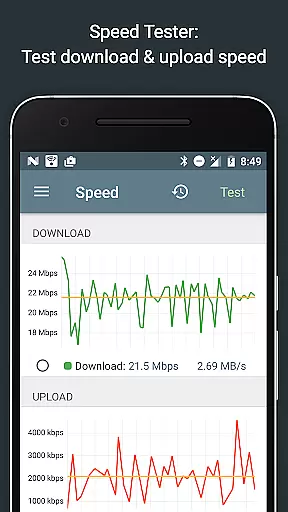
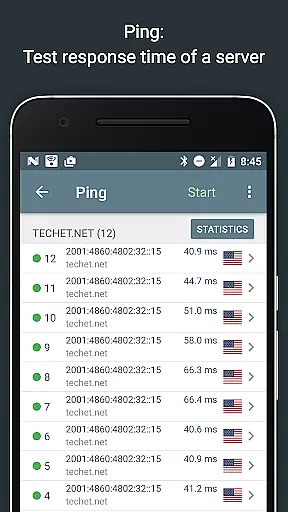
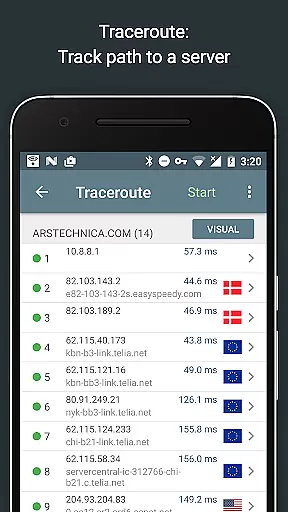
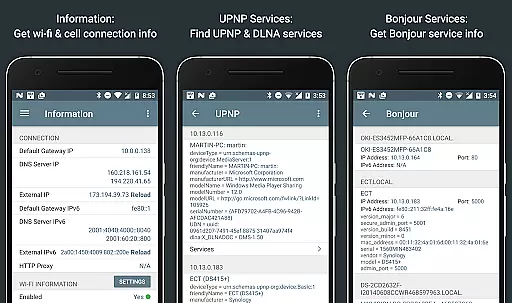
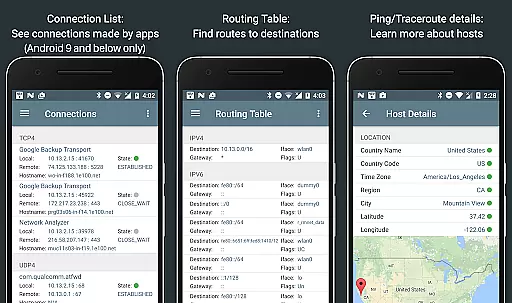
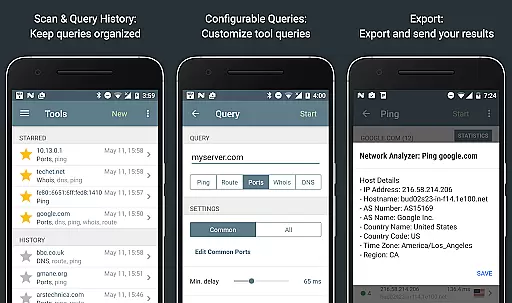
Network Analyzer Pro is a comprehensive network diagnostic tool designed to help users identify and resolve issues related to Wi-Fi networks, Internet connectivity, and remote server accessibility. The app offers an extensive suite of utilities including a fast Wi-Fi device discovery feature that lists all LAN devices with their addresses and names, along with the services they provide such as Bonjour/DLNA. It also includes standard diagnostic tools like ping, traceroute, port scanner, DNS lookup, whois, and network speed test.
In addition to diagnosing local network issues, Network Analyzer Pro provides detailed insights into neighboring Wi-Fi networks, showing signal strength, encryption types, and router manufacturers. This helps in determining the optimal channel for wireless routers. With support for both IPv4 and IPv6, this application ensures compatibility across different network configurations, making it an essential tool for network administrators and tech-savvy individuals alike.
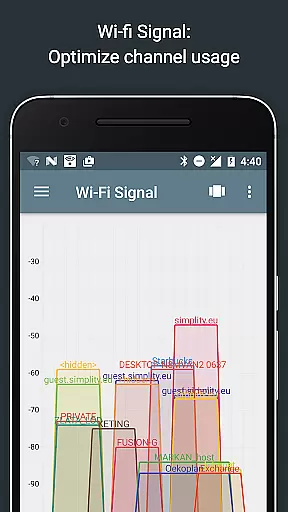
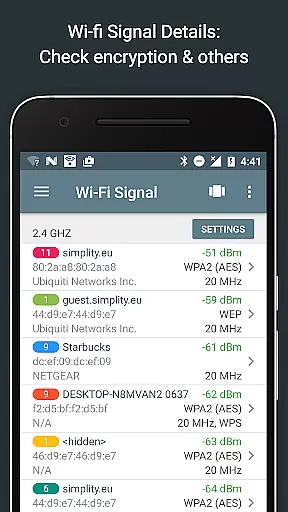
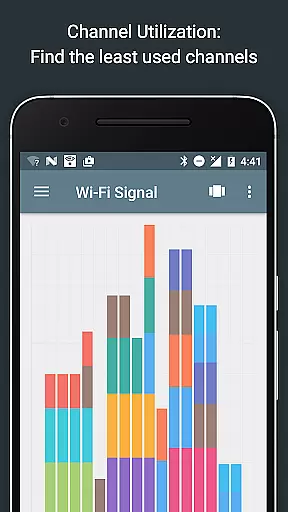
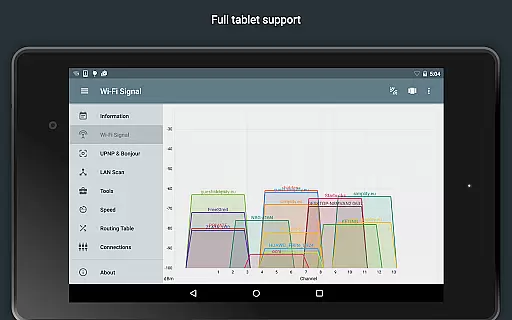
Network Analyzer Pro stands out due to its wide array of features tailored for network diagnostics. One notable feature is the Wi-Fi signal meter, which provides both graphical and textual representations of network channels and signal strengths. Users can view channel usage graphs, Wi-Fi network types (WEP, WPA, WPA2), encryption methods (AES, TKIP), BSSID (router MAC address), manufacturer details, WPS support, and bandwidth information for Android 6 and newer.
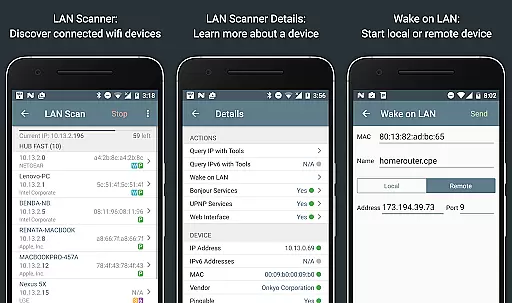
The LAN scanner is another powerful tool, enabling fast and reliable detection of all network devices. It displays IP addresses of discovered devices, NetBIOS, mDNS (Bonjour), LLMNR, and DNS names where available. Additionally, it tests the pingability of devices, checks IPv6 availability, supports Wake on LAN (WOL) including remote WOL, and allows scanning of custom IP ranges. These features collectively empower users to efficiently manage and troubleshoot their networks.
Network Analyzer Pro stands out for its comprehensive suite of diagnostic tools that ensure accurate and effective network analysis. The application provides a fast wifi device discovery tool, standard net diagnostic tools such as ping and traceroute, and a detailed overview of neighboring wi-fi networks.
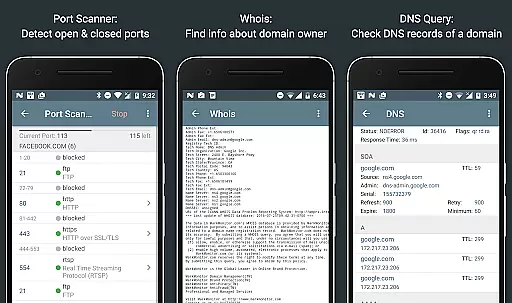
The app's functionality extends to scanning custom IP ranges, performing whois lookups, and conducting DNS queries akin to nslookup or dig. Its port scanner uses a fast, adaptive algorithm to detect closed, firewalled, and open ports, offering descriptions for known services on open ports.
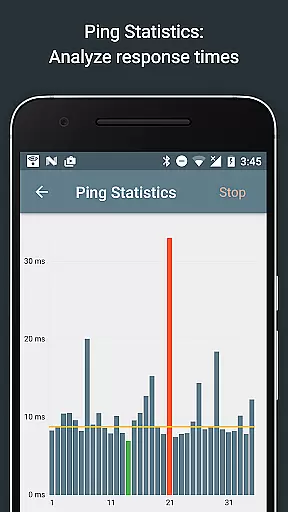
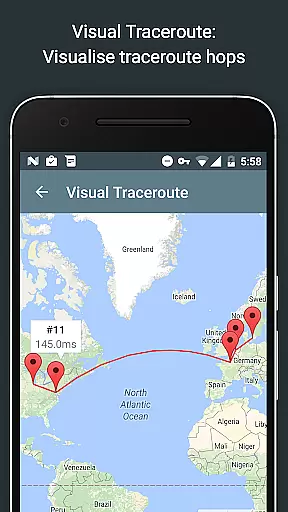
Users benefit from real-time updates in graphical ping statistics and complete trace route visualizations on the map. With support for both IPv4 and IPv6, Network Analyzer Pro ensures users have the most up-to-date and thorough network diagnostics available.
This level of detail and precision empowers users to diagnose various problems within their wifi network setup and Internet connectivity effectively. Whether it's troubleshooting local network issues or analyzing remote servers, this tool equips users with everything needed for robust network health checks.
Despite its technical depth, Network Analyzer Pro maintains an interface that is both simple and intuitive. The design philosophy behind the app emphasizes ease of use without compromising on advanced features, making it accessible even to those less familiar with networking intricacies.
Each tool within the app is presented with clarity, providing textual and graphical representations where applicable. For instance, the wifi signal meter offers insights into network channels and signal strengths through easy-to-understand visuals alongside raw data.
Moreover, functionalities like Wake on LAN (WOL), including remote WOL, and the ability to filter and search through discovered devices highlight the appu2019s commitment to user-friendly interactions. These features are integrated seamlessly into the interface, ensuring they enhance rather than complicate the user experience.
By balancing powerful diagnostic capabilities with straightforward navigation and operation, Network Analyzer Pro delivers an intuitive platform for managing complex network environments efficiently. This approach not only aids professionals but also educates casual users about their network configurations.
Comprehensive network diagnostics
Fast Wi-Fi device discovery
Supports both IPv4 and IPv6
Detailed Wi-Fi signal analysis
User-friendly interface
Premium version required for full features
Complex for novice users
Limited free trial period
Occasional performance lags
Advanced settings may overwhelm beginners

A convenient photo, video, and file recovery tool.
 4.00
4.00
This app unlocks the Pro features of the Central for DayZ app
3.60
Best leveling tool for your Android device. Hang paintings like a pro.
4.90
Effortlessly run ADB commands directly on your device without a PC.
4.20
With videos, electrical calculators, and built-in ebook, Ugly’s has your answer.
4.50
Support Fossify apps with a warm thank you!
5.00
Mirror your screen to Fire TV - Super fast and simple
4.40
Remote Play with FSR upscaling, low latency & full controller support
4.80
Enhance your Beats
3.70
Change your GPS location instantly. Simulate routes anywhere in the world.
4.90
Enjoy smooth gameplay with Game Booster
4.90
ADB support Android 4.X-Android 13(Support wireless pair mode).No root required!
4.70
HD Video player and downloader for all formats, fast & smooth 4K video playback.
4.60
Head tracking for PC sim games such as MSFS 2024 or Elite:Dangerous. No headset!
4.50
Quickly check the frequency of the Earth
4.30
VESC Tool can monitor and configure VESC-compatible devices over BLE and Wifi
4.20
MS-DOS in your pocket. Play old DOS games anywhere you are ;)
4.10
1-Click close all background apps on Android TV
3.90
PDF Reader - Document Viewer: Read, Manage & Organize Your Documents
3.10


User Reviews