

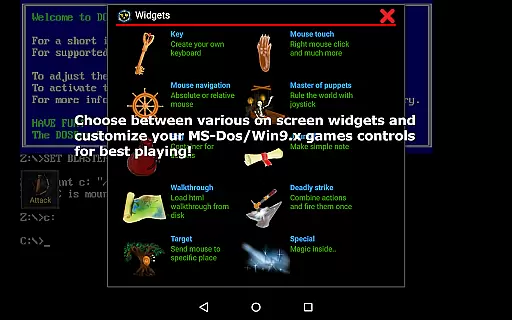
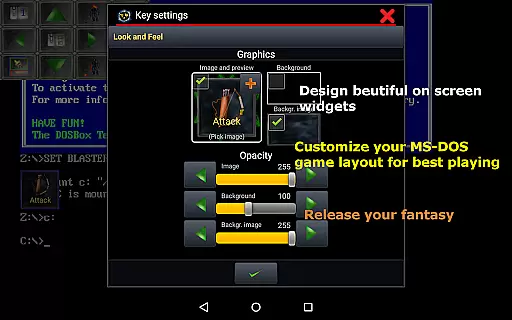
Magic DosBox is a highly optimized and fast DOSBox emulator for Android, designed to bring your favorite DOS and Windows games to your mobile device. With full support for mouse, keyboard, sound, and gamepads, this app allows you to play classic games anywhere without the need for external hardware. The unique control system includes customizable on-screen widgets and supports IPX networking for multiplayer gaming with friends.
This donated version offers unlimited game profiles and advanced features like exporting, importing, and duplicating game configurations. Whether you're revisiting nostalgic titles or exploring retro gaming for the first time, Magic DosBox provides an authentic and flexible emulation experience that caters to both casual players and enthusiasts alike.
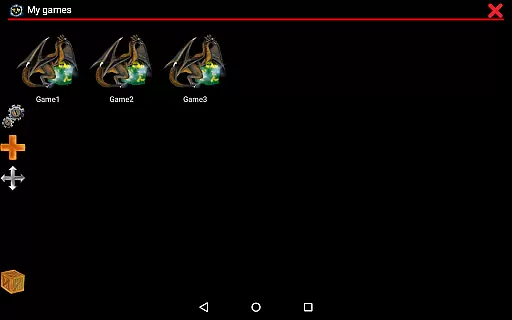
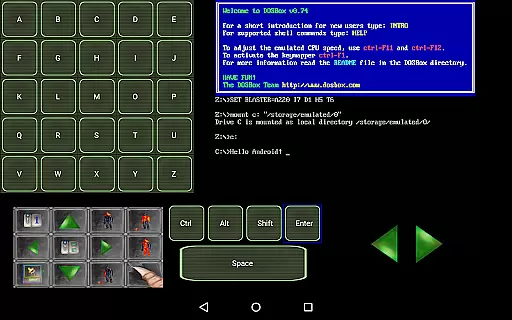
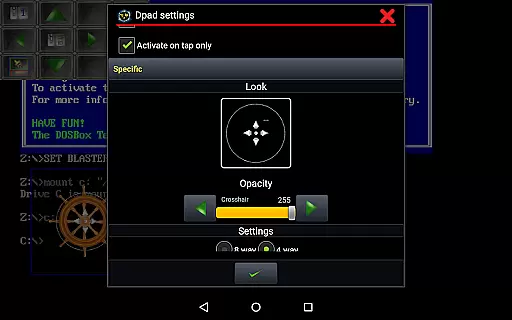
Magic DosBox stands out with its comprehensive feature set tailored for retro gaming enthusiasts. The app supports a game collection where each profile can be extensively customized, including creating desktop shortcuts and sharing layouts with friends. It offers ten types of on-screen widgets in the donated version, such as virtual keyboards, mice, and directional pads, all of which are highly configurable to suit different gaming styles.
The emulator also boasts multi-language support, absolute and relative mouse modes, and compatibility with various external controllers like Xbox 360 and NVIDIA Shield gamepads. Additional functionalities include gesture mapping, in-game screenshots with gallery support, and network play through IPX and serial modem connections. These robust features ensure a smooth and versatile gaming experience across a wide range of devices running Android 4.0 and above.
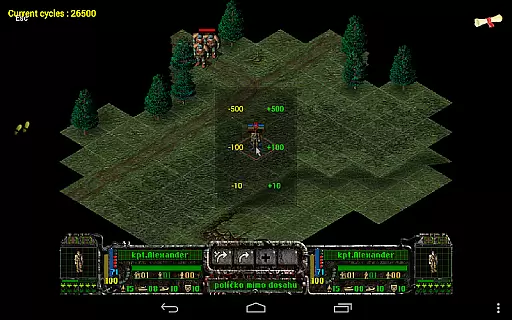
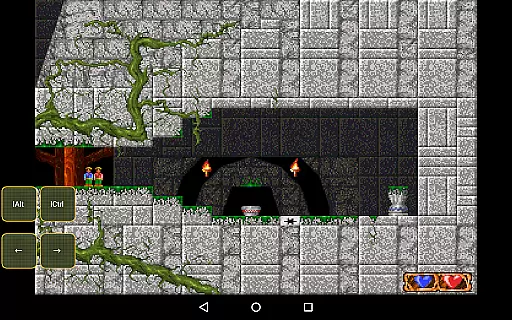
Magic DosBox is a highly optimized and fast DOSBox port for Android, designed to emulate the experience of playing classic DOS and Windows games on mobile devices. The core function of this application lies in its ability to accurately emulate the original DOS environment while providing modern touch controls. This ensures that users can enjoy their favorite retro games with full mouse, keyboard, sound, and gamepad support, all without the need for external hardware.
The app achieves its accuracy through advanced emulation techniques, supporting features like absolute and relative mouse modes, sound blaster compatibility, and PC speaker emulation. It also includes networking capabilities such as IPX and serial modem support, allowing multiplayer gaming sessions with friends. These technical implementations ensure that Magic DosBox not only runs games smoothly but also maintains the integrity of the original gaming experience.
For users, this level of accuracy translates into an immersive experience where they can relive nostalgic gaming moments or discover classic titles for the first time. The app's optimization ensures fast performance even on older devices, making it accessible to a wide audience. Whether you're revisiting beloved childhood games or exploring the history of PC gaming, Magic DosBox delivers both precision and reliability.
Magic DosBox stands out for its intuitive interface, which simplifies the process of setting up and playing DOS games on Android devices. Despite the complexity of the underlying emulation technology, the app offers a user-friendly design that makes it easy for both beginners and experienced users to navigate. Its main focus is to provide a seamless experience, allowing players to enjoy their games anywhere without the hassle of complicated configurations.
The app includes various modes tailored to different user needs, such as Design Mode and Play Mode. In Design Mode, users can customize on-screen widgets, including buttons, virtual D-pads, and notes, with dozens of settings available for personalization. These widgets are fully resizable, draggable, and customizable with unique images and backgrounds, ensuring that each user can create a layout that suits their preferences. Meanwhile, Play Mode offers a distraction-free environment optimized for gaming.
This balance between customization options and ease of use enhances the overall user experience. Players can quickly add games to their collection, create desktop shortcuts, and even share customized layouts with friends. With clear documentation available on the official website, users have access to tutorials and guides that further simplify the setup process. Magic DosBox proves that powerful tools don't have to come at the cost of usability.
User-friendly interface
Highly customizable controls
Wide game compatibility
Active community support
Regular updates and improvements
No included games
Complex setup for beginners
Occasional performance issues
Limited free version features
Requires technical knowledge

 4.50
4.50
Just one-tap to easy translate in any language after calls within seconds.
4.20
HD Camera captures every special moment.
4.60
Save any video in HD - paste the link, download fast and watch offline.
4.4
Quickly & easily calculate the spacing of handrail balusters
4.20
Excellent scientific calculator with symbolic algebra, integrals, derivatives
4.80
Quickly check the frequency of the Earth
4.30
Clean up large files and similar photos, fast and easy to use
4.40
Fast VPN USA for any country. Super secure VPN for calls, streaming, games, TV.
4.40
Powerful collection of electronics tools and reference.A must for any enthusiast
4.90
Enjoy smooth gameplay with Game Booster
4.90
WiFi Signal Strength Meter help you detect WiFi Signal Strength in real time.
4.80
Small and simple app to Verify Root Access and BusyBox Install!
4.70
Connect instantly to a fast, encrypted VPN with one tap
4.60
HD Video player and downloader for all formats, fast & smooth 4K video playback.
4.60 4.50
4.50
A simple app to back up and restore SMS & MMS messages and call logs.
4.10
PDF Reader - Document Viewer: Read, Manage & Organize Your Documents
3.10
card-reader app
2.20


User Reviews