
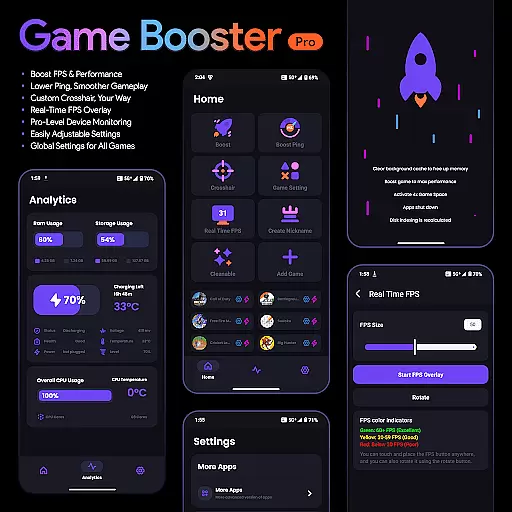
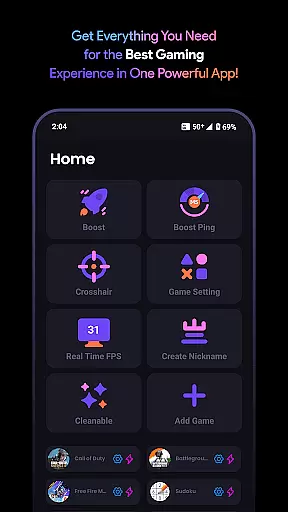
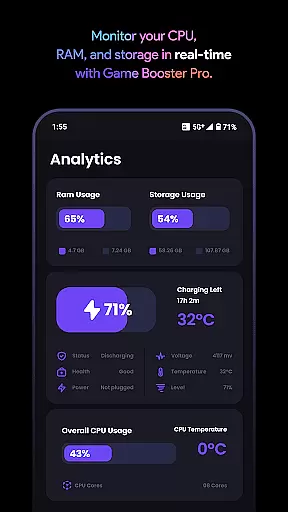
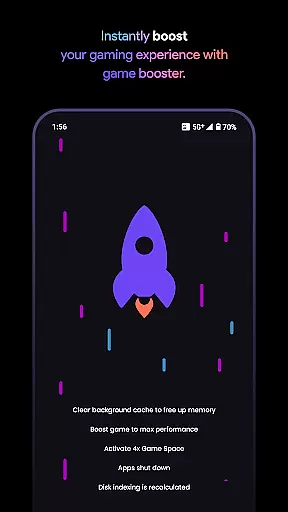
Game Booster Pro is a powerful tool designed to enhance your gaming experience on mobile devices. This app focuses on optimizing game performance by boosting FPS, reducing lag, and providing real-time device monitoring. Whether you're playing graphics-intensive games or competitive shooters, Game Booster Pro ensures smoother gameplay with its superior optimization features.
The app also offers customizable settings such as crosshair customization and global preferences for all games. With an intuitive interface, users can easily adjust settings to fit their gaming style. The inclusion of VpnService allows for seamless network optimization, prioritizing traffic for selected games while maintaining privacy and security.
Perfect for gamers who demand high performance, Game Booster Pro provides the tools necessary to elevate your gaming sessions without compromising device stability or personal data.
Game Booster Pro stands out with its comprehensive suite of gaming optimization tools. The app's primary feature is its ability to boost FPS and enhance overall game performance, ensuring a smoother experience even in demanding scenarios. By lowering lag and reducing ping, it significantly improves online gaming sessions, making it ideal for competitive players.
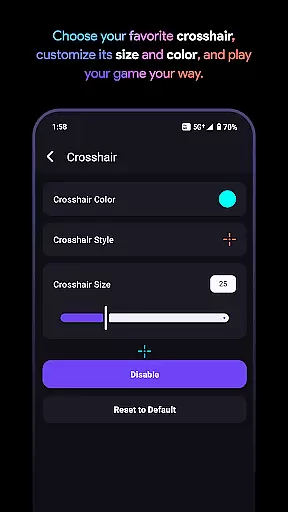
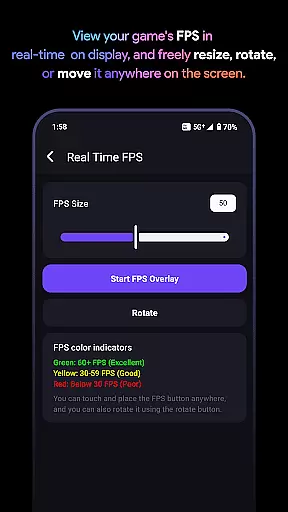
One of the standout features is the custom crosshair option, allowing gamers to create and use personalized crosshairs for any game. Additionally, the real-time FPS overlay enables users to monitor their frame rates without leaving the game, providing valuable insights into performance. The app also includes pro-level device monitoring, giving users a detailed view of their device's stats during gameplay.
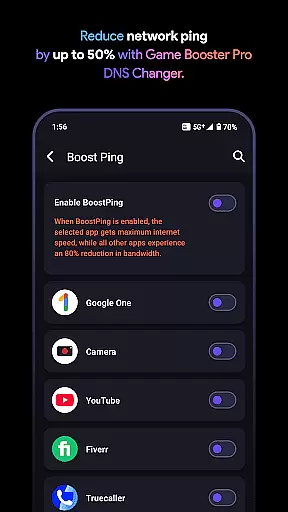
Game Booster Pro uses VpnService to optimize network traffic specifically for gaming. This local-only VPN connection prioritizes bandwidth for selected games while reducing background app interference. The result is a more stable and responsive network connection, all while ensuring user privacy through a no-data-collection policy.
Game Booster Pro is designed to enhance your gaming experience by focusing on core functionalities that truly matter. The app optimizes FPS and performance, ensuring smoother gameplay with reduced lag. This is achieved through intelligent settings adjustments tailored specifically for gaming scenarios.
The application's network optimization feature uses VpnService to prioritize traffic for selected games. By creating a local-only VPN connection, it ensures no external servers are involved, maintaining privacy while reducing ping and network latency. This seamless integration of technology allows gamers to enjoy uninterrupted sessions without worrying about data security.
Users benefit from real-time monitoring tools that display FPS and device statistics directly on-screen. These overlays provide crucial information without interrupting gameplay, enabling players to make informed decisions about their gaming setup. The easily adjustable settings ensure that even novice users can customize their experience with minimal effort.
A user-friendly interface is essential for any tool-based application, and Game Booster Pro excels in this area. The app features an intuitive design that allows users to navigate and adjust settings with just a few taps. This simplicity ensures that both casual and professional gamers can utilize its full potential without a steep learning curve.
The layout is carefully structured to present all necessary options within easy reach. From boosting FPS to customizing crosshairs, each feature is accessible through clear menus and straightforward controls. This thoughtful arrangement saves time and enhances the overall user experience by eliminating unnecessary complexity.
Furthermore, the global settings functionality enables users to apply preferences across all games effortlessly. This consistency in configuration reduces repetitive tasks and ensures a uniform gaming experience regardless of the title being played. Such attention to detail demonstrates the app's commitment to providing an efficient yet powerful tool for gamers worldwide.
Boosts FPS effectively
Reduces lag significantly
User-friendly interface
Customizable crosshair
Real-time performance stats
Premium features locked
Requires constant updates
Limited free version
Network tweaks may vary
Device compatibility issues

Just swipe the edge to do something!
 4.40
4.40
PDF Reader - Document Viewer: Read, Manage & Organize Your Documents
3.10
card-reader app
2.20
Amateur Radio app for APRS: Track friends, exchange messages, get tactical info.
3.90
App to pay for FUTO Keyboard
4.60
PC precision for mobile gaming: dominate with keyboard and mouse!
4.30
Mobile Security with Scam Protection | Malware & Virus Cleaner | Safe Browser
4.70
Screen recorder with audio to record high-quality videos and take screenshots.
4.40
Your personal health butler
3.60
Best leveling tool for your Android device. Hang paintings like a pro.
4.90
Extremely fast, secure, and protects your privacy
4.80
ADB support Android 4.X-Android 13(Support wireless pair mode).No root required!
4.70
The one-and-only remote control for PC, Mac, and Linux
4.70
Fast Video Downloader, Movie Downloader, Torrent Downloader & Adblock Browser
4.70
With videos, electrical calculators, and built-in ebook, Ugly’s has your answer.
4.50
Button mapper, mouse toggle, sleep timer and a lot of another features
4.50
Pro Emulator is an easy to use game console emulator for a range of consoles.
4.40
Fun lie-detection pranks for friends and parties.
3.80
This app unlocks the Pro features of the Central for DayZ app
3.60


User Reviews