
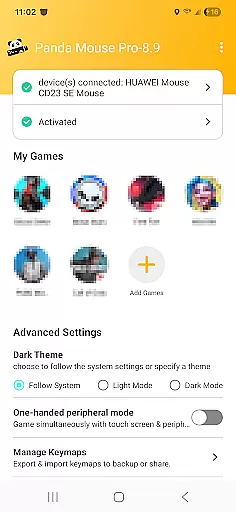
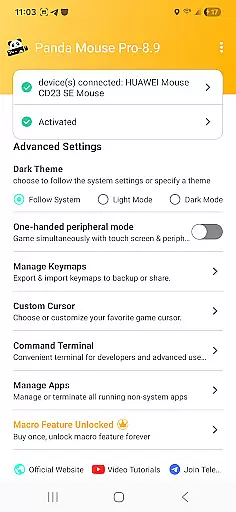
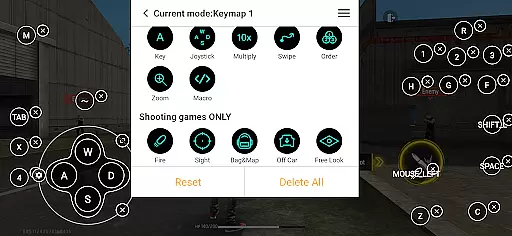
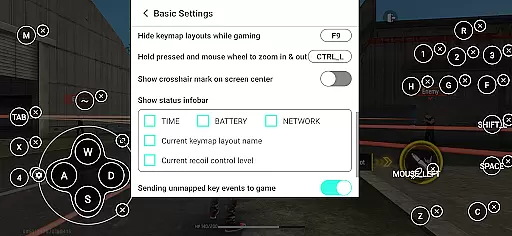
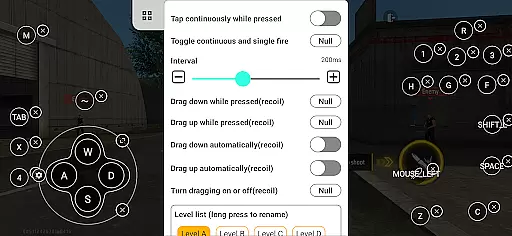
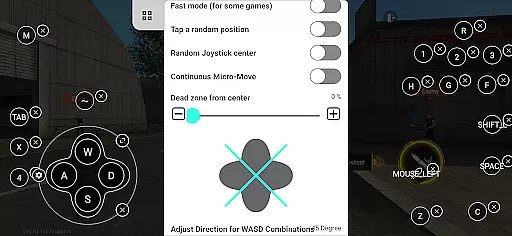
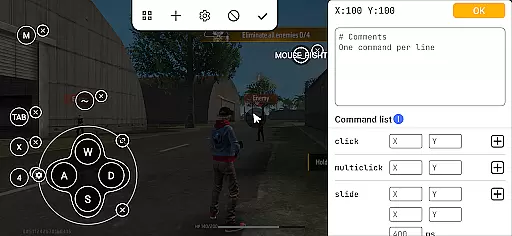
Panda Mouse Pro is a specialized keymapping tool designed to revolutionize mobile gaming by enabling the use of keyboard and mouse controls. This application allows gamers to enjoy enhanced precision and control in their favorite mobile games, effectively bridging the gap between PC-like accuracy and mobile gaming.
With features such as direct game launch, secure Google Play login, and ban-proof technology, Panda Mouse Pro ensures a seamless and risk-free gaming experience. Compatible with virtually all keyboard and mouse brands, it supports a wide range of game genres including shooters, MOBAs, and sports games, making it an essential tool for competitive players.
Whether you're looking to improve your aim in first-person shooters or execute complex strategies in MOBAs, Panda Mouse Pro provides the control needed to elevate your gameplay on Android devices.
Panda Mouse Pro stands out through its innovative features tailored specifically for mobile gamers. The direct game launch functionality eliminates the need for cloning apps, allowing users to jump straight into their games without any hassle.
The application's secure Google Play login feature ensures that users can safely access their accounts while avoiding potential bans associated with duplication running. Its universal compatibility with various keyboard and mouse brands makes it versatile for different setups, whether you're using a high-end gaming rig or a simple office keyboard.
Additionally, Panda Mouse Pro offers extensive support across multiple game genres, providing customizable controls that cater to individual preferences. With easy activation methods available for both newer and older Android versions, this tool guarantees accessibility regardless of device specifications.
Panda Mouse Pro is designed to provide gamers with an unparalleled level of precision and control, transforming the mobile gaming experience by enabling the use of keyboard and mouse. This keymapper technology ensures that every action, from the slightest movement to complex combinations, is accurately translated into the game, offering a seamless transition from traditional touch controls.
The app's direct game launch feature eliminates unnecessary steps, allowing players to jump straight into the action with their preferred input devices. This not only streamlines the gaming process but also enhances focus and performance, as users aren't distracted by cumbersome workarounds or additional setup procedures.
With extensive compatibility across virtually all keyboard and mouse brands, Panda Mouse Pro guarantees that gamers can utilize their existing hardware without concern for bans in games that restrict duplication running. This universal support, combined with ban-proof gaming technology, provides peace of mind while ensuring maximum effectiveness during gameplay sessions.
One of the standout features of Panda Mouse Pro is its commitment to interface simplicity and intuitiveness, making it accessible even to those who may be new to keymapping technology. The app offers hassle-free activation methods tailored to different Android versions, ensuring that users can quickly get started without facing steep learning curves or technical barriers.
For devices running Android 11 and above, activation occurs directly on the device itself, streamlining the setup process significantly. Meanwhile, users with older Android versions can rely on quick activation via PC or Mac, providing flexibility based on individual preferences and system configurations. Rooted devices benefit from automatic activation, further simplifying access for advanced users.
This thoughtful design extends beyond mere functionality; it encompasses user experience at every turn. By prioritizing ease-of-use alongside powerful capabilities, Panda Mouse Pro empowers gamers to focus on what truly matters u2013 dominating their favorite titles with confidence and skill.
Enhanced Precision
Ban-Proof Technology
Wide Game Support
Easy Activation
Universal Compatibility
Requires Initial Setup
Premium Features Locked
Occasional Lag Issues
Limited iOS Support
Learning Curve Present

Remote for Roku, Fire TV, Samsung TV, LG TV, Android TV, Chromecast and VIZIO TV
 4.20
4.20
Optimize your WiFi network, turn your phone into Wifi Analyzer
4.70
Create your own live wallpaper or check out thousands already made presets
3.90
Smart and comfortable browsing experience.
3.80
Bedrock Together: Join any bedrock server on Xbox/PS
4.80
A simple app to back up and restore SMS & MMS messages and call logs.
4.10
Button mapper, mouse toggle, sleep timer and a lot of another features
4.50
Introducing Smart Printer, your ultimate destination for printing solutions!
4.00
Screen recorder with audio to record high-quality videos and take screenshots.
4.40
The ultimate tool for network analysis, wifi scanning and problem detection.
4.90
The Ultimate Flex Drivers Utility App - Convenient Tapping & Block Filters
4.70
Planner and Tracker for Stardew Valley
4.60
Game Booster, GFX Tool is now compatible with newer game update
4.50
App that Recover your pictures, videos or files after you delete them.
4.20
Create your own custom widget with endless possibilities
3.90
Safely recover deleted photos, videos, and files with a single easy tap.
3.70
A recovery soft,it features photo recovery, video recovery, file recovery.
3.40
Clean the junk files on your device
3.40
Download any file easily and quickly with Downloader
4.4


User Reviews