
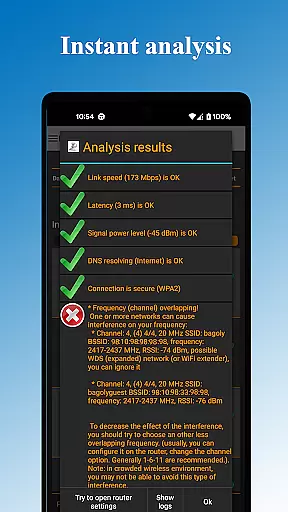
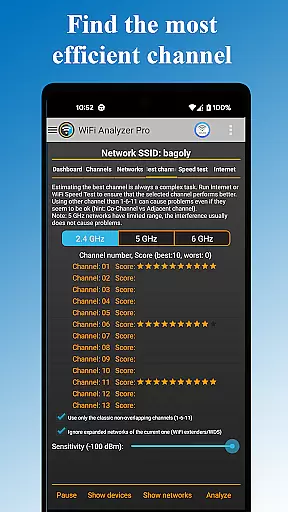
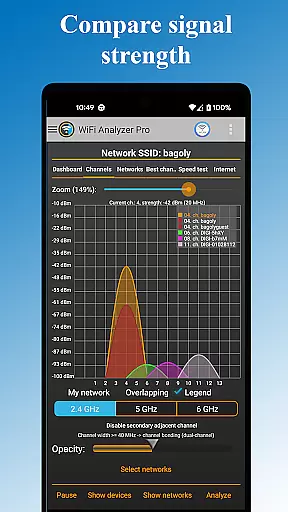
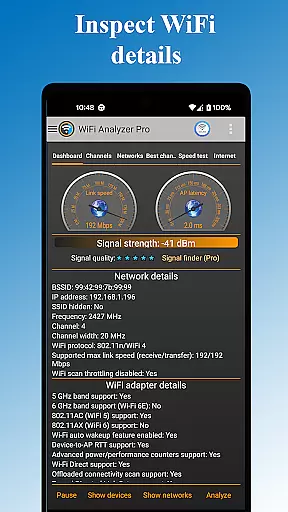
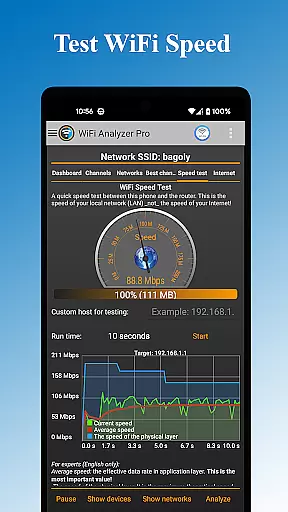
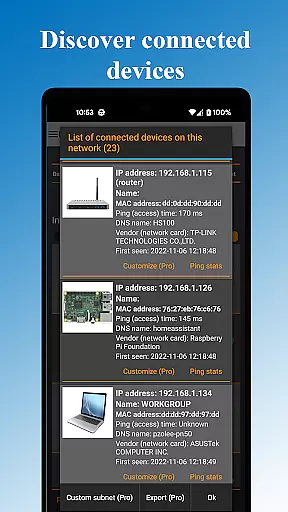
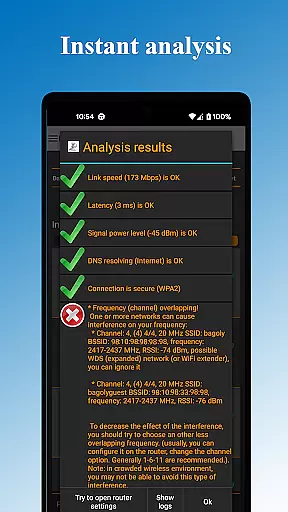
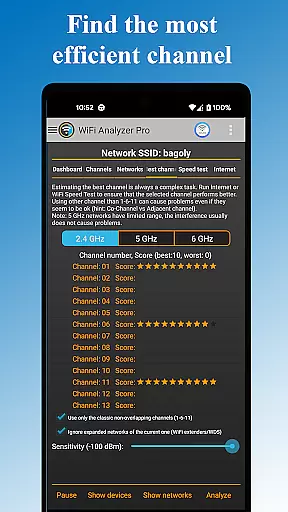
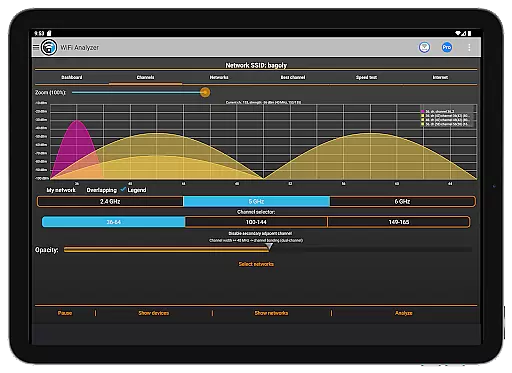
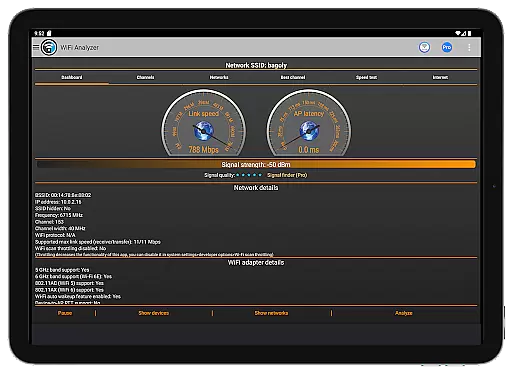
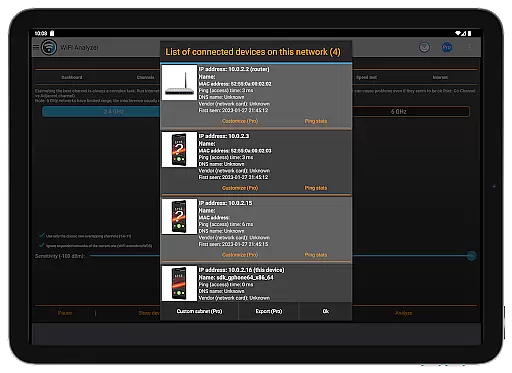
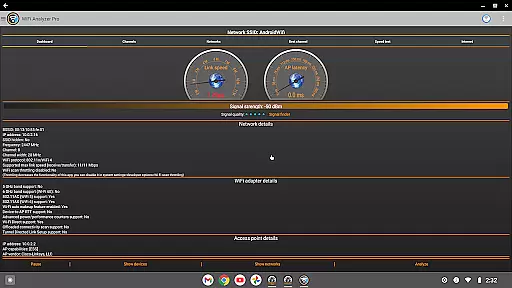
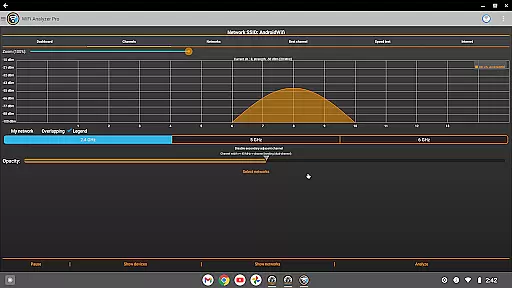
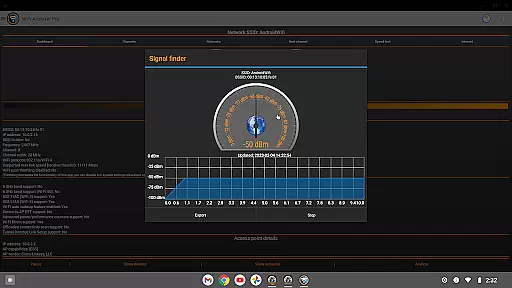
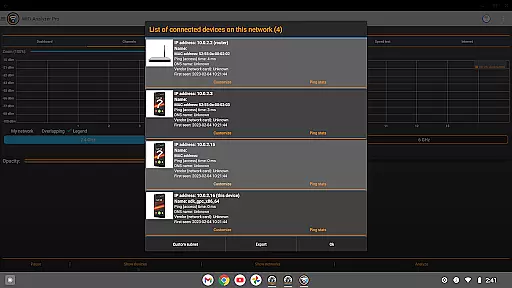
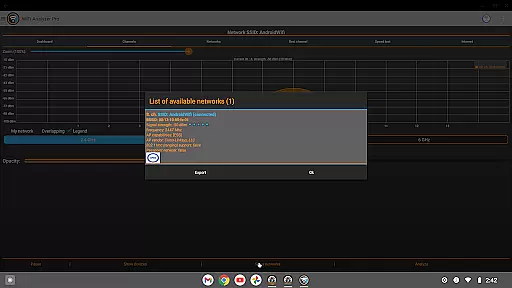
WiFi Analyzer Pro is a powerful network optimization tool designed to help users maximize their WiFi performance. The app provides detailed insights into your wireless network, including connected devices, signal strength, and channel analysis. With support for both 2.4 GHz and 5 GHz bands, it ensures comprehensive coverage for all modern routers.
This professional-grade tool stands out with its advanced features such as customized device recognition, network scanning capabilities, and log exporting functionality. Whether you're troubleshooting connectivity issues or looking to optimize your network setup, WiFi Analyzer Pro offers intuitive solutions that cater to both technical experts and beginners alike.
The application's intelligent channel recommendation system helps users identify the optimal placement and configuration for their routers, resulting in improved connection speeds and reduced interference. Its user-friendly interface makes network monitoring and analysis accessible to all users, regardless of their technical expertise.
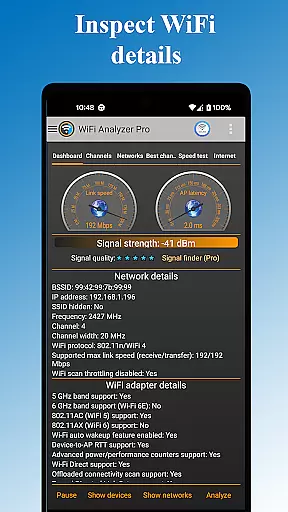
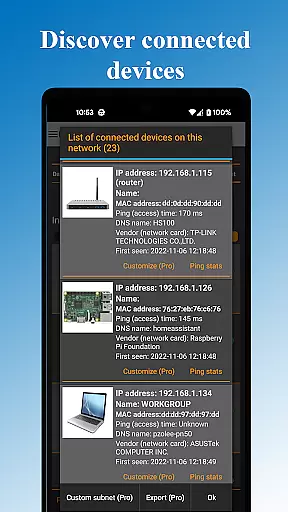
WiFi Analyzer Pro boasts an impressive array of features that set it apart from other network tools. The app's comprehensive scanning capabilities allow users to detect all connected devices on their network while identifying potential security vulnerabilities. Advanced analytics provide detailed information about access points, including vendor details, frequency bands, and security protocols.
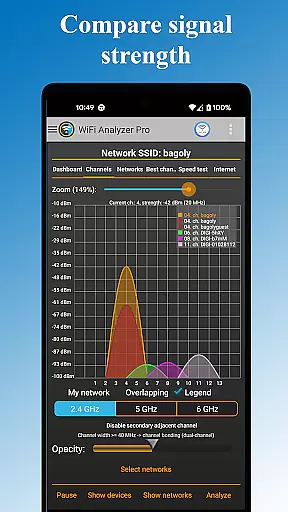
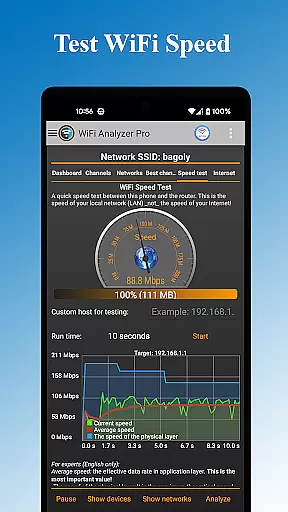
One of the standout features is its sophisticated channel analysis tool, which helps users identify crowded channels and recommends optimal alternatives. The app also offers real-time monitoring of signal strength and latency (ping), enabling users to pinpoint areas of poor coverage within their space. Additionally, the export functionality allows users to save and share detailed network reports.
For power users, WiFi Analyzer Pro includes advanced options such as opening router settings directly from the app and analyzing DNS performance. The inclusion of both dark and light themes, along with customizable filters for SSID, wifi band, and overlapping channels, demonstrates the developer's attention to user experience and interface design.
WiFi Analyzer Pro excels in providing accurate and effective core functions that are essential for optimizing your WiFi network. The app meticulously scans and analyzes all available wireless networks around you, presenting detailed data about signal strength, channel usage, and potential security issues.
The application's ability to recommend the best channel and router placement ensures maximum network performance. By analyzing factors such as signal overlap and congestion on specific channels, it helps users make informed decisions to enhance their WiFi speed and reliability.
For users who need comprehensive network insights, WiFi Analyzer Pro offers detailed information about connected devices, including vendor details, frequency bands, and security levels. This feature empowers users to detect unauthorized access and troubleshoot connectivity issues efficiently.
Ultimately, the app's effectiveness lies in its ability to transform complex network data into actionable insights. Whether you're a beginner or an advanced user, the clear presentation of information allows for easy interpretation and implementation of optimization strategies.
A standout feature of WiFi Analyzer Pro is its intuitive and user-friendly interface, designed to simplify the process of network analysis for users of all technical backgrounds. The app presents critical information through easy-to-understand charts and graphs, eliminating the need for specialized knowledge in network metrics like RSSI or link speed.
The developers have thoughtfully organized the interface to ensure quick access to essential features. Users can effortlessly navigate between different sections, such as network scanning, device detection, and channel recommendations, without feeling overwhelmed by technical jargon.
Additionally, the availability of both dark and light themes enhances user comfort during extended analysis sessions. The customizable display options, including various filters for SSID and overlapping channels, demonstrate the app's commitment to catering to individual preferences while maintaining operational simplicity.
This combination of visual clarity and functional organization makes WiFi Analyzer Pro an ideal tool for anyone seeking to optimize their WiFi network without confronting a steep learning curve.
Comprehensive network analysis
User-friendly interface
Advanced channel optimization
Detailed device information
Regular feature updates
Requires location services
Premium version costs
Technical knowledge needed
Android version limitations
Occasional scanning delays

Easily install aab(Android App Bundle) files on your Android device with our app
 4.80
4.80
HD Camera captures every special moment.
4.60
Head tracking for PC sim games such as MSFS 2024 or Elite:Dangerous. No headset!
4.50
Best leveling tool for your Android device. Hang paintings like a pro.
4.90
Excellent scientific calculator with symbolic algebra, integrals, derivatives
4.80
View detailed information about your Nissan Leaf the dealer never shows you.
4.10
Making emulation easy for everyone!
4.30
Support Fossify apps with a warm thank you!
5.00
Enjoy a smooth mobile reading experience!
3.60
Navigate with Ease and Style
4.90
FV File Manager Pro, Fast and powerful file manager for Android
4.60
Canon PRINT is a companion app for your Canon printer.
4.60 4.50
4.50
eXtended Permission Manager - a small app to manage permissions and AppOps
4.50
Universal TV remote control all TVs, Roku, LG, Samsung, Fire, Vizio, Sony, TCL.
4.40
Quickly & easily calculate the spacing of handrail balusters
4.20
Create your own custom widget with endless possibilities
3.90
Undelete and recover your lost or deleted files with DiskDigger!
3.40
Download any file easily and quickly with Downloader
4.2


User Reviews