
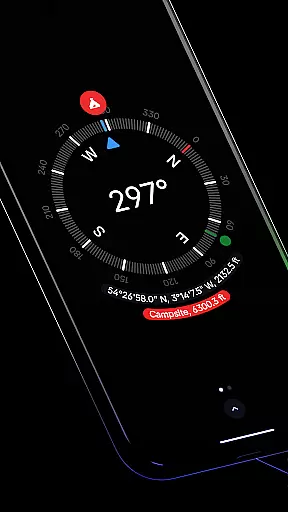
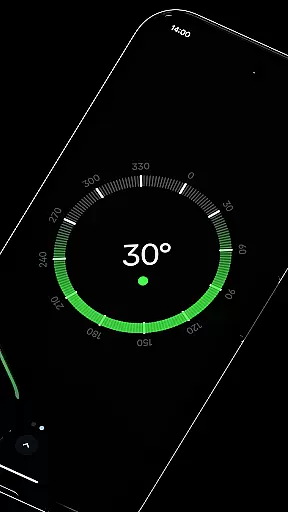
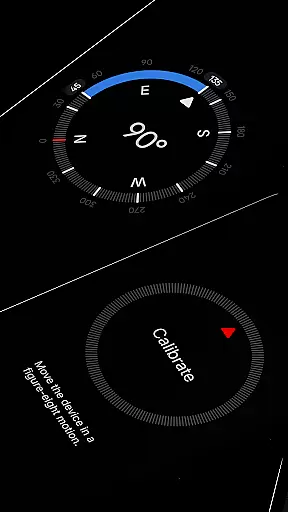
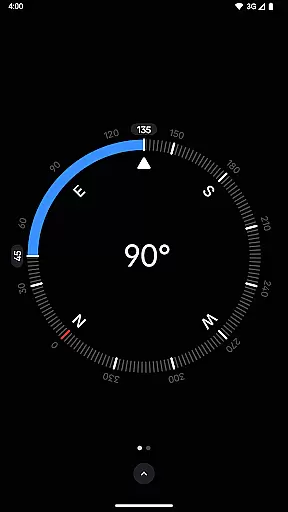
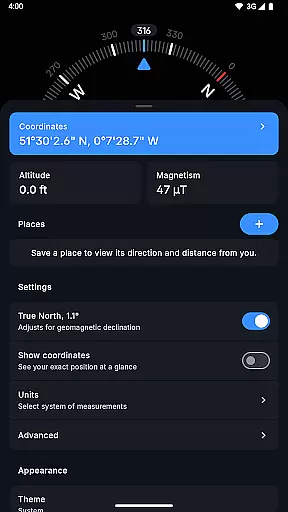
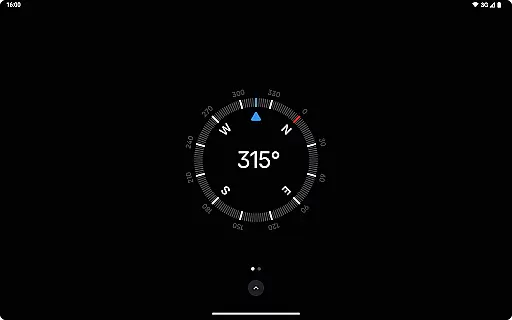
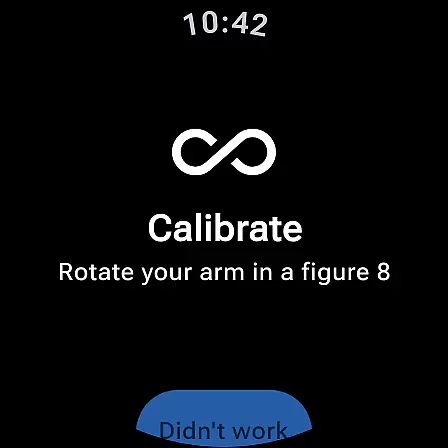
Compass is a sleek and minimalistic navigation app that combines simplicity with elegance, offering users precise direction and multiple practical features. Designed for both Android phones and select Wear OS smartwatches, it provides an intuitive dark-themed interface that ensures ease of use while delivering accurate readings. The app supports various coordinate formats such as DMS, UTM, and MGRS, making it versatile for different types of users.
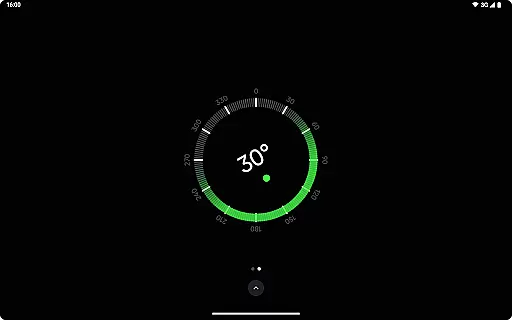
In addition to its core navigation capabilities, Compass includes advanced functionalities like altitude tracking, geomagnetic declination adjustment, and a bubble level feature for checking surface levels. Users can personalize their experience by customizing units, switching between themes, or enabling dynamic colors based on their wallpaper. With no need for an internet connection, the absence of ads, and strong privacy protections, this app is ideal for explorers, hikers, DIY enthusiasts, and professionals who prioritize functionality and discretion.
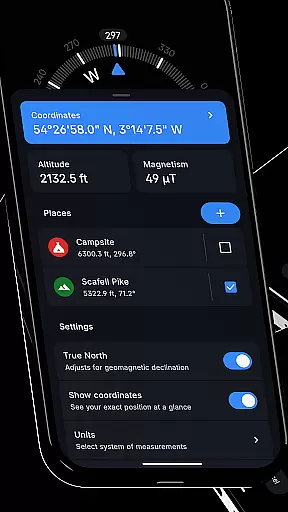
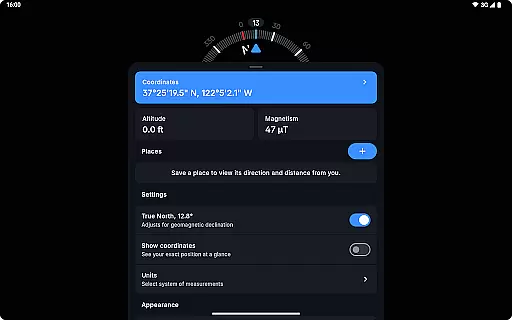
Compass stands out through its comprehensive set of features tailored to enhance user experience in navigation and measurement tasks. One key highlight is its ability to display exact location coordinates in multiple formats including DMS, DD, and UTM, alongside altitude information. This makes it suitable for technical applications such as surveying or outdoor exploration. Additionally, users can save specific places within the app to quickly reference their direction and distance relative to their current position.
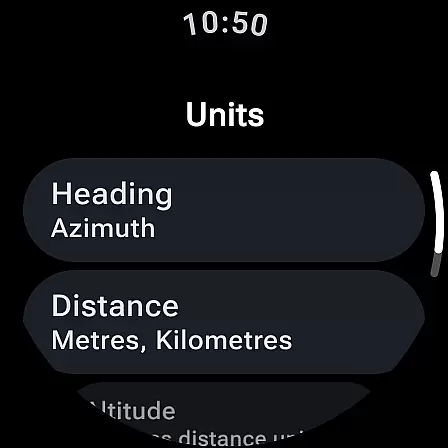
The app also offers unique customization options, allowing users to adjust angle units (Azimuth or Quadrant Bearing), distance metrics (Metric, Imperial, Nautical Miles), and visual settings like theme selection and dynamic color schemes. Advanced tools include a tactile haptic feedback system, magnetic field detection, and anomaly alerts when external objects interfere with sensor accuracy. These innovations ensure reliable performance across diverse environments while maintaining aesthetic appeal and usability.
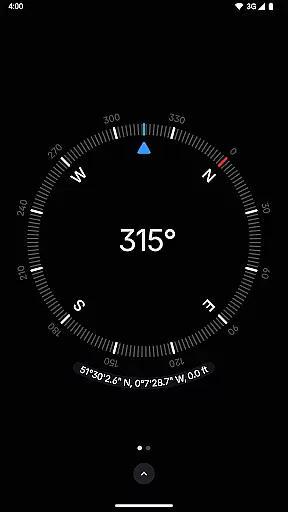
Compass stands out for its precision and reliability in delivering navigation data. The app provides users with exact location coordinates, including altitude, in multiple formats such as DMS, DDM, DD, UTM, MGRS, and OLC (Plus Codes). This versatility ensures that users can access geographic information in the format most useful to them, whether they are hikers, travelers, or professionals requiring specific data presentations.
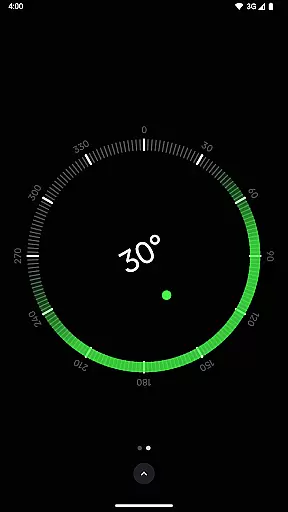
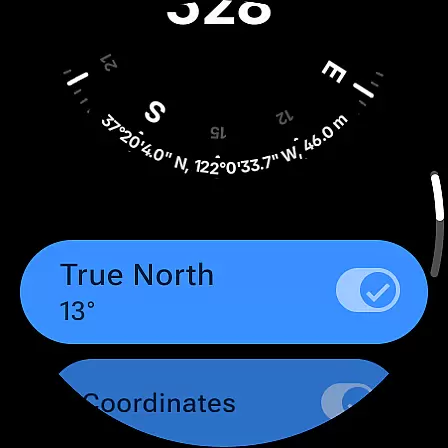
The application's ability to adjust for geomagnetic declination by aligning with true north enhances its navigational accuracy. This feature is crucial for explorers who depend on precise bearings in their journeys. Additionally, the integrated bubble level and angle difference measurement tools offer practical utilities beyond basic navigation, catering to carpenters and DIY enthusiasts who require exact measurements for their projects.
Compass also respects user privacy by functioning entirely offline, without trackers or analytics. This approach not only secures personal data but also ensures uninterrupted service regardless of internet availability. Users can rely on Compass in remote areas where connectivity is limited, making it an indispensable tool for various outdoor activities.
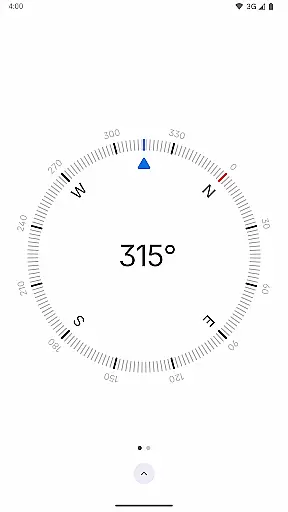
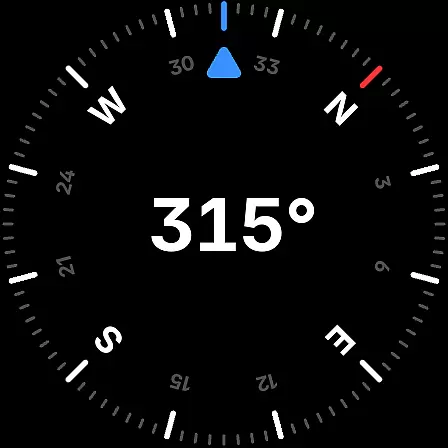
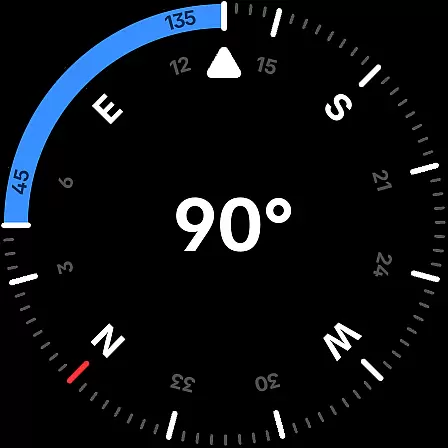
The interface design of Compass emphasizes simplicity and ease of use, featuring a modern dark-themed display that ensures clarity and intuitive interaction. The sleek and minimalistic approach reduces visual clutter, allowing users to focus on essential navigation data without distraction. This design choice caters to those who appreciate aesthetics alongside functionality, providing an elegant solution for everyday navigation needs.
Customization options further enhance the user experience, enabling individuals to personalize the app's appearance. With support for dynamic colors based on Android 12's feature, users can match the app's theme with their device's wallpaper. Additionally, the option to switch between dark and light themes accommodates different lighting conditions and personal preferences, ensuring optimal visibility at all times.
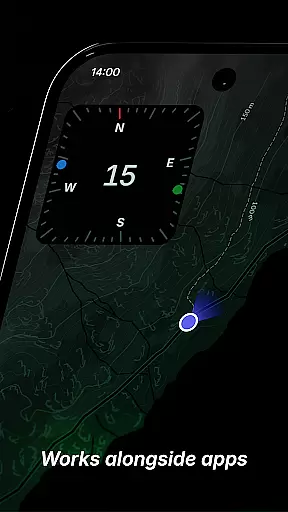
Practical features like docking the compass to the edge of the screen while using other apps demonstrate the app's commitment to usability. Such innovations allow seamless multitasking without losing sight of directional information. Moreover, rich haptic feedback and a high contrast display contribute to a tactile and visually accommodating experience, making Compass accessible and convenient for a wide range of users.
User-friendly interface
Highly customizable settings
No internet required
Accurate magnetic readings
Privacy-focused design
Limited Wear OS support
No voice guidance
Premium features may cost extra
Requires calibration
Not ideal for complex maps

Complete kernel toolbox with features to manage and tweak your rooted device
 4.30
4.30
App that Recover your pictures, videos or files after you delete them.
4.20
Small and simple app to Verify Root Access and BusyBox Install!
4.70
Mirror your screen to Fire TV - Super fast and simple
4.40
Screen Mirroring for Roku Sticks, Roku TCL TV and Roku Hisense TV
4.50
The ultimate tool for network analysis, wifi scanning and problem detection.
4.90
A simple app to back up and restore SMS & MMS messages and call logs.
4.10
NFC Tools can read and write NFC tags.
4.70
Mobile Security with Scam Protection | Malware & Virus Cleaner | Safe Browser
4.70
Unit and currency converter with easy and simple UI.
4.80
Excellent scientific calculator with symbolic algebra, integrals, derivatives
4.80
Protect your device with antivirus, storage cleanup, and system monitoring
4.70
Canon PRINT is a companion app for your Canon printer.
4.60
Planner and Tracker for Stardew Valley
4.60
Button mapper, mouse toggle, sleep timer and a lot of another features
4.50
Just swipe the edge to do something!
4.40
Fluid navigation gestures for all of us!
4.30
PC precision for mobile gaming: dominate with keyboard and mouse!
4.30
Save any video in HD - paste the link, download fast and watch offline.
4.0


User Reviews