
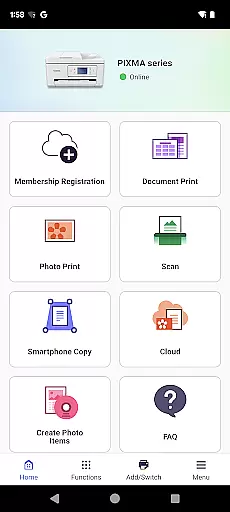
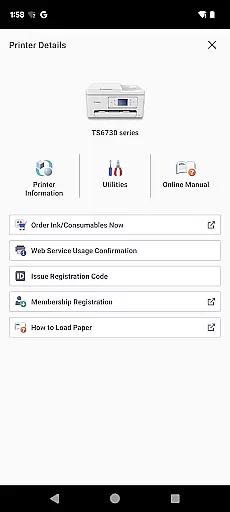
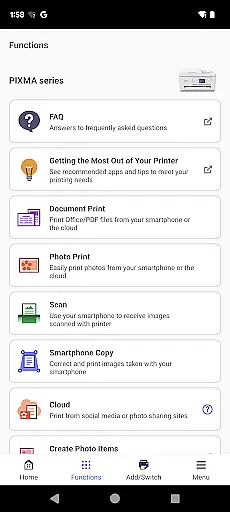
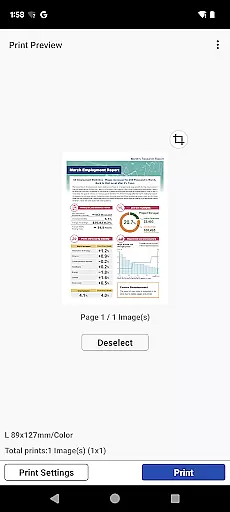
Canon PRINT is a versatile mobile application designed to enhance the printing and scanning experience for Canon printer users. This app allows seamless setup of your Canon printer directly from your mobile device, enabling effortless printing and scanning operations. With support for a wide range of Canon printer series including Inkjet, Laser, and Compact Photo Printers, it ensures compatibility across various models.
The app provides practical features such as checking consumable levels and cloud printing capabilities, making it an essential tool for both home and office environments. Whether you need to print documents or scan images, Canon PRINT streamlines these processes while offering additional functionalities that improve productivity and convenience.
Canon PRINT offers an array of advanced features tailored to meet diverse printing needs. One notable capability is its support for multiple printer series, including PIXMA, MAXIFY, imagePROGRAF, imageFORCE, and SELPHY models. This extensive compatibility ensures that users can manage different types of printers through a single interface.
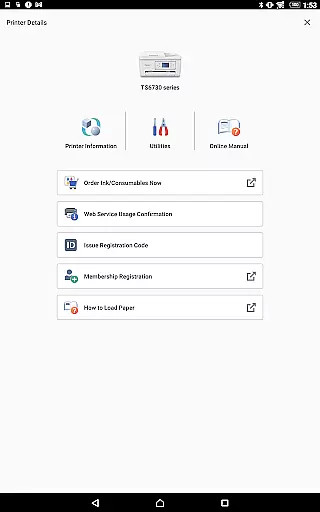
In addition to basic printing and scanning functions, the app allows users to check ink or toner levels, print via the cloud, and access various printer settings. These features not only simplify printer management but also enhance efficiency by reducing downtime and maintenance efforts. The intuitive design of the app makes it accessible even for those who are not technically inclined.
Canon PRINT is designed to ensure the highest level of functionality for managing your printing and scanning tasks. The app provides accurate setup processes that allow users to seamlessly connect their Canon printers with their mobile devices. This precision in core functions guarantees that every print job, scan, or cloud operation is executed without errors.
The application supports a wide range of Canon printer models including PIXMA, MAXIFY, imagePROGRAF, and SELPHY series among others. By covering such an extensive array of devices, Canon PRINT ensures that each supported model can leverage its full potential through optimized performance tailored specifically for them. Users benefit from reliable consumable level checks and efficient cloud printing options which enhance productivity.
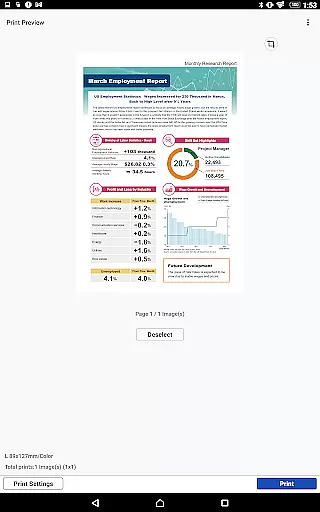
For users who require consistent output quality across different types of documents, Canon PRINT delivers by maintaining high standards in both text and image reproduction. Whether it's professional-grade photos or everyday office paperwork, the app maintains effective control over print settings ensuring optimal results every time. This reliability makes it indispensable for anyone relying on their Canon printer for various needs.
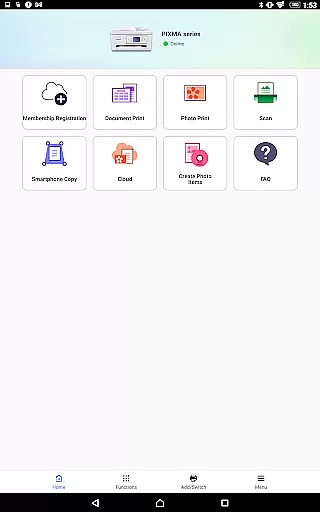
A user-friendly interface is crucial for any tool aiming to simplify complex tasks, and Canon PRINT excels in this area. Upon launching the app, users are greeted with a clean layout that prioritizes ease of navigation. Essential features like printer setup, scanning, and checking ink levels are easily accessible from the main screen, reducing the learning curve significantly.
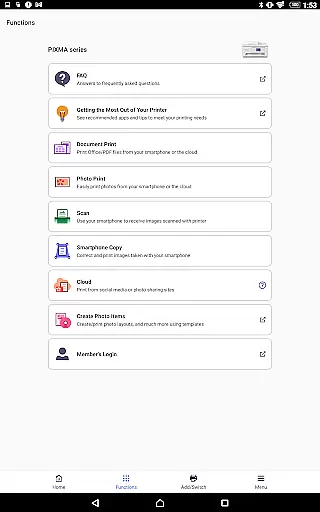
The intuitive design extends beyond just visual appeal; it encompasses logical grouping of functionalities that mirror typical usage scenarios. For instance, frequently used actions such as initiating a print job or accessing cloud services are streamlined into straightforward steps. This thoughtful arrangement allows even novice users to accomplish their tasks efficiently without feeling overwhelmed by technical jargon or complicated menus.
Moreover, Canon PRINT offers contextual help and tips throughout the app experience, further enhancing usability. These guiding elements ensure that users can quickly resolve common issues or discover new features without needing external assistance. Such attention to detail in crafting an intuitive interface underscores Canonu2019s commitment to delivering a hassle-free printing solution for all its customers.
User-friendly interface
Wide printer compatibility
Cloud printing support
Consumable level monitoring
Efficient scanning options
Limited Ad Hoc mode support
Region-specific restrictions
Some features model-dependent
No direct faxing option
Potential connectivity issues

 4.10
4.10
Head tracking for PC sim games such as MSFS 2024 or Elite:Dangerous. No headset!
4.50
Universal TV remote control all TVs, Roku, LG, Samsung, Fire, Vizio, Sony, TCL.
4.40
View detailed information about your Nissan Leaf the dealer never shows you.
4.10
The Ultimate Bluetooth Keyboard & Mouse. Securely control your PC, Mac, and more
4.50
Powerful collection of electronics tools and reference.A must for any enthusiast
4.90
Create your own custom widget with endless possibilities
3.90
NFC Tools can read and write NFC tags.
4.70
Introducing Smart Printer, your ultimate destination for printing solutions!
4.00
Connect wirelessly to your computer to watch movies, browse the web, play games
5.00
Unit and currency converter with easy and simple UI.
4.80
Remote Play with FSR upscaling, low latency & full controller support
4.80
With videos, electrical calculators, and built-in ebook, Ugly’s has your answer.
4.50
Making emulation easy for everyone!
4.30
Quickly & easily calculate the spacing of handrail balusters
4.20
Screen Mirroring with sound for Samsung TV, LG TV, Sony TV, Smart TV and Browser
4.20
A simple app to back up and restore SMS & MMS messages and call logs.
4.10
A convenient photo, video, and file recovery tool.
4.00
1-Click close all background apps on Android TV
3.90


User Reviews