
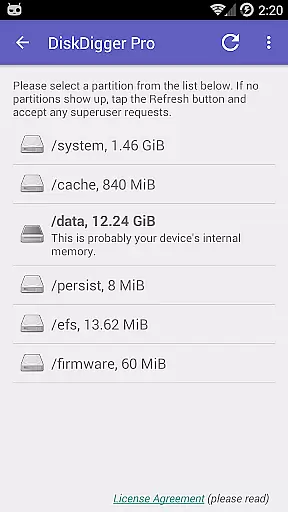
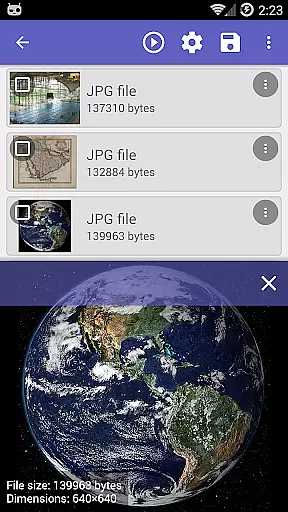
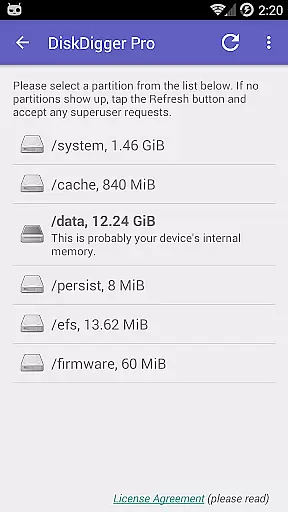
DiskDigger Pro file recovery is a powerful tool designed for rooted Android devices, enabling users to recover lost files including photos, documents, videos, and music. With its advanced scanning capabilities, the app can retrieve deleted files even from reformatted memory cards or internal storage.
The application offers two scanning modes: a full scan for rooted devices and a limited scan for non-rooted devices, which focuses on recovering lower-resolution versions of deleted photos and videos. DiskDigger Pro also provides options to permanently delete unwanted files and wipe free space to prevent future data recovery.
Whether you accidentally deleted important files or need to recover data from a damaged device, DiskDigger Pro delivers a reliable solution for file recovery needs.
DiskDigger Pro stands out with its ability to recover a wide range of file types, including JPG, PNG, MP4, DOCX, PDF, and more. This versatility ensures that users can restore various forms of lost data, from personal photos to critical work documents.
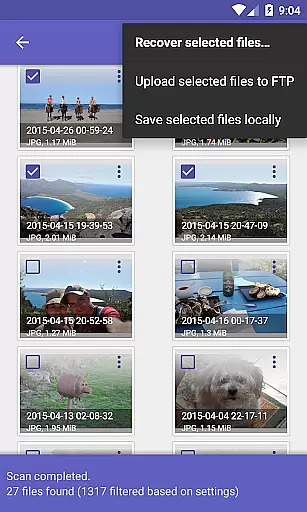
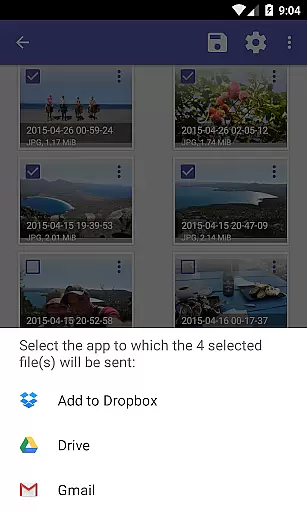
In addition to its recovery features, the app allows users to upload recovered files directly to cloud services like Google Drive and Dropbox, or send them via email. It also supports saving files to an FTP server or a local folder on the device, providing flexible options for managing restored data.
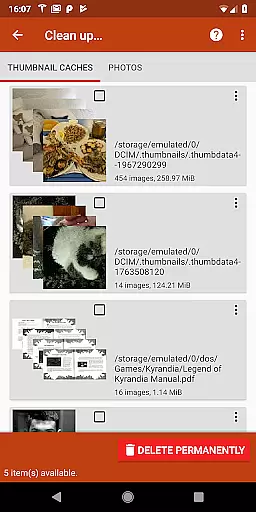
The app includes experimental features such as 'Clean up' to delete unnecessary items and 'Wipe free space' to erase residual data, enhancing user control over their device's storage.
DiskDigger Pro file recovery is designed to retrieve lost files with precision and efficiency. As a tool for rooted Android devices, it specializes in recovering accidentally deleted or reformatted data from memory cards and internal storage. The app supports a wide range of file types including photos, documents, videos, and music, making it versatile for various recovery needs.
The effectiveness of DiskDigger Pro lies in its powerful scanning algorithms. It can perform both basic and full scans, depending on the device's root status. For rooted devices, the app offers comprehensive recovery options, while non-rooted devices benefit from limited photo and video recovery. This ensures that users receive the best possible results based on their device capabilities.
Users gain significant value from DiskDigger Pro's ability to restore important files quickly. Whether it's recovering cherished memories from photos or critical work documents, the app provides peace of mind by retrieving data that might otherwise be permanently lost. Its support for multiple file formats enhances its utility across different scenarios.
In addition to recovery, DiskDigger Pro includes features like permanent deletion and free space wiping. These tools help users manage their storage securely by removing unwanted files and ensuring deleted data remains unrecoverable. Such functionality underscores the app's commitment to providing a complete data management solution.
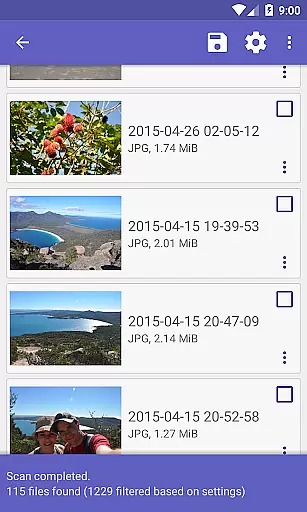
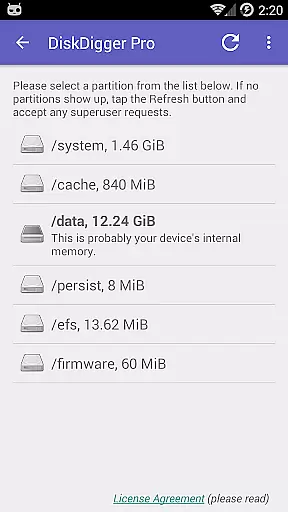
The user interface of DiskDigger Pro file recovery is crafted to ensure ease of use without compromising on functionality. Upon launching the app, users are greeted with a straightforward layout that guides them through the recovery process step-by-step. This intuitive design minimizes the learning curve, allowing even novice users to recover files with confidence.
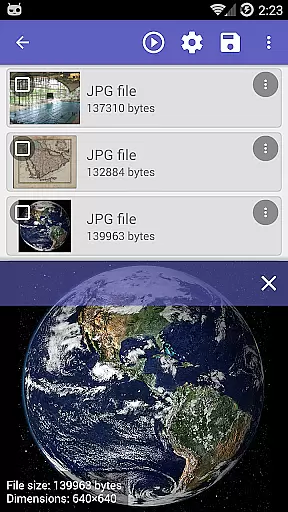
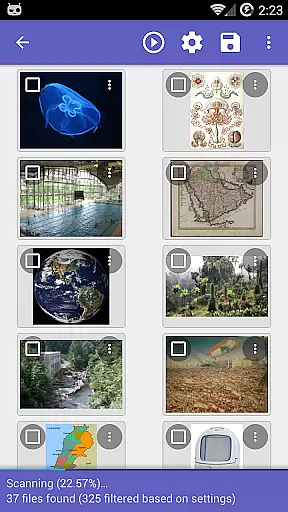
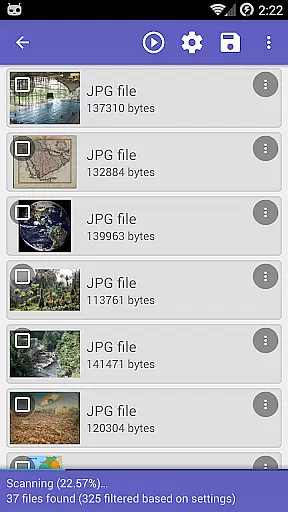
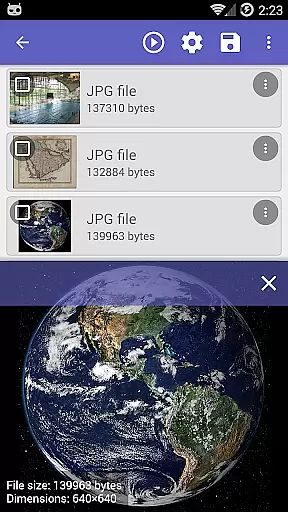
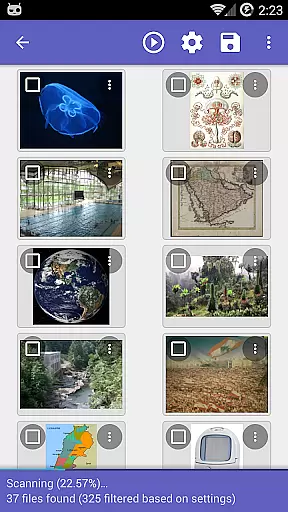
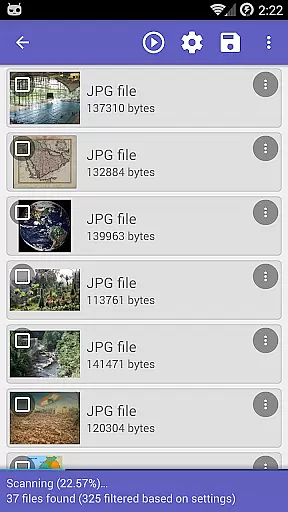
Key features such as scan options and file previews are prominently displayed, enhancing the overall user experience. The app categorizes recoverable files by type, making it easy to locate specific items. Users can preview files before recovery, ensuring they retrieve exactly what they need without unnecessary clutter.
DiskDigger Pro also integrates seamless upload and sharing capabilities. Recovered files can be directly uploaded to cloud services like Google Drive and Dropbox, or shared via email and FTP. This connectivity simplifies the post-recovery process, enabling users to store or transfer their data conveniently.
Despite its advanced capabilities, DiskDigger Pro maintains an accessible interface suitable for all technical levels. Clear instructions and visual indicators guide users through each phase of the recovery process. By combining powerful functionality with an intuitive design, the app delivers a user-friendly experience that maximizes efficiency and satisfaction.
Powerful recovery
User-friendly interface
Wide file type support
Cloud integration
Flexible file management
Limited on non-rooted
Rooting required
Experimental features
Complex for beginners
Partial functionality

Unit and currency converter with easy and simple UI.
 4.80
4.80
HD Video player and downloader for all formats, fast & smooth 4K video playback.
4.60
Enjoy smooth gameplay with Game Booster
4.90
card-reader app
2.20
Amateur Radio app for APRS: Track friends, exchange messages, get tactical info.
3.90
Detect hidden spy camera with advanced scanning {{ Premium version }}
4.00
The Ultimate Bluetooth Keyboard & Mouse. Securely control your PC, Mac, and more
4.50
Fun lie-detection pranks for friends and parties.
3.80
Your personal health butler
3.60
Connect wirelessly to your computer to watch movies, browse the web, play games
5.00
The one-and-only remote control for PC, Mac, and Linux
4.70
ADB support Android 4.X-Android 13(Support wireless pair mode).No root required!
4.70
Fast Video Downloader, Movie Downloader, Torrent Downloader & Adblock Browser
4.70
Connect instantly to a fast, encrypted VPN with one tap
4.60
Just swipe the edge to do something!
4.40
Mirror your screen to Fire TV - Super fast and simple
4.40
MS-DOS in your pocket. Play old DOS games anywhere you are ;)
4.10
This app unlocks the Pro features of the Central for DayZ app
3.60
Transfer Files, APK from Phone to Watch & Install.
4.2


User Reviews