
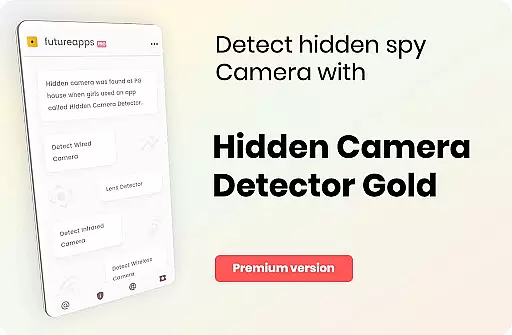
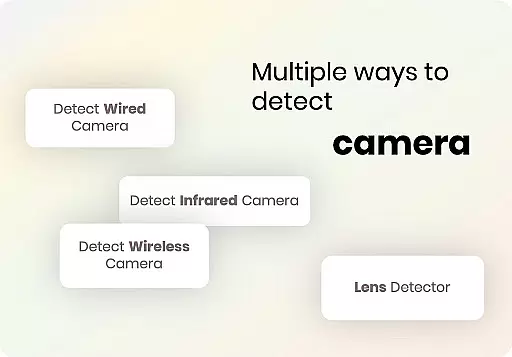
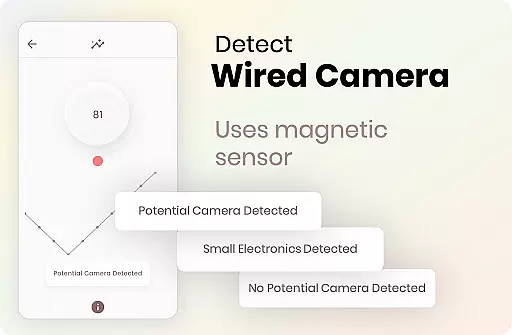
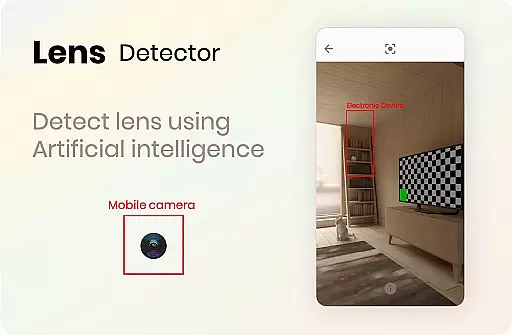
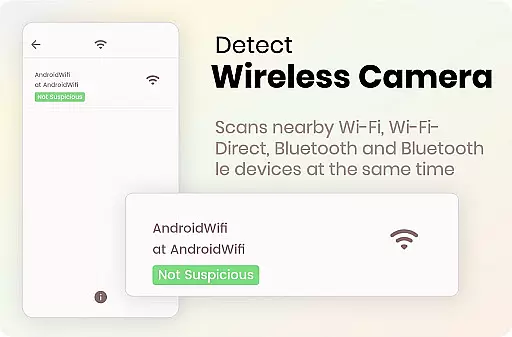

Hidden Camera Detector Gold is a specialized tool designed to help users identify potential hidden cameras in their surroundings. The app utilizes the magnetic sensor in your smartphone to analyze magnetic activity, raising an alarm if it detects patterns similar to those emitted by camera devices. This functionality is particularly useful when inspecting areas like hotel rooms, changing rooms, or any environment where privacy might be compromised.
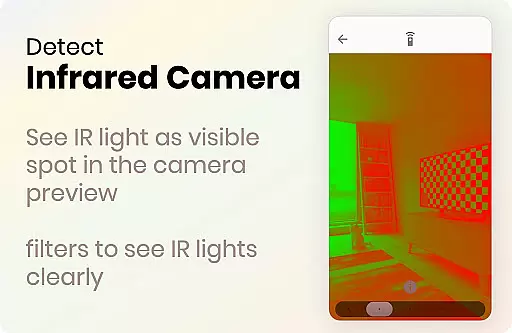
In addition to its magnetic detection feature, the app includes an infrared camera detector. This tool allows users to scan for infrared lights that are invisible to the naked eye but may indicate the presence of infrared cameras. By combining these two detection methods, Hidden Camera Detector Gold provides a comprehensive solution for ensuring personal privacy and security.
The app's practical applications extend beyond personal use. For instance, frequent travelers who often stay in hotels can significantly benefit from this tool by routinely checking their accommodations for unwanted surveillance devices. With easy-to-follow instructions and additional privacy tips, this app equips users with essential tools to protect themselves against unauthorized filming.
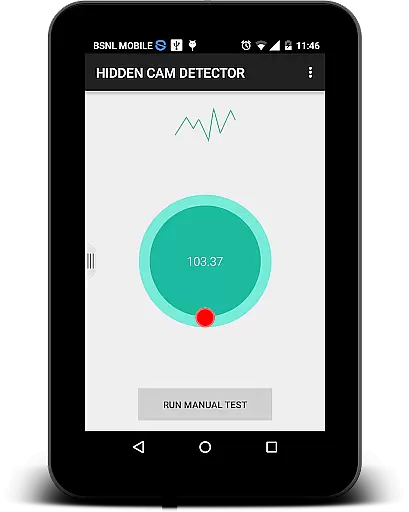
Hidden Camera Detector Gold offers a range of features that make it a powerful tool for detecting hidden cameras. One of its primary functions is the magnetic detection feature, which uses the phone's built-in magnetic sensor to scan for magnetic signatures associated with camera devices. When the app detects suspicious magnetic activity, it alerts the user with both audio and visual alarms, prompting further investigation into the source of the signal.
Another standout feature is the infrared camera detector. This tool leverages the phone's camera to identify infrared lights that are not visible to the human eye. The app applies a luminescence effect to highlight these infrared sources on the screen, making it easier for users to spot potential surveillance equipment. This dual-detection system ensures thorough scanning and increases the likelihood of identifying hidden cameras.
For ease of use, the app provides clear guidance on locating the magnetic sensor on your device and understanding the results of your scans. Additionally, users can share locations with friends if a camera is detected, allowing others to take necessary precautions. These features collectively enhance user safety and contribute to a more secure environment wherever you go.
Hidden Camera Detector Gold offers a unique set of tools aimed at detecting hidden cameras using your phone's sensors. The app leverages the magnetometer feature to analyze magnetic activity around suspicious devices, alerting you with beeps and alarms when camera-like activity is detected.
The effectiveness of this detection method depends on the presence of a magnetic sensor in your device. By moving your phone near potentially compromised areas like mirrors or flowerpots, the app can identify magnetic signatures similar to those emitted by cameras. This functionality provides an essential layer of security for users concerned about privacy in changing rooms or private spaces.
In addition to magnetic detection, the app includes an infrared camera detector. This tool allows users to scan for infrared lights that are invisible to the naked eye but may indicate the presence of hidden cameras. The app enhances this feature with luminescence effects, making it easier to spot potential threats.
While not foolproof, these features offer a practical solution for identifying hidden cameras. Users should note that certain metals or electronics might trigger false positives, requiring further investigation to confirm the presence of a camera lens.
Hidden Camera Detector Gold boasts a straightforward interface designed for ease of use, ensuring that even those unfamiliar with technical details can operate the app effectively. Upon opening the app, users are greeted with clear instructions on how to utilize its two main detection methods: magnetic and infrared scanning.
The magnetic detection process involves moving the phone near suspected areas while facing the device's sensor towards the object. To help users locate their phone's sensor, the app suggests a simple calibration technique using any camera to identify the sensor position through audible feedback.
For infrared detection, the interface presents a dedicated section where users can activate the scanner and view results directly on their screen. The app highlights any detected infrared light sources with white indicators, providing a visual cue for further investigation. This intuitive presentation helps users quickly interpret results without needing specialized knowledge.
Despite occasional performance issues with infrared detection when other camera apps are running, the overall user experience remains smooth and accessible. The app's developers have implemented helpful FAQs and troubleshooting tips within the description, demonstrating their commitment to maintaining an intuitive user interface.
User-friendly interface
Effective dual-detection system
Comprehensive privacy protection
Easy location sharing
Practical for travelers
Requires magnetic sensor
May give false positives
Background apps can interfere
Limited to Android devices
Occasional crashes reported

Change your GPS location instantly. Simulate routes anywhere in the world.
 4.90
4.90
FV File Manager Pro, Fast and powerful file manager for Android
4.60
Safely recover deleted photos, videos, and files with a single easy tap.
3.70
Create your own live wallpaper or check out thousands already made presets
3.90
Unleash gamepad precision for ultimate mobile gaming dominance.
3.90
Excellent scientific calculator with symbolic algebra, integrals, derivatives
4.80
WiFi Signal Strength Meter help you detect WiFi Signal Strength in real time.
4.80
Remote Play with FSR upscaling, low latency & full controller support
4.80
Clean up your phone, find files, play media, and share files offline
4.50
Connect wirelessly to your computer to watch movies, browse the web, play games
5.00
The ultimate tool for network analysis, wifi scanning and problem detection.
4.90
Bedrock Together: Join any bedrock server on Xbox/PS
4.80
HD Camera captures every special moment.
4.60
Use your phone as a webcam on your computer over WiFi or USB.
4.40
PC precision for mobile gaming: dominate with keyboard and mouse!
4.30
Automate everything from settings to photos, SMS to speech. ADC2 prize winner.
4.10
A powerful, easy-to-use flight computer on your phone or tablet!
3.80
Fun lie-detection pranks for friends and parties.
3.80
Unlock your Essential Key. Create custom shortcuts to your favorite apps!
4.1


User Reviews