
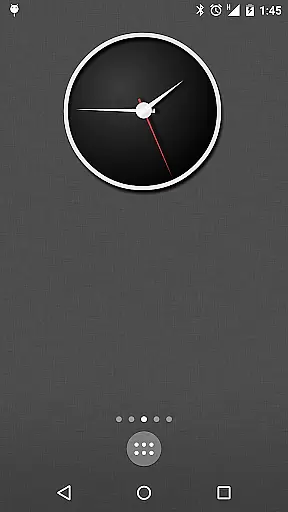
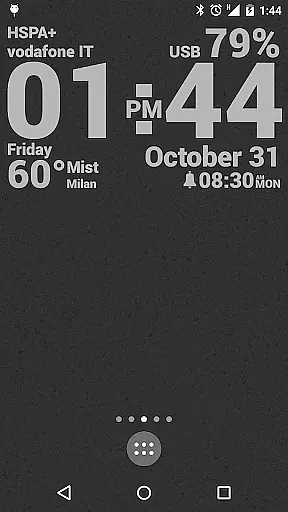
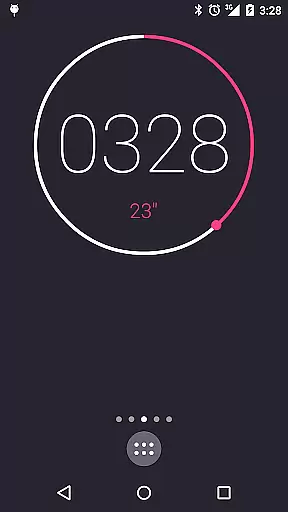
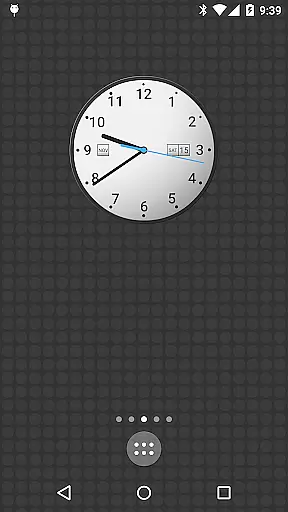
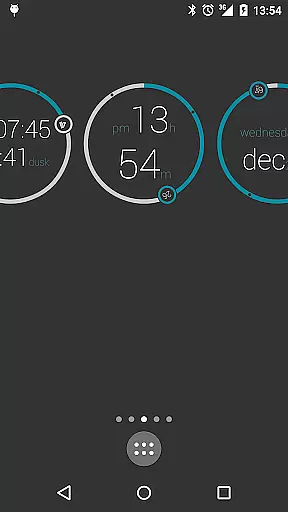
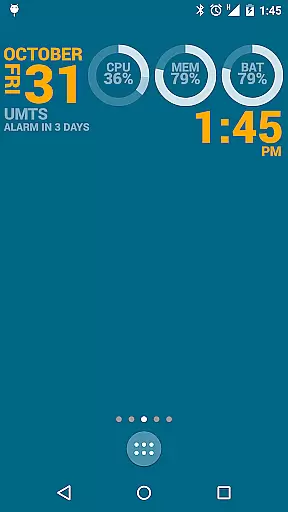
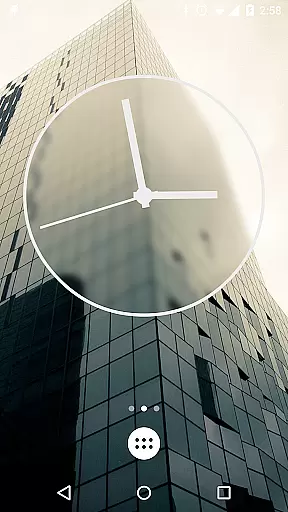
KLWP Live Wallpaper Pro Key is a powerful tool designed to enhance the customization capabilities of Kustom Live Wallpaper app. This PRO Key unlocks advanced features that allow users to create unique, animated live wallpapers with extensive personalization options.
The application supports a wide range of creative functionalities including digital and analog clocks, weather widgets, CPU/memory meters, and much more. With support for custom fonts, colors, shapes, and even 3D transformations, KLWP enables users to design sophisticated home screen setups that work seamlessly with compatible Android launchers.
Ideal for users seeking complete control over their device's aesthetics, this tool empowers creativity while also providing practical utilities like Google Fitness support and dynamic content display based on time or location.
KLWP Live Wallpaper Pro Key offers an impressive suite of features for personalizing Android devices. Users can import skins from external sources, export creations to SD cards, and develop APK preset packs. The app removes ads and allows saving of complex designs locally.
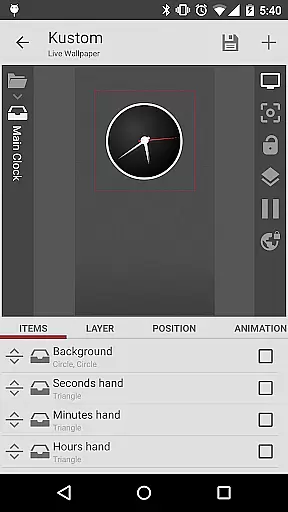
One standout feature is its WYSIWYG editor which makes designing intuitive. It supports animations, touch actions, gyroscope effects, and integrates with tools like Tasker. Additionally, it provides access to real-time data such as weather, fitness stats, music info, and system metrics like battery life or network status.
This level of customization extends to visual elements too; gradients, shadows, SVG support, and layer effects akin to professional photo editing software are available. These features collectively ensure KLWP stands out in delivering both aesthetic appeal and functional utility.
KLWP Live Wallpaper Pro Key is designed to enhance the functionality of Kustom Live Wallpaper by unlocking advanced features that ensure precision and effectiveness in creating live wallpapers. The app allows users to import skins from external sources, export designs to SD cards, and create APK preset packs, all of which contribute to a seamless design experience.
The core functions include robust tools for crafting unique digital and analog clocks, animated patterns, live maps, weather widgets, and sophisticated CPU/Memory meters. These features are executed with high accuracy, ensuring that users can display any necessary data with wonderful animations. The ability to change wallpapers based on time, location, or weather conditions showcases the app's dynamic capabilities and attention to detail.
For users seeking reliability, KLWP Pro Key removes ads and supports developers, ensuring continuous improvement and updates. This commitment to quality enhances user trust and satisfaction, making the app a dependable choice for those looking to personalize their Android devices with powerful live wallpapers.
By integrating complex programming languages, Zooper-like progress bars, and support for Google Fitness and Tasker, KLWP Pro Key offers an unmatched level of customization and control. Users benefit from precise animations, touch actions, and magnetic sensor support, allowing them to create interactive and visually stunning wallpapers that adhere to Android standards.
Despite its powerful features, KLWP Live Wallpaper Pro Key maintains an intuitive and user-friendly interface that simplifies the design process. The WYSIWYG (What You See Is What You Get) editor is a standout feature, enabling users to create designs effortlessly with real-time previews, ensuring that what you design is exactly what you get.
The app provides a variety of pre-made skins and Komponents (widgets in Kustom) to help users get started quickly. With customizable text options, shapes, gradients, and image filters, even beginners can achieve professional results without a steep learning curve. This ease of use encourages creativity and experimentation, making it accessible to users of all skill levels.
Touch actions and hotspots on any created object further enhance the interface's intuitiveness, allowing users to define interactive elements easily. The inclusion of layers with overlay effects similar to professional image editors ensures that users have the tools needed to create sophisticated designs while maintaining a straightforward workflow.
Overall, KLWP Live Wallpaper Pro Key balances powerful functionality with an approachable interface, ensuring that users can fully leverage its capabilities without feeling overwhelmed. This combination of power and simplicity makes it an ideal choice for anyone looking to customize their Android launcher with unique and engaging live wallpapers.
Extensive Customization
Versatile Widget Options
Advanced Animation Tools
Comprehensive Data Integration
Professional Design Features
Requires Separate App
Complex for Beginners
Limited Launcher Support
No Standalone Functionality
Premium Price Tag

 4.50
4.50
Just one-tap to easy translate in any language after calls within seconds.
4.20
Just swipe the edge to do something!
4.40
Clean the junk files on your device
3.40
ADB support Android 4.X-Android 13(Support wireless pair mode).No root required!
4.70
VESC Tool can monitor and configure VESC-compatible devices over BLE and Wifi
4.20
View detailed information about your Nissan Leaf the dealer never shows you.
4.10
Clean up large files and similar photos, fast and easy to use
4.40
The ideal app to be the digital eye of your family
3.40
Enjoy smooth gameplay with Game Booster
4.90
Fast Video Downloader, Movie Downloader, Torrent Downloader & Adblock Browser
4.70
The Ultimate Flex Drivers Utility App - Convenient Tapping & Block Filters
4.70
NFC Tools can read and write NFC tags.
4.70
App to pay for FUTO Keyboard
4.60
Remote for Roku, Fire TV, Samsung TV, LG TV, Android TV, Chromecast and VIZIO TV
4.20 4.10
4.10
Automate everything from settings to photos, SMS to speech. ADC2 prize winner.
4.10
Introducing Smart Printer, your ultimate destination for printing solutions!
4.00
Fun lie-detection pranks for friends and parties.
3.80


User Reviews